A data backup answers a very specific question: if something goes wrong on your end—a device breaks, an account is accidentally deleted—does your business data survive that event, or does it disappear along with the mistake?
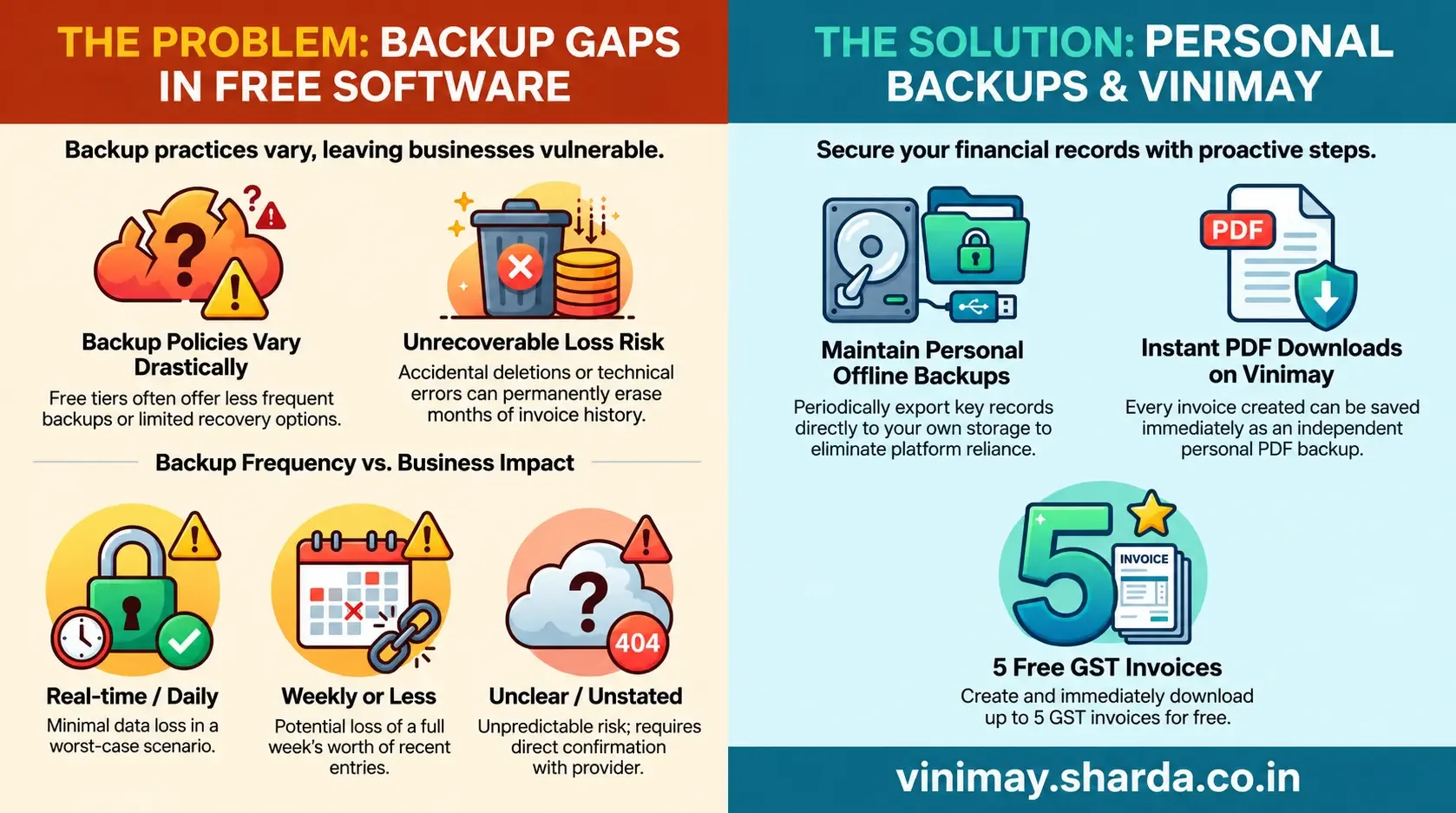
Data backup practices vary significantly between free accounting software providers, and this is genuinely one of the areas where free and paid tiers most commonly differ—some free tiers back up data as frequently as paid ones, while others back up less often or offer less robust recovery options, making this worth checking specifically rather than assuming it's automatically included.
What "Backup" Actually Means Technically
A data backup is a separate, stored copy of your data, kept independently of your active, everyday account, specifically so that damage or loss to the live version doesn't mean permanent loss—it's an insurance layer beneath the data you interact with daily, not the same thing as the data itself.
Why This Matters More Than People Initially Assume
Without data backup, an accidental deletion, a technical failure on the provider's end, or even a mistaken bulk edit could mean permanently losing months of invoice history—not because anyone did anything wrong maliciously, but because normal human and technical errors happen, and backup is what makes them recoverable rather than catastrophic.
Questions Worth Asking Any Provider Directly
How frequently is data backed up (daily, weekly, or real-time)?
If I accidentally delete something, can it be recovered, and within what timeframe?
Is backup included at the free tier, or reserved for paid plans?
Your Own Backup Habit Still Matters
Regardless of what a provider offers, exporting your own invoices and key records periodically as an independent, personal backup is a genuinely valuable habit—it doesn't depend on the provider's specific practices, and it puts a copy of your critical datadirectly in your own hands.
Where Vinimay Fits This
Every invoice created through Vinimay can be downloaded immediately as a PDF, which functions as an immediate, personal backup independent of the platform's own backup practices. For specific details on Vinimay's server-side backup frequency, checking official documentation directly gives the most current picture.
Frequently Asked Questions
1. Do all free accounting tools offer the same backup frequency?
No, this varies significantly by provider and is worth checking directly rather than assuming.
2. What's the risk of not having backup at all?
An accidental deletion or technical failure could mean permanent, unrecoverable data loss.
3. Should I maintain my own backup even if the software backs up data?
Yes, exporting your own records periodically is a valuable habit regardless of the provider's own practices.
4. How can I check a provider's actual backup frequency?
Ask directly or check official documentation, since this isn't always prominently advertised.
5. Does Vinimay allow me to keep my own backup of invoices?
Yes, every invoice can be downloaded immediately as a PDF, serving as an independent personal copy.
6. Is backup the same as data export?
Related but different—backup is the provider's own recovery copy; export is you actively saving your own copy.
7. What happens if I accidentally delete an important invoice?
This depends on the provider's specific recovery capabilities and timeframe—worth confirming before it becomes an actual emergency.
8. Is backup typically better on paid plans than free ones?
Often, though this varies—some free tiers match paid backup practices, others don't.
9. How often should I personally export my records as backup?
Monthly is a reasonable habit for most small businesses, more frequently for high-volume operations.
10. How many free invoices can I create and immediately download as backup with Vinimay?
Up to 5 GST invoices are free, each downloadable as a PDF immediately.
Related Topics
Published by Team Vinimay
Our editorial and compliance specialists create practical guides, tax calculation rules, and operational strategies to empower Indian small business owners and accountants.