Best Accounting Software in Singapore for Small Businesses (2026)
Quick Answer: The best accounting software for a Singapore small business depends on its budget, invoicing needs, GST obligations and transaction volume. Vinimay offers general invoicing and bookkeeping tools, while Xero, QuickBooks, Zoho Books and ABSS provide other accounting options. GST-registered businesses should verify InvoiceNow compatibility before choosing.
Managing business finances becomes easier when invoices, expenses, payments and financial reports are organised in one system.
For Singapore freelancers, startups, retailers and SMEs, choosing suitable accounting software can reduce manual bookkeeping and improve cash-flow visibility.
However, features, subscription costs and Singapore GSTcompliance capabilities differ significantly between providers.
1. What Is Accounting Software?
Accounting software helps businesses record and manage financial transactions digitally.
Instead of maintaining separate spreadsheets for invoices, purchases and customer payments, businesses can use a single system to organise their financial records.
Common features include:
Sales invoices and quotations.
Purchase and expense tracking.
Customer and supplier ledgers.
Payment and outstanding balance monitoring.
Inventory records.
Profit and loss statements.
Balance sheets and financial reports.
GST calculations and reports, where supported.
Businesses should select software according to their actual workflow rather than paying for features they rarely use.
2. What Are the Best Accounting Software Options in Singapore?
Several accounting platforms serve different business requirements.
Software | Suitable For | Main Strength |
|---|---|---|
Vinimay | Small businesses seeking general invoicing and bookkeeping tools | Invoicing, customer records, transactions and inventory |
Xero | Growing SMEs | Cloud bookkeeping and bank reconciliation |
QuickBooks Online | Businesses needing broader financial reporting | Expenses, invoicing and accountant collaboration |
Zoho Books | Freelancers and microbusinesses | Free entry-level plan and GST tracking |
ABSS | SMEs preferring established accounting workflows | Accounting, inventory and local business features |
Manager.io | Businesses seeking desktop accounting | Free desktop edition |
These are practical options rather than a universal ranking. The right choice depends on whether a business needs simple bookkeeping, advanced accounting or verified local tax integrations.
3. Which Free Accounting Software Can Small Businesses Use?
Free software can be useful when a business is starting out and has limited transactions.
Vinimay provides general invoicing and accounting functionality, including transaction records, customer management and inventory features. Businesses can explore the available services through its website.
Zoho Books offers a free plan for qualifying microbusinesses, including invoicing, expense tracking, bank reconciliation and GST reports. Its published free plan has eligibility and usage limits.
Manager.io provides a free desktop accounting edition for Windows, macOS and Linux.
Free accounting tools should still be assessed for data exports, backups, accounting depth and local compliance.
A free invoice generator alone is not necessarily a complete accounting solution.
4. How Much Does Accounting Software Cost in Singapore?
Subscription prices vary depending on user limits, modules and promotions.
Software | Published Entry-Level Price |
|---|---|
Zoho Books | Free plan; Standard S$18/month |
Xero Starter | S$39/month until 31 October 2026 |
QuickBooks Simple Start | S$31/month before promotional discounts |
ABSS | Request current provider pricing |
Manager.io Desktop | Free |
Vinimay | Check current plans on official website |
Pricing note: Xero has announced that its Starter plan increases to S$42/month from 1 November 2026. Zoho's published prices exclude local taxes, while Xero's listed Singapore subscription prices include GST.
Promotional discounts may significantly reduce initial costs but should not be confused with regular subscription pricing.
5. What Accounting Software Features Should SMEs Prioritise?
Small businesses should look beyond the advertised monthly price.
Essential considerations include the ability to create professional invoices, record purchases, track unpaid customer balances and produce useful financial reports.
A retail shop may need stock quantities and purchase management, while a consulting business may prioritise recurring invoices and payment reminders.
Businesses with multiple employees should also review permissions, audit trails and access controls.
Before subscribing, check whether the software allows accountants to export transaction records, generate reports and retrieve supporting documents.
6. Does Accounting Software Need GST and InvoiceNow Support?
For Singapore GST-registered businesses, local compliance is an important selection factor.
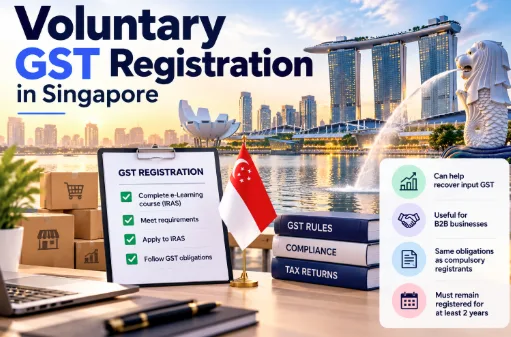
The GST InvoiceNow Requirement is being introduced in phases, including mandatory adoption for new voluntary GST registration applicants from 1 April 2026.
Businesses covered by the requirement must use an InvoiceNow-Ready Solution capable of submitting prescribed invoice data to IRAS.
They should separately check whether software supports GST F5 preparation or direct electronic filing.
IRAS maintains an Accounting Software Register Plus (ASR+) identifying specific software products and their listed functions.
Important: Vinimay's Singapore GST F5 filing, Peppol connectivity and InvoiceNow compliance have not been independently verified. These functions should be confirmed before relying on it for Singapore statutory obligations.
7. Is Cloud or Desktop Accounting Software Better?
Cloud software lets authorised users access accounting data from different locations, subject to internet availability and account permissions.
Desktop software may be suitable for businesses seeking locally installed accounting tools.
Consideration | Cloud Software | Desktop Software |
|---|---|---|
Access | Internet-connected devices | Usually installed computer |
Collaboration | Often easier for distributed teams | Depends on configuration |
Updates | Commonly managed by provider | May need manual installation |
Backups | Provider and user controls vary | User backup arrangements are important |
Pricing | Frequently subscription-based | Free, licence or subscription options |
The choice should consider operational needs, security, recovery procedures and data ownership.
8. How Can You Choose the Right Software for Your Business?
Start by identifying the tasks consuming the most time.
For example, a freelancer may primarily need invoices and expense records, whereas a wholesaler may need purchase orders, inventory and supplier balances.
A practical checklist is:
Define required accounting features.
Confirm the number of users.
Review free-plan limitations.
Check GST and InvoiceNow obligations.
Test invoice and report exports.
Confirm backup and access controls.
Compare regular prices, not just introductory offers.
Request a demonstration before migrating records.
For businesses primarily seeking general invoicing, customer records and daily transaction management, Vinimay is an option to explore.
For businesses requiring specific Singapore tax filing or InvoiceNow integrations, verified compliance support should take priority over price alone.
Frequently Asked Questions
Related Topics
Published by Satyam mahajan
Our editorial and compliance specialists create practical guides, tax calculation rules, and operational strategies to empower Indian small business owners and accountants.