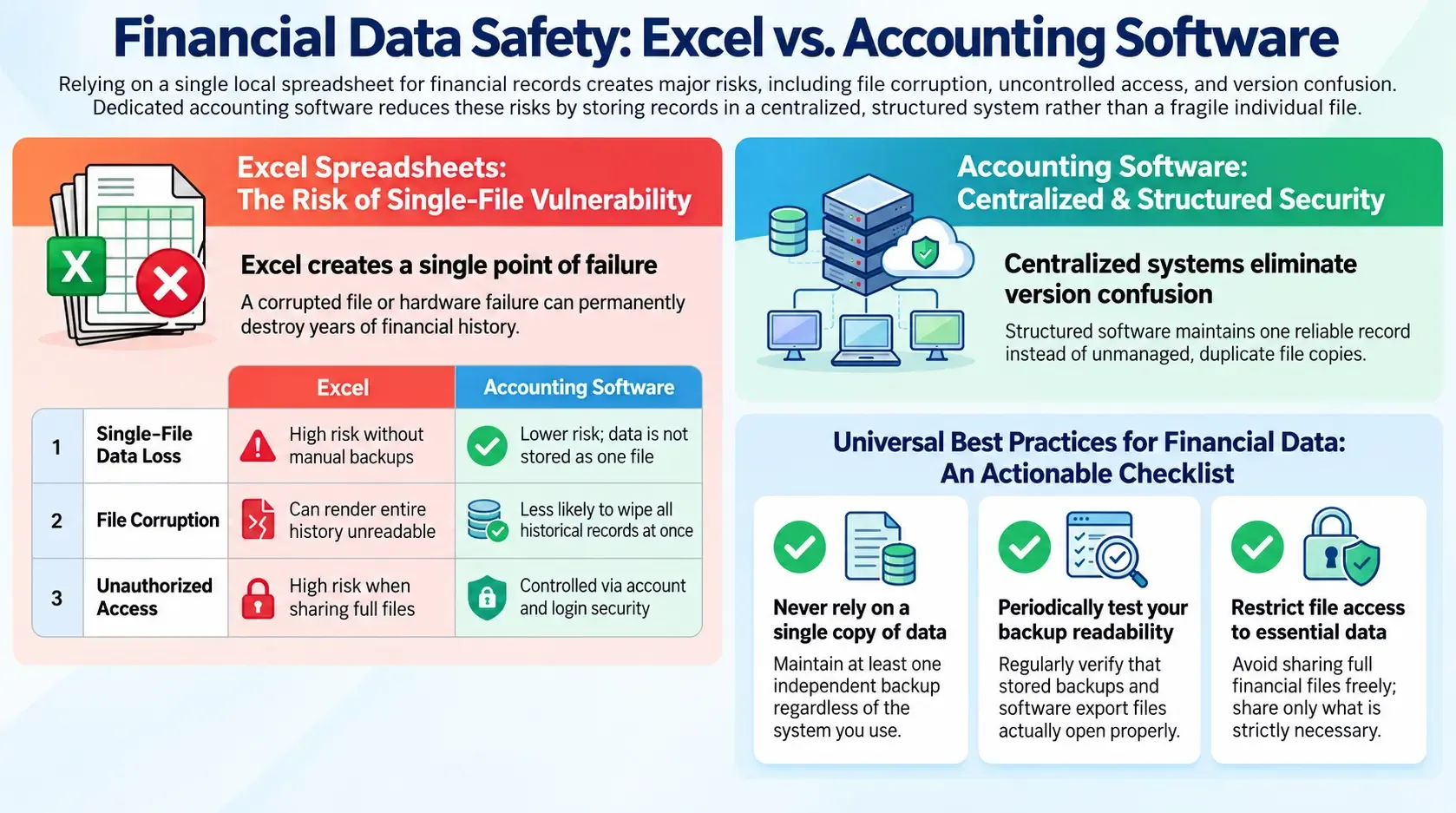
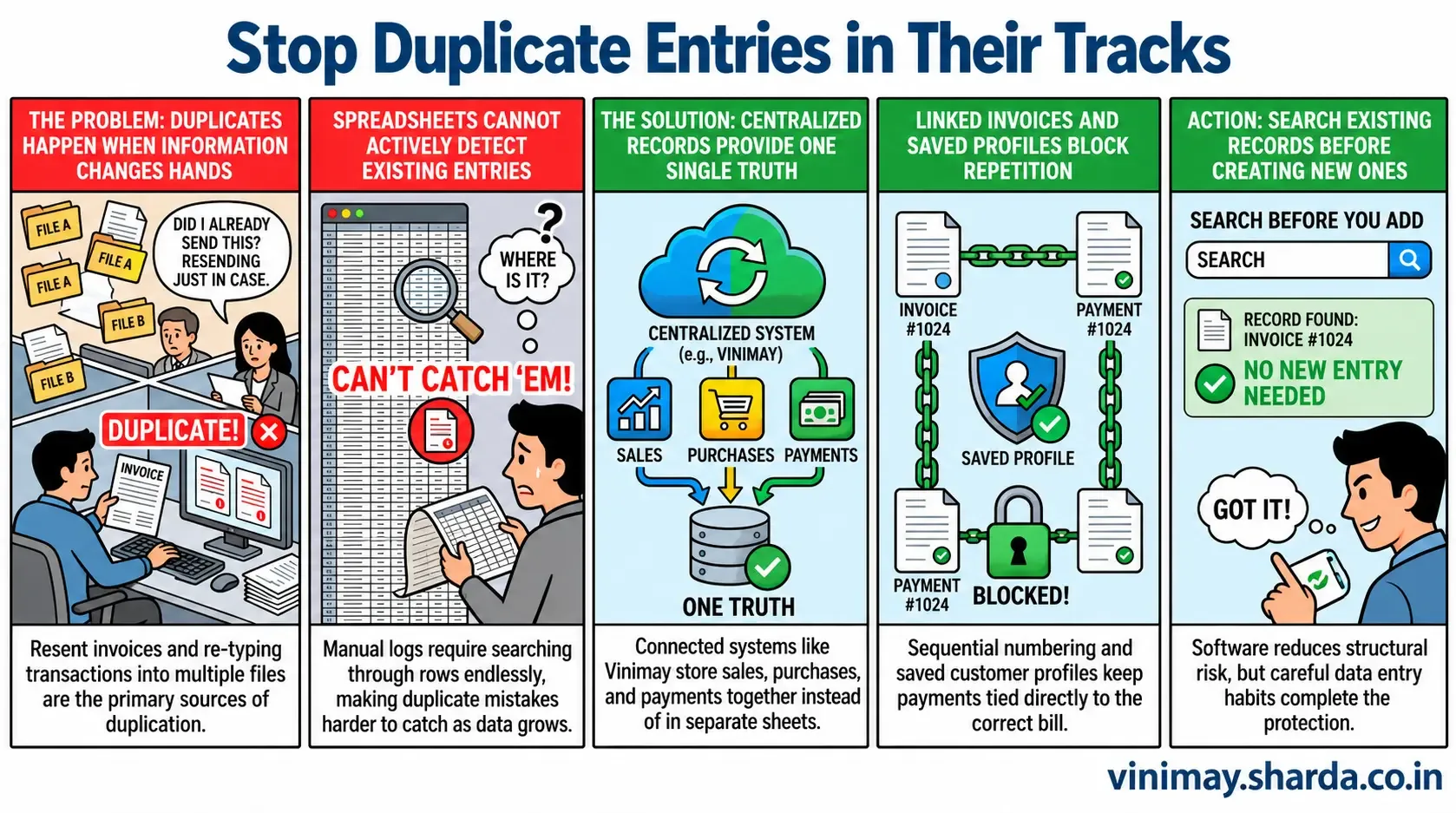
Ease of use isn't the same thing as familiarity, even though the two often get confused. Excel feels easy because most people have opened it before — but "easy to open" and "easy to use correctly for accounting" are two very different claims. Billing and accounting software helps organise invoices, payments, stock and customer records in one system, and part of its appeal is removing the guesswork that Excel quietly demands from its users. Vinimay is one such system — it helps businesses create GST invoices, record sales and purchases, track payments, and manage stock and customer details without needing to build any of that structure manually. This guide compares where each tool is genuinely easier and where it only feels that way.
Why Does "Easier" Depend on the Task, Not Just the Tool?
Asking "which is easier" as a single question misses the point—the honest answer changes depending on what you're trying to do:
Opening a blank sheet and typing a number: Excel wins immediately
Creating a GST-compliant invoice with correct tax fields every time: dedicated software wins
Customising a one-off calculation exactly how you want: Excel's flexibility helps
Finding a customer's full payment history in seconds: dedicated software is faster
What Makes Excel Feel Easy at First?
Excel earns its reputation for ease of use because:
Almost everyone has used a spreadsheet at some point
There's no new software to install or account to set up
You can start typing immediately, with no forced structure
For a single invoice or a quick calculation, this makes Excel genuinely the easier choice.
Where Excel Becomes Harder Over Time
The ease starts to fade once accounting-specific tasks appear:
Writing and debugging formulas requires a skill level many users overestimate
One wrong cell reference can silently break calculations elsewhere in the sheet
There's no built-in concept of an "invoice" or a "ledger" — you have to design that structure yourself
Reviewing month-end numbers means manually building or updating summary formulas
What felt simple on day one can become a maze of interlinked cells by month six.
What Makes Accounting Software Easier for Daily Billing?
Dedicated billing software is generally easier for the repetitive, accounting-specific parts of the job:
Invoice templates are ready-made, with tax fields already in place
Selecting a saved customer or product avoids retyping the same details
Payments and stock update automatically as part of the same action
There's nothing to "build" — the structure already exists
Where Accounting Software Has Its Own Learning Curve
To be fair, software isn't effortless either:
There's a short learning period to understand where things are in the interface
Initial setup — entering business, product, and customer details — takes some upfront time
Free plans sometimes limit customisation, which can feel restrictive compared to Excel's flexibility
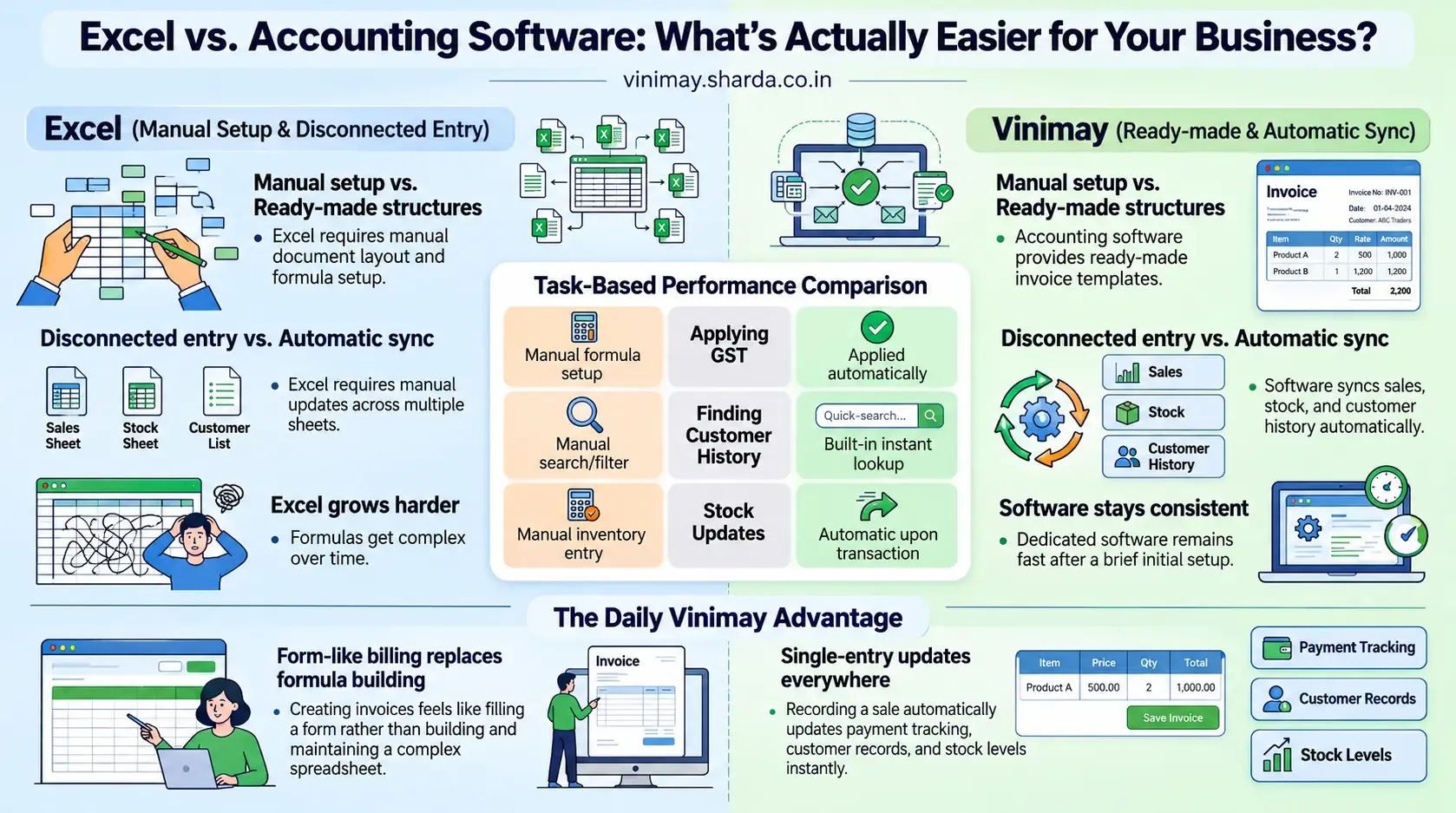
A Side-by-Side Look at Common Tasks
What Vinimay Simplifies Day to Day
For the tasks businesses repeat most often — billing, GST invoicing, tracking payments, and managing stock — Vinimay is built to remove the manual setup Excel would otherwise require.
GST invoicing and billing come with the tax structure already in place, so there's no formula to build or debug
Sales records, purchase records, and payment tracking are connected, so a single entry updates related records automatically
Product management and stock tracking stay linked to actual transactions instead of requiring a separate manual count
Customer and vendor management stores details once, so they don't need to be retyped for every invoice
PDF invoice generation and printing are available directly, without formatting a document from scratch
The practical result is that everyday billing tasks feel more like filling in a form than building and maintaining a spreadsheet.
Frequently Asked Questions
1. Is Excel easier to learn than accounting software?
Excel is more familiar to most people initially, but accounting-specific tasks like GST invoicing are usually easier in dedicated software once set up.
2. Why does Excel feel harder over time for accounting?
Because manual formulas and disconnected sheets become more complex to maintain as transaction volume grows.
3. Does accounting software have a learning curve too?
Yes, though it's usually a short, one-time period to learn the interface, compared to Excel's ongoing formula-building.
4. Which is easier for someone who isn't tech-savvy?
Dedicated billing software is often easier long-term, since it doesn't require formula knowledge to get accurate results.
5. Is Excel better for one-off, custom calculations?
Yes — Excel's flexibility genuinely helps for quick, non-repetitive calculations that don't need to fit an invoice format.
6. Does software make GST invoicing easier than Excel?
Yes — GST fields and tax breakups are already built into the invoice format, avoiding manual formula setup.
7. What accounting task is hardest to do easily in Excel?
Connecting an invoice, its payment, and stock updates in one place is the hardest to replicate easily in Excel.
8. Is initial setup in accounting software time-consuming?
It takes some upfront time to enter business, product, and customer details, but it's a one-time effort.
9. Can a beginner use accounting software without accounting knowledge?
Most dedicated billing software is designed for non-accountants, with templates and structure already built in.
10. Which tool is easier for daily, repetitive billing?
Dedicated accounting software is generally easier for repetitive billing tasks, since the structure doesn't need to be rebuilt each time.
Related Topics
Published by Team Vinimay
Our editorial and compliance specialists create practical guides, tax calculation rules, and operational strategies to empower Indian small business owners and accountants.