Beyond the question of who owns your data lies a more practical one: when you actually try to export it, what format do you get, how much can you export at once, and does it happen instantly or require a request and a wait? Yes, most accounting software allows exporting your accounting data, but the actual mechanics vary—some offer instant, self-service export in common formats like PDF or spreadsheet, while others require submitting a request and waiting for the provider to process it, a meaningfully different experience even when both technically "allow" export.
The Two Different Export Experiences
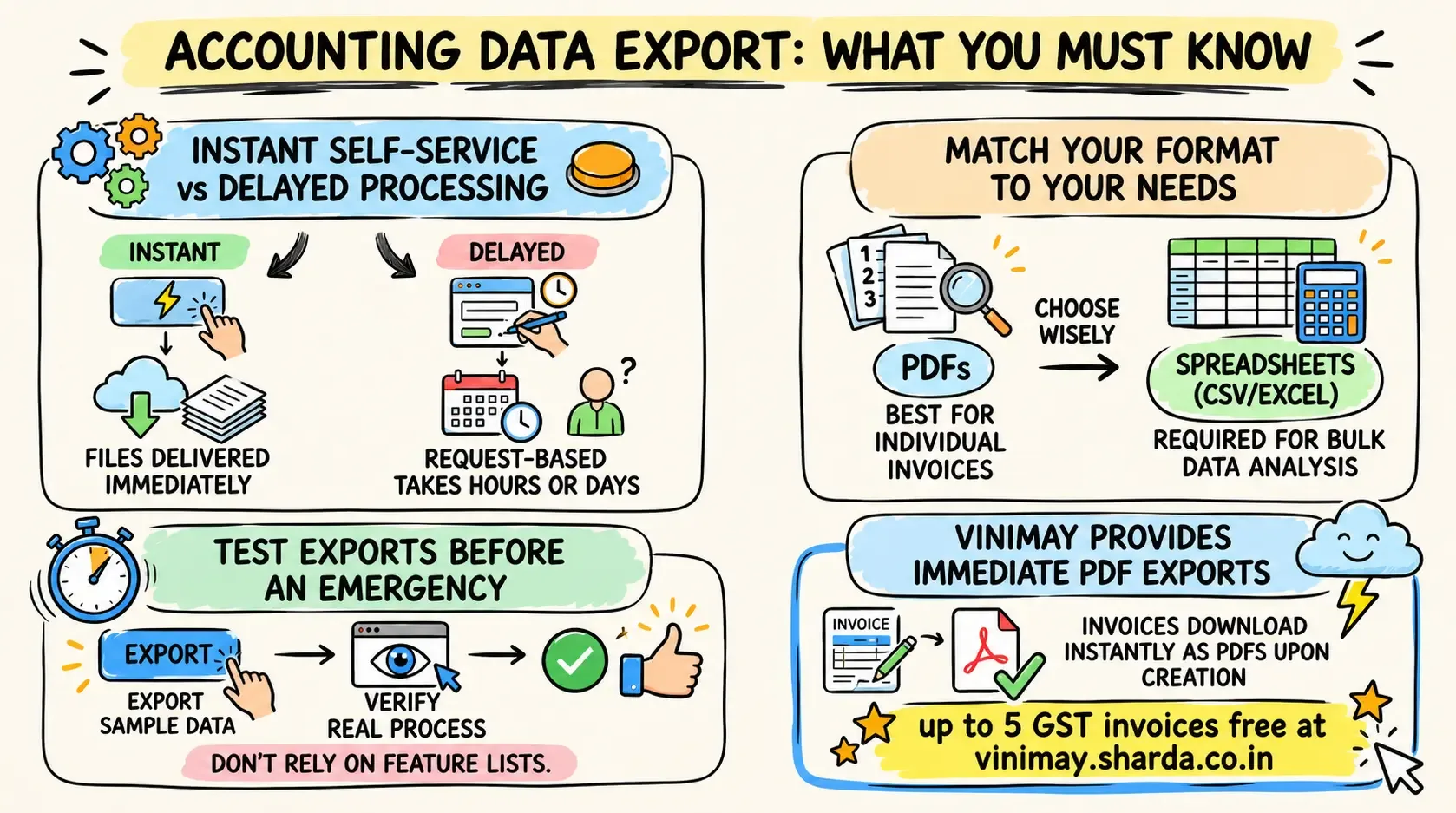
Self-service export means you click a button and immediately receive your data in a usable file—no waiting, no request needed. Request-based export means you submit a request, and the provider processes and sends your data within some stated timeframe, which could be hours or days.
What Format Actually Matters
PDF—good for individual invoices, less useful for bulk data analysis
Spreadsheet (CSV/Excel)—better for bulk data you might want to analyze or import elsewhere
Proprietary format—technically an export, but potentially difficult to use outside the original software
A Practical Comparison
Why Testing This Yourself Matters More Than Reading a Feature List
A feature list saying "accounting data export available" doesn't tell you whether that means instant, self-service access or a multi-day request process—the only reliable way to know is to actually test exporting a sample of your own data before you're in a situation where you urgently need it.
Where Vinimay Fits This
Every invoice created through Vinimay is available for immediate PDF download the moment it's generated—no request process, no waiting period. This is a self-service export by design, giving you direct access to your own invoice accounting data as soon as it exists.
Frequently Asked Questions
1. Is all accounting data export instant, or does it sometimes require a request?
Both models exist—self-service instant export and request-based processing, which can take hours or days depending on the provider.
2. What's the most useful export format for bulk data?
Spreadsheet formats like CSV or Excel are generally more useful than PDF for analyzing or importing large amounts of data.
3. Should I test export capability before relying on a tool long-term?
Yes, actually testing it with real data reveals more than a feature list claiming "export available."
4. Is PDF export sufficient for my own records?
For individual invoices, yes; for bulk analysis or migration, a spreadsheet format is generally more practical.
5. Does Vinimay offer instant export or a request process?
Instant—every invoice downloads immediately as a PDF the moment it's created.
6. What's the risk of a request-based export process?
It introduces delay, which matters if you need your data urgently, such as during a sudden switch or shutdown scenario.
7. Can I export just one invoice, or does it have to be all my data at once?
This depends on the specific software's export options—checking whether individual or bulk export (or both) is supported is worth confirming.
8. Does export capability differ between free and paid tiers?
Sometimes, though, this varies by provider—worth confirming specifically rather than assuming it's identical across tiers.
9. Is a proprietary export format actually useful?
Less so than open formats like PDF or CSV, since it may require the original software to open or use it properly.
10. How many free invoices can I export immediately with Vinimay?
Up to 5 GST invoices are free, each downloadable instantly as a PDF.
Related Topics
Published by Team Vinimay
Our editorial and compliance specialists create practical guides, tax calculation rules, and operational strategies to empower Indian small business owners and accountants.