Many businesses maintain their financial records, customer details, product lists, or transaction data in Excel before moving to accounting software. However, shifting to a new system often raises concerns about whether existing data will need to be entered manually again or whether it can be transferred easily.
Accounting software with import features allows businesses to move existing data from Excel files into a structured system, reducing manual effort and saving time. Businesses can import important records such as customers, vendors, products, and transaction details, depending on the software's capabilities. Vinimay helps businesses organize accounting and billing data in one platform, making the transition from manual records or spreadsheets smoother and more efficient.
Why This Isn't Always a Clean, One-Click Process
Excel files are flexible by nature — two businesses rarely structure their spreadsheets the same way. One might have customer names in column A and phone numbers in column D; another might reverse the order or split names across two columns. This flexibility is exactly what makes automated import tricky, since software needs a predictable structure to map data correctly
.
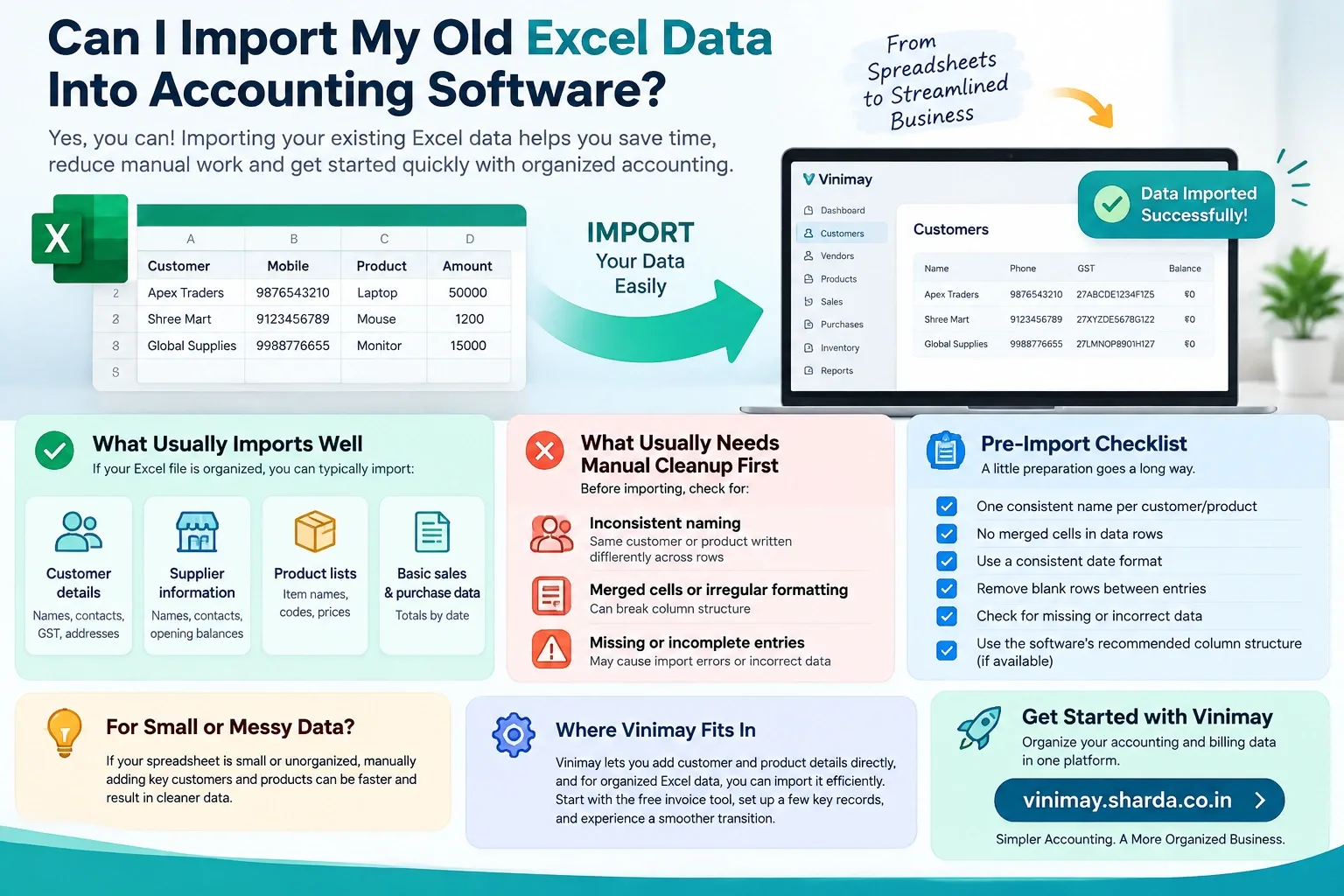
What Typically Imports Well
Customer names and contact details, if organized in clear columns
Product lists with consistent naming
Basic sales totals by date, if recorded consistently
What Usually Needs Manual Cleanup First
Inconsistent naming for the same customer or product across different rows
Merged cells or irregular formatting that breaks a clean column structure
Missing or incomplete entries scattered throughout the sheet
A Practical Pre-Import Checklist
The Safer Alternative: A Fresh Start With Manual Entry
For a smaller dataset, or a sheet that's genuinely messy, manually re-entering key customers and products — rather than fighting with an imperfect import — is often faster and produces cleaner results. This isn't a failure of the import process; it's a reasonable trade-off when cleanup would take longer than re-entry.
Where Vinimay Fits Into This
Vinimay allows you to add customer and product details directly, and for businesses with organized Excel data, this can be entered efficiently as a starting foundation before regular invoicing begins. Starting with the free invoice tool and manually setting up a handful of key customers is a practical way to test this before committing to a larger import effort.
Frequently Asked Questions
1. Can I import my old Excel data into accounting software?
Yes, many accounting systems provide import options for data stored in Excel or CSV files. The exact import capability depends on the software and the type of data being transferred.
2. Which Excel data can be imported into accounting software?
Depending on the software, you may be able to import customer details, supplier information, products, opening balances, sales, purchases, and other transaction records.
3. Can I import customer and supplier records from Excel?
Many accounting systems allow customer and supplier information to be imported. Details such as names, contact information, addresses, GST details, and opening balances may be supported depending on the software.
4. Can I import old sales and purchase invoices from Excel?
Some software supports importing historical sales and purchase data, while others may only allow specific transaction formats. The required columns and file structure should be checked before importing.
5. Can I import my inventory or stock data from Excel?
Yes, inventory information such as product names, item codes, quantities, prices, and other product details may be imported if the accounting software supports inventory data import.
6. Does Excel data need to be formatted before importing?
Usually, yes. Data may need to follow a specific column structure, naming format, date format, or template provided by the accounting software. Cleaning the Excel file beforehand can help reduce import errors.
7. What happens if my Excel file contains missing or incorrect data?
Missing or incorrectly formatted information may cause some records to fail during import or may result in inaccurate records. It is advisable to review and clean the Excel data before importing it.
8. Can I import years of accounting data into new software?
This depends on the software's import limits and supported data types. Businesses moving several years of records may need to import selected historical data or opening balances rather than transferring every transaction.
9. Will importing Excel data overwrite my existing accounting records?
Not necessarily. The outcome depends on how the software handles imported records. Businesses should review the import process and take a backup of existing data before importing large amounts of information.
10. Should I check my Excel data before importing it into accounting software?
Yes. Reviewing customer, supplier, product, transaction, tax, and opening-balance information before import can help identify duplicates, missing fields, and incorrect entries and make the transition smoother.
Related Topics
Published by Team Vinimay
Our editorial and compliance specialists create practical guides, tax calculation rules, and operational strategies to empower Indian small business owners and accountants.