accounting software10 min readPublished 23 October 2026
Free Invoice Template: Download GST Format
Download a free invoice template in Excel, Word or PDF. Learn what GST details to include and how billing software makes invoicing easier.
A
admin
Financial Insights & Compliance Desk
Share:
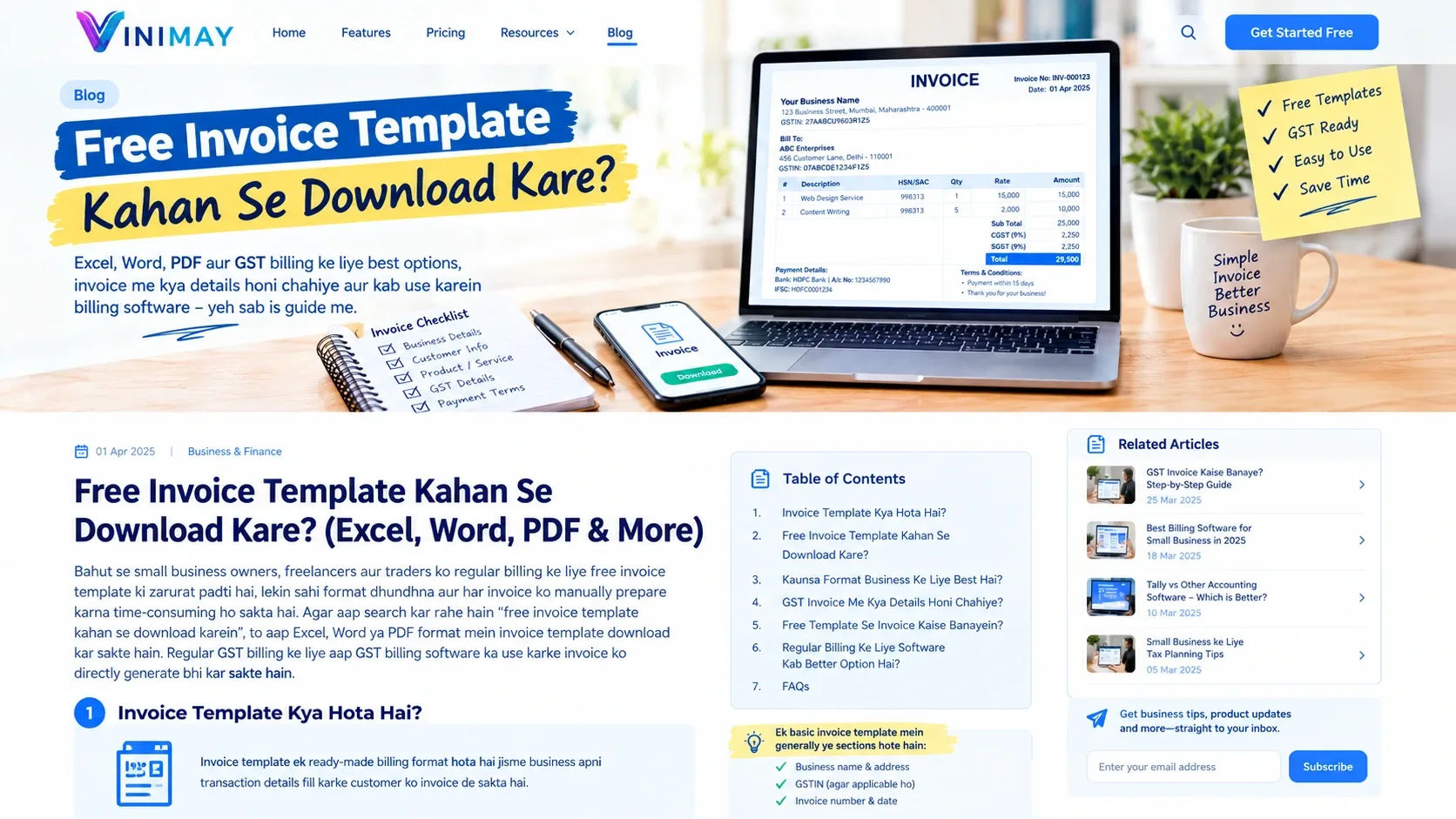
Bahut se small business owners, freelancers aur traders ko regular billing ke liye free invoice template ki zarurat padti hai, lekin sahi format dhundhna aur har invoice ko manually prepare karna time-consuming ho sakta hai. Agar aap search kar rahe hain “free invoice template kahan se download karein”, to aap Excel, Word ya PDF format mein invoice template download kar sakte hain. Regular GST billing ke liye aap GST billing software ka use karke invoice ko directly generate bhi kar sakte hain.
Ek proper invoice mein business details, customer information, invoice number, product/service details, HSN/SAC, taxable value, applicable GST aur payment information clearly mention honi chahiye. Is guide mein hum dekhenge ki free invoice template kahan se download karein, kaunsa format business ke liye suitable hai, GST invoice mein kya details honi chahiye aur manual templates ke comparison mein billing software kab better option ho sakta hai. Free invoice templates Excel, Word aur PDF formats mein mil sakte hain. Occasional billing ke liye ye convenient option ho sakta hai, lekin regular invoicing mein manual GST calculation, invoice numbering aur record keeping time-consuming ho sakti hai. Aise cases mein GST billing software invoice creation aur records ko more organized bana sakta hai.
Is guide mein hum samjhenge ki invoice template free me kaha se download kare, kaunsa format choose karein, GST invoice mein kya details honi chahiye, free template se invoice kaise banayein aur regular billing ke liye software kab better option ho sakta hai.
Invoice Template Kya Hota Hai?
Invoice template ek ready-made billing format hota hai jisme business apni transaction details fill karke customer ko invoice de sakta hai.
Ek basic invoice template mein generally ye sections hote hain:
Business name
Business address
GSTIN, agar applicable ho
Invoice number
Invoice date
Customer details
Product ya service description
Quantity
Rate
Amount
Tax details
Total invoice value
Payment details
Terms and conditions
Template ka main benefit ye hai ki har invoice ke liye layout dobara create nahi karna padta.
Invoice Template Free Me Kaha Se Download Kare?
Aap apni requirement ke according different formats choose kar sakte hain.
Format
Best For
Main Benefit
Excel
Small businesses
Calculation aur editing
Word
Freelancers/services
Simple document editing
PDF
Ready-to-use format
Professional presentation
Google Sheets
Multiple users
Online access
Billing Software
Regular billing
Automated invoicing and records
Excel Invoice Template
Excel template un businesses ke liye useful ho sakta hai jo limited number of invoices banate hain aur calculations khud manage karna chahte hain.
Isme aap:
Product details enter kar sakte hain
Quantity aur rate add kar sakte hain
Tax calculation ke formulas use kar sakte hain
Invoice ko PDF mein save kar sakte hain
Lekin formulas ya manually entered data mein mistake hone par final amount bhi incorrect ho sakta hai.
Word Invoice Template
Word template freelancers, consultants aur service providers ke liye convenient ho sakta hai.
Aap business logo, address, customer details aur service description add karke invoice create kar sakte hain.
Lekin Word mainly document formatting ke liye useful hai. Complex calculations ke liye additional manual work ki zarurat pad sakti hai.
PDF Invoice Template
PDF template ready-to-share format ke liye useful hai. Lekin editable PDF templates limited ho sakte hain.
Agar aapko har invoice mein different products, quantities aur GST calculations add karne hain, to editable format ya billing software zyada convenient ho sakta hai.
GST Billing Software
Agar business mein daily ya regular invoices generate hote hain, to billing software practical option ho sakta hai.
Is approach mein business:
Invoice create kar sakta hai
Customer details maintain kar sakta hai
Product records save kar sakta hai
GST calculations manage kar sakta hai
Payment records track kar sakta hai
Previous invoices access kar sakta hai
Free Invoice Template Use Karne Se Pehle Kya Check Kare?
Sirf template download karna enough nahi hai. Use karne se pehle important fields check karein.
1. Business Details
Check karein ki template mein business name, address aur applicable GSTIN ke liye space available ho.
2. Invoice Number
Invoice number ke liye dedicated field honi chahiye.
Regular business billing mein invoice numbering ko consistently maintain karna important hai.
3. Customer Details
Template mein customer name, address aur applicable GSTIN enter karne ke liye fields honi chahiye.
4. HSN/SAC Details
Goods ya services ke according applicable HSN/SAC information ke liye space hona useful hai.
5. Taxable Value
Product/service value ko tax se separately show karne ke liye proper column hona chahiye.
Bank account, UPI, payment terms ya due date jaise details add karne ke liye section useful ho sakta hai.
GST Invoice Mein Kaunsi Details Honi Chahiye?
GST-registered businesses ko invoice prepare karte waqt applicable requirements ka dhyan rakhna chahiye.
A typical tax invoice mein relevant information include ho sakti hai:
Supplier name and address
GSTIN
Invoice number
Invoice date
Customer details
Customer GSTIN, where applicable
Goods/service description
HSN/SAC
Quantity
Taxable value
Applicable GST rate
CGST/SGST or IGST, as applicable
Total invoice value
Other applicable invoice information
Important: Exact invoice requirements transaction aur applicable GST provisions ke according vary kar sakti hain. Isliye final invoice format ko applicable GST requirements ke saath verify karna chahiye.
Free Invoice Template vs GST Billing Software
Feature
Free Template
GST Billing Software
Invoice creation
Manual
Structured workflow
GST calculation
Usually manual/formula based
Automated according to setup
Customer records
Separate maintenance
Digitally organized
Product records
Manual
Saved product data
Invoice history
File-based
Digital records
Payment tracking
Separate
Integrated workflow
Reports
Manual
Software-generated
Large transaction volume
Difficult
More suitable
Agar aap mahine mein sirf kuch invoices banate hain, template sufficient ho sakta hai. Lekin daily billing wale businesses ke liye software-based workflow zyada convenient ho sakta hai.
Free Invoice Template Se GST Invoice Kaise Banaye?
Step 1: Suitable Template Select Karein
Apne business ke according Excel, Word ya another editable invoice format choose karein.
Step 2: Business Details Add Karein
Business name, address, contact information aur applicable GSTIN enter karein.
Step 3: Invoice Number and Date Add Karein
Unique invoice number aur invoice date enter karein.
Taxable value, tax amount aur final total ko invoice share karne se pehle verify karein.
7. Invoice Records Properly Save Na Karna
Old invoices ko systematically store karna important hai, especially regular business transactions ke liye.
Free Template Kab Use Karein?
Free invoice template useful ho sakta hai agar:
Aap occasional invoices banate hain
Transactions limited hain
Manual calculations manageable hain
Aapko simple billing format chahiye
Aap records separately maintain kar sakte hain
Billing Software Kab Better Option Ho Sakta Hai?
Software consider karna useful ho sakta hai agar:
Daily multiple invoices bante hain
Multiple products sell hote hain
Different GST rates handle karne padte hain
Customer records frequently use hote hain
Inventory bhi track karni hai
Pending payments monitor karne hain
Sales reports chahiye
Old invoices quickly search karni hain
How Vinimay Helps With Invoice Management?
Vinimay Accounting Software businesses ko invoicing aur accounting workflow ko organized way mein manage karne mein help karta hai.
1. GST Invoice Creation
Businesses structured invoice workflow ke through GST invoices create kar sakte hain.
2. Customer Management
Customer information maintain karne se repeated billing ke waqt data entry easier ho sakti hai.
3. Product Management
Frequently sold products ki information organized rakhne se invoice preparation faster ho sakti hai.
4. Payment Tracking
Businesses paid, pending aur outstanding payments ko better organize kar sakte hain.
5. Inventory Management
Product-based businesses sales aur inventory records ko connected workflow mein manage kar sakte hain.
6. Sales and Purchase Records
Business transactions ko organized records ke form mein maintain karna reporting aur review ke liye useful ho sakta hai.
7. Digital Invoice Records
Previous invoices digitally maintained hone se future reference ke liye records access karna easier ho sakta hai.
Frequently Asked Questions
1. Invoice template free me kaha se download kare?
Free invoice templates Excel, Word, PDF aur spreadsheet formats mein available ho sakte hain. Template select karte waqt ensure karein ki required business, customer, tax aur payment fields available hon.
How Vinimay Helps:
Vinimay businesses ko ready billing workflow ke through invoices create aur records manage karne mein help karta hai.
Har free template automatically GST compliant nahi hota. Template mein applicable GST invoice requirements ke liye necessary fields aur correct tax information maintain karna zaroori hai.
How Vinimay Helps:
Vinimay structured GST billing workflow ke through relevant invoice details manage karne mein help karta hai.
3. GST invoice template Excel mein download karna better hai ya software use karna?
Occasional billing ke liye Excel template convenient ho sakta hai. Regular billing, multiple products, customer records aur payment tracking ke liye software-based workflow more practical ho sakta hai.
How Vinimay Helps:
Vinimay invoicing, customer, payment aur accounting records ko ek connected workflow mein manage karne mein help karta hai.
4. Kya freelancer free invoice template use kar sakta hai?
Haan, freelancer apni invoicing requirements ke according free template use kar sakta hai. Agar freelancer GST registered hai, to applicable GST invoice requirements ka dhyan rakhna chahiye.
How Vinimay Helps:
Vinimay service providers ko invoices aur payment records organize karne mein help karta hai.
Ye template par depend karta hai. Kuch Excel templates formulas provide kar sakte hain, jabki simple Word ya PDF templates mein calculation manually karni pad sakti hai.
How Vinimay Helps:
Vinimay billing workflow mein GST calculation ko software-based process ke through manage karne mein help karta hai.
6. Kya invoice template ko PDF mein convert kar sakte hain?
Haan, editable invoice ko PDF format mein save karke customer ke saath share kiya ja sakta hai.
7. Invoice number kaise maintain karein?
Invoice numbers ko consistent, unique aur appropriate sequence mein maintain karna chahiye. Duplicate ya confusing numbering se record tracking difficult ho sakti hai.
How Vinimay Helps:
Vinimay digital invoice records maintain karne mein help karta hai, jisse manual invoice tracking ka workload reduce ho sakta hai.
8. Kya free invoice template small business ke liye enough hai?
Agar business ki invoicing limited hai, to free template sufficient ho sakta hai. Jaise-jaise invoices, products aur customers increase hote hain, software-based billing more convenient ho sakti hai.
Applicable GST invoices mein relevant HSN/SAC information maintain karni pad sakti hai. Exact requirement business aur transaction ke applicable rules par depend karti hai.
10. Kya invoice template mein logo add kar sakte hain?
Haan, editable invoice templates mein business logo add kiya ja sakta hai. Branding invoice ko more professional appearance de sakti hai, although logo itself generally invoice ka substitute for mandatory information nahi hai.
Our editorial and compliance specialists create practical guides, tax calculation rules, and operational strategies to empower Indian small business owners and accountants.
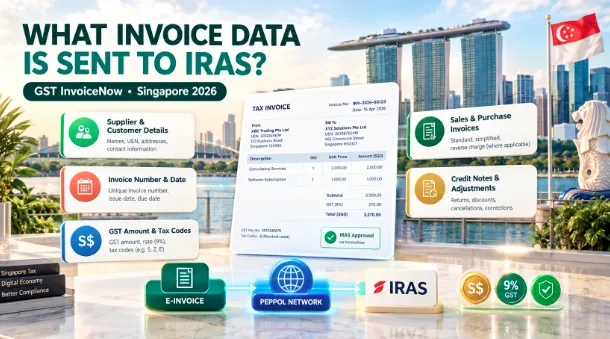
What invoice data is sent to IRAS under GST InvoiceNow? Learn mandatory data fields, sales and purchases, GST codes, credit notes and submission deadlines.