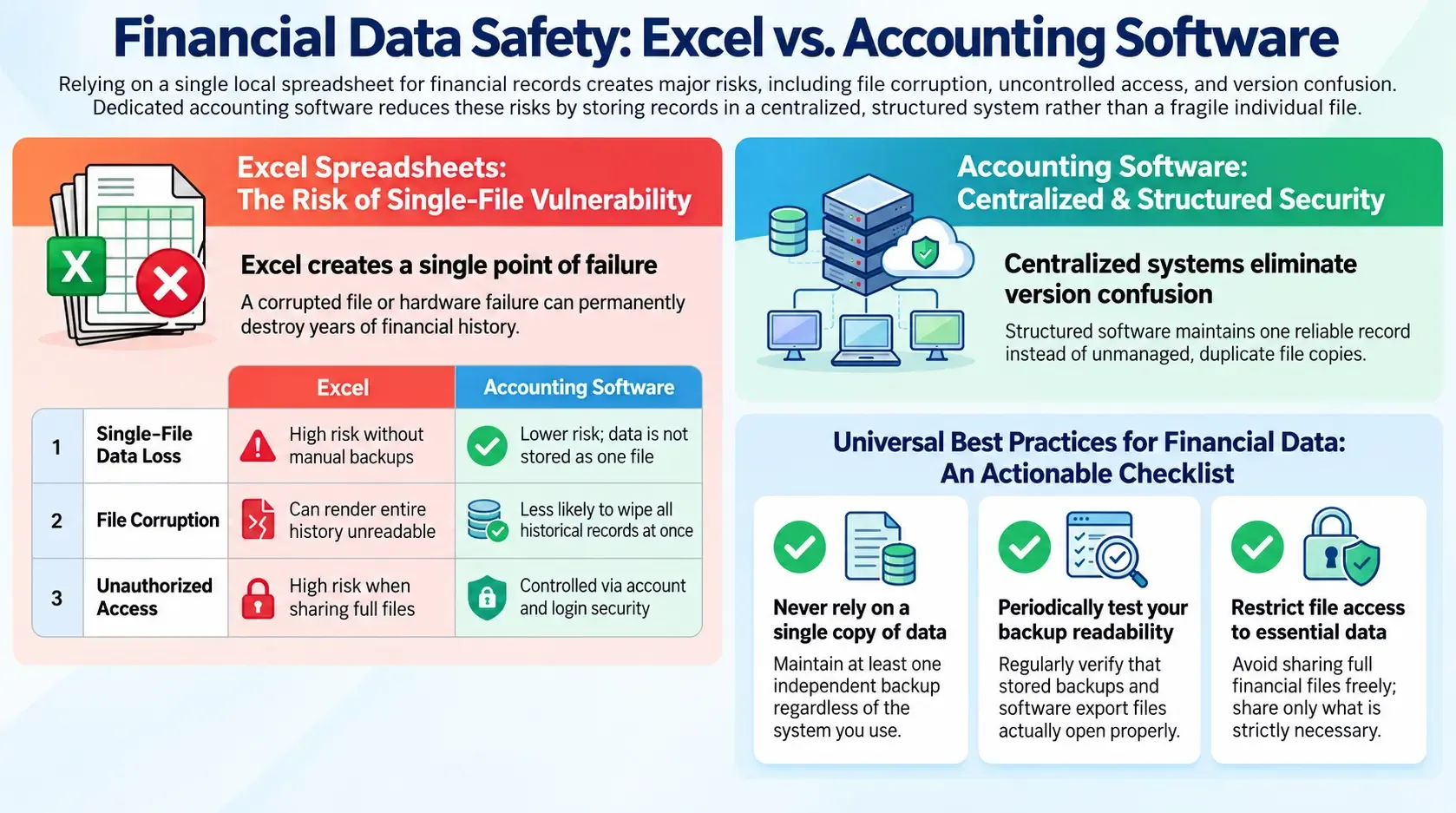
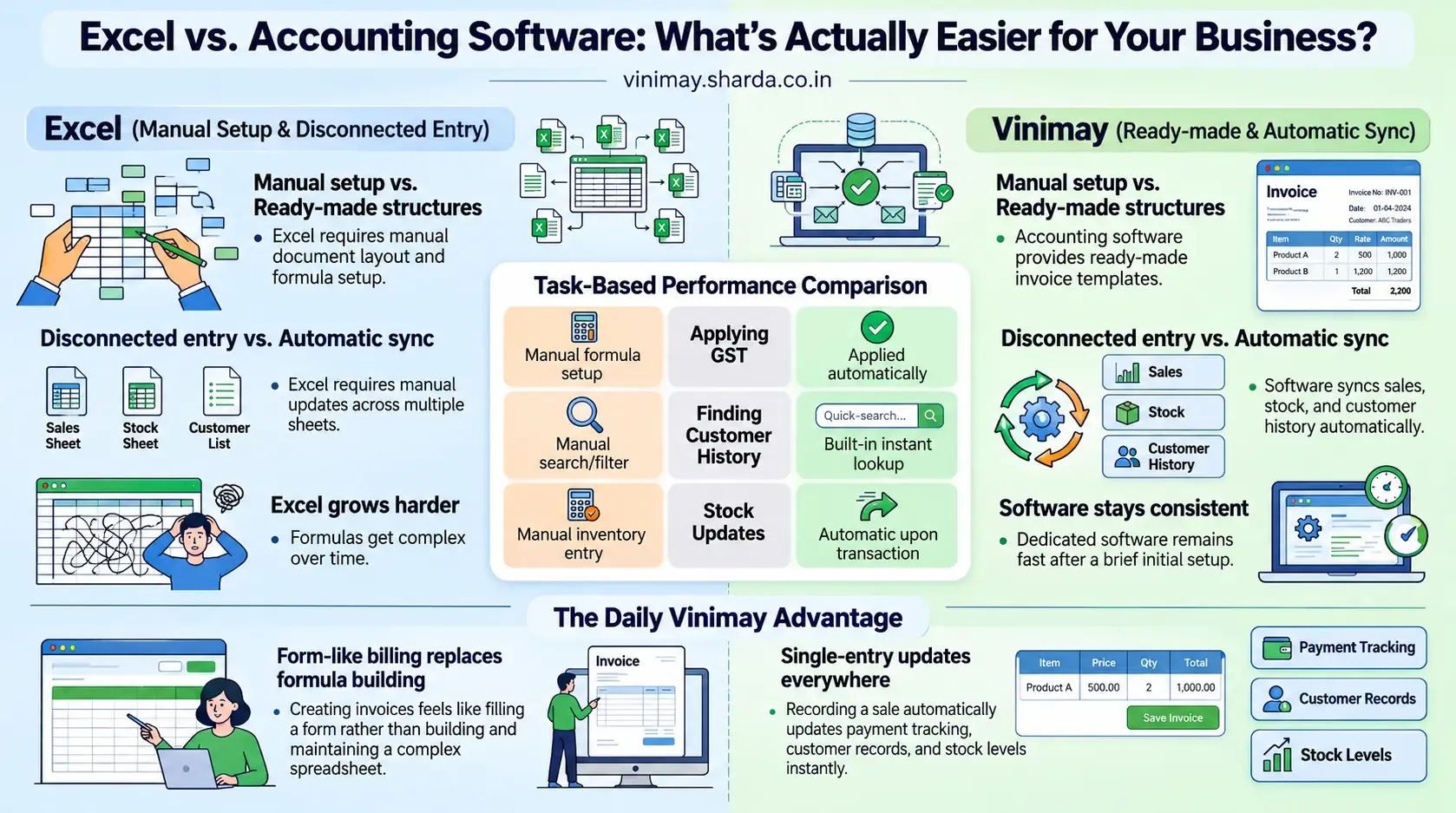
A duplicate entry is one of the quietest accounting mistakes to make and one of the most disruptive to untangle once it's noticed, because by the time it surfaces—as a customer disputing a double charge or a stock count that doesn't match sales records—it isn't always obvious which entry was the mistake and which was correct. Billing and accounting software helps organise invoices, payments, stock and customer records in one system, and part of what that structure does is make duplicate entries less likely to happen and easier to spot when they do.
Vinimay maintains sales records, purchase records, payment tracking, and customer and vendor details together, which is directly relevant to how duplication risk gets reduced in a connected system rather than a set of separate files. This guide explains where duplicate entries typically come from, and what actually reduces the risk.
Why Do Duplicate Entries Happen in the First Place?
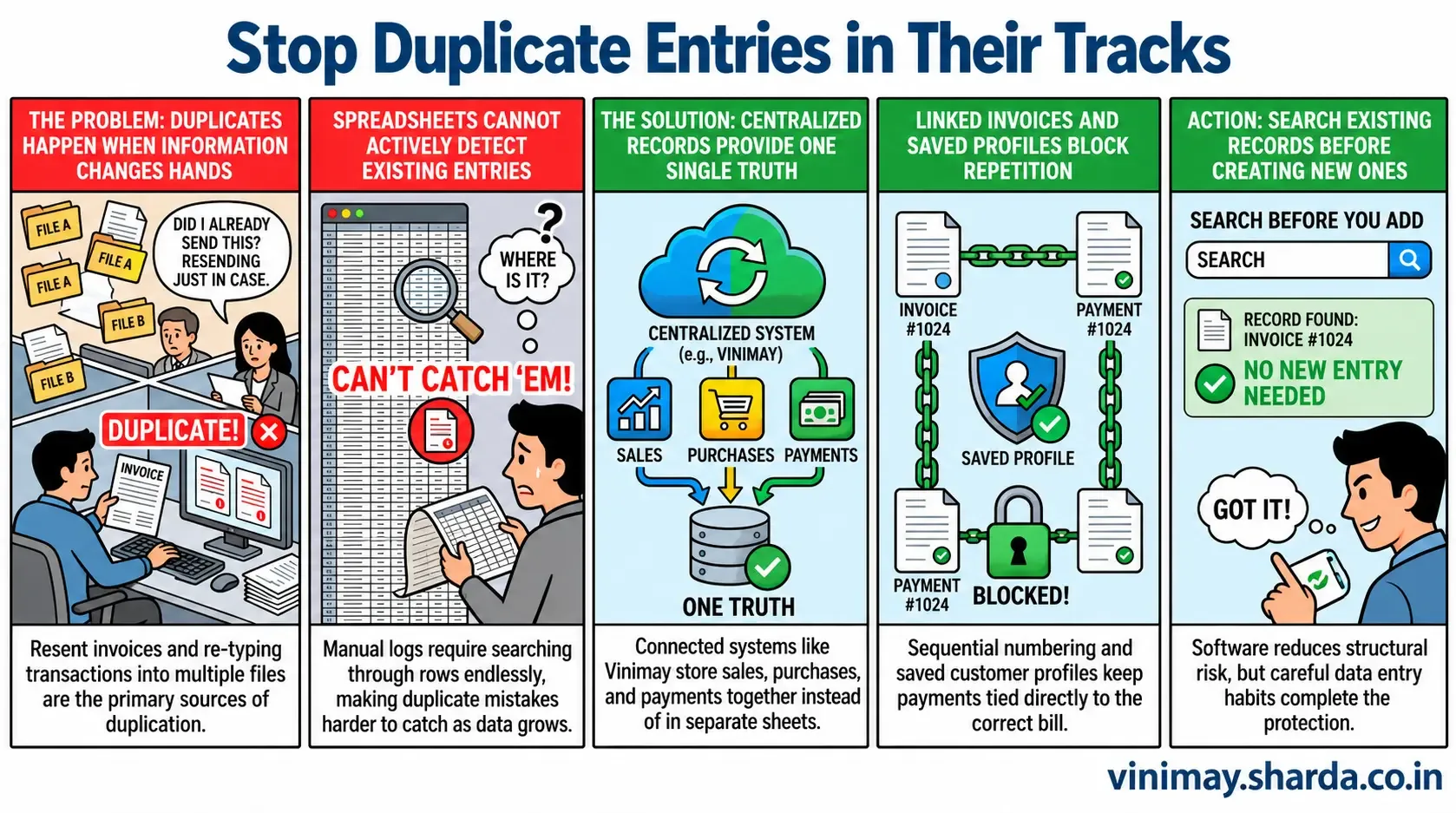
Duplicates usually aren't caused by carelessness alone — they tend to happen at points where information changes hands or gets re-entered:
A vendor resends an invoice that was already recorded, and it gets entered again
The same transaction is typed into more than one sheet or file
A payment is recorded once against an invoice and again during a batch reconciliation
Two people, unaware of each other's work, both record the same sale or purchase
How Manual Methods Make Duplicate Entries Harder to Catch
In a notebook or spreadsheet, nothing actively checks whether an entry already exists. If a transaction is typed in twice — even with a slightly different date format or a minor difference in wording — there's no built-in way to flag it. The person entering data would need to remember every prior entry or manually search through rows to notice the overlap. As the number of entries grows, this becomes increasingly unlikely to happen consistently.
What Mechanisms Reduce Duplicates in Accounting Software
Dedicated accounting and billing software reduces duplicate risk through several structural features:
Unique, sequential invoice numbers Each invoice is automatically assigned a number in sequence, making it easier to notice if a transaction seems to already have a matching number or reference.
Centralised records instead of scattered files Because sales, purchases, and payments are stored in one connected system rather than separate sheets, there's a single place to check whether a transaction already exists, rather than needing to search multiple files.
Saved customer and vendor records Storing customer and vendor details once, through customer and vendor management, reduces the chance of the same entity being recorded under slightly different names — one of the most common ways duplicates go unnoticed.
Linked payments and invoices When payment tracking is tied directly to a specific invoice rather than recorded as a separate, unlinked entry, it's easier to see whether a payment has already been applied.
Where Duplicates Can Still Slip Through
No system fully eliminates the possibility of duplication, especially when:
The same transaction is manually entered twice under a differently spelt customer or vendor name
Data is combined from more than one disconnected source without cross-checking
A user re-enters a transaction believing the first attempt didn't save
Software reduces the structural causes of duplication, but it still depends on consistent, careful data entry.
What Businesses Should Still Do to Avoid Duplicates
Always search for an existing customer or vendor record before creating a new one
Check whether an invoice or payment has already been recorded before re-entering it
Avoid maintaining the same transaction in more than one system or sheet
Periodically review recent records for anything that looks unusually similar to another entry
What This Looks Like in a Structured System
In practice, reducing duplicate risk comes down to keeping related information connected rather than scattered:
Sales records and purchase records stored together mean there's one place to check a transaction's history, not several
Customer and vendor management avoids the same business being saved under multiple slightly different names
Payment tracking and receipt tracking tied directly to the relevant invoice make it clear whether a payment has already been applied
Ledger management shows a running, consolidated view per customer or vendor, which makes an unusually repeated entry easier to notice at a glance
This is the structural role a system like Vinimay plays — not by promising to catch every possible duplicate automatically, but by keeping records connected and centralised, so duplication is both less likely to occur and easier to notice when reviewing accounts.
Frequently Asked Questions
1. How does accounting software actually prevent duplicate entries? Mainly through centralised records, sequential invoice numbering, and saved customer/vendor details, which make it easier to spot a transaction that already exists.
2. Can duplicate entries still happen in accounting software? Yes — manual entry mistakes, like re-entering a transaction under a slightly different name, can still cause duplicates.
3. Why are duplicates more common in Excel or manual records? Because there's no built-in way to check whether a transaction already exists across multiple sheets or files.
4. Does saving customer details once help prevent duplicates? Yes — it reduces the chance of the same customer or vendor appearing under different name variations, a common source of duplicate detection failure.
5. What's the most common cause of duplicate invoices? A vendor or customer resending a bill or transaction that was already recorded is one of the most common causes.
6. Can linking payments to invoices reduce duplication? Yes — when a payment is tied directly to its invoice, it's easier to see whether that payment has already been applied.
7. Should I still manually check for duplicates even with software? Yes — software reduces structural risk, but checking before re-entering a transaction is still a good habit.
8. Does having one connected system instead of separate sheets help? Yes — a single place to check existing records is far more effective than searching across multiple disconnected files.
9. How can I catch a duplicate that already happened? Reviewing ledger records or recent transaction history for unusually similar entries is the most practical way to catch one after the fact.
10. Is duplicate prevention fully automatic in any system? Not entirely — most systems reduce the risk structurally, but consistent, careful data entry remains important.
Related Topics
Published by admin
Our editorial and compliance specialists create practical guides, tax calculation rules, and operational strategies to empower Indian small business owners and accountants.