A single Excel file can hold months, sometimes years, of a business's billing and financial data history. That's exactly what makes it fragile.
A corrupted file, an accidental overwrite, or a laptop that stops turning on can put all of that history at risk at once — and unlike a scattered set of paper bills, a damaged spreadsheet often can't be partially recovered. Billing and accounting software helps organise invoices, payments, stock and customer records in one system, and one of the less-discussed benefits of that shift is how it changes where and how financial data is actually stored. Vinimay keeps GST invoices, transactions, inventory and business records within its own structured system rather than a single local file, which is directly relevant to the kind of data safety this question is really asking about. This guide compares the real safety risks of Excel against dedicated accounting software.
What Does "Safety" Actually Mean for Financial Data?
When people ask if financial data is "safer", they're usually asking about a few distinct risks:
Loss—the data disappearing entirely due to a deleted, corrupted, or lost file
Corruption — the file becoming unreadable or partially damaged
Unauthorised access — someone viewing or editing records who shouldn't
Version confusion — not knowing which copy of the data is the accurate, current one
Each of these is a different kind of risk, and Excel and accounting software handle them differently.
What Risks Does Excel Carry for Financial Records?
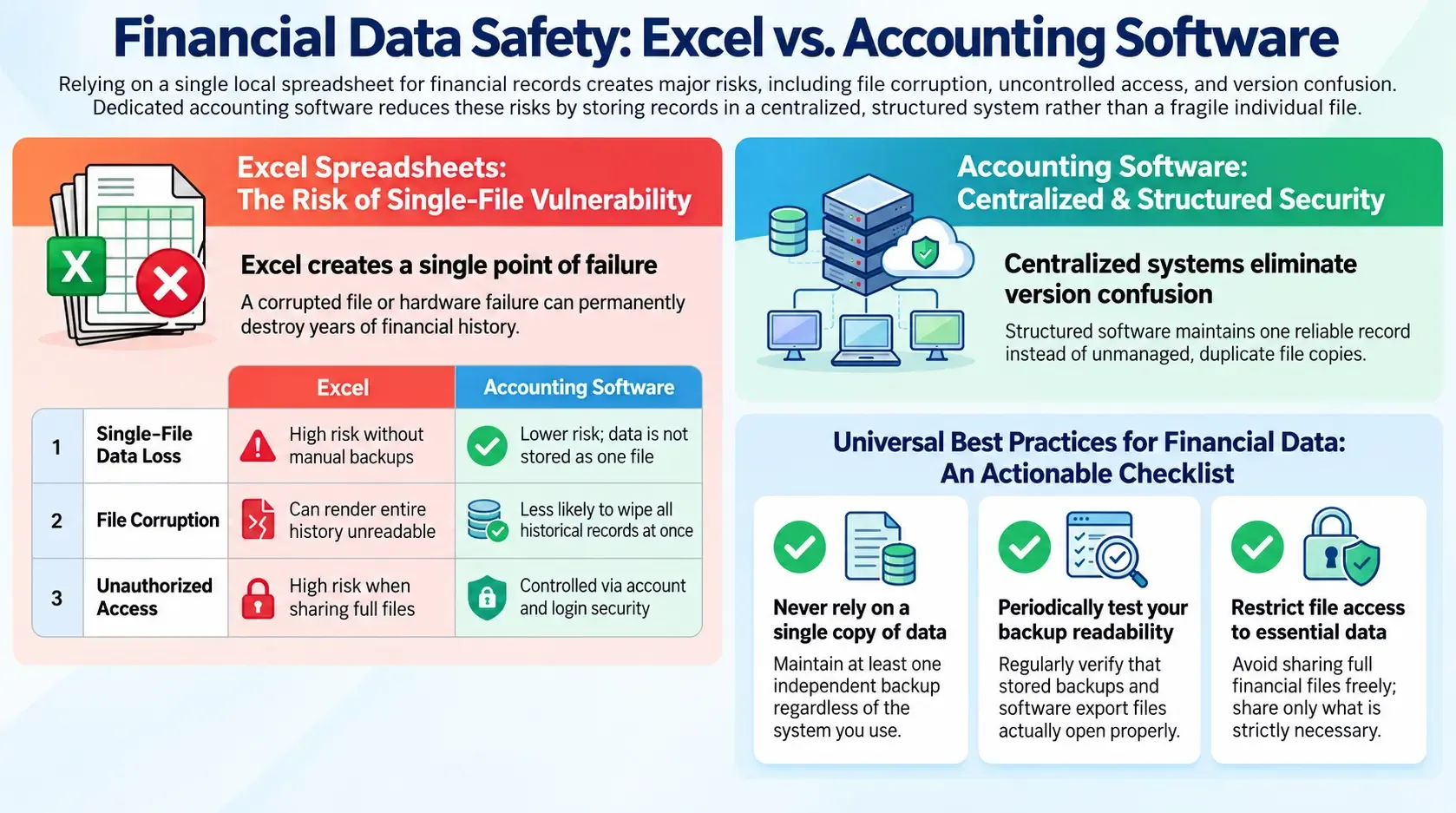
Single point of failure An Excel file often exists as one file on one computer, sometimes with a backup copy, sometimes without. If that file is lost or deleted or the device fails, recovering the data depends entirely on whether a backup exists.
File corruption: Spreadsheet files can become corrupted due to software crashes, improper shutdowns, or storage issues, sometimes making the file partially or fully unreadable.
Uncontrolled access Anyone with the file — whether emailed, copied to a drive, or shared over a network — can typically view or edit all of it, with no way to restrict access to specific parts.
Multiple copies, unclear accuracy When a file is shared, copied, or edited by more than one person, it becomes easy to lose track of which version holds the most accurate,current data.
What Changes With Accounting Software?
Dedicated accounting and billing software generally reduces these specific risks:
Records are stored within the software's own system rather than as a single local file, reducing the "one file, one device" risk
Structured records reduce the chance of a single corruption event wiping out all historical data at once
Access to certain functions or records can sometimes be limited, depending on the plan's user settings
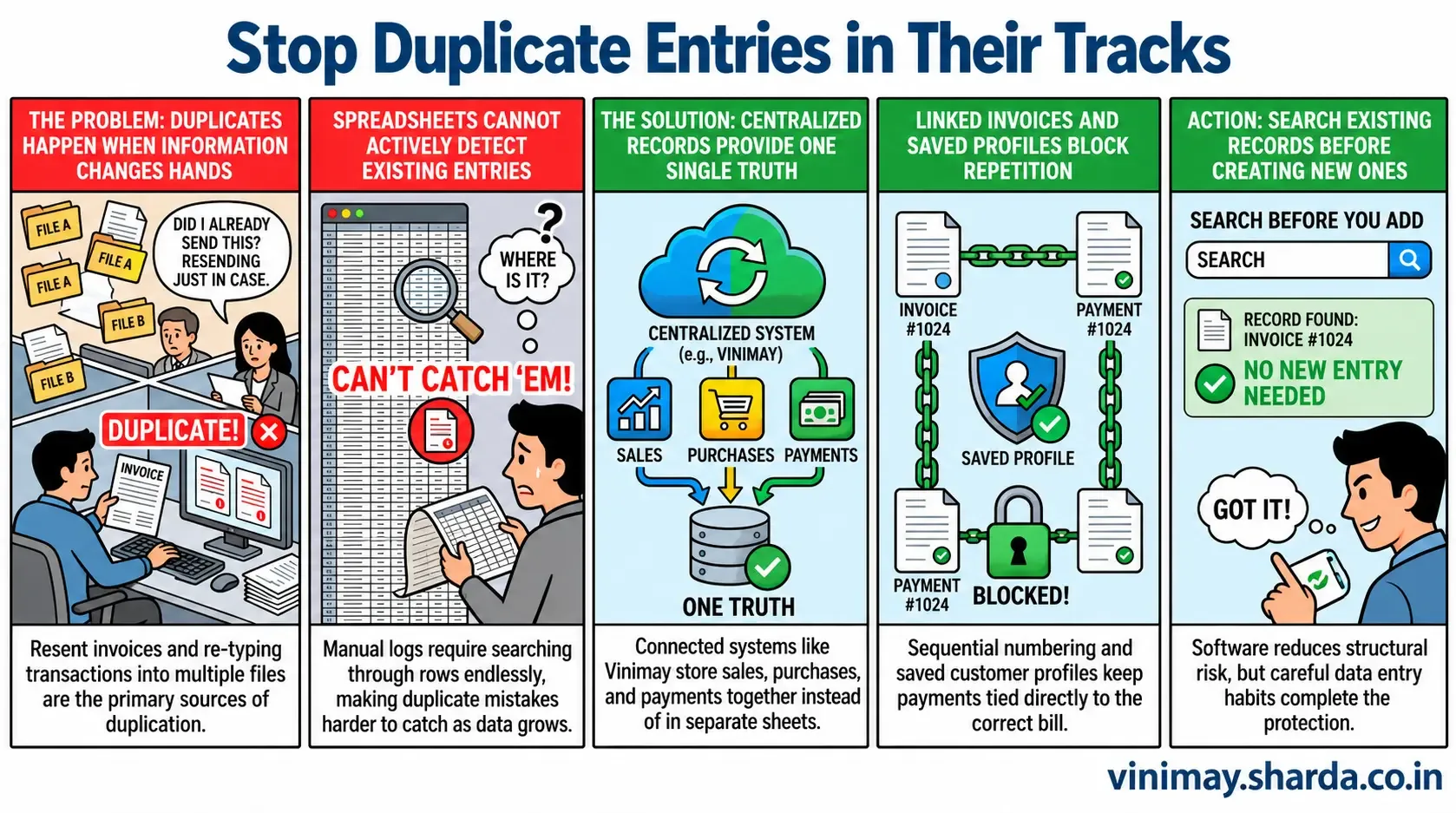
Because records aren't manually copied between files, there's less confusion over which version is current
Where Accounting Software Still Has Its Own Risks
Accounting software isn't automatically risk-free either:
If a business relies on a single device or account without proper login practices, unauthorised access is still possible
Free plans may have fewer built-in safeguards or export options than paid ones
Data still needs to be exportable or backed up in some form, in case a business ever needs to move away from the software
Comparing the Risks Side by Side
What Businesses Should Do Regardless of Method
Never rely on a single copy of financial data — keep at least one backup, regardless of method
Avoid sharing full financial files freely; share only what's necessary
Periodically confirm you can actually open and read your stored records, whether a spreadsheet or software account
Check whether your accounting software or spreadsheet backup process actually works, rather than assuming it does
How Structured Records Reduce Data Risk in Practice
Rather than relying on a single file that could be lost or corrupted, keeping GST invoices, sales, purchases, and payment records within one structured system spreads the risk differently:
GST invoicing and billing records exist as part of a connected system rather than a single spreadsheet file
Sales records and purchase records are maintained together, reducing reliance on any one file surviving intact
Customer and vendor management keeps contact and transaction history centralised rather than duplicated across multiple copies
Ledger management consolidates each customer's or vendor's history, so a single lost file doesn't mean losing that entire record
This is the practical safety advantage a system like Vinimay offers — not a guarantee against every possible risk, but a structure where a business's financial history isn't sitting entirely inside one fragile file.
Frequently Asked Questions
1. Is financial data actually safer in accounting software than Excel?
Generally yes, mainly because Excel often exists as a single, easily lost or corrupted file, while software keeps records in a more structured, centralised system.
2. What's the biggest data risk with Excel for accounting?
Losing or corrupting the single file that holds months or years of financial history is the biggest risk.
3. Can accounting software data still be lost? It's less likely to be lost entirely at once, but businesses should still confirm their data can be exported or backed up.
4. Does sharing an Excel file for accounting create security risks?
Yes — anyone with the file typically has full access to all its contents, with no way to limit what they can view or edit.
5. How does version confusion affect financial data safety?
When multiple copies of a file exist, it becomes unclear which one is accurate, increasing the risk of working from outdated or incorrect data.
6. Should I still back up data if I use accounting software?
Yes — regardless of the system, having a way to export or back up your data is a good practice.
7. Is a free accounting software plan as safe as a paid one?
Free plans may have fewer built-in safeguards or export options, so it's worth checking what's included before relying on it fully.
8. Can Excel files be recovered if corrupted?
Sometimes partially, but corruption can also make a file fully unreadable, especially without a recent backup.
9. Does centralising records reduce financial data risk?
Yes — keeping sales, purchases, payments, and customer records together reduces the chance that losing one file means losing everything.
10. What's the simplest way to protect financial data regardless of method?
Maintain at least one reliable backup, and avoid keeping your only copy of financial records in a single, unshared file.
Related Topics
Published by Team Vinimay
Our editorial and compliance specialists create practical guides, tax calculation rules, and operational strategies to empower Indian small business owners and accountants.