How Much Does Accounting Software Cost?
Accounting software pricingpages rarely tell the full story. A plan might look affordable at first glance, but the final cost often depends on the number of users, invoice volume, add-on features, and whether GST-compliant billing is included by default or charged separately. Business owners frequently end up paying more than expected simply because they budgeted off the headline number instead of checking what actually applies to their usage.
Getting an accurate budget picture means understanding the factors that genuinely drive cost—not comparing sticker prices across providers. Free plans, subscription tiers, and one-time licenses all solve the pricing question differently, and the right choice depends on transaction volume, team size, and how the business is likely to grow over the next year or two.
This guide breaks down what actually determines accounting software cost, the common pricing models to expect, and how to budget for it accurately without being surprised by hidden charges later.
What Actually Determines Accounting Software Cost?
Direct answer: Accounting software cost is mainly driven by five factors: the number of users or logins needed, monthly invoice or transaction volume, whether GST/tax compliance features are included by default, deployment type (cloud vs on-premise), and any add-on modules like inventory or advanced reporting.
Two businesses with similar revenue can end up paying very differently, simply because one needs multiple staff logins or higher invoice volume than the other.
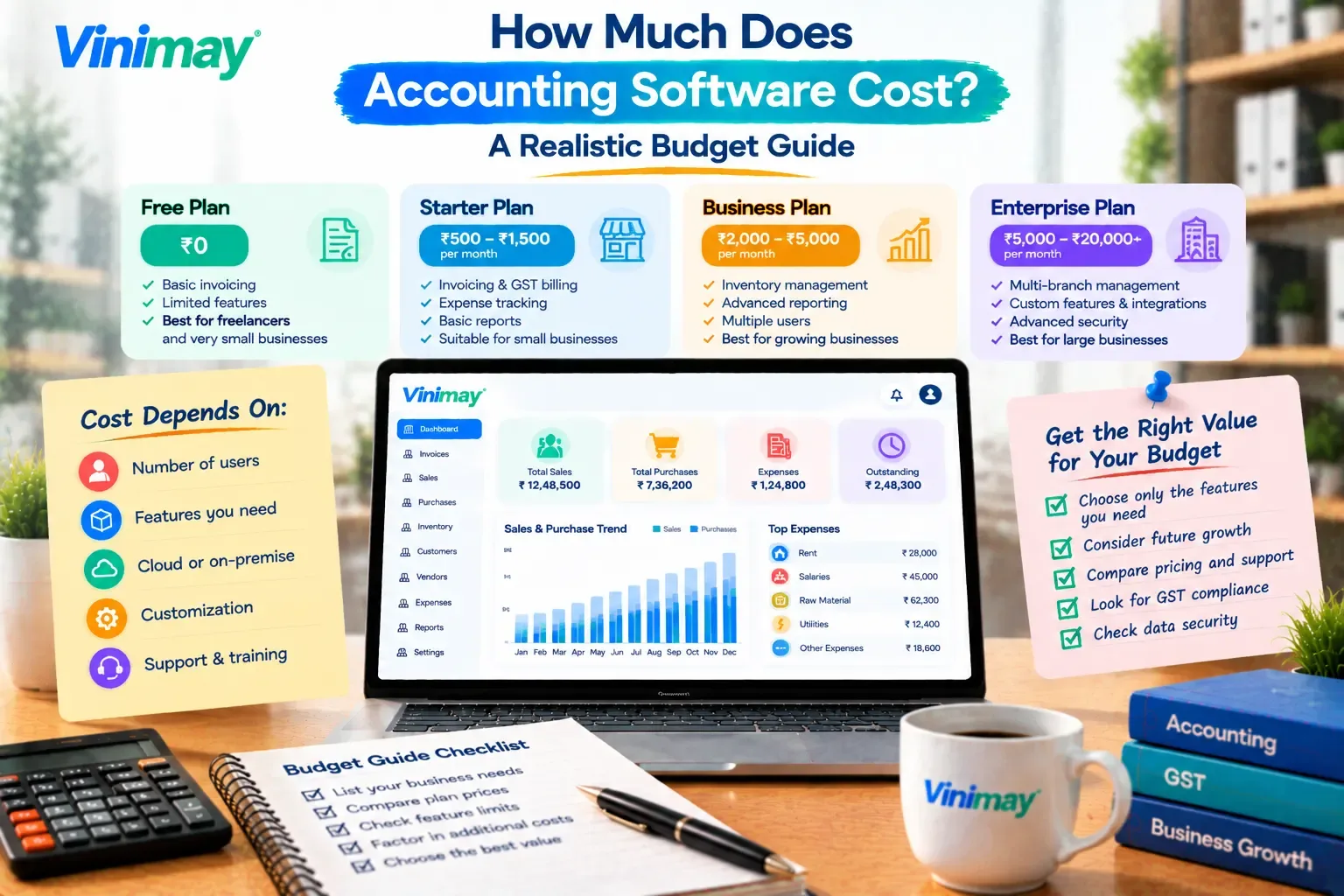
Common Pricing Models Explained
Matching the pricing model to actual usage patterns — not just picking the cheapest headline number — is what keeps the budget accurate over time.
Hidden Costs to Budget For Accurately
Problem → Reason → Prevention: Many businesses underestimate accounting software cost because certain charges aren't part of the headline price — checking for these upfront avoids budget surprises later:
Additional user or staff login fees beyond the base plan
Charges for exceeding monthly invoice or transaction limits
Add-on modules (inventory, advanced reports, multiple company management) priced separately
Data migration or setup fees when switching from another system
Customer support tiers that cost extra for faster response times
Asking directly about these five points before committing to a plan gives a far more accurate total cost than the advertised starting price alone.
How to Budget for Accounting Software Realistically
Estimate your actual monthly invoice/transaction volume — not just current volume, but expected growth over the next year.
Count how many people actually need access — not everyone on the team necessarily needs a login.
List the features you genuinely need — GST invoicing, inventory, multiple company management — rather than paying for a bundle you won't use.
Leave room to scale — choosing a plan with some headroom avoids a disruptive mid-year upgrade.
Where Vinimay Fits Into Your Budget
Budgeting accurately for accounting software starts with knowing exactly what's included at each plan level, rather than discovering gaps after signing up. Vinimay is built around the core needs of small and growing businesses — GST-compliant invoicing, connected sales and purchase records, and payment tracking — so businesses can budget around what they'll actually use daily.
For businesses that also need inventory tracking, customer and vendor management, or multiple company management, these are part of Vinimay's confirmed feature set, so it's worth checking current plan details directly to see what's included at each tier before budgeting. Reports and ledger management are also available, which matters when budgeting for what a CA or finance reviewer will need access to.
FAQs
How much does accounting software typically cost?
Cost varies widely based on users, invoice volume, and features needed—free plans exist for very basic use, while subscription and per-user pricing scale up from there depending on requirements.
Is free accounting software actually free, or are there hidden costs?
Free plans are usually genuinely free for their advertised limits, but costs appear once you exceed invoice caps, add users, or need features reserved for paid tiers.
What's the difference between per-user and flat-rate pricing?
Per-user pricing scales cost with the number of logins needed, while flat-rate pricing charges one fee regardless of team size within the plan's limits.
Should I choose cloud-based or on-premise accounting software for cost reasons?
Cloud-based software typically has a lower upfront cost with ongoing subscription fees, while on-premise software often involves a higher one-time cost but no recurring subscription.
What hidden costs should I check for before choosing accounting software?
Check for additional user fees, invoice/transaction limit overages, paid add-on modules, and setup or migration charges before committing to a plan.
Does GST compliance cost extra on accounting software? T
his depends on the provider—some include GST-compliant invoicing in the base plan, while others treat it as an add-on, so it's worth confirming directly.
How do I budget for accounting software if my business is growing quickly?
Estimate your expected transaction volume and team size a year ahead, not just current usage, and choose a plan with enough headroom to avoid a disruptive mid-year switch.
Is it worth paying more for accounting software with more features?
Only if those features are actually needed—paying for unused modules increases cost without adding real value to daily operations.
Can accounting software costs change as my business grows?
Yes, costs typically increase with more users, higher transaction volume, or additional modules as a business scales past its original plan's limits.
What's the most accurate way to compare accounting software costs?
Compare total annual cost including add-ons and limits relevant to your actual usage, rather than comparing only the advertised starting price.
Related Topics
Published by Team Vinimay
Our editorial and compliance specialists create practical guides, tax calculation rules, and operational strategies to empower Indian small business owners and accountants.