Choosing accounting software is an important decision for businesses because the system becomes a central place for managing invoices, transactions, expenses, inventory, and financial records. While many businesses have traditionally used desktop accounting software installed on a specific computer, online accounting solutions have become another option for managing business information.
The right choice depends on how a business operates, how many people need access to records, and what level of flexibility is required. A small business working from a single location may have different needs compared to a growing business managing multiple users or locations.
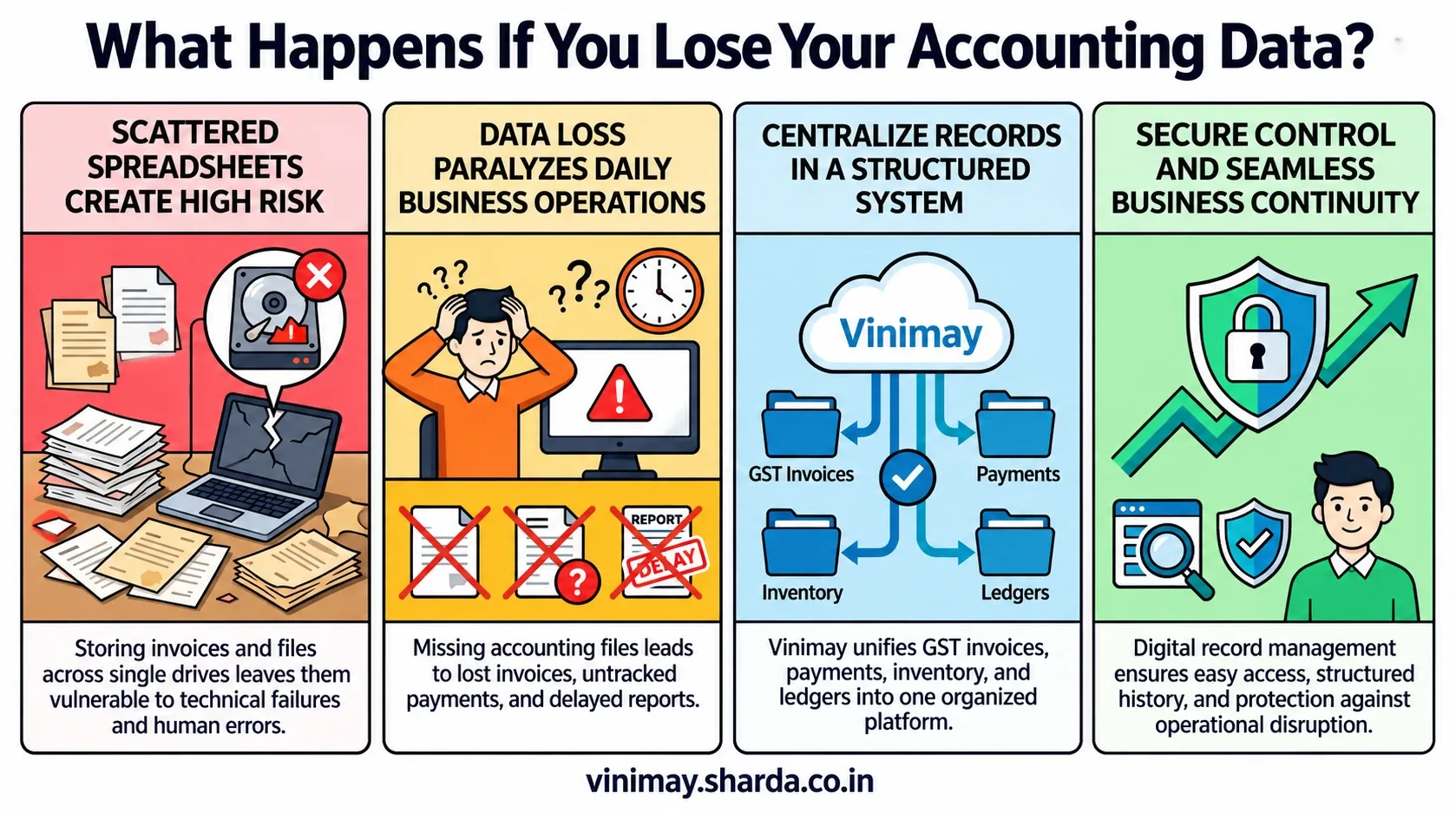
Vinimay helps businesses manage GST invoices, billing records, sales, purchases, inventory, customer and vendor information, payments, ledgers, and reports in a structured system. By keeping business records organised digitally, businesses can manage their accounting activities more efficiently and access important information when required.
What Is Desktop Accounting?
Desktop accounting software is installed on a specific computer or local system. Business data is generally stored on that device or within the organisation's local network.
Many businesses have used desktop accounting because it provides a familiar way to manage financial records from a dedicated system.
However, desktop-based systems may require businesses to consider factors such as:
Computer dependency
Manual data transfer
Local storage management
Access limitations outside the office
For businesses working from one location with limited users, desktop accounting may still fit their workflow.
What Is Online Accounting?
Online accounting software allows businesses to manage accounting activities through an internet-based system rather than relying only on one computer.
Instead of keeping records only on a local device, businesses can access their accounting information through an online platform.
Online accounting is commonly used for managing:
Invoices
Sales records
Purchase records
Expenses
Customer and vendor information
Business reports
The main difference is the way businesses access and manage their records.
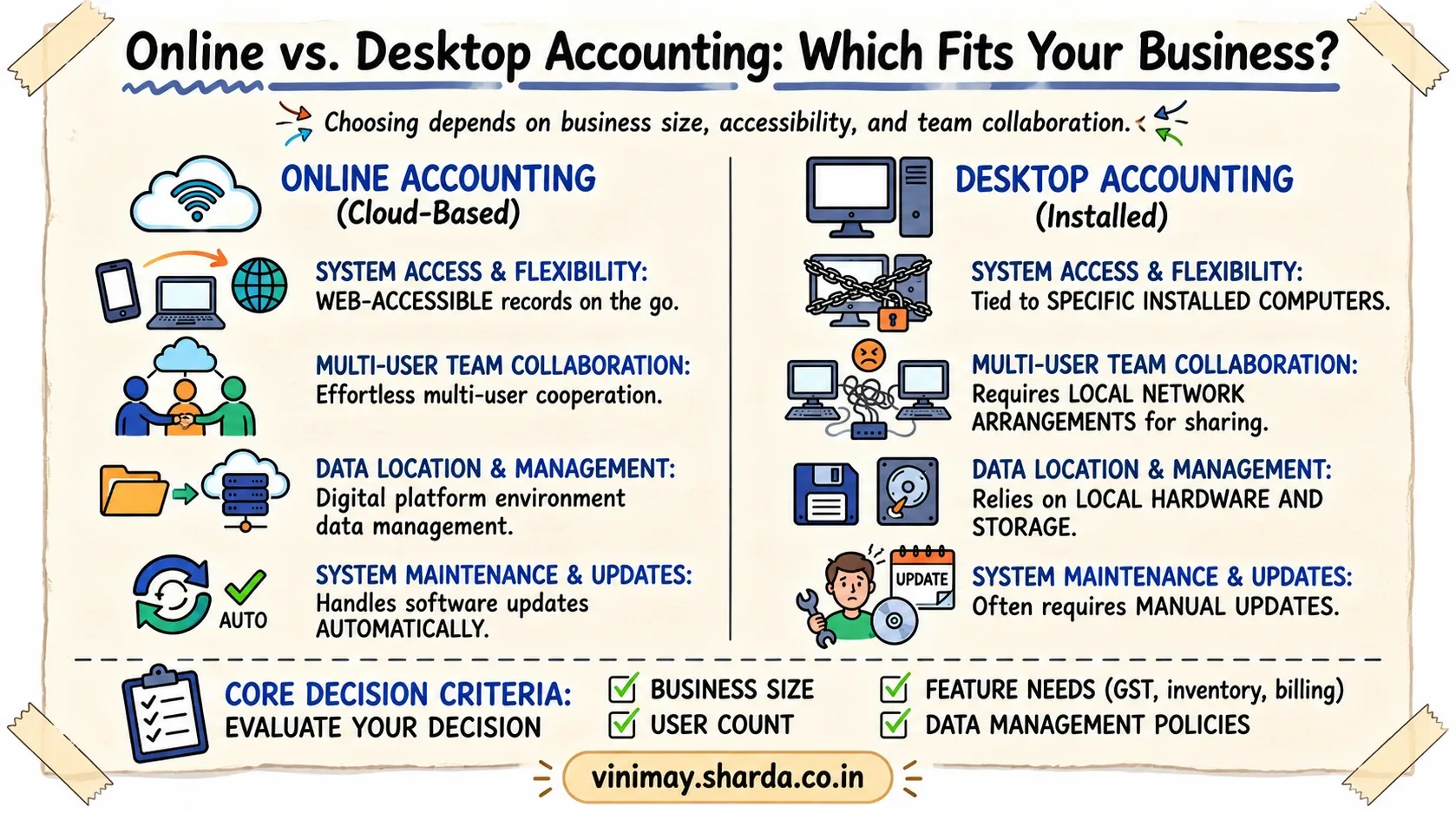
Online Accounting vs Desktop Accounting: Key Differences
Both systems can help businesses maintain accounting records, but their working methods are different.
The better option depends on the business's operational requirements rather than only the technology type.
Which Is Easier for Growing Businesses?
As businesses grow, accounting requirements usually become more complex. More employees may handle billing, purchases, inventory, and financial activities. Online accounting can be useful for businesses that need more flexibility because records can be managed without depending only on one office computer.
For example, a business owner travelling outside the office may still need access to sales information or reports. An online system can support such working requirements.
However, businesses should also consider internet availability, software reliability, and data management practices before making a decision.
How Does Data Management Differ?
The way businesses manage their data is one of the biggest differences between online and desktop accounting. With desktop accounting, businesses are responsible for managing the computer, storage, and local data environment. If the system has technical problems, access to records may become difficult.
Online accounting provides a structured digital environment where businesses can manage records through the platform. However, businesses should still review security practices, user access controls, and data management policies before selecting software.
Which Option Is Better for Multiple Users?
Businesses where multiple people handle accounting activities often need better coordination.
For example:
Billing staff may create invoices
Purchase teams may record supplier transactions
Owners may review reports
Online accounting can make collaboration easier because information can be managed through a common system.
Desktop accounting can also support multiple users depending on its setup, but businesses may need additional arrangements for sharing access.
What Should Businesses Check Before Choosing Accounting Software?
Instead of choosing software only based on whether it is online or desktop, businesses should evaluate their actual requirements.
Important factors include:
The right accounting system should support the way a business works today and its expected growth.
Managing Business Accounting With Vinimay
Businesses often need more than just invoice creation. They need a system where sales, purchases, inventory, customers, vendors, payments, and reports can be managed together. Vinimay helps businesses maintain GST invoices, billing records, sales records, purchase records, expense records, customer management, vendor management, inventory, stock tracking, payment tracking, receipt tracking, ledger management, and business reports.
For example, instead of maintaining separate files for invoices, customer details, and purchase information, businesses can organise their accounting activities through one structured system.
The practical benefit is better visibility into daily operations and easier management of business records.
Conclusion
Online and desktop accounting both help businesses maintain financial records, but they work differently. Desktop accounting may suit businesses that prefer local systems, while online accounting can provide more flexibility for businesses that need easier access and collaboration.
The right choice depends on business size, working style, number of users, and future requirements. Before selecting accounting software, businesses should focus on how effectively the system helps them manage their daily accounting activities.
Frequently Asked Questions
1. Is online accounting better than desktop accounting?
The better option depends on business requirements, including accessibility needs, number of users, and workflow.
2. What is the main difference between online and desktop accounting?
The main difference is how businesses access and manage their accounting records. Desktop systems are installed locally, while online systems operate through internet-based platforms.
3. Can small businesses use online accounting software?
Yes, small businesses can use online accounting software if it matchestheir operational needs.
4. Is desktop accounting still useful?
Yes, desktop accounting can still be suitable for businesses that prefer local systems and have limited access requirements.
5. Can multiple employees use online accounting software?
Many online accounting systems support multiple users depending on available access features.
6. Does online accounting remove all security risks?
No. Businesses should still consider user access management and security practices.
7. Which accounting system is easier to access?
Online accounting generally provides more flexibility because records can be accessed through supported online access.
8. What should I check before selecting accounting software?
Businesses should consider features, accessibility, data management, users, and their long-term requirements.
Related Topics
Published by Team Vinimay
Our editorial and compliance specialists create practical guides, tax calculation rules, and operational strategies to empower Indian small business owners and accountants.