How to Add Kitchen Stations in Vinimay Restaurant (MAIN_KITCHEN, BAR)
You open the Add New Menu Item form to add your first dish, and it asks you to pick a kitchen station. You open the dropdown, and it does not make sense, or you are not sure what to type. In a restaurant, the kitchen station is the place where a dish is prepared, such as the main kitchen or the bar.
The station names are set in the restaurant settings, in a field called "Kitchen stations" (comma separated). It already shows MAIN_KITCHEN and BAR as an example, and you separate each name with a comma.
This guide starts from the login page, shows where the Kitchen stations field is, how to save it, and where the Kitchen Station field appears when you add a menu item, with real screenshots of Vinimay.
Step 1: Log in to Vinimay
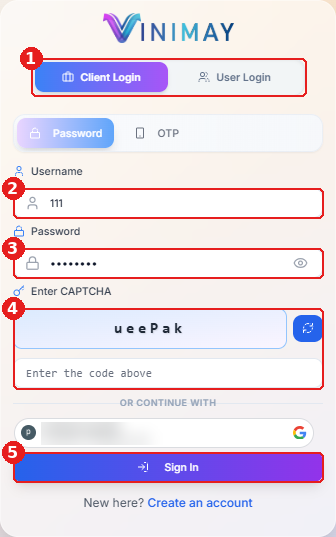
Open the Vinimay login page. Choose Client Login for the account owner or User Login for staff (marker 1). Enter the Username (marker 2) and Password (marker 3), type the CAPTCHA (marker 4), and click Sign In (marker 5).
Step 1: Log in to Vinimay
Step 2: Start from the Dashboard
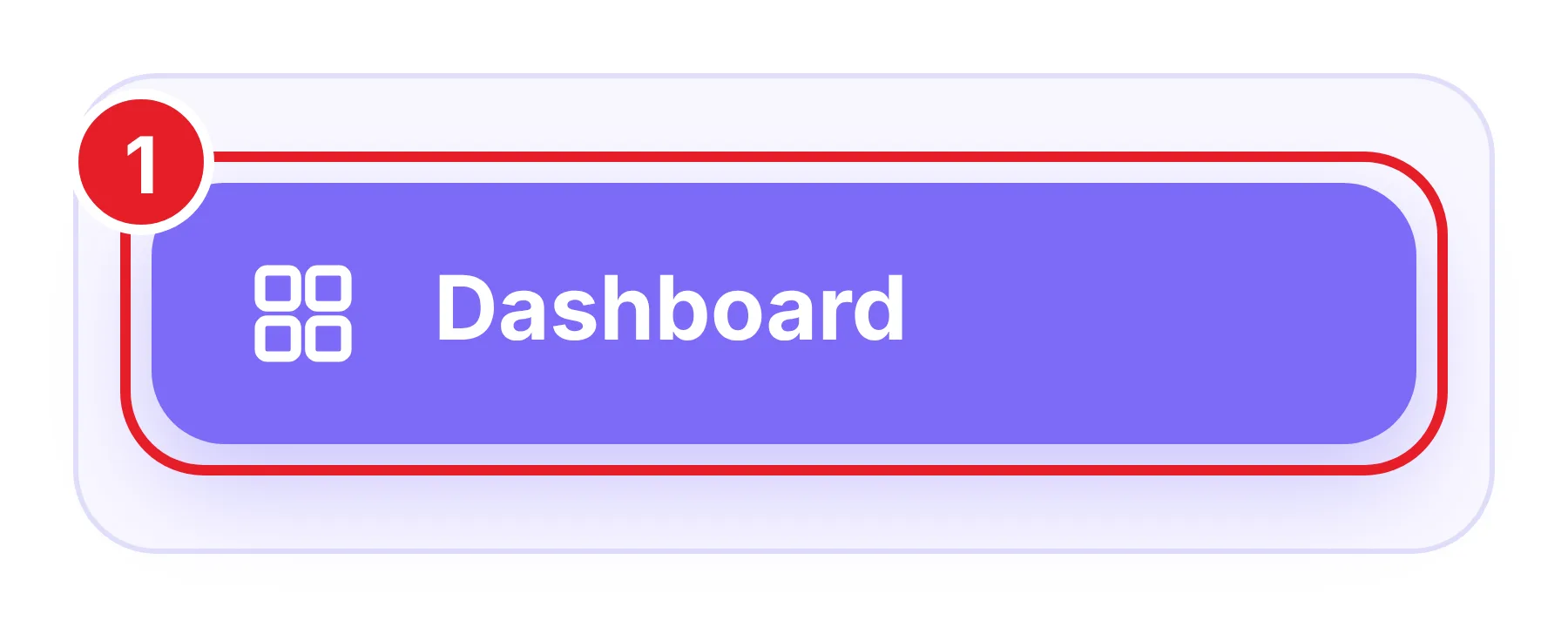
After you sign in, you land on the Dashboard (marker 6).
Step 2: The Dashboard menu
Step 3: Open Restaurant & Cafe, then Settings
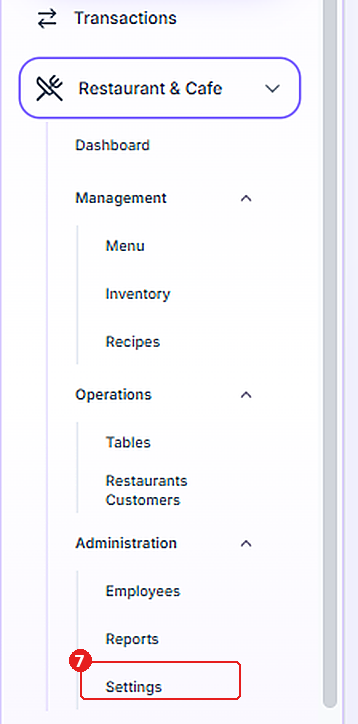
Click Restaurant & Cafe. Under Administration, click Settings (marker 7).
Step 4: Set your kitchen stations
In the Operations section, find Kitchen stations (comma separated) (marker 8). Type your station names, one after another, with a comma between them, for example MAIN_KITCHEN, BAR. Then click Save settings (marker 9).

Step 5: Find the Kitchen Station field in the menu form
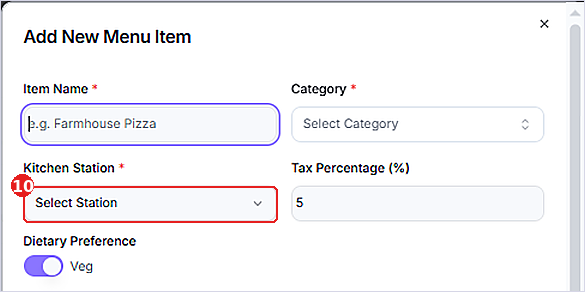
When you add a dish, the Add New Menu Item form has a required Kitchen Station field (marker 10) with a Select Station dropdown. Set your stations in Settings first, then open this form.
Tips
Use clear names without spaces, such as MAIN_KITCHEN or BAR.
Separate each station with a comma.
Click Save settings, otherwise the change is not saved.
Add your stations before you add your menu items.
Conclusion
Kitchen stations are set in the restaurant settings in the Kitchen stations field. Type the names with commas between them and click Save settings.
When you add a dish, the Add New Menu Item form asks you to select a Kitchen Station, so set your stations first.
Once this is done, adding menu items is smooth. Create a free Vinimay account and set up your kitchen stations today.