How to Add a Table in the Vinimay Restaurant Module
If you run a dine-in restaurant, you need your tables in the software before you can use them for orders. Each table needs a number, a capacity, and a status, and you may want to switch a table off when it is not in use.
In Vinimay, tables are set up from the Tables page in the restaurant module. A small Add Table window asks for the Table Number, the Capacity, the Status, and an Active Status toggle, and the Save Table button stays pale until the required fields are filled.
This guide starts from the login page and shows with clear images how to open the Tables page and add your first table.
Step 1: Log in to Vinimay
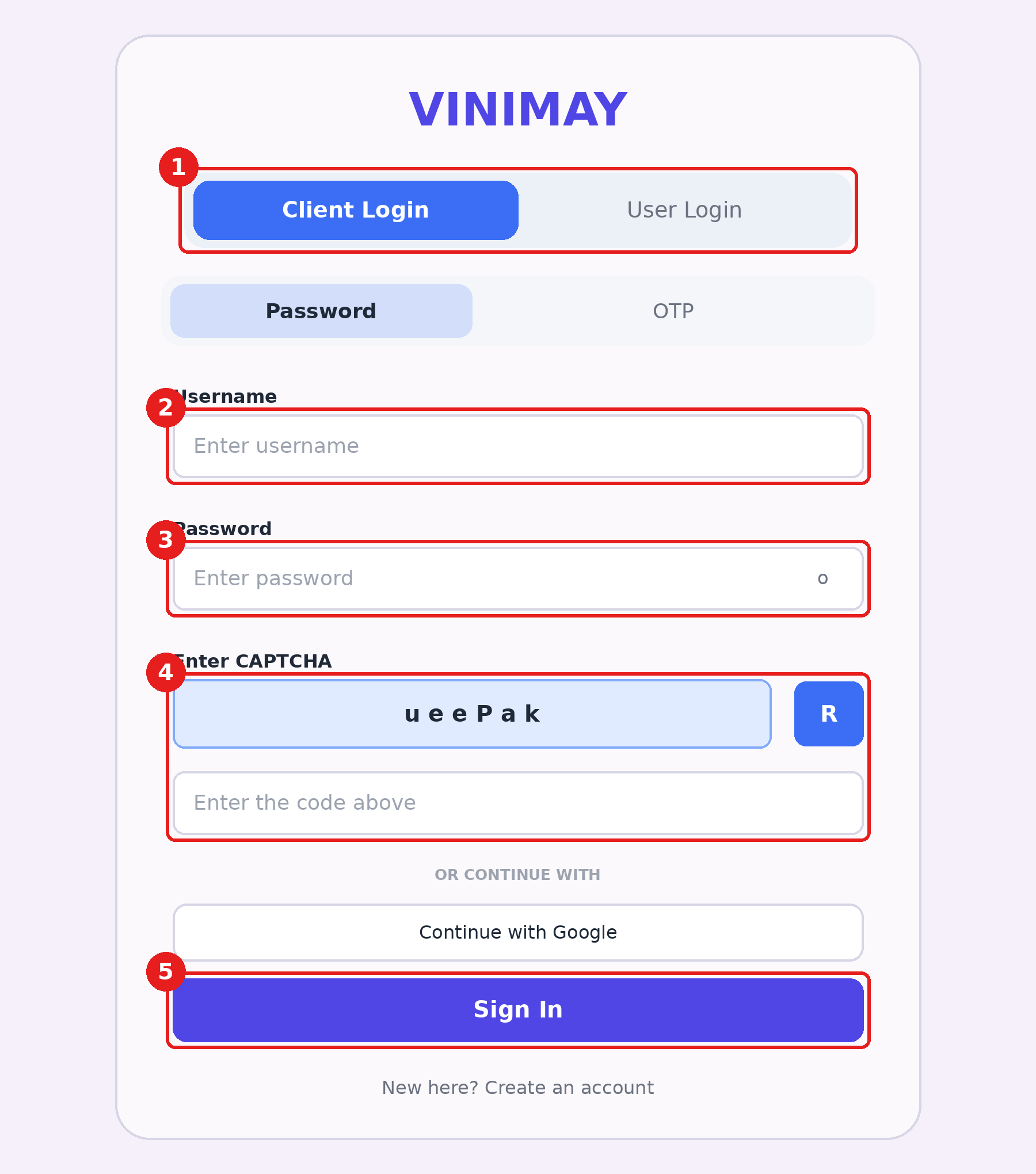
Open the Vinimay login page. Choose Client Login for the account owner or User Login for staff (marker 1). Enter the Username (marker 2) and Password (marker 3), type the CAPTCHA (marker 4), and click Sign In (marker 5).
Step 2: Go from the Dashboard to Tables
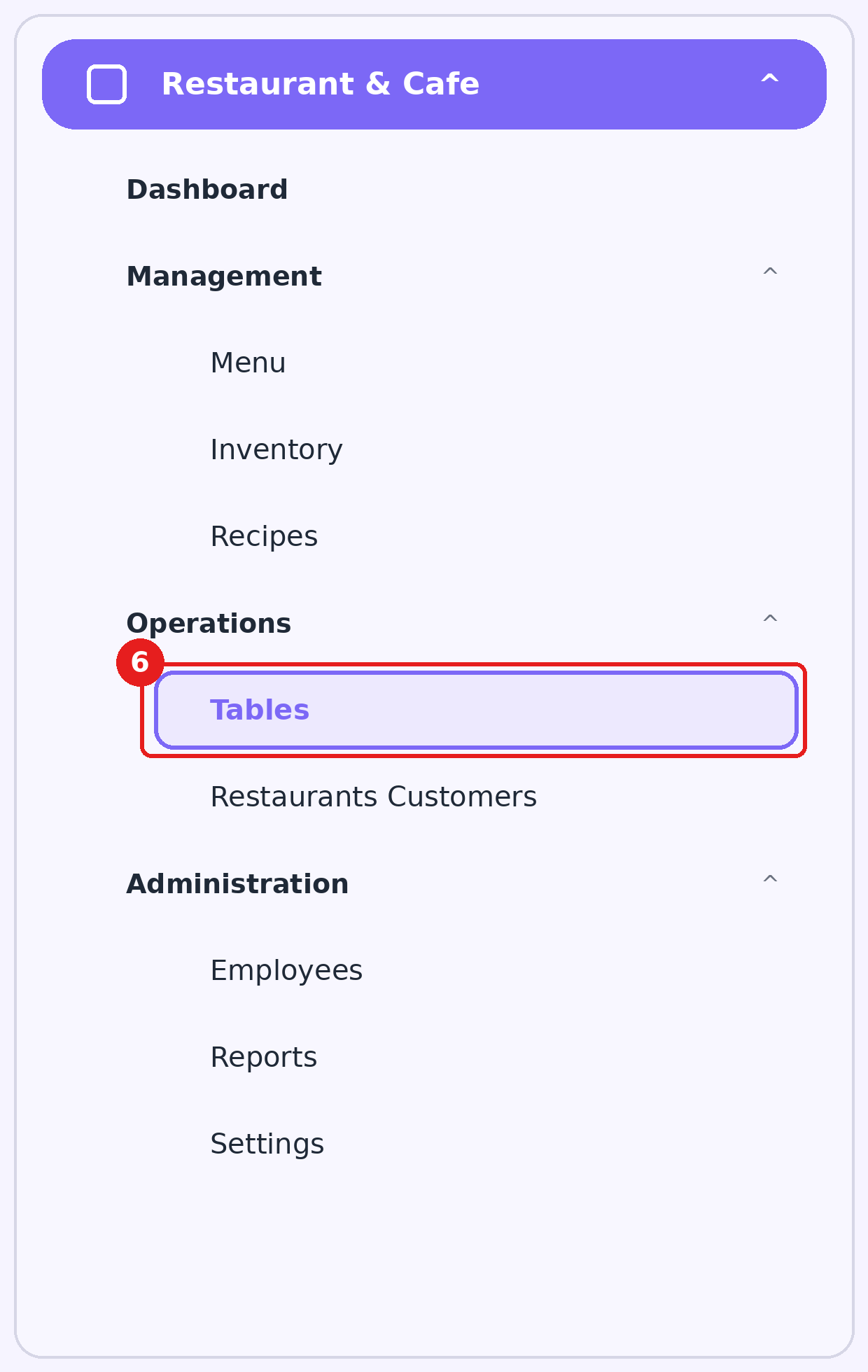
After you sign in, you land on the Dashboard. In the left menu, click Restaurant & Cafe, open Operations and click Tables (marker 6).
Step 3: Fill in the Add Table window
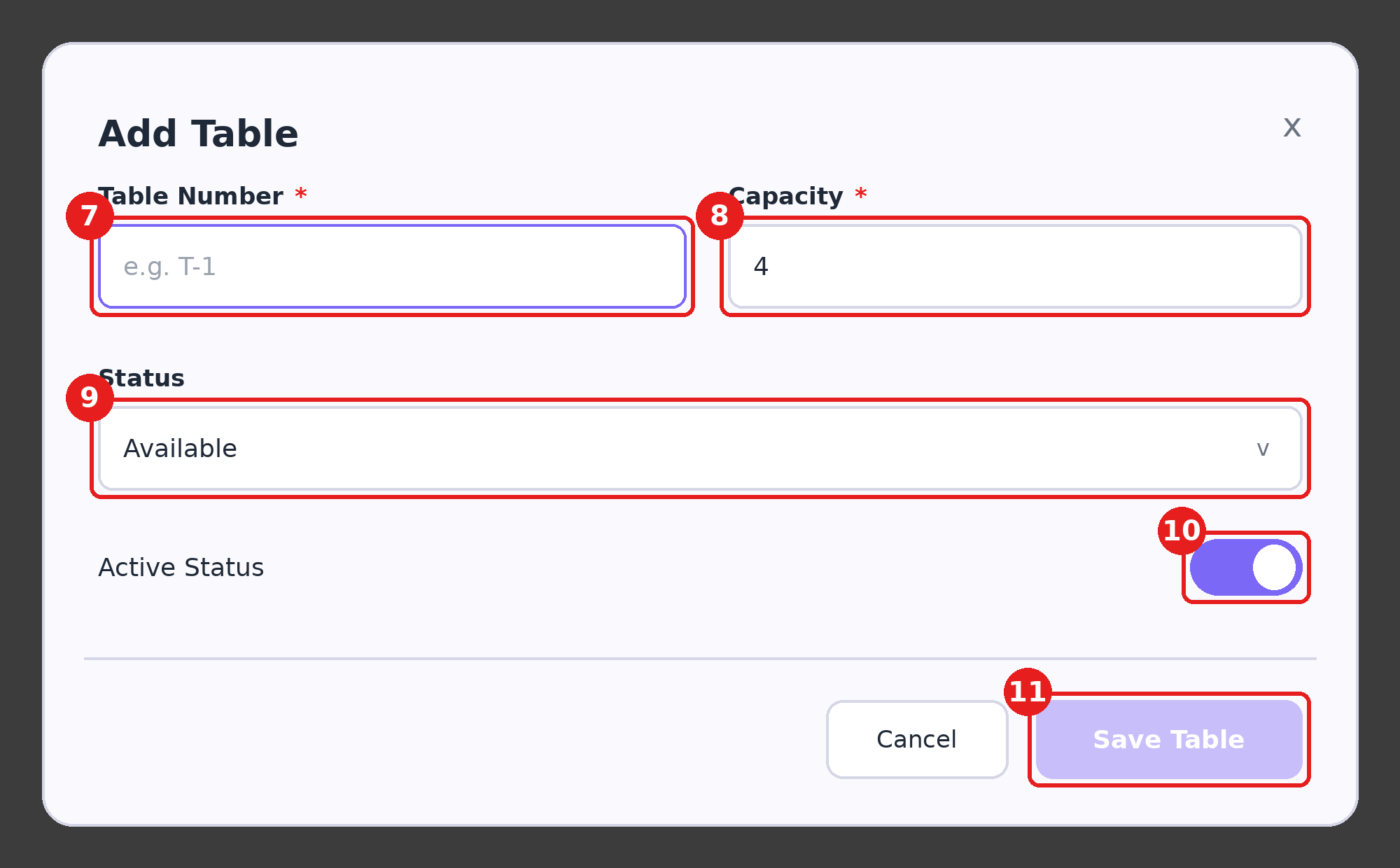
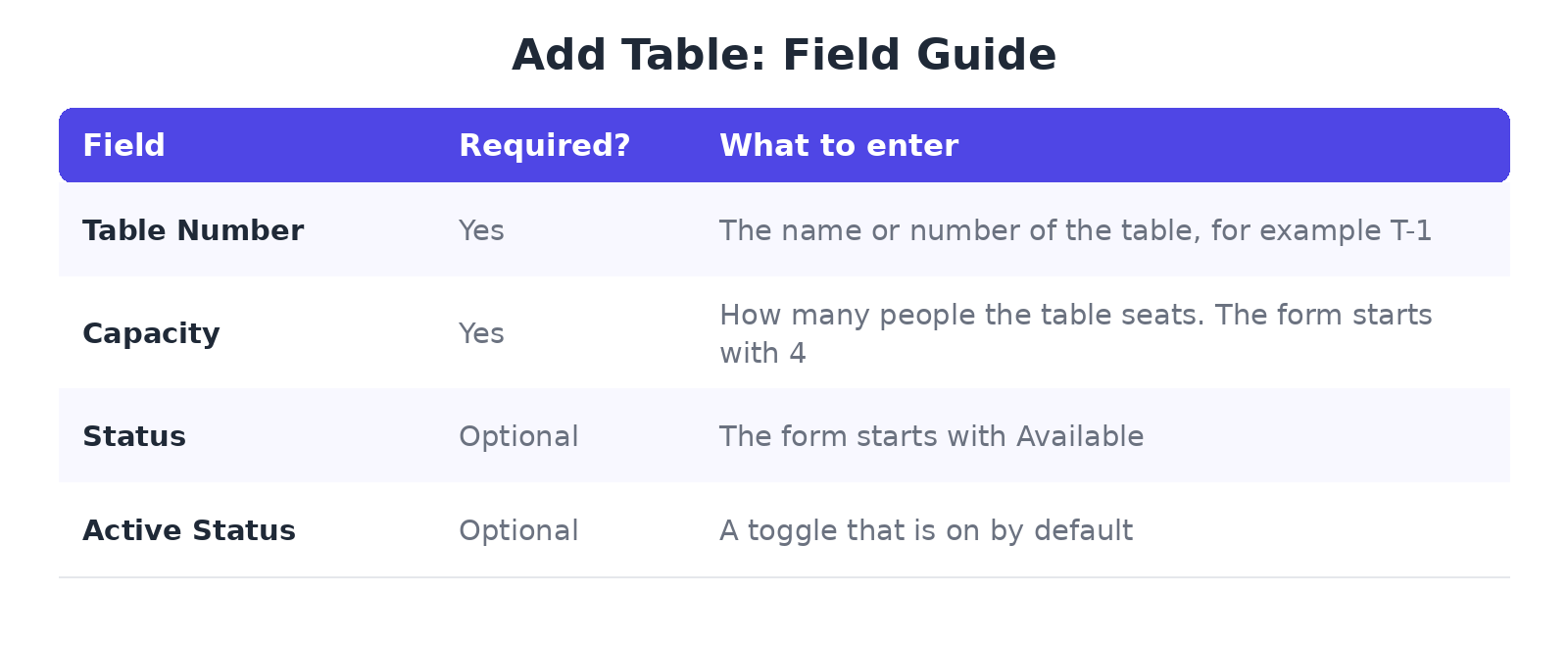
Table Number (marker 7): for example T-1. Required.
Capacity (marker 8): how many people the table seats. The form starts with 4. Required.
Status (marker 9): the form starts with Available.
Active Status (marker 10): a toggle that is on by default.
When you are done, click Save Table (marker 11), or Cancel to close the window.
Field guide
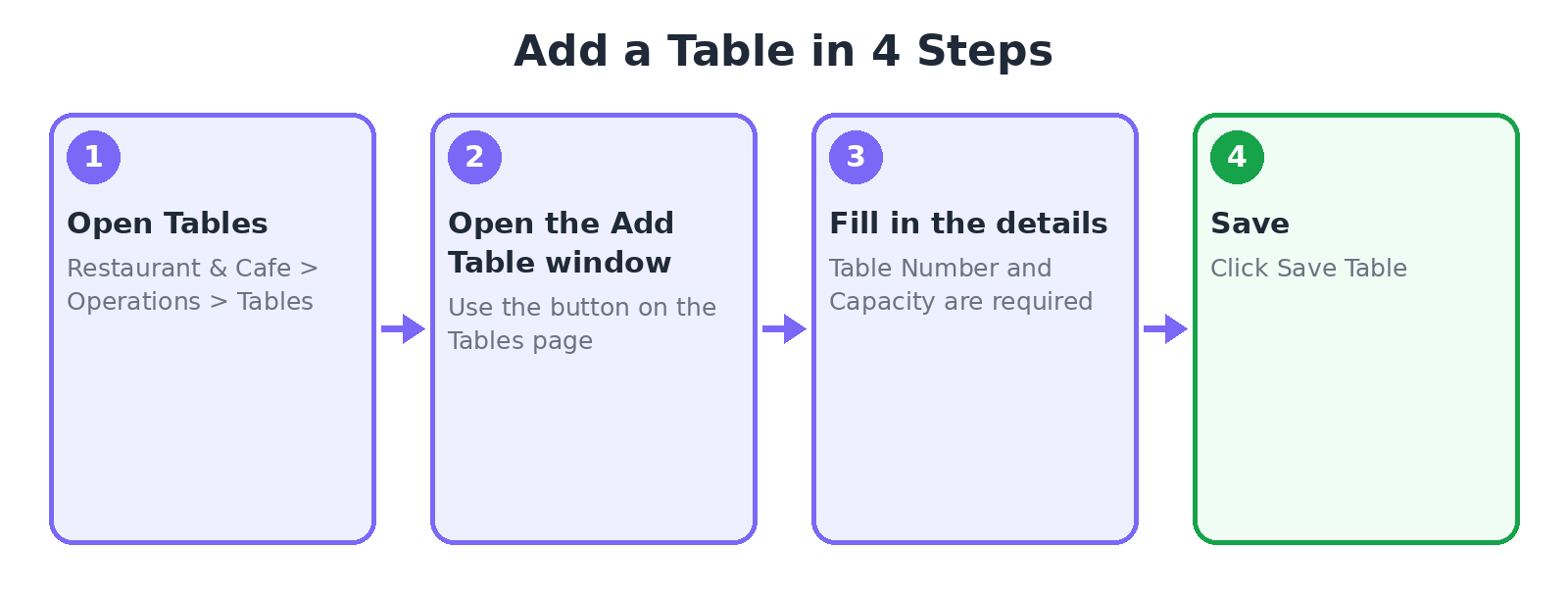
The steps in short
Tips
Use a simple pattern for table numbers, such as T-1, T-2 and T-3.
Set the capacity to the number of seats at the table.
Keep the Active Status on for tables you use.
Add all your tables in one sitting, so you can start taking orders.
Conclusion
Adding a table in Vinimay takes less than a minute. Open Restaurant & Cafe, then Operations, then Tables, and fill in the table number and the capacity.
Check the status and the Active Status toggle, then click Save Table. If the button stays pale, one of the required fields is still empty.
Once your tables are in, your restaurant is closer to ready for dine-in orders. Create a free Vinimay account and add your first table today.
Q8. Can I add more than one table?
Yes. Add each table with its own number and capacity.