Vinimay Restaurant & Cafe Menu: Where to Find Menu, Recipes, Tables and Employees
You run a restaurant or cafe, and you have logged in to Vinimay, but you cannot see where to add your dishes or set up your tables. The main menu shows Dashboard, Transactions, Inventory and others, and the restaurant options are not in plain view.
Everything restaurant-related is kept under one entry in the left menu: Restaurant & Cafe. When you open it, it shows three groups: Management, Operations, and Administration, each with its own options.
This guide starts from the login page, goes through the Dashboard, and shows with clear images where each restaurant option is, so you can find any page in a few clicks.
Step 1: Log in to Vinimay
Open the Vinimay login page. Choose Client Login for the account owner or User Login for staff (marker 1). Enter the Username (marker 2) and Password (marker 3), type the CAPTCHA (marker 4), and click Sign In (marker 5).
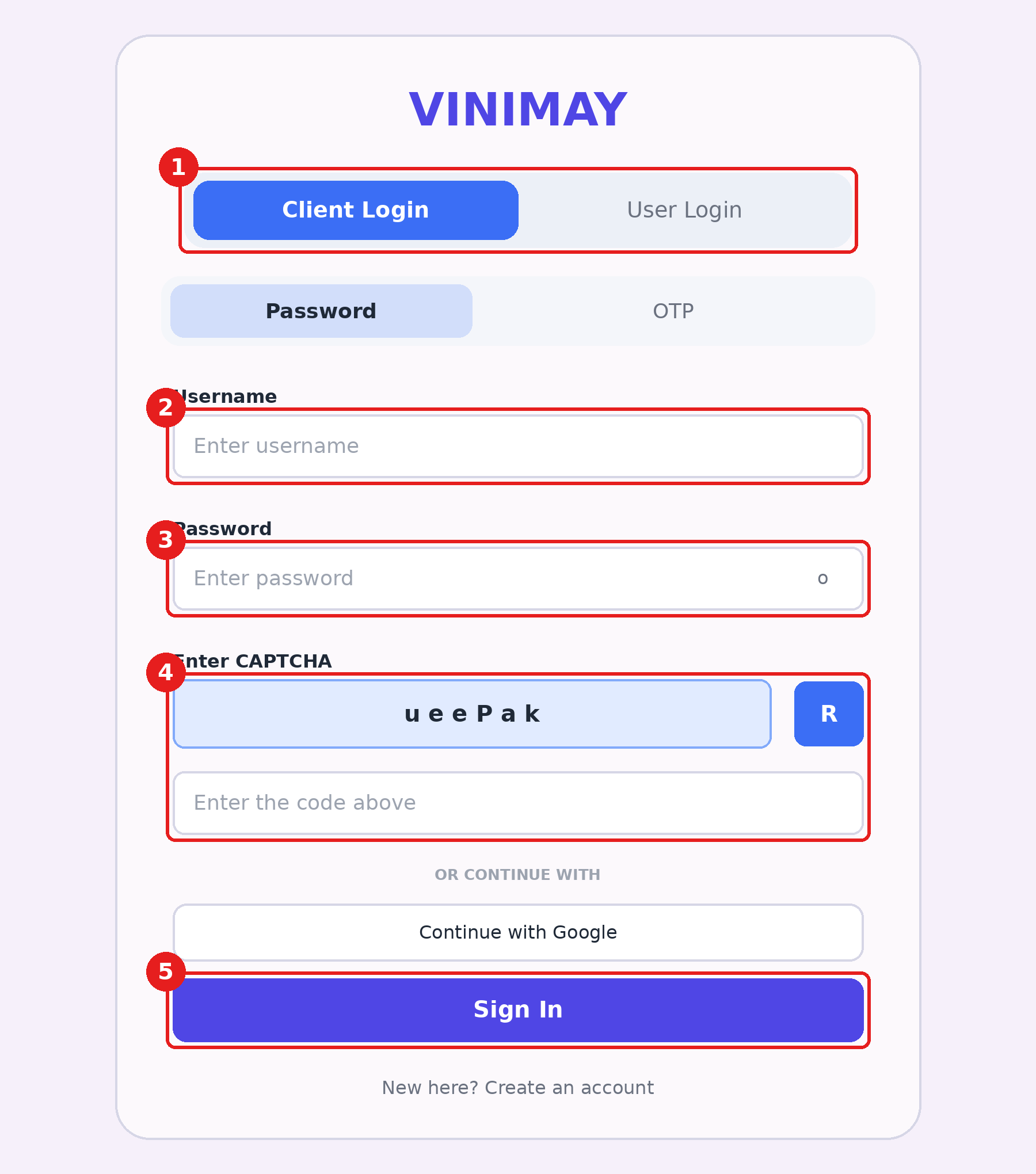
Step 1: Log in to Vinimay
Step 2: Start from the Dashboard
After you sign in, you land on the Dashboard (marker 6), the first item in the left menu. Below it you will see Transactions, Restaurant & Cafe (marker 7), Inventory, Companies, Users, Reports and Ledger. The arrow next to Restaurant & Cafe means it opens into more options.
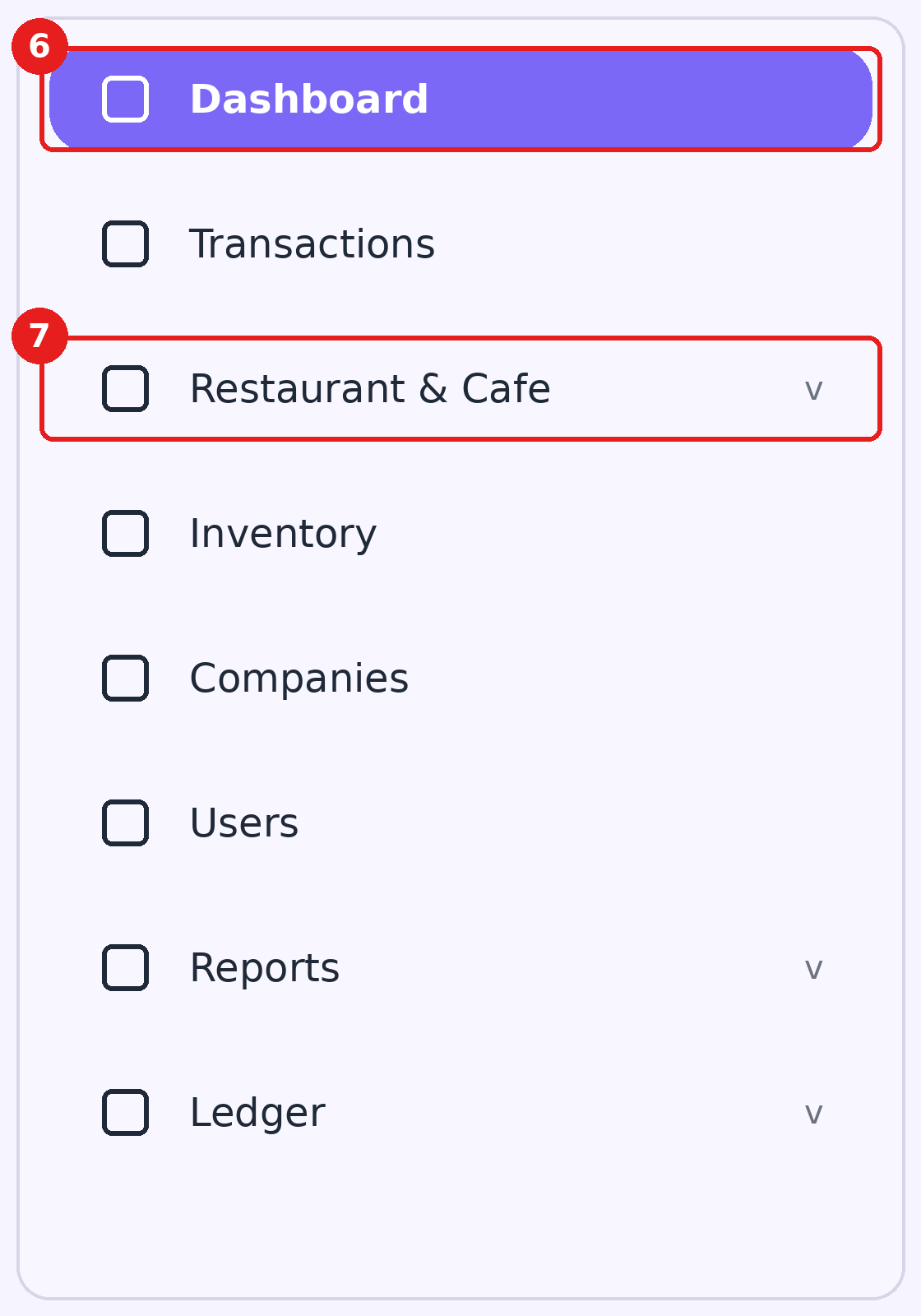
Step 2: The left menu
Step 3: Open Restaurant & Cafe
Click Restaurant & Cafe. It opens a list with a Dashboard entry and three groups: Management (marker 8), Operations (marker 9) and Administration (marker 10). Under Management you will find Menu, Inventory and Recipes. Under Operations you will find Tables and Restaurants Customers. Under Administration you will find Employees, Reports and Settings.
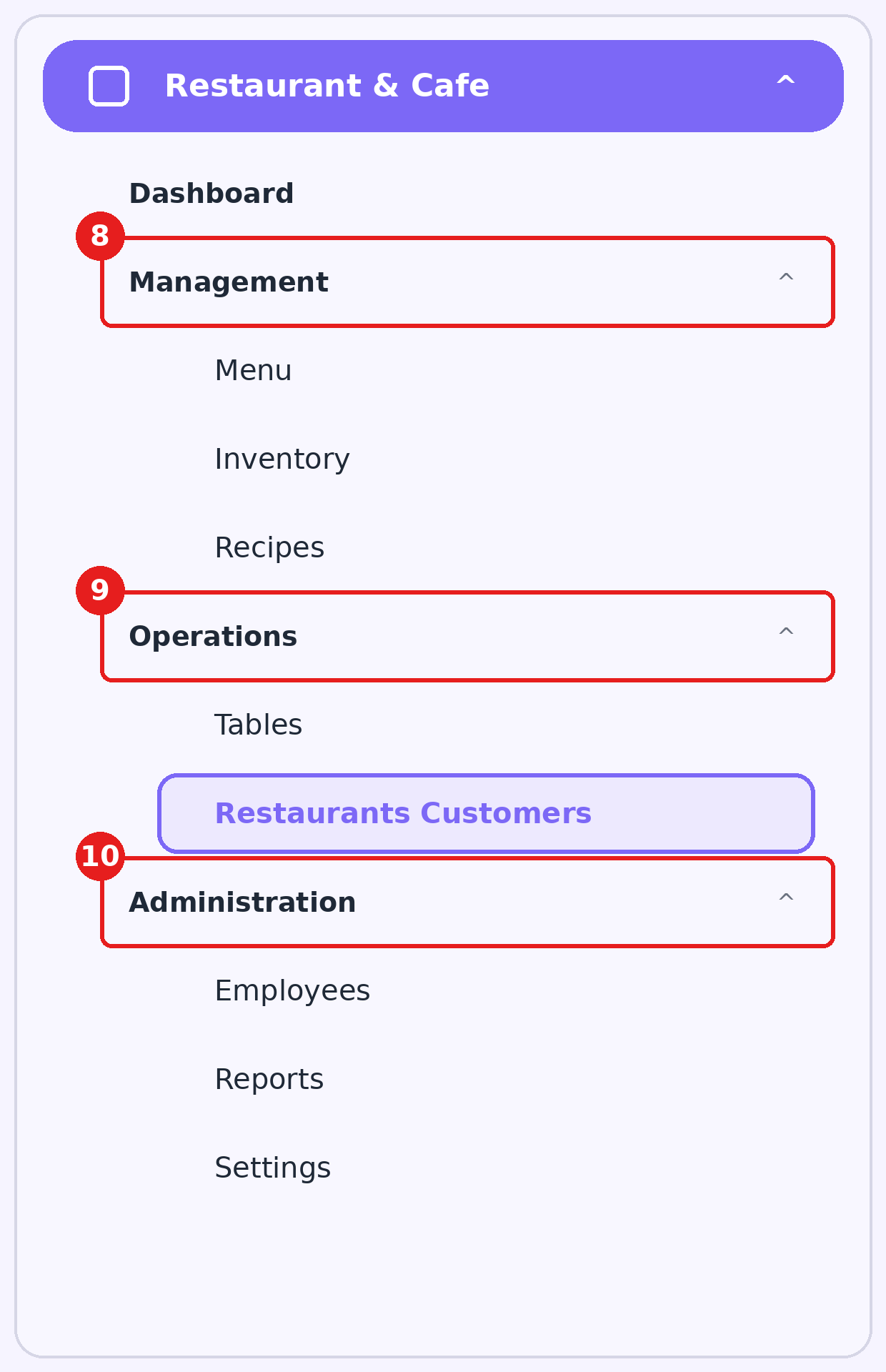
Step 3: The Restaurant & Cafe menu
Step 4: Where to find what
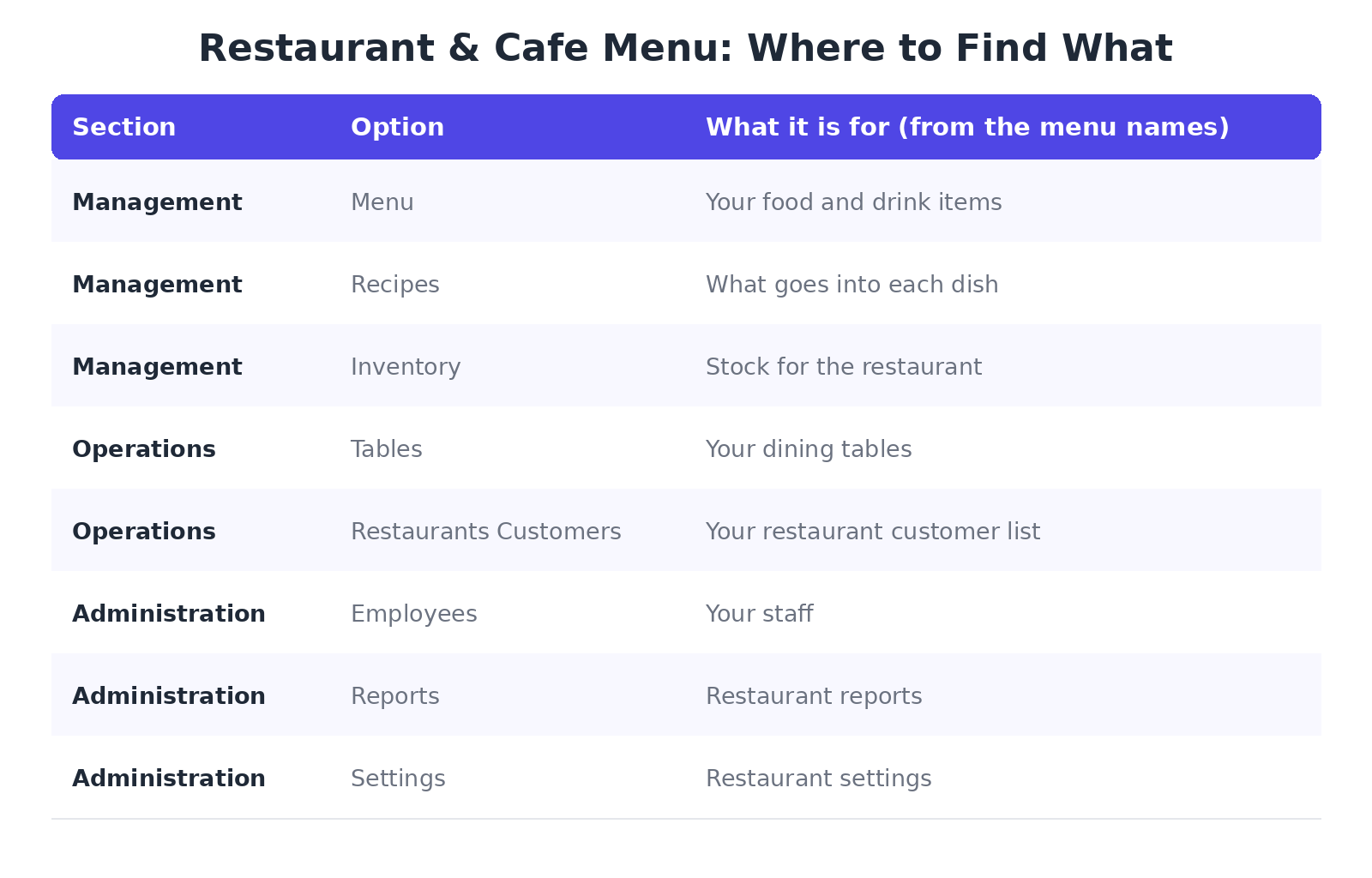 Where to find what
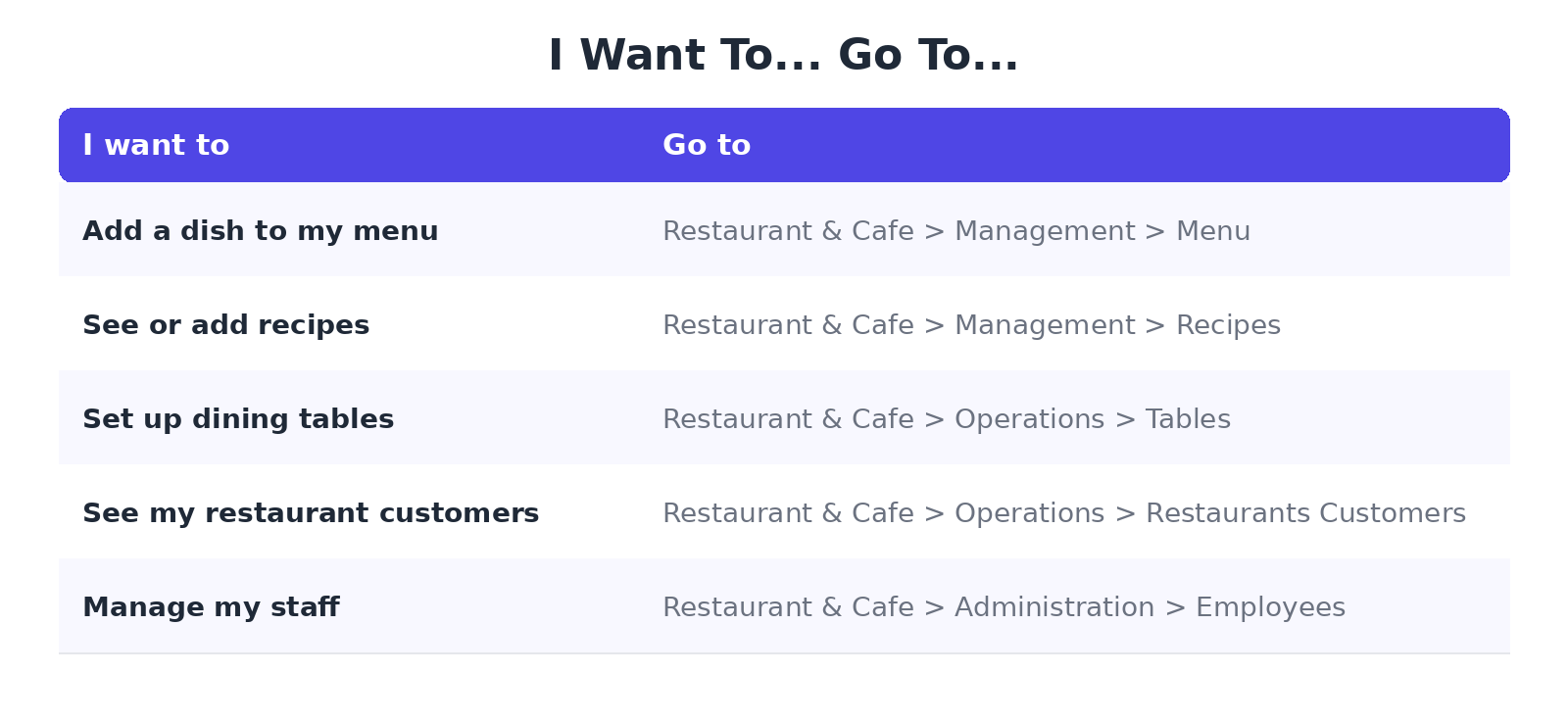
Step 5: Use this shortcut list
If you know what you want to do, use this list to go straight to the right page.
Tips
Keep the Restaurant & Cafe menu open while you work, so you can switch pages quickly.
Add your Menu items first, then your Recipes.
Set up your Tables before you start taking orders.
Check Restaurants Customers when you need your customer list and dues.
Conclusion
All restaurant options in Vinimay are under Restaurant & Cafe in the left menu. Open it and you will find Management, Operations and Administration, with every page one click away.
Use the shortcut list to go straight to Menu, Recipes, Tables, Restaurants Customers or Employees. If you are new, start with the Menu and the Tables.
Once you know where everything is, setting up your restaurant is quick. Create a free Vinimay account and open your Restaurant & Cafe menu today.