Accounting software contains some of the most important information about a business, including sales records, purchase details, customer information, expenses, payments, inventory, and financial transactions. Because this information is sensitive, business owners often want to know who can access their accounting data and how they can control that access. In many small businesses, accounting information is shared between owners, accountants, managers, and employees. Without proper access management, unnecessary access to financial records can create privacy and security concerns.
Vinimay helps businesses manage GST invoices, billing records, sales, purchases, inventory, customer and vendor information, payments, ledgers, and reports in a structured system. Maintaining organised business records with proper user control practices helps businesses manage their financial information more effectively.
Why Is Accounting Data Access Important?
Accounting data is not just a collection of invoices. It represents the financial activity of a business.
It may include information about:
Supplier payments
Business expenses
Sales performance
Inventory movement
Not every person in a business needs access to all this information. For example, an employee creating invoices may not need access to complete financial reports or expense details.
Proper access management helps businesses ensure that the right people can access the right information.
Who Usually Needs Access to Accounting Data?
The people who access accounting software depend on the size and structure of the business.
A small business may only have the owner and accountant using the software, while a growing business may have different people handling billing, purchases, inventory, and financial review.
Common users may include:
The exact access requirement depends on the business workflow and the responsibilities of each user.
Should Every Employee Have Access to Accounting Data?
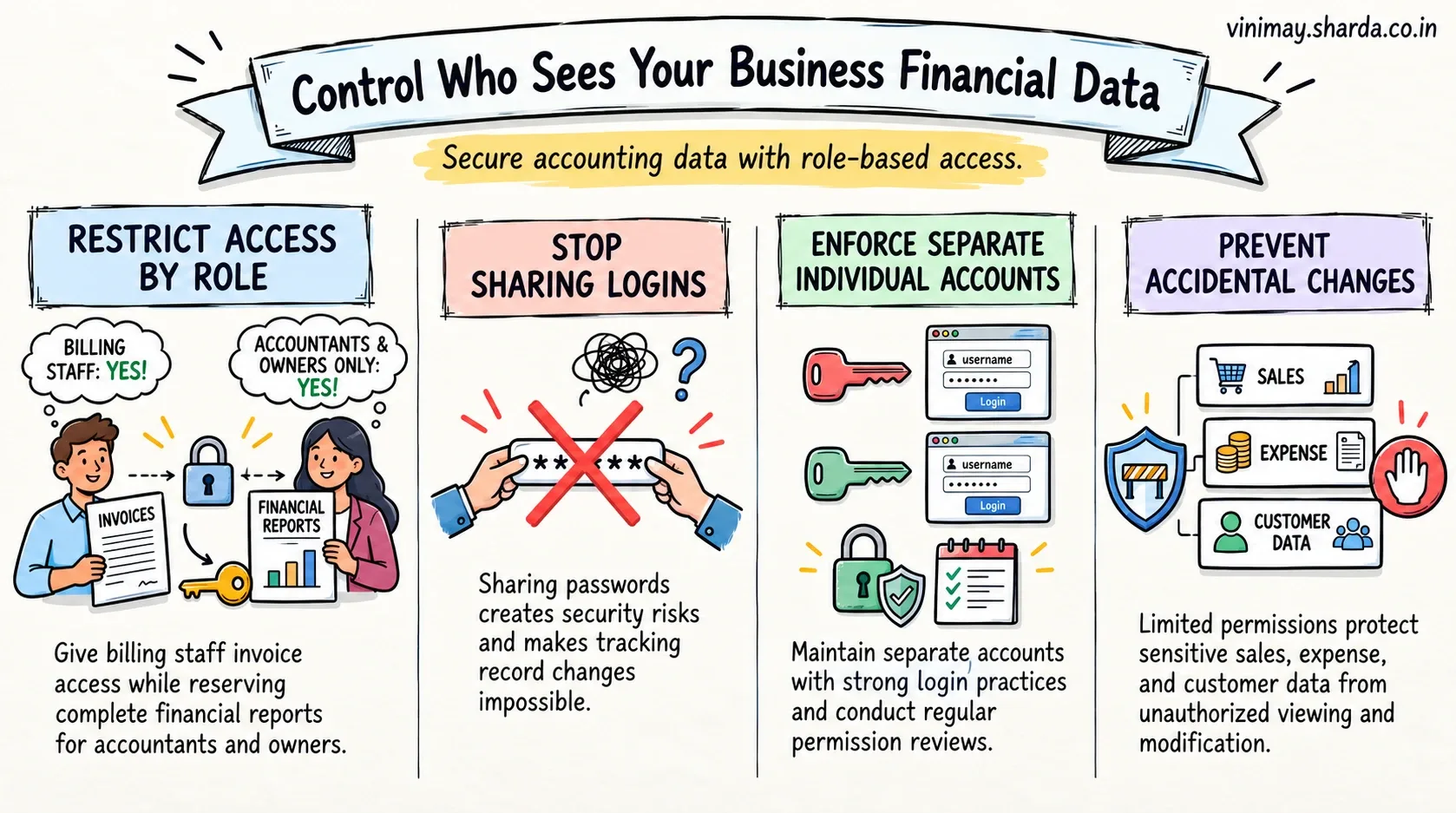
No. Businesses should provide access according to the role and requirements of the user.
For example, a salesperson may only need customer and billing-related information, while an accountant may require access to broader financial records.
Giving unnecessary access can increase the risk of accidental changes or exposure of sensitive information.
A better approach is to review:
Who needs access?
What information do they need?
What actions should they perform?
How Can Businesses Control Accounting Data Access?
Businesses can improve data control by managing users carefully and following proper access practices.
A structured approach includes:
Access control is not only a software feature; it is also a business process.
What Risks Come From Poor Access Management?
When accounting data access is not managed properly, businesses may face problems such as:
Unauthorised viewing of financial information
Accidental changes in records
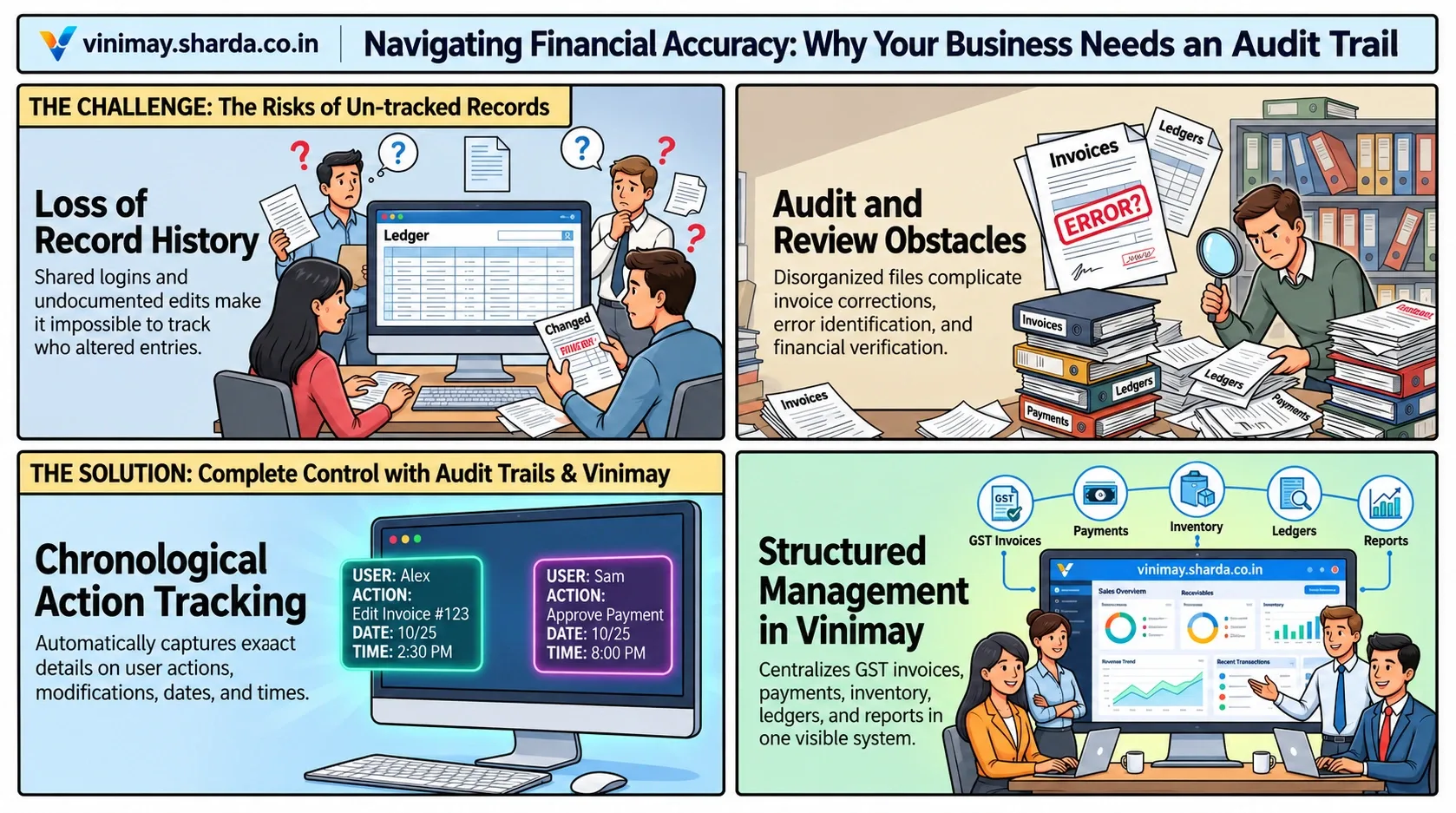
Difficulty tracking who made changes
Sharing of login credentials
For example, if multiple employees use the same login details, it becomes difficult to understand who accessed or modified information.
Maintaining separate access for users helps create better accountability.
How Does Cloud Accounting Affect Data Access?
Cloud accounting allows businesses to access accounting information through online systems. However, accessibility should always be balanced with proper security practices.
Businesses should understand:
Who has login access
How user permissions are managed
How financial records are protected
How access is removed when someone leaves the organisation
The goal is not only to access data from anywhere but also to ensure that access remains controlled.
What Should Businesses Check Before Choosing Accounting Software?
Before selecting accounting software, businesses should consider how the software handles users and business information.
Important factors include:
Businesses should select software that matches their working style and data management requirements.
Managing Business Records Better With Vinimay
As businesses grow, accounting information becomes more complex. Sales, purchases, inventory, customers, vendors, and payments all generate important records that need proper organisation. Vinimay helps businesses manage GST invoices, billing records, sales records, purchase records, customer management, vendor management, inventory, stock tracking, payment tracking, receipt tracking, ledger management, and reports.
For example, instead of keeping invoice details, customer information, and transaction records in separate files, businesses can maintain organised records within a structured accounting system.
The practical benefit is better visibility and easier management of business information during daily operations.
Common Mistakes Businesses Make With Accounting Data Access
Many businesses focus on selecting software but ignore basic access management practices.
Common mistakes include:
Sharing one login among multiple users
Giving access without reviewing requirements
Not removing access when responsibilities change
Allowing unnecessary access to sensitive information
Good data security requires both suitable software and proper internal practices.
Frequently Asked Questions
1. Who can access my accounting data in software?
Access depends on the users authorised by the business. It may include owners, accountants, managers, or employees based on their responsibilities.
2. Can employees see all accounting information?
Not necessarily. Businesses should provide access according to each user's role and requirements.
3. Why is user access control important in accounting software?
User access control helps protect sensitive financial information and reduces unnecessary exposure.
4. Can multiple people use accounting software?
Yes, many accounting systems support multiple users depending on the software structure and permissions available.
5. Should I share my accounting software password with employees?
No. Businesses should avoid sharing passwords and should maintain separate access wherever possible.
6. Can accounting software track who uses the system?
This depends on the software and available access management features.
7. How can I protect my accounting data?
Businesses can improve protection by using controlled access, strong login practices, and responsible user management.
8. Is cloud accounting safe for multiple users?
Cloud accounting can support multiple users, but businesses should ensure proper access management and security practices.
Related Topics
Published by Team Vinimay
Our editorial and compliance specialists create practical guides, tax calculation rules, and operational strategies to empower Indian small business owners and accountants.