Business Management Software: A Complete Guide for Businesses in 2026
"Business management software" is one of those terms that sounds specific but actually covers a wide, loosely defined range of tools—everything from accounting systems to HR platforms to project trackers gets filed under this same umbrella. Searching for it without knowing which specific part of your business you're trying to manage often leads to comparing tools that aren't even solving the same problem.
The honest starting point is that there's no single "business management software" that does everything equally well for every business. The term describes a category made up of distinct components — financial management, customer relationships, inventory, human resources, and project tracking — and most real software products cover some of these well and others not at all, regardless of how broadly they're marketed.
This guide breaks the category into its actual components, explains which ones most small businesses need to prioritise first, and looks at the trade-off between all-in-one suites and connected individual tools.
Why This Term Gets Confusing Fast
Part of the confusion comes from how loosely "business management software" gets marketed — a tool built primarily for invoicing might call itself business management software, and so might a tool built primarily for team task tracking. Neither claim is technically false, since both are managing some part of a business, but they're not comparable products, and treating them as competitors in the same category search leads to a confusing evaluation process.
The Core Components, Broken Down
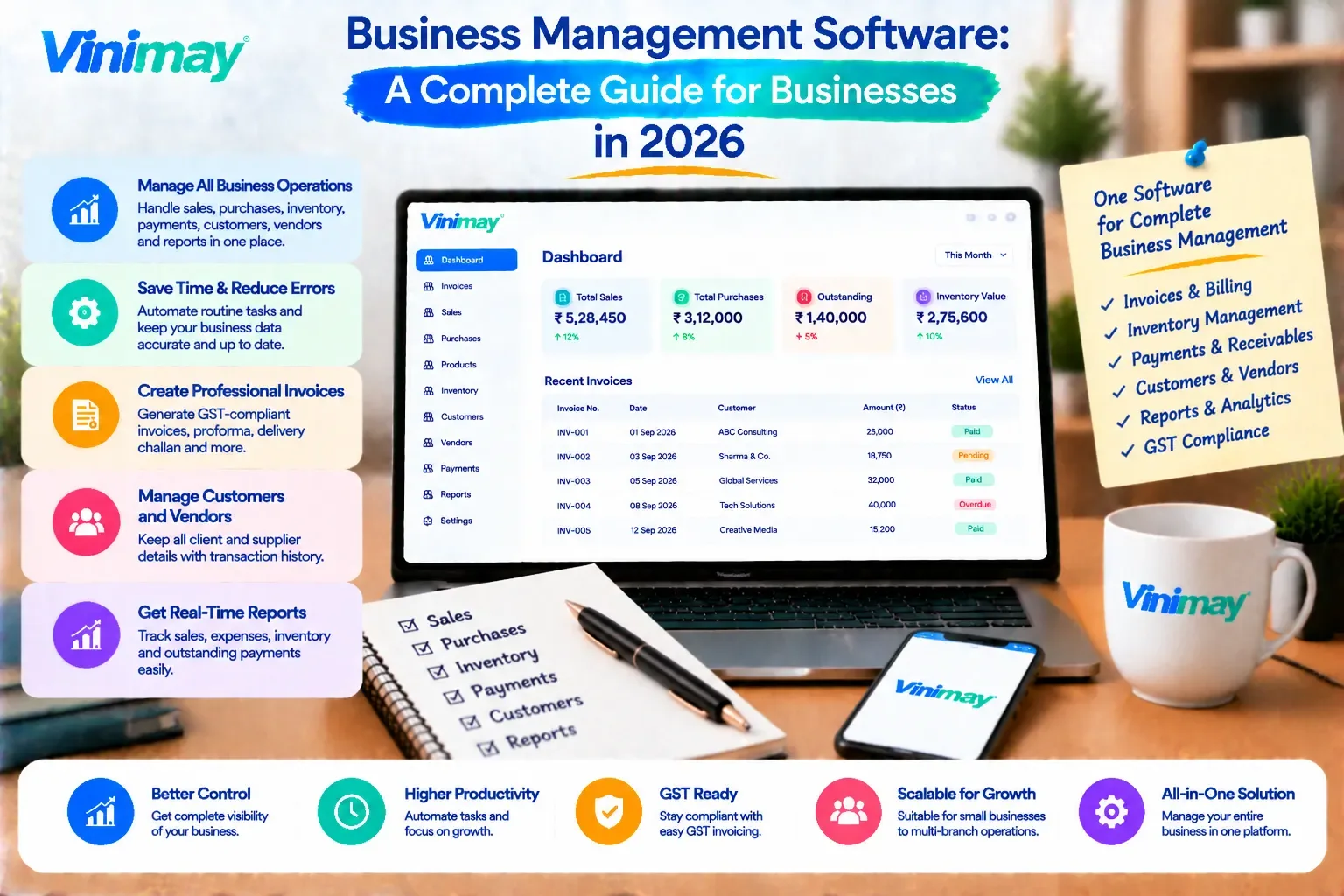
Financial management —invoicing, GST compliance, expense tracking, payment records, and reports drawn from sales and purchase data
Inventory management — stock tracking, product records, and the connection between sales and stock levels
Customer relationship management (CRM) — tracking leads, customer interactions, and sales pipeline beyond just billing
Human resources — staff records, attendance, payroll processing
Project or task management — assigning, tracking and reviewing work across a team
Each of these is genuinely its own software category, with dedicated tools built specifically around it — "business management software" is really shorthand for some combination of these, not a single defined thing.
Which Components Most Small Businesses Need First
For most small businesses, financial management — accurate billing, GST compliance, and payment tracking — is the component that becomes necessary earliest, simply because it's tied directly to revenue and legal compliance from day one. Inventory management follows closely for any business selling physical products. CRM, HR and project management tend to become relevant later, as customer volume, staff count, or project complexity grow past what can be tracked informally.
All-in-One Suites vs Connected Individual Tools
An all-in-one suite bundles several components — say, accounting plus CRM plus HR — into one platform, with the advantage of shared data across functions
The trade-off is that suites are often stronger in some components than others, since building five categories equally well is genuinely difficult
Connected individual tools — a dedicated billing system, a separate CRM — let you pick the strongest tool for each specific need
The trade-off there is potential disconnection between tools if they don't integrate well with each other
Neither approach is universally better; it depends on how many components you actually need simultaneously, and how well any specific suite covers the ones that matter most to you
Questions to Ask Before Choosing Any Category
Which specific component is actually causing friction in my business right now?
Does a suite I'm considering genuinely cover that component well, or is it a secondary feature bolted on?
If I choose connected individual tools instead, do they actually share data, or will I end up re-entering information across them?
Am I solving today's problem, or buying capacity for a stage my business hasn't reached yet?
A Component-Priority Table
Where Vinimay Fits Into This Picture
Vinimay covers the financial management and inventory components specifically — GST invoicing,sales and purchase records, payment tracking, receivables and payables, inventory and stock tracking, customer and vendor management, and reports drawn from these connected records. This is the component most small businesses need earliest, and Vinimay is built around handling it thoroughly rather than spreading across every category loosely.
Vinimay is not a full business management suite covering HR, project management or CRM pipeline tracking — for businesses that need those components too, it's worth evaluating them as separate, dedicated tools or as part of a broader suite alongside Vinimay's financial and inventory management.
To see the financial management piece directly, Vinimay's free invoice tool lets you generate up to 5 GST invoices free.
Conclusion
"Business management software" isn't a single product — it's an umbrella covering distinct components like financial management, inventory, CRM, HR and project management, each with its own dedicated tools and its own point at which a business genuinely needs it. Most small businesses need financial management and inventory tracking earliest, since both are tied to revenue and day-to-day operations from the start, while other components become relevant as the business grows in specific ways.
Vinimaycovers the financial management and inventory components thoroughly, without claiming to be a full suite — for HR, CRM or project management needs, it's worth evaluating those as separate, dedicated tools alongside it.
Frequently Asked Questions
1. Is business management software one single type of tool?
No, it's an umbrella term covering distinct components like financial management, inventory, CRM, HR and project management.
2. Which component should a new small business prioritise first?
Financial management — billing, GST compliance and payment tracking — since it's tied directly to revenue and legal requirements from the start.
3. Is an all-in-one suite always better than separate tools?
Not necessarily — suites offer shared data across functions, but may cover some components more thoroughly than others.
4. Does Vinimay cover HR or project management?
No, Vinimay focuses on financial management and inventory — GST invoicing, records, payments and stock tracking.
5. When does a business typically need CRM software?
Usually once customer volume grows past what can be tracked informally through memory or simple notes.
6. What's the risk of choosing a broad suite too early?
Paying for or configuring components you don't need yet, while the component that actually matters may not be covered as thoroughly as a dedicated tool.
7. How many free invoices can I test on Vinimay?
Vinimay's free invoice tool allows up to 5 GST invoices free, downloadable as PDF.
8. Should I combine Vinimay with other tools for HR or CRM needs?
Yes, that's a reasonable approach — using Vinimay for financial and inventory management alongside separate, dedicated tools for other components.
9. Why do many tools all call themselves "business management software"?
Because the term is loosely used in marketing to describe any tool managing some part of a business, not a strictly defined category.
10. What question should I ask before comparing any two "business management" tools?
Whether they're actually covering the same specific component — otherwise the comparison isn't meaningful.
Related Topics
Published by Team Vinimay
Our editorial and compliance specialists create practical guides, tax calculation rules, and operational strategies to empower Indian small business owners and accountants.