For a small business issuing a handful of invoices a month, the "best" GST software isn't the one with the longest feature list — it's the one that handles those few invoices correctly, without asking for more setup effort or cost than the volume actually justifies. Billing and accounting software helps organise invoices, payments, stock and customer records in one system, but at low transaction volume, the priorities shift: simplicity, GST accuracy, and low overhead matter more than advanced reporting or multi-user access most businesses at this stage don't need yet. Vinimay's core, confirmed features — GST invoicing, billing, sales and purchase records, and customer management — map closely to what a low-transaction business actually uses day to day, which is useful context for judging fit against your own needs. This guide focuses on what genuinely matters for a small business with limited, occasional billing.
Why "Best" Means Something Different at Low Volume
A feature-rich, paid GST suite built for high-volume, multi-user retail operations isn't automatically "better" for a freelancer billing three clients a month — it may simply be more than what's needed, with a cost and learning curve that doesn't match the actual workload. For low-transaction businesses, "best" should mean "most appropriately matched", not "most feature-complete".
What a Low-Transaction small Business Actually Needs
For occasional, straightforward billing, the essentials are:
Accurate, GST-compliant invoice generation with correct tax fields
The ability to save customer details so they don't need retyping each time
A simple, printable or shareable invoice format
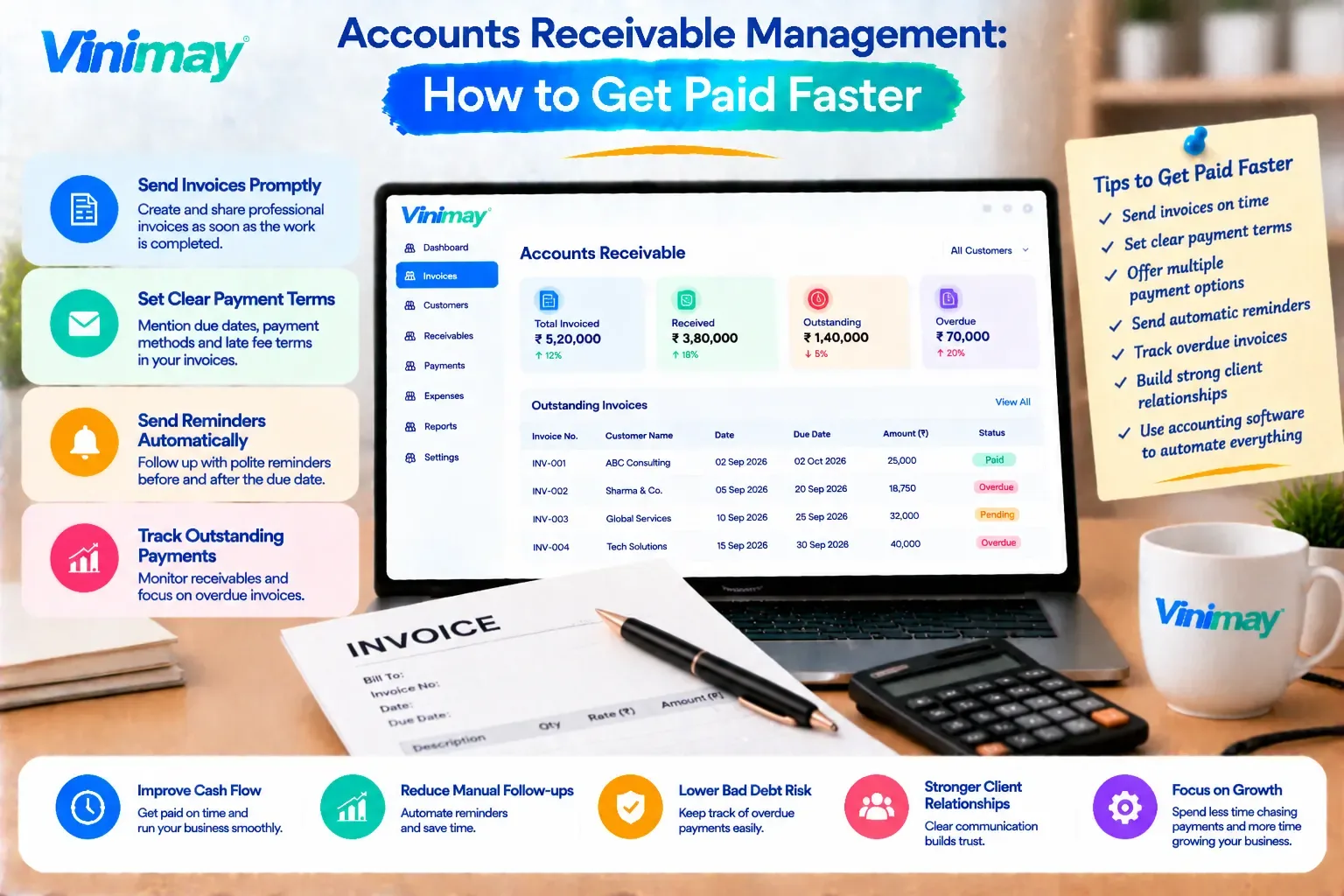
Basic tracking of what's been paid and what's still outstanding
That's genuinely most of what a low-volume business uses on a regular basis.
What Features Matter Less at This Scale
Several features commonly marketed as advantages matter less — or not at all — for a small business with limited transactions:
Multi-user access — often unnecessary if one person handles all billing
Advanced inventory management — less relevant for service businesses or those with minimal stock
Deep GST reconciliation tools — more valuable for businesses with complex, high-volume, multi-rate billing
Detailed, customisable reporting — a basic sales and outstanding-invoice view is often enough at this scale
Paying for or navigating these features when they're not needed adds complexity without adding value.
Where Free Software Fits This Profile Well
Low-transaction for small business are often the best-suited group for free GST software specifically, because:
Monthly invoice volume is unlikely to hit a free plan's cap
Single-user access matches how the small business actually operates
Basic GST invoicing and simple record-keeping cover the core need
The cost savings are meaningful relative to a small business's smaller scale
What to Still Check, Even at Low Volume
Even with lighter needs, a few things are worth confirming:
Does the invoice format include all required GST fields correctly?
Can you save and reuse customer details without retyping them each time?
Is it easy to check which invoices are still unpaid?
Can you export or access your data if you ever need to switch tools later?
Signs You're About to Outgrow a Simple Setup
A low-transaction business won't stay low-transaction forever, and it's worth knowing the signals that a simpler setup is starting to strain:
Invoice volume creeping up month over month
Bringing on a second person to help with billing
Starting to carry stock that needs tracking
Dealing with more than one GST rate across different offerings
None of these mean an immediate switch is necessary — but they're worth watching for.
What This Looks Like for Vinimay's Confirmed Features
For a business with limited, straightforward transactions, the features that matter most tend to line up closely with Vinimay's confirmed feature set:
GST invoicing and billing cover the core requirement of generating accurate, compliant invoices
Customer and vendor management stores contact details once, avoiding repeated manual entry for repeat clients
Payment tracking and receipt tracking make it easy to see what's been paid and what's still due
PDF invoice generation and printing provide a ready-to-share invoice without extra formatting work
For businesses that later grow into needing inventory tracking, purchase records, or multi-company management, those confirmed features are available within the same system as well — but for a low-transaction business today, the core billing and customer management functions are typically what get used most.
Frequently Asked Questions
1. Does a small business with few invoices need advanced GST software?
Usually not — basic GST invoicing and customer record-keeping typically cover most of what a low-transaction business needs.
2. Is free GST software a good fit for low-volume businesses?
Yes, in most cases — low invoice volume rarely hits free plan limits, and single-user access matches how these businesses typically operate.
3. What features are unnecessary for a low-transaction business?
Multi-user access, advanced inventory tools, and deep GST reconciliation features are often unnecessary at this scale.
4. What should a low-volume business still check before choosing software?
Confirm the invoice format meets GST requirements and that customer details can be saved for reuse.
5. Can a freelancer use the same GST software as a retail shop? Technically yes, but a freelancer's needs are usually much simpler, so a lighter, more basic setup is often more appropriate.
6. What signs indicate a business has outgrown a simple GST setup? Rising invoice volume, adding staff to billing, or starting to carry inventory are common signs.
7. Is it a waste to pay for advanced GST software at low volume? It can be, if the advanced features — like deep reconciliation or multi-user access — aren't actually being used.
8. Does GST accuracy matter less for low-volume billing? No — accuracy matters regardless of volume; what changes is how much additional software complexity is needed to maintain it.
9. Should a low-transaction business plan for future growth when choosing software? It's worth keeping an eye on growth signals, but choosing based on current, actual needs is usually more practical than over-preparing.
10. What's the simplest way to judge fit for a low-transaction business? Match the software's core features — invoicing, customer records, payment tracking — against what you actually use week to week.
Related Topics
Published by Team Vinimay
Our editorial and compliance specialists create practical guides, tax calculation rules, and operational strategies to empower Indian small business owners and accountants.