How Does Billing Software Handle Multiple GST Rates on One Invoice?
A GST Rates grocery shop billing a single customer for items taxed at 5%, groceries taxed at 12%, and a packaged snack taxed at 18%, all in one purchase, runs into a question that pure product-based businesses face constantly: does the invoice need to be split by tax rate, or can everything sit on one bill?
The straightforward answer is that one invoice can absolutely handle multiple GST rates,as long as each line item's tax is calculated and displayed correctly against its own applicable rate. The complexity isn't whether it's allowed — it's whether the software doing the calculation applies each rate correctly to each item, rather than accidentally applying one blanket rate to the entire invoice.
This article explains how correct multi-rate calculation should work in practice, where this specific feature commonly breaks, and how to verify it before relying on it.
How a Single Invoice Should Calculate This Correctly
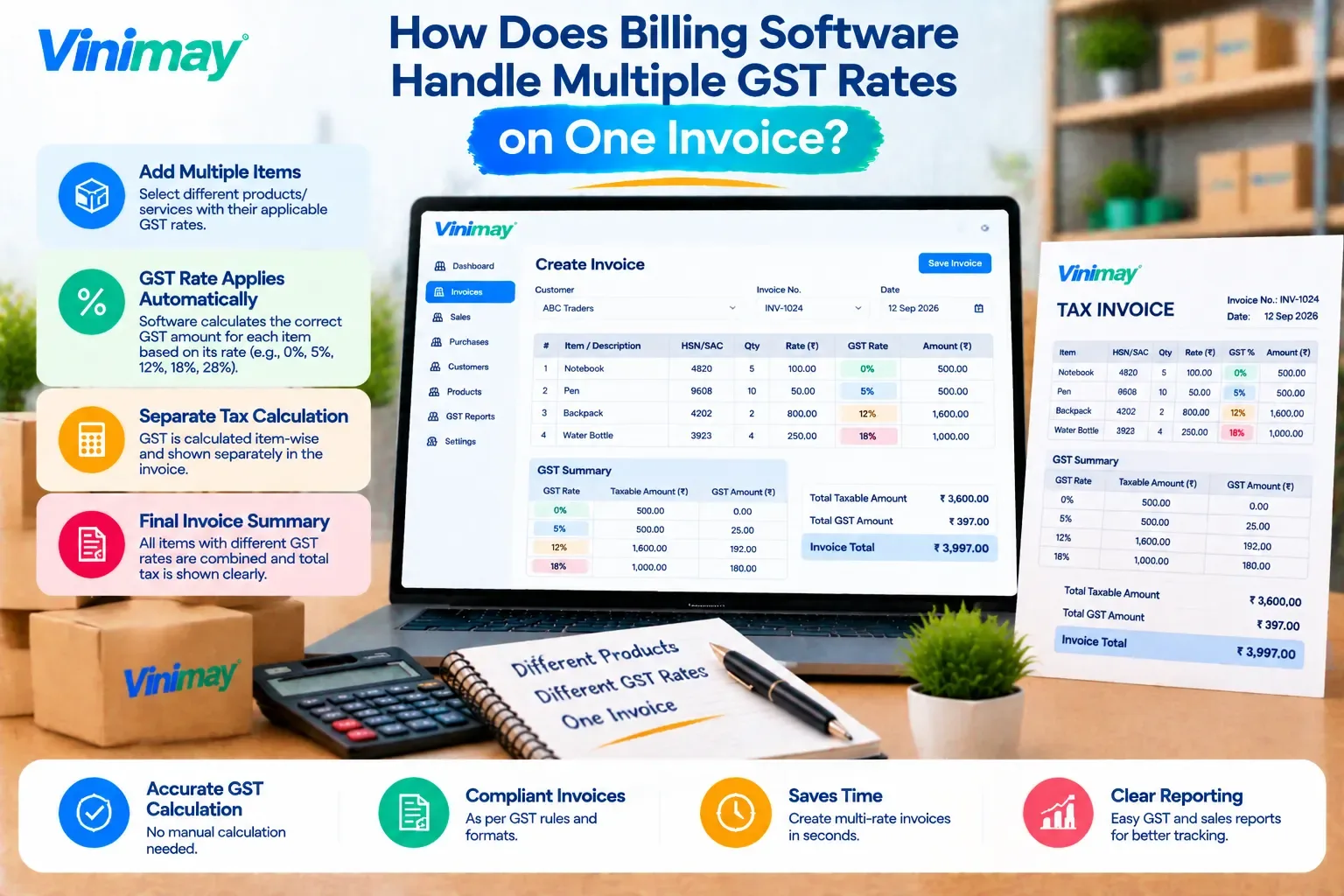
Direct answer: Correct multi-rate invoicing means each line item's GST is calculated individually based on that specific item's applicable rate, and the invoice totals these separately before summing them into a final tax amount.
What a correctly calculated invoice should show:
Each item listed individually with its own GST rate clearly stated next to it
The tax amount for each line item calculated on that item's own price, not a shared or averaged rate
A rate-wise summary at the bottom — total taxable value and tax shown separately for 5%, 12%, and 18% items
A final grand total that correctly adds up all these individual calculations
Example of how the math should break down:
Each row's tax is its own calculation, not a percentage applied to the invoice's overall total.
Common Mistakes in Multi-Rate GST Calculation
A single default rate gets applied to the entire invoice, incorrectly taxing every item at whatever rate was set first
Rounding errors compound across multiple rate calculations, creating small mismatches in the final total
The rate-wise summary is missing entirely, showing only one combined tax figure without breaking down which rate contributed what
Manual overrides are needed for every mixed invoice, which defeats the purpose of automated calculation in the first place
Testing This Before You Trust It
Create a test invoice with at least three items at different GST rates
Manually calculate the expected tax for each item on paper or in a spreadsheet
Compare your manual calculation against what the software shows for each line
Check specifically whether a rate-wise summary is available, not just a single combined tax figure
A Clear Answer for Vinimay Users
Vinimay supports GST invoicingas part of its confirmed billing features, applying tax based on the specific rate configured against each product, so an invoice combining items at different GST rates reflects each item's own applicable tax individually within a single bill.
Conclusion
Multiple GST rates on a single invoice are entirely standard and legally fine, as long as each item's tax is calculated against its own specific rate rather than one blanket percentage applied across the board. The real risk isn't the concept itself — it's software that quietly simplifies this incorrectly, which is why testing with real, mixed-rate line items before relying on any billing tool matters.
FAQs
1. Is it legally acceptable to bill items at different GST rates on the same invoice?
Yes, there's no requirement to split invoices by GST rate — a single invoice can include multiple items taxed at different rates, as long as each is calculated and shown correctly.
2. What's the most common mistake in mixed-rate GST invoicing?
The most common mistake is a single overall rate being applied to the entire invoice instead of calculating each line item's tax individually based on its own rate.
3. Should a mixed-rate invoice show a rate-wise tax summary?
Yes, showing a breakdown of taxable value and tax by rate, alongside the individual line items, makes the invoice easier to verify and more transparent for both the business and the customer.
4. Can rounding differences cause GST mismatches on multi-rate invoices?
Yes, small rounding differences can accumulate when multiple rates are calculated separately and then summed, so it's worth verifying the final total against a manual calculation periodically.
5. How can I quickly check if my software handles mixed rates correctly?
Create a test invoice with a few items at clearly different rates and manually verify each line's tax calculation against what the software displays.
Related Topics
Published by Team Vinimay
Our editorial and compliance specialists create practical guides, tax calculation rules, and operational strategies to empower Indian small business owners and accountants.