What Is the Best Accounting Software for Multiple Users?
Accounting Software: The moment a second person starts touching your business's billing—a staff member creating invoices, a partner recording purchases, an accountant checking records remotely—single-user software stops being convenient and starts being a genuine obstacle. Multi-user accounting software solves this, but "supports multiple users" can mean very different things depending on the tool: some just allow a shared login, which creates its own risks, while others give each person their own access with proper controls over what they can see and do.
This distinction matters more than most comparisons acknowledge, because a shared single login means you lose the ability to know who did what — who created a specific invoice, who recorded a particular payment — which becomes a real problem the moment something needs correcting or a discrepancy needs tracing back to its source.
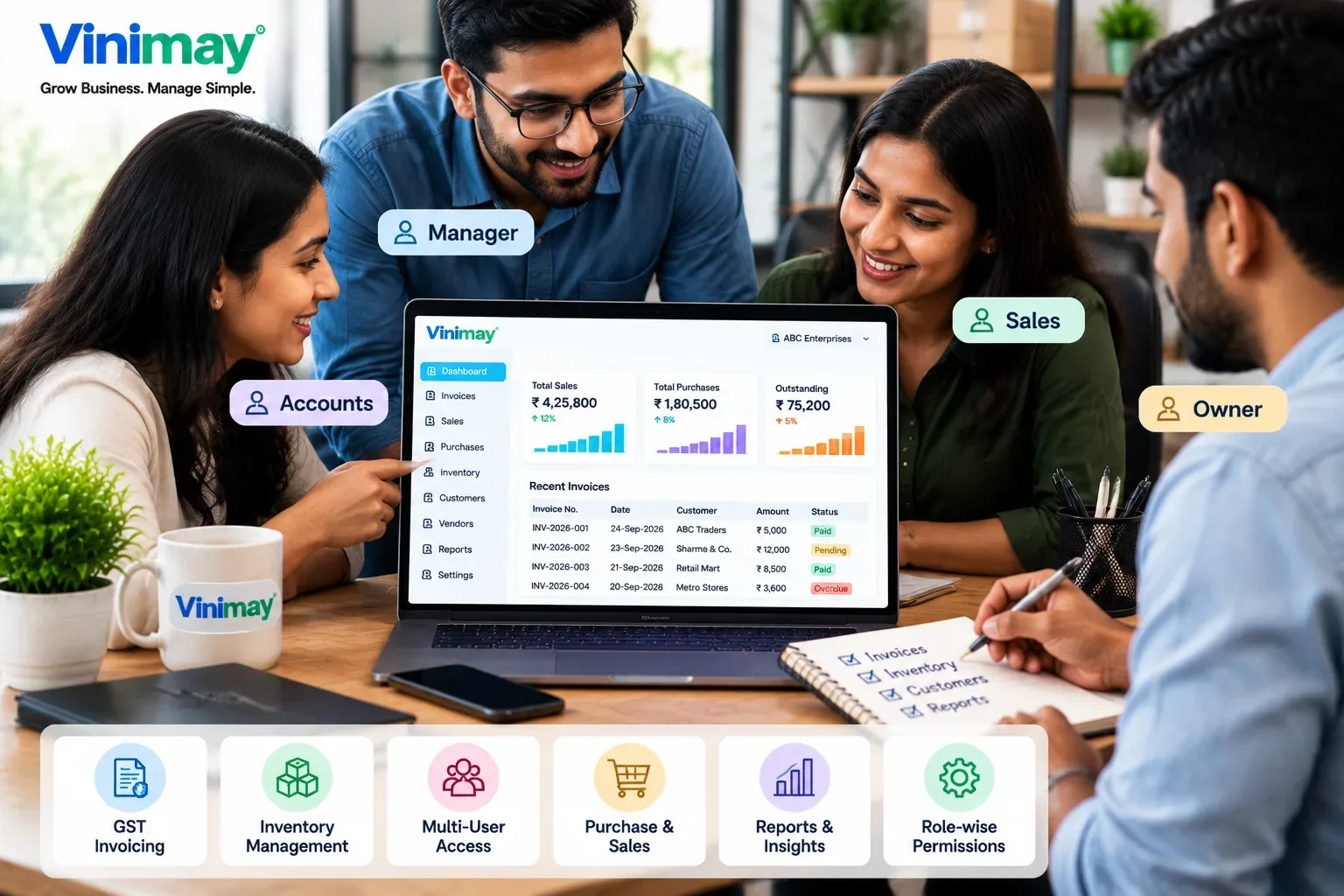
What "Multi-User" Should Actually Include
A tool with genuine multi-user support gives each person their own access, ideally with some control over what they can do, rather than everyone sharing one password and hoping nothing gets overwritten or duplicated.
Why a Shared Single Login? Isn't a Real Solution
Some small businesses work around single-user software by simply sharing one login between staff. This avoids the immediate cost of a multi-user plan, but it reintroduces exactly the problems connected software is meant to solve — duplicate invoice numbers when two people bill around the same time, no way to trace which staff member made a specific entry, and no ability to limit what a newer or less trusted staff member can access.
What to Check Before Choosing
Does the plan support genuinely separate logins or just a shared one?
Can access be limited by role (e.g., billing only vs. full access to reports and pricing)?
Can multiple people bill or record transactions at the same time without conflicts?
Does the pricing scale reasonably as you add more users, or jump sharply at a certain point?
Where Vinimay Stands, Honestly
Vinimay's confirmed capabilities cover GST-compliant invoicing, transaction recording, customer/vendor management, and inventory—the foundation any multi-user setup would need to be built on. Specific multi-user functionality—separate logins, role-based access, or simultaneous multi-person use—isn't part of what's currently confirmed for this platform. If your business already has, or is about to add, more than one person handling billing, this is worth confirming directly with Vinimay before assuming it's supported, rather than discovering a limitation after you've started relying on the software.
[Create Your First Invoice Free with Vinimay]
Conclusion
Multi-user support means more than just letting several people log in — it means each person having their own identity within the system, ideally with some control over what they can access. A shared login might feel like a workaround, but it reintroduces the same disconnection problems multi-user software is meant to prevent. Before assuming any tool supports your growing team, confirm the specifics directly rather than assuming "supports multiple users" means what you'd expect.
Frequently Asked Questions
Q1. Is sharing one login among staff the same as multi-user support?
No — a shared login means you lose the ability to trace who made specific entries, and it increases the risk of duplicate or conflicting records when multiple people work at once.
Q2. What should I check before assuming software supports my growing team?
Whether logins are genuinely separate per person, whether access can be limited by role, and whether the pricing scales reasonably as you add users.
Q3. Does role-based access matter for a small business?
It can — if you want a staff member to create invoices without seeing full financial reports or pricing history, role-based access lets you control that.
Q4. Can multiple people record transactions at the same time in most accounting software?
This varies significantly by tool — some support real simultaneous access smoothly, others create conflicts or overwrites when two people work at once. Check this specifically.
Q5. Does Vinimay support multiple users on the same account?
Not currently confirmed. Confirm directly with Vinimay if this is a requirement for your business.
Related Topics
Published by admin
Our editorial and compliance specialists create practical guides, tax calculation rules, and operational strategies to empower Indian small business owners and accountants.