Billing Software for Travel Agencies: Quote, Collect and Pay Suppliers
A travel agency sits between customers and suppliers. The customer pays you an advance, you pay the hotel or the airline, and the balance comes later. When these payments are scattered across chats and notebooks, it is easy to lose track of who has paid what.
This guide explains how a travel agency can run its billing in a simple order: quote, advance, supplier payment and balance. You will also follow numbered Vinimay screenshots for each step, so you can set up your own routine in one sitting.
Vinimay is free GST billing and accounting software built for small businesses. It is free to get started, which suits a small agency that wants proper records without a big software bill.
What Does a Travel Agency Need to Track?
A Simple Example
The Sharma family books a package for 4 travelers at ₹40,000, plus GST as applicable. They pay ₹10,000 in advance, so ₹30,000 is still to collect. You pay the hotel ₹25,000. Your gross margin before tax is ₹15,000. When you record every figure, you see this margin for each booking.
Check the GST treatment of your travel services with your CA, because the rules depend on the type of service.
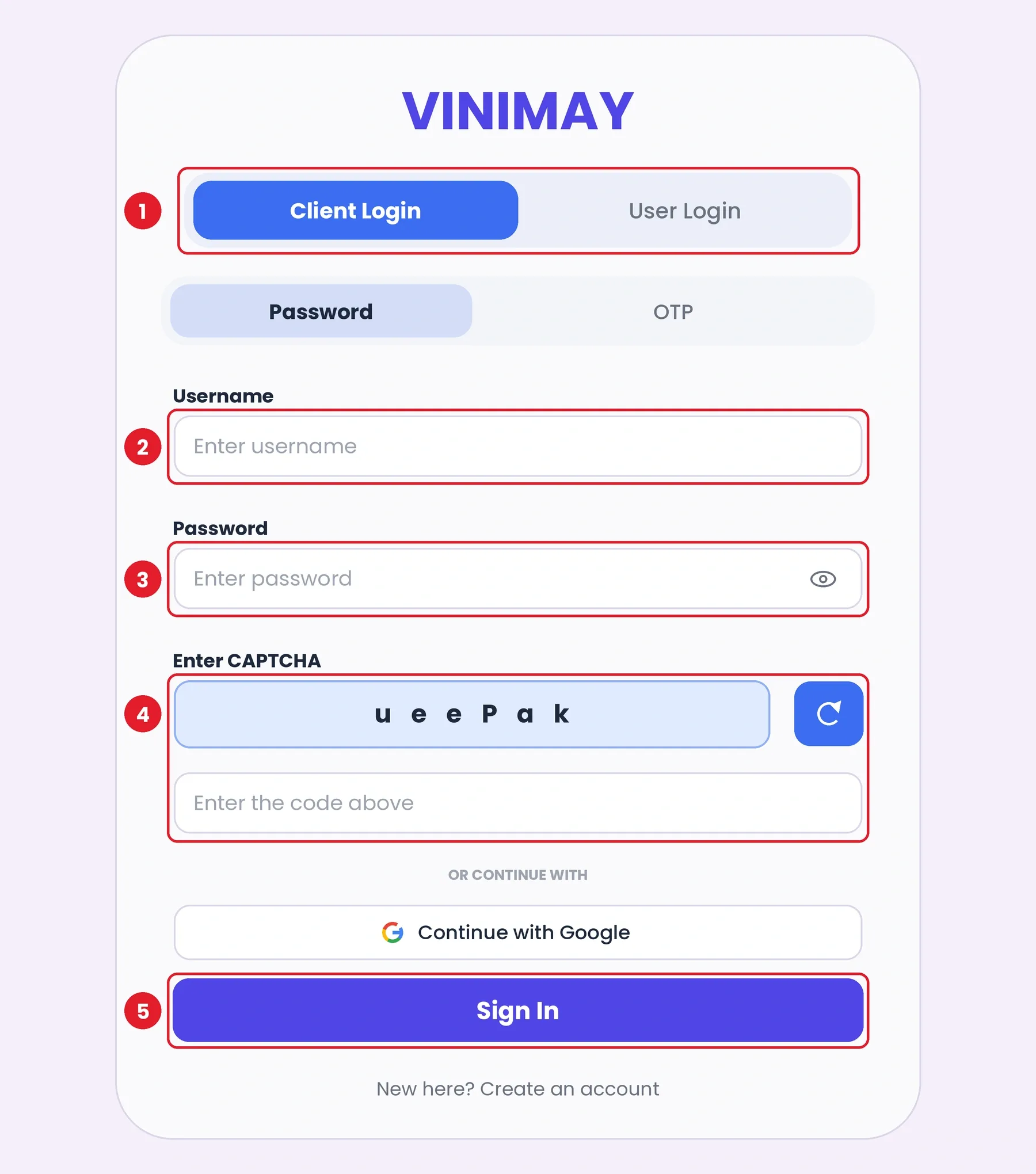
First login
How to Run a Booking in Vinimay
Step 1: Start a quote
On the Dashboard, go to the Quick Actions box at the top right and click Proforma Invoice (image 1).
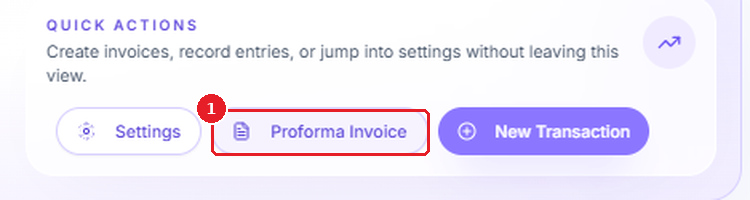
Proforma Invoice button
Step 2: Add the customer, due date and trip reference
Type the customer name (image 2). Set a Due Date (image 3), which is optional, for the balance payment. Use the Reference Number (image 4) for the booking or trip code, so it is easy to find later.
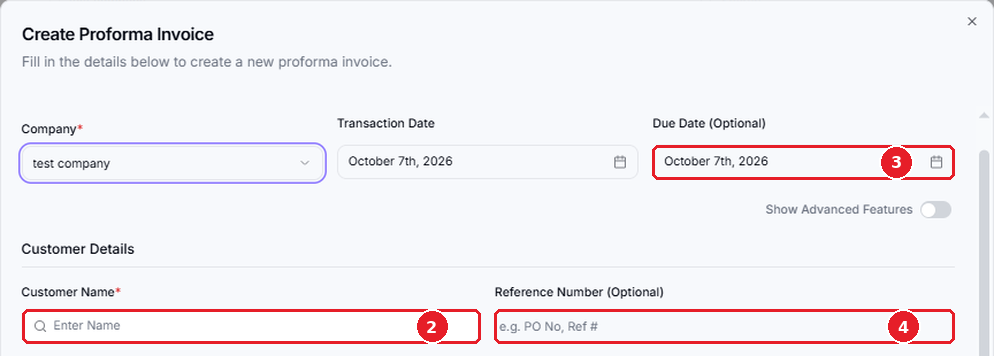
Customer, due date and booking reference
Step 3: Add the package
Scroll to Items. Enter the number of travellers as the Qty (image 5) and the price per person as the Price/Unit (image 6). Since a travel agency sells services, click Add Service (image 7) to add another line, such as a visa fee or a service charge.

Travellers, price and Add Service button
Step 4: Write your terms and create the quote
In the Notes box (image 8), the Terms and Conditions already say the quote is valid for 7 days. Edit the text to add your payment and cancellation terms. Then click Create Proforma Invoice (image 9).
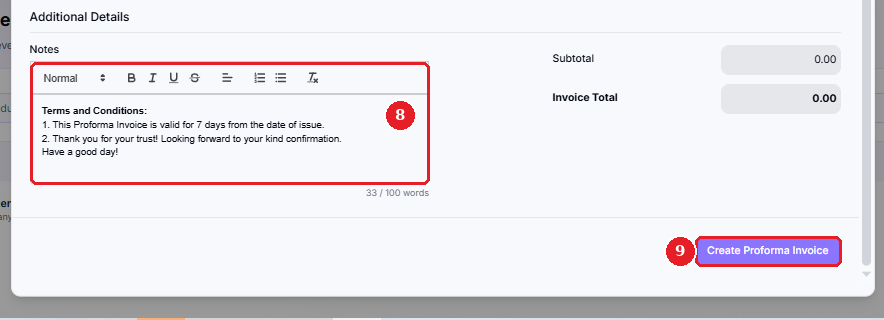
Terms and the Create Proforma Invoice button
Step 5: Record the advance
When the customer pays the advance, click New Transaction and open the Receipt tab (image 10). Enter who paid in Received From (image 11) and the Amount (image 12). Write the booking code in Reference Number (image 13), then click Create Transaction (image 14).
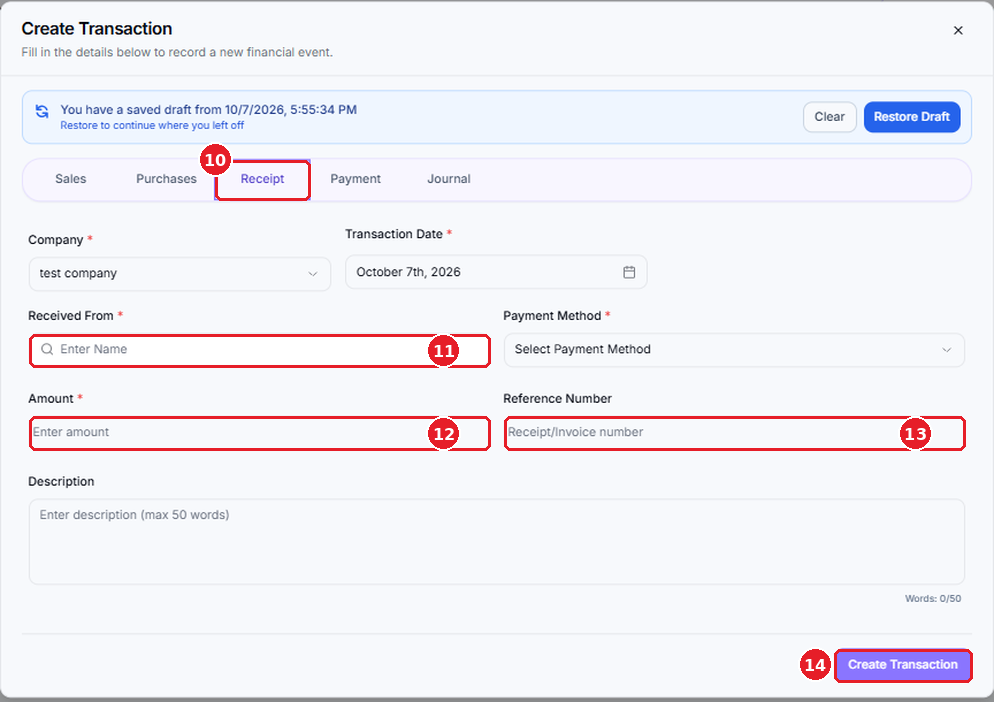
Recording the advance
Step 6: Pay your supplier
When you pay a hotel, airline or other supplier, open the Payment tab (image 15). Search for the Vendor (image 16), choose the payment method (image 17) and enter the Amount (image 18). Then click Create Transaction (image 19).
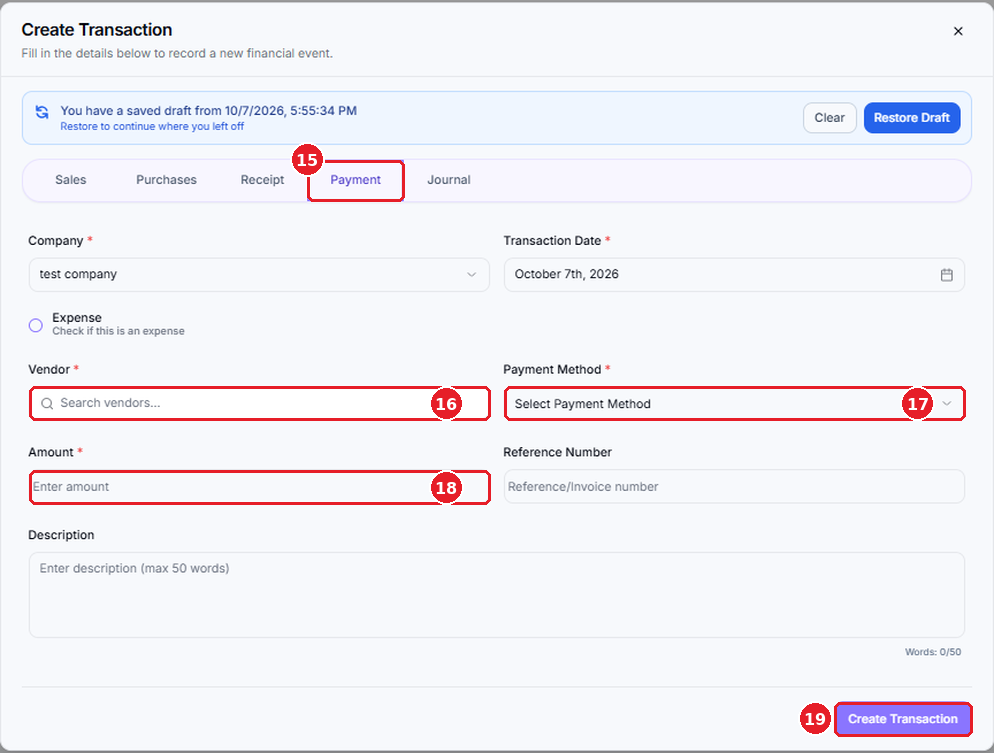
Recording a supplier payment
To see what is still due from customers, open Ledger and click Receivables. To see what you owe suppliers, click Payables.
Common Mistakes to Avoid
Taking an advance without recording it against the booking.
Not writing the booking code on payments.
Paying suppliers without noting which customer the money is for.
Forgetting to collect the balance before the travel date.
Conclusion
A travel agency runs on trust and timing. Quote clearly, record every advance, note every supplier payment and chase the balance before the trip.
Put the booking code on every entry. It turns a pile of payments into a clean story for each customer, and it makes disputes easy to settle.
Vinimay keeps the quote, the advance and the supplier payment in one place, so you always know where each booking stands.
Try Vinimay free and keep every booking in order.