How to Auto-Reduce Stock for Each Dish with Recipe & BOM
You sell 50 plates of pasta, but your inventory still shows the same flour, cheese and oil. Counting stock by hand every night takes time, and mistakes are common.
The Vinimay's Restaurant & Cafe section has a Recipe & BOM Manager. Here you map a menu item and its variant to the raw ingredients it uses. The page says this is for automated stock reduction upon sale.
In this guide, you will learn where to find the page, what each part means, and how to start a Create Recipe Mapping form. Screenshots have red boxes with numbers matching the text. There are 10 FAQs at the end. Where our screenshots do not show something, we say so.
Quick answer
• Where: Restaurant & Cafe, Management, Recipes.
• Fill: Menu Item, Variant, then Add Ingredient.
• Save: click Save Recipe.
Step 1: Open the Recipes page
In the left sidebar, click Restaurant & Cafe (image 1). Under Management, click Recipes (image 2).
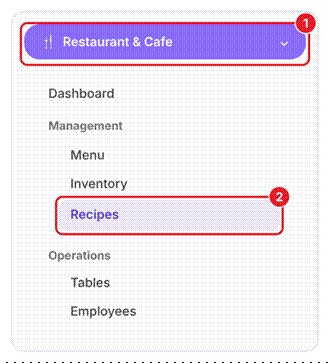
Restaurant & Cafe (1) and Recipes (2)
Step 2: Understand the page
The page is called Recipe & BOM Manager (image 3). Below it is the list "Configured Recipes (BOM)" with a count such as 0 recipes. Use the search box (image 4) to find a dish or ingredient. The table has three columns (image 5): Menu Item, Variant, and Ingredients (Consumption Per Unit). The list is empty until you add recipes.
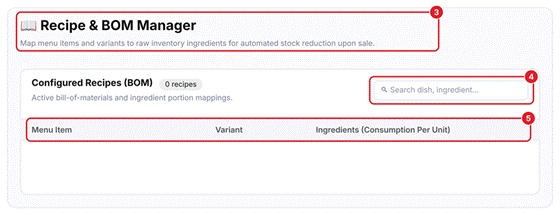
Page title (3), search (4) and table columns (5)
Step 3: Choose the menu item and variant
In the Create Recipe Mapping window, click Menu Item (image 6) and search for your dish. Then choose its Variant (image 7). Both are required.
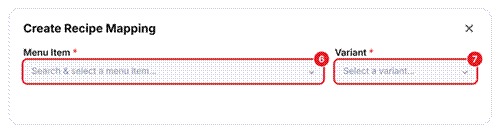
Menu Item (6) and Variant (7)
Step 4: Add the ingredients
The section "Ingredients & Bill of Materials" says "No ingredients added yet" (image 9). Click Add Ingredient (image 8) to add each raw material the dish uses. Our screenshots do not show the ingredient fields, so follow what appears on your screen.
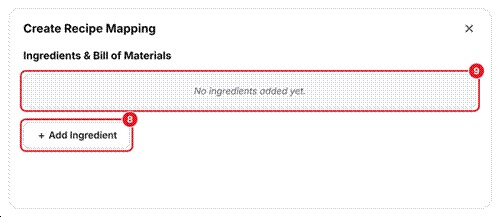
Add Ingredient (8) and empty list (9)
Step 5: Save the recipe
Click Save Recipe (image 10). In our screenshot, it looks faded because nothing was filled yet. Click Cancel to close without saving.
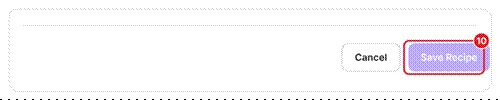
Save Recipe button (10)
Tip: Add your ingredients to Restaurant Inventory and your dishes to Menu first, so you can pick them here.
Conclusion
A recipe links what you sell to what you use. With it, stock can reduce automatically after each sale, instead of by manual counting.
Open Recipes: pick the menu item and variant, add the ingredients, and save. Do this for your best-selling dishes first.
Test one recipe with a sample order and check your inventory. The FAQs below answer common doubts.