Common Mistakes to Avoid When Choosing Accounting Software
Most businesses don't regret their accounting software choice in the first week. The software looks fine in a demo, invoices get created, and everything seems to work. The regret shows up months later — when an invoice limit is hit unexpectedly, when a needed feature turns out to be missing, or when switching to something else feels harder than it should.
This delayed discovery is exactly what makes choosing accounting softwarerisky. The mistakes that cause this regret aren't usually obvious during the decision itself; they only become clear in hindsight, once the business has already built months of records inside a tool that doesn't quite fit. A demo or trial period typically shows a business using clean, sample-like data with light usage — real regret tends to surface once transaction volume increases, a second staff member needs access, or a specific edge case comes up that was never tried during evaluation.
This article lays out the specific, recurring mistakes businesses make during the selection process, so they can be caught before committing rather than discovered afterward. Vinimay is one option among many a business might evaluate, and being able to withstand this exact kind of scrutiny — real transactions, real edge cases, real growth scenarios — is what separates software worth trusting from software that only looks good in a demo.
The Five Mistakes That Cause Most Regret
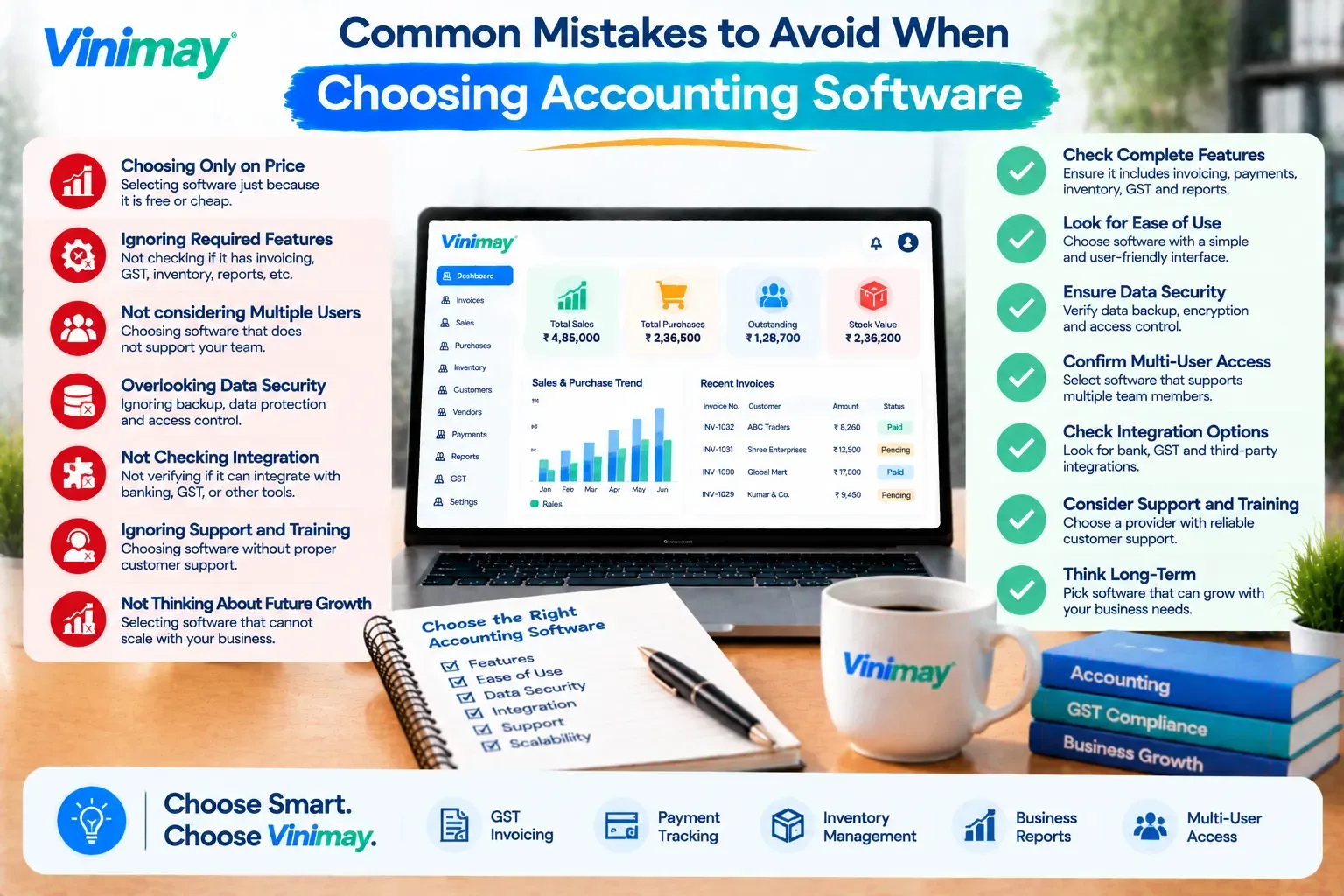
A closer look at what each mistake costs later:
Automatic payment reminders can genuinely reduce the manual burden of chasing pending payments, but they work best for routine cases and depend heavily on accurate customer contact details and timely payment recordingto function correctly. Where this feature isn't available, or isn't the right fit for a specific customer situation, a consistent, brief weekly manual routine using an accurate receivables list achieves much the same result.
A Pre-Decision Checklist
Listed top 3 daily tasks before comparing tools
Tested with real transaction data, not just samples
Checked what happens at higher volume or with more users
Confirmed data can be exported if switching later becomes necessary
Had the actual daily user test the tool, not just the owner
What Makes a Decision Trustworthy Rather Than Just Convenient
A decision made quickly, based on a smooth demo and an impressive feature list, feels convenient in the moment but carries the most risk of regret later. A trustworthy decision comes from friction, not the absence of it — actually testing edge cases, actually involving the person who will use the tool daily, and actually checking what happens at the limits rather than assuming they won't be reached.
Vinimay's GST invoicing, stock tracking, and customer record features are meant to be tested this same way — against real transactions and real growth scenarios — rather than accepted on the strength of a features page alone, because that's the same standard this article recommends applying to any software under consideration.
Conclusion
The mistakes that cause software regret are rarely visible during the initial decision—they surface later, once volume grows, staff changes, or an edge case appears that was never tested. Avoiding this regret comes down to testing real transactions upfront,
checking what happens as the business scales, and confirming data isn't locked in permanently, rather than relying on a feature list or a polished demo.
FAQs
1. Why does software regret usually appear months after the decision, not immediately?
Because initial testing typically uses light, sample-like data, while real regret surfaces once transaction volume grows, more users are added, or specific edge cases arise that weren't tested upfront.
2. Is a long feature list a reliable way to judge accounting software?
Not by itself. A feature list doesn't reveal whether your specific daily tasks are handled well, so judging against your top 3 recurring tasks is more reliable than counting total features.
3. What real transactions should I test before committing to software?
Test a real invoice with your actual tax rates, a partial payment scenario, and a stock adjustment or return if relevant to your business, since these reveal issues sample data typically doesn't.
4. Why does data portability matter if I don't plan to switch software?
Plans change, and if switching ever becomes necessary, being unable to export existing records means starting over completely, which is a significant, avoidable cost discovered only when it's too late.
5. Is a product demo enough to judge whether software will work daily?
Not fully. Demos are designed to highlight strengths and often skip friction points a daily user encounters, so a real trial involving actual daily tasks gives a more accurate picture.
6. Should the business owner be the only person testing new software before deciding?
No. Involving whoever will actually use it daily, such as billing staff, often reveals usability issues the owner might not notice during a brief personal test.
Related Topics
Published by Team Vinimay
Our editorial and compliance specialists create practical guides, tax calculation rules, and operational strategies to empower Indian small business owners and accountants.