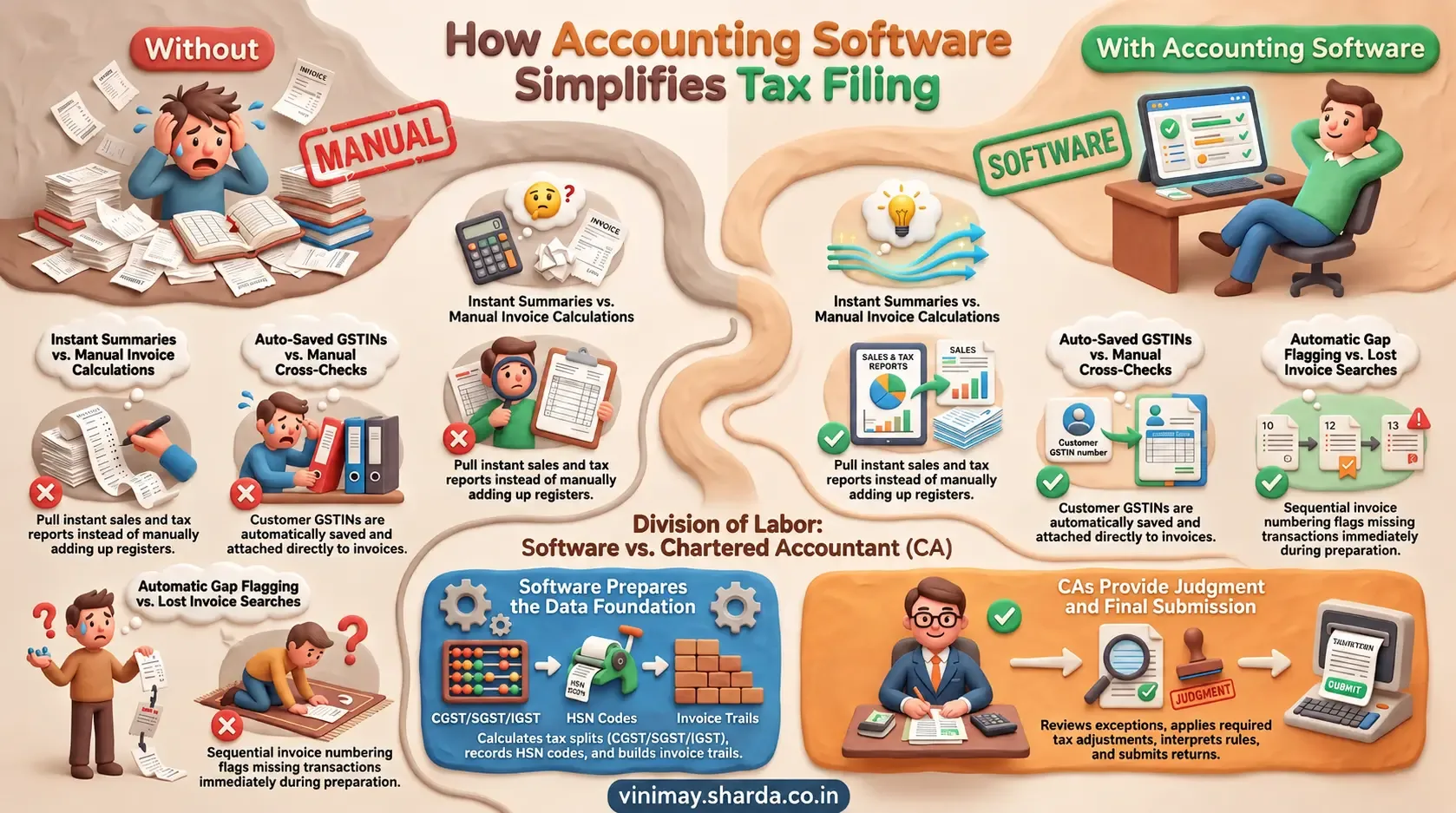
There's a specific, practical question underneath this one that matters more than the yes-or-no answer: not just whether a tax professional can access records, but how — with what level of access, and whether that access respects the boundary between "review my data" and "control my account". Tax professionals can typically access business records in accounting software either through shared exports (PDFs, spreadsheets sent directly) or, in some tools, through a dedicated access role built specifically for external reviewers — the second option is more convenient but far less universally available than the first, which works with virtually any software regardless of built-in access features.
The Two Fundamentally Different Access Methods
Export-and-share means the business owner generates reports, invoices, or summaries and sends them directly to their CA — no login sharing required, works with any software, but requires the business owner to actively initiate each share.
Direct account access means the tax professionals have their own login credentials to view (and sometimes edit) records within the software itself — more convenient for ongoing work, but it requires the software to support this kind of role-based access in the first place.
Why Sharing a Login Isn't the Same as Proper Access
It's tempting to simply hand a CA the business owner's own login rather than dealing with export files — but this creates the same accountability problem covered in discussions of staff access: there's no way to distinguish which changes or views came from the business owner versus the tax professionals, and it gives full account control to someone who may only need to review, not edit.

What Proper Tax Professionals' Access Should Look Like
The Export Method's Underrated Reliability
Even without a dedicated professional access role, exporting records as PDFs or spreadsheets and sharing them directly remains a completely reliable way for a tax professional to review a business's records — it's simply a more manual, deliberate process than built-in access, not a lesser one in terms of what the tax professionals can actually see and verify.
What to Check If Direct Access Matters to You
Before assuming a specific software supports dedicated tax professionals' access, confirm whether it offers any role beyond full owner access, whether that role can be added or removed easily as needed, and whether the professional's activity within that access is distinguishable from the owner's own actions.
Where Vinimay Stands on This
Every invoice created in Vinimay can be downloaded as a PDF immediately, which supports the export-and-share method directly — a business owner can share these records with their tax professional without any login sharing required. A dedicated, separate access role specifically for external tax professionals is worth confirming directly, since this is distinct from the export capability that's already built in.
Frequently Asked Questions
Q1. Can tax professionals review my records without having my login?
Yes, exporting invoices and reports as PDFs or spreadsheets and sharing them directly is a completely workable and common approach.
Q2. Is sharing my own login with my CA a good idea?
It's generally not ideal, since it removes accountability and gives full account access when only review access may be needed.
Q3. What's the difference between export-based sharing and direct account access?
Export-based sharing works with any software and requires the owner to actively share files; direct access requires the software to support a specific reviewer role.
Q4. Does Vinimay support a dedicated tax professional access role?
This is worth confirming directly; Vinimay does support exporting every invoice as a PDF for direct sharing.
Q5. How can I share my records with my CA using Vinimay?
Every GST invoice created can be downloaded as a PDF immediately and shared directly.
Q6. How many free invoices can I test this export process with?
Vinimay's free invoice tool allows up to 5 GST invoices to be free, each downloadable as a PDF for sharing.
Q7. Can a CA review business records without editing them?
Yes, if the accounting software provides a view-only or accountant/reviewer access option. Otherwise, the business owner can export relevant invoices and reports and share them separately.
Q8. What business records should I share with my tax professional?
Depending on the work required, you may share sales invoices, purchase records, expense details, payment records, GST reports, and other financial reports relevant to the tax filing or review.
Q9. Is it safer to share reports instead of accounting software login details?
Sharing specific reports can limit access to the information needed for review, whereas sharing login credentials may provide access to the entire account. Businesses should use dedicated user roles when available.
Q10. Can exported accounting reports be used for tax review?
Yes, exported reports can be useful for reviewing transactions, invoices, sales, expenses, and other financial information. The tax professionals can determine which records are required for the specific filing or compliance requirement.
Related Topics
Published by Team Vinimay
Our editorial and compliance specialists create practical guides, tax calculation rules, and operational strategies to empower Indian small business owners and accountants.