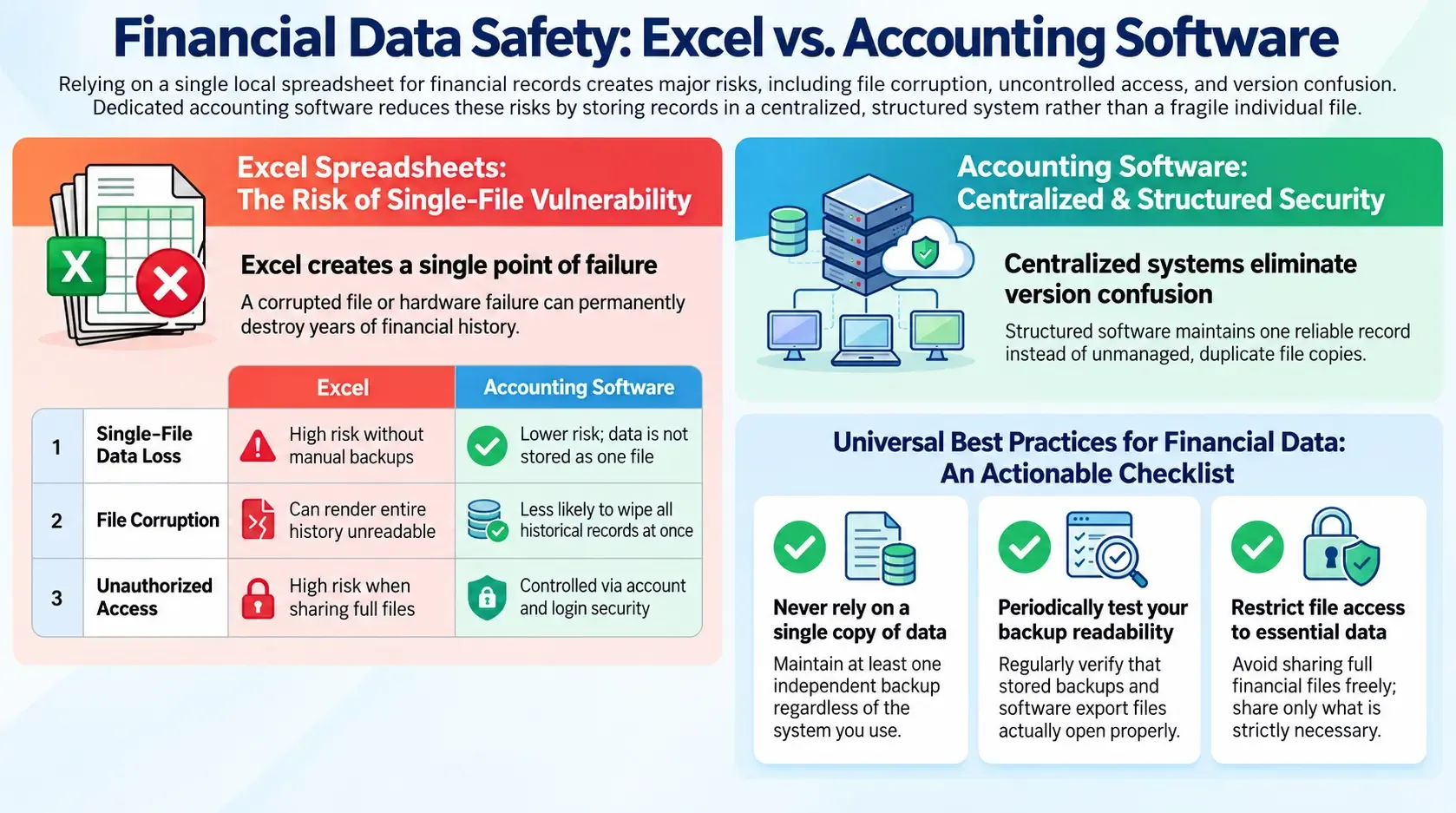
Accounting errors rarely announce themselves. A misplaced decimal, a formula copied one row too far, or a customer name typed slightly differently the second time — none of these look alarming in the moment. They tend to surface later, as a mismatched balance, an incorrect bill, or a stock count that doesn't add up, by which point the original mistake is harder to trace. Billing and accounting software helps organise invoices, payments, stock and customer records in one system, and one of its main appeals is reducing exactly this kind of quiet, compounding error. Vinimay is one such system — it applies GST invoicing, Excel, billing calculations, and stock updates through a fixed structure rather than manually built formulas, which changes where errors are most likely to come from. This guide compares where accounting mistakes actually originate in Excel versus dedicated software.
Why Does Error Risk Matter More Than It Seems?
A single accounting error can mean an incorrect GST invoice, a payment recorded against the wrong customer, or stock figures that don't match what's actually on the shelf. These aren't just inconveniences — they can lead to customer disputes, compliance issues, or decisions made on inaccurate information.
Where Errors Typically Come From in Excel
Excel's error risk is almost entirely tied to manual construction and maintenance:
A wrong cell reference in a formula, which can silently affect every calculation that depends on it
Copy-paste mistakes when duplicating rows or formulas for new entries
Inconsistent manual entry, like typing a customer's name slightly differently across sheets
Forgetting to update a formula's range when new rows are added below it
No built-in check that flags an unusual or inconsistent entry
Because Excel has no inherent understanding of what an invoice or a ledger should look like, it can't warn you when something breaks that structure.
Where Errors Can Still Happen in Accounting Software
Dedicated software reduces certain error types but doesn't eliminate all of them:
Manual data entry mistakes — a wrong quantity or price typed into an otherwise correct system
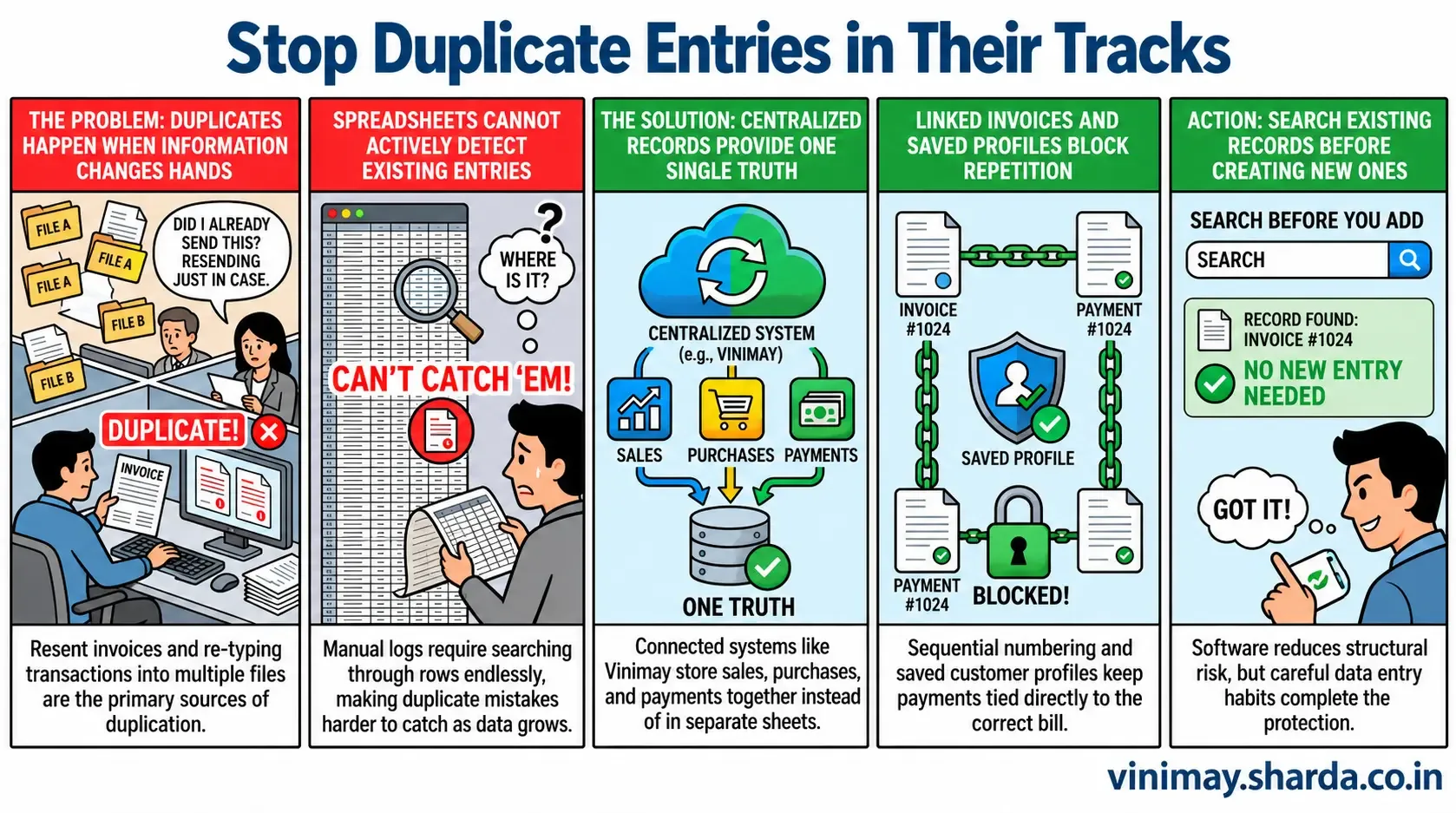
Duplicate entries if the same invoice or payment is recorded more than once by mistake
Incorrect setup during onboarding, such as a wrong tax rate assigned to a product
Errors introduced by combining data from multiple, disconnected sources
The difference is that these errors tend to be isolated to a single entry, rather than propagating silently across an entire interconnected sheet.
Comparing the Two Sources of Risk
Why the Type of Error Matters as Much as the Number
It's tempting to ask which method produces "fewer" errors, but the more useful question is which method produces errors that are easier to catch. An Excel formula error can sit undetected for months, quietly distorting totals across an entire sheet, because nothing in the tool itself flags that something looks wrong. A data-entry mistake in structured software, by contrast, is usually isolated to one invoice or one transaction — it doesn't silently multiply across every other calculation that depends on it, which makes it far easier to spot and correct when reviewing records.
What You Can Do to Reduce Errors in Either Method
Regardless of which method you use:
Periodically cross-check totals against actual bank balances or physical stock counts
Standardise how customer and product names are entered, to avoid duplicate or inconsistent records
Review a sample of recent entries for accuracy rather than assuming the system caught everything
Keep a simple habit of double-checking before finalising a bill, whether in Excel or software
How Vinimay Reduces Common Error Points
Because Vinimay structures GST invoicing, billing, and stock tracking around fixed formats rather than manually built formulas, several common Excel-specific error sources don't apply the same way:
Tax calculations are applied consistently through GST invoicing, removing the risk of a broken formula changing a tax total unnoticed
Customer and product records are saved once through customer/vendor management and product management, reducing inconsistent or duplicate naming across entries
Stock and sales stay connected through product management and stock tracking, so a sale reflects in stock without a separate manual update that could be missed
Ledger management consolidates each customer's or vendor's transactions in one place, making an inconsistent or missing entry easier to notice
This doesn't remove human error entirely — a wrong quantity or price can still be typed in — but it removes the layer of error that comes specifically from manually built, interlinked formulas.
Frequently Asked Questions
1. Is Excel more prone to accounting errors than dedicated software?
Generally yes, mainly because of manual formula risks and errors that can silently spread across connected cells.
2. Can accounting software still have errors?
Yes — manual data entry mistakes and duplicate entries can still happen, though they tend to stay isolated rather than spreading.
3. What is the most common type of Excel accounting error?
Formula-related errors, such as a wrong cell reference or an unupdated range, are among the most common.
4. Are duplicate entries a problem in both Excel and software?
Yes, though software often makes duplicates easier to detect since transactions are structured and searchable.
5. Does inconsistent data entry cause errors?
Yes — typing a customer's name differently across records is a common source of confusion in both methods, though saved records in software reduce this.
6. How can I catch Excel errors before they cause a problem?
Regularly cross-check spreadsheet totals against actual bank balances or physical stock, rather than assuming formulas are correct.
7. Why are Excel errors harder to notice than software errors?
Because a single broken formula can quietly affect every dependent calculation, while software errors tend to stay limited to one entry.
8. Does GST invoicing reduce errors compared to manual tax calculation?
Yes — applying tax fields through a fixed invoice format avoids the risk of a manually built GST formula going wrong.
9. Is human error still possible in accounting software?
Yes — mistyped quantities or prices are still possible, since software reduces structural errors, not all manual input errors.
10. What's the best way to minimise errors regardless of method?
Regularly reviewing entries against real bank and stock figures, and standardising how records are entered, helps in both Excel and software.
Related Topics
Published by Team Vinimay
Our editorial and compliance specialists create practical guides, tax calculation rules, and operational strategies to empower Indian small business owners and accountants.