How Can Accounting Software Help Me Save Time?
Every accounting software claims to "save time," but that phrase rarely explains anything concrete. A business owner already spending hours on invoicing and stock updates wants to know exactly which of those hours actually disappear, not a general promise that things will feel easier.
The honest answer is that time savings show up unevenly. Some tasks shrink dramatically, others barely change, and a few tasks that used to be skipped entirely because there wasn't time start happening consistently instead, which isn't time saved so much as time better spent. Understanding this distinction matters more than treating "saves time" as one uniform benefit.
This article breaks down specifically where accounting software reduces manual work, where it doesn't, and what a realistic weekly comparison looks like. Vinimay connects billing, stock, and customer records so that one action updates several records at once, and this connection is exactly what makes the time savings described below reliable rather than a marketing claim without substance.
Why "Saves Time" Is Usually Too Vague to Be Useful
Marketing language treats time-saving as a single benefit, but in practice it comes from a few very specific mechanisms:
Not re-entering the same information in multiple places
Not manually calculating totals, taxes, or running balances
Not searching through files or registers to answer a simple question
Not fixing errors that would have gone unnoticed for weeks
Each of these is a distinct source of saved time, and a business should know which ones actually apply to their situation before expecting a specific result.
Where the Time Actually Gets Saved
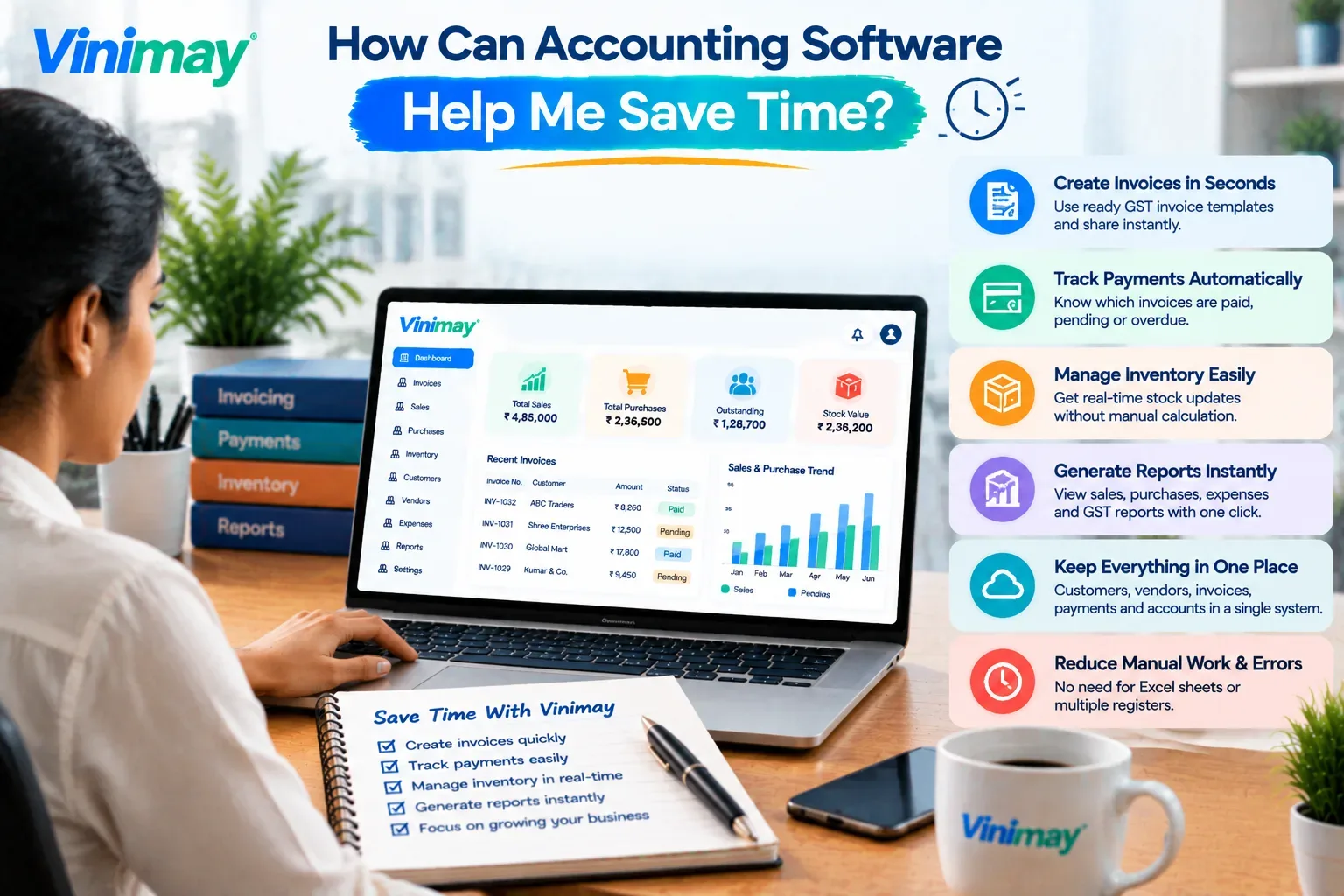
Tasks that shrink noticeably:
Creating an invoice with automatic GST calculation instead of manual formula-checking
Checking a customer's outstanding balance instantly instead of scanning multiple past invoices
Seeing current stock levels without a physical count or separate spreadsheet
Generating a basic sales or stock report instead of compiling one manually from scattered records
Tasks that shrink moderately:
Recording a purchase and updating the vendor's payable balance in one step
Printing or sharing a professional invoice instead of formatting one from scratch each time
Tasks That Don't Get Faster, Only More Accurate
Not everything about software is a time-saver in the strict sense:
Deciding whether to extend credit to a customer still requires human judgment
Following up on an overdue payment still takes a phone call or message
Deciding what to reorder still requires interpreting the numbers, not just having them
Software makes the information behind these decisions available faster, but the decision itself isn't automated.
A Realistic Weekly Time Comparison
These figures are approximate and will vary by business size, but the pattern holds — the biggest time savings come from tasks that involve repetition, cross-referencing, or manual calculation.
Why This Time Savings Can Actually Be Trusted
The reason this isn't just an assumption is mechanical, not promotional: when one action (like creating an invoice) automatically updates stock, customer balance, and reports together, there's no separate manual step left to skip or forget. This is different from software that simply displays information faster but still requires separate entries in separate places, where the underlying time cost hasn't actually gone away, only moved around.
Vinimayis built around this direct connection between billing, stock, and customer records, which is what allows the time comparison above to hold up in daily use rather than just in a demo.
Conclusion
Time savings from accounting software aren't uniform. They concentrate heavily in repetitive, cross-referencing tasks like invoice creation, balance checks, and stock reconciliation, while judgment-based decisions remain manual regardless of the tool.
Understanding exactly where this time comes from, and why it holds up mechanically rather than just as a claim, helps set realistic expectations for what software can and can't speed up.
FAQs
1. Does accounting software save time immediately, or only after some setup?
Time savings usually show up after initial setup. Entering products, opening stock, and customer details takes upfront effort, but daily tasks become faster once that foundation is in place.
2. Which specific task usually sees the biggest time reduction?
Checking outstanding customer balances tends to see the biggest reduction, since manual methods require scanning multiple invoices while software shows a running total instantly.
3. Does software save time on decision-making, like whether to extend credit?
Not directly. It makes the relevant information available faster, but decisions like extending credit or reordering stock still require human judgment based on that information.
4. Is the time saved noticeable for a very small business with few transactions?
It's less dramatic at low volume, since manual methods are manageable with few transactions, but the time savings become significantly more noticeable as invoice and stock activity increases.
5. Does automatic GST calculation actually save meaningful time compared to Excel formulas?
Yes, particularly because it removes the ongoing time spent building and verifying formulas correctly, which is a recurring task in Excel rather than a one-time setup.
6. Can software save time on follow-ups for overdue payments?
Only partially. It saves time identifying which invoices are overdue, but the actual follow-up action, like a call or message, still needs to be done manually unless a reminder feature exists.
Related Topics
Published by Team Vinimay
Our editorial and compliance specialists create practical guides, tax calculation rules, and operational strategies to empower Indian small business owners and accountants.