Can I Edit an Invoice After Creating It?
The moment right after creating an invoice— before it's sent, before it's filed anywhere — feels like it should be freely editable, and often it is. The confusion usually starts once that invoice has actually gone somewhere: shared with a customer, uploaded as an e-invoice, or reported in a GST return. At that point, "editing" stops meaning a simple correction and starts meaning something with legal and tax consequences.
This distinction matters more than most business owners realise until they hit it directly. A typo caught two minutes after creating an invoice is a non-issue. The same typo caught after the invoice has been shared and reported requires a completely different, more formal correction process — and treating it like the first situation can create a genuine compliance problem.
This guide gives a direct, accurate answer on exactly when an invoiceis still editable, when it isn't, and what the correct alternative is once editing is no longer an option.
Can You Edit an Invoice After Creating It?
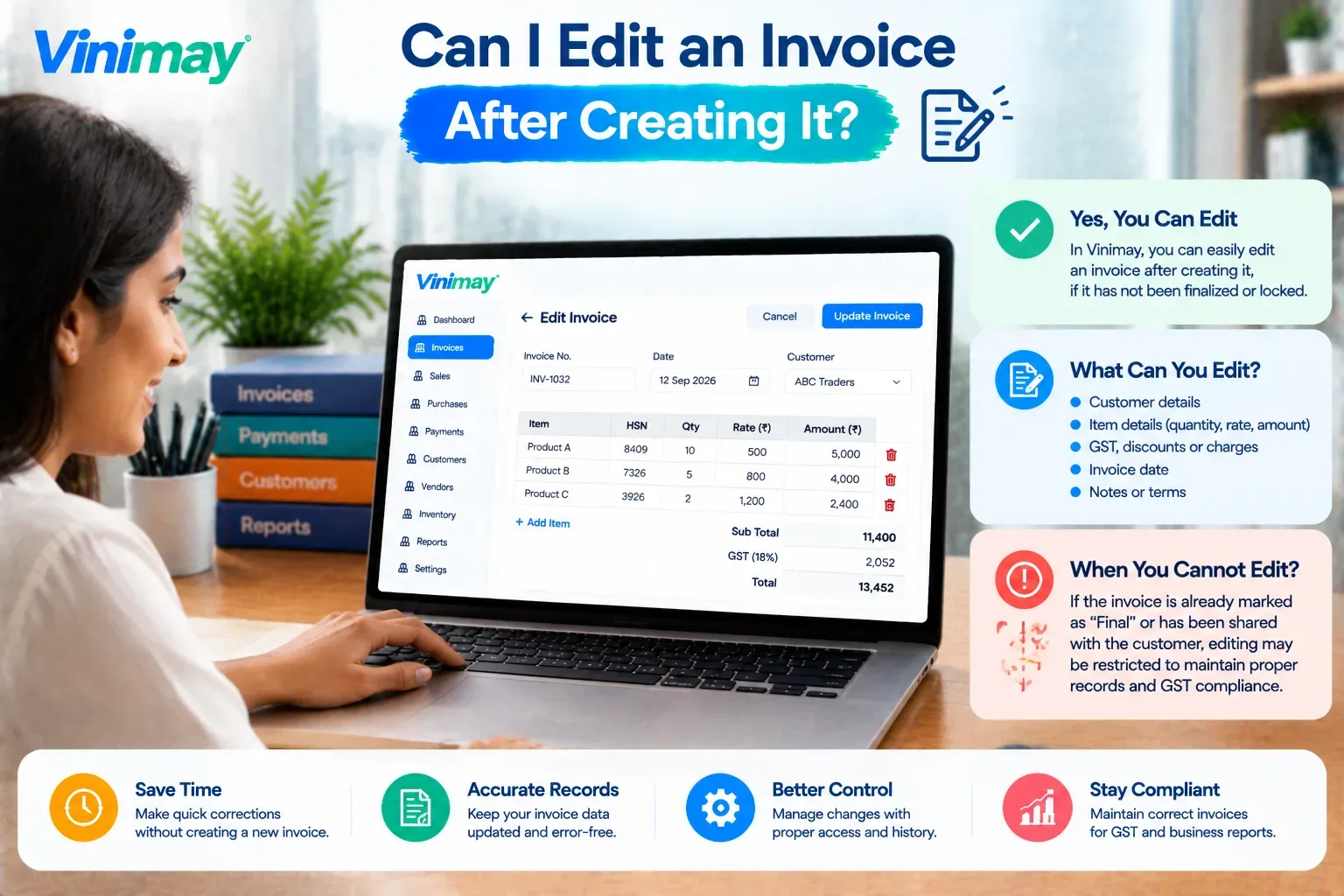
Direct answer: Yes, but only up to a specific point. An invoice that's still in draft form — not yet shared with the customer, and not yet reported to the GST system (if applicable) — can generally be edited freely. Once it's been issued, shared, or uploaded as an e-invoice with an IRN generated, it can no longer be directly edited or deleted.
Draft invoices: fully editable, since nothing has been shared or filed yet
Issued but non-GST invoices: editing is a business judgment call, though reissuing with a note is more transparent
GST invoices with an e-invoice IRN: cannot be edited or deleted once generated — only corrected through prescribed methods
Why GST Invoices Can't Simply Be Edited Once Issued
Once a GST invoice—especially an e-invoice with a generated IRN — is issued, it becomes part of the official GST record system, not just a document sitting in the business's own files. The IRN and QR code are tied to the exact details submitted at that moment, and the GST system uses this record to determine the buyer's input tax credit eligibility and the seller's tax liability. Allowing direct edits after this point would break the traceability the entire system depends on — a buyer could end up claiming credit against details that no longer match what the seller actually reported, with no clear record of what changed or when. This is why GST law treats a mistake discovered after issuance as something to be corrected through a separate, referenced document, rather than simply overwritten.
Draft vs Issued—What's Still Editable?
What to Do If You Need to Correct an Issued Invoice
Check whether it's within the e-invoice cancellation window — typically 24 hours from IRN generation, if your invoice is an e-invoice
If that window has passed, issue a credit note or debit note — referencing the original invoice number and date clearly
Never manually alter the original invoice file — this breaks the audit trail both parties may need later
Report the correction in your next GST return — so your records and the buyer's ITC eligibility stay accurate
Keep both the original and the correction on record — together, not as a replacement of one for the other
How Vinimay Handles Invoice Edits
Keeps invoices editable while still in draft, so mistakes can be corrected before anything is shared
Applies the correct GST structure automaticallyat creation, reducing how often a post-issuance correction is even needed
Supports issuing credit notes and debit notes referencing the original invoice, once an invoice has already been shared
Keeps the original invoice and any correction connected through ledger management, so the trail stays clear and traceable
Maintains accurate records through receivables and payables, so a correction updates the right outstanding balance automatically
Conclusion
An invoice is freely editable while still in draft — the moment it's issued or shared, that changes
GST e-invoices with a generated IRN cannot be edited or deleted at all, only cancelled within a short window or corrected via credit/debit note
The safest, most compliant approach is always a referenced correction document, never a direct edit of something already shared or filed
Vinimay keeps invoices accurate from the start and supports proper correction documents once an edit is no longer the right option
FAQs
Can I edit an invoice after creating it?
Yes, while it's still in draft and hasn't been shared or filed — once it's issued, especially as a GST e-invoice with an IRN, it can no longer be directly edited.
Can I edit a GST e-invoice after the IRN is generated?
No, once an IRN is generated, the e-invoice cannot be edited or deleted; corrections must be made through cancellation (within 24 hours) or a credit/debit note.
How long do I have to cancel an e-invoice if I made a mistake?
Generally within 24 hours of IRN generation—after that window, cancellation isn't allowed, and a credit or debit note is required instead.
What if I already shared the invoice with my customer before noticing the mistake?
You should not alter the original invoice directly; issue a credit note or debit note referencing it, and share that with your customer as the correction.
Can I edit an invoice that's already been reported in a filed GST return?
No, but you can correct it through the GSTR-1 amendment section in a subsequent return period, using a credit or debit note.
Is it different for non-GST invoices?
Yes, non-GST invoices have more flexibility since they aren't tied to the GST reporting system, though reissuing with a clear note is still the more transparent approach once shared.
What happens if I just manually change the original invoice file?
This breaks the audit trail for both parties and can create compliance issues, since there's no traceable record of what was changed or why.
Can I delete an invoice instead of editing it?
Generally no, once it's issued or filed — deletion removes the audit trail entirely, which GST correction methods are specifically designed to preserve.
Does correcting an invoice affect my customer's input tax credit?
Yes, which is exactly why corrections must be made through a proper credit or debit note, so the buyer's ITC claim stays accurate and traceable.
Is there a time limit for issuing a correction to an invoice?
Yes, corrections generally need to be reported within the same GST amendment timelines as regular returns, so it's best to correct errors as soon as they're found.
Related Topics
Published by Team Vinimay
Our editorial and compliance specialists create practical guides, tax calculation rules, and operational strategies to empower Indian small business owners and accountants.