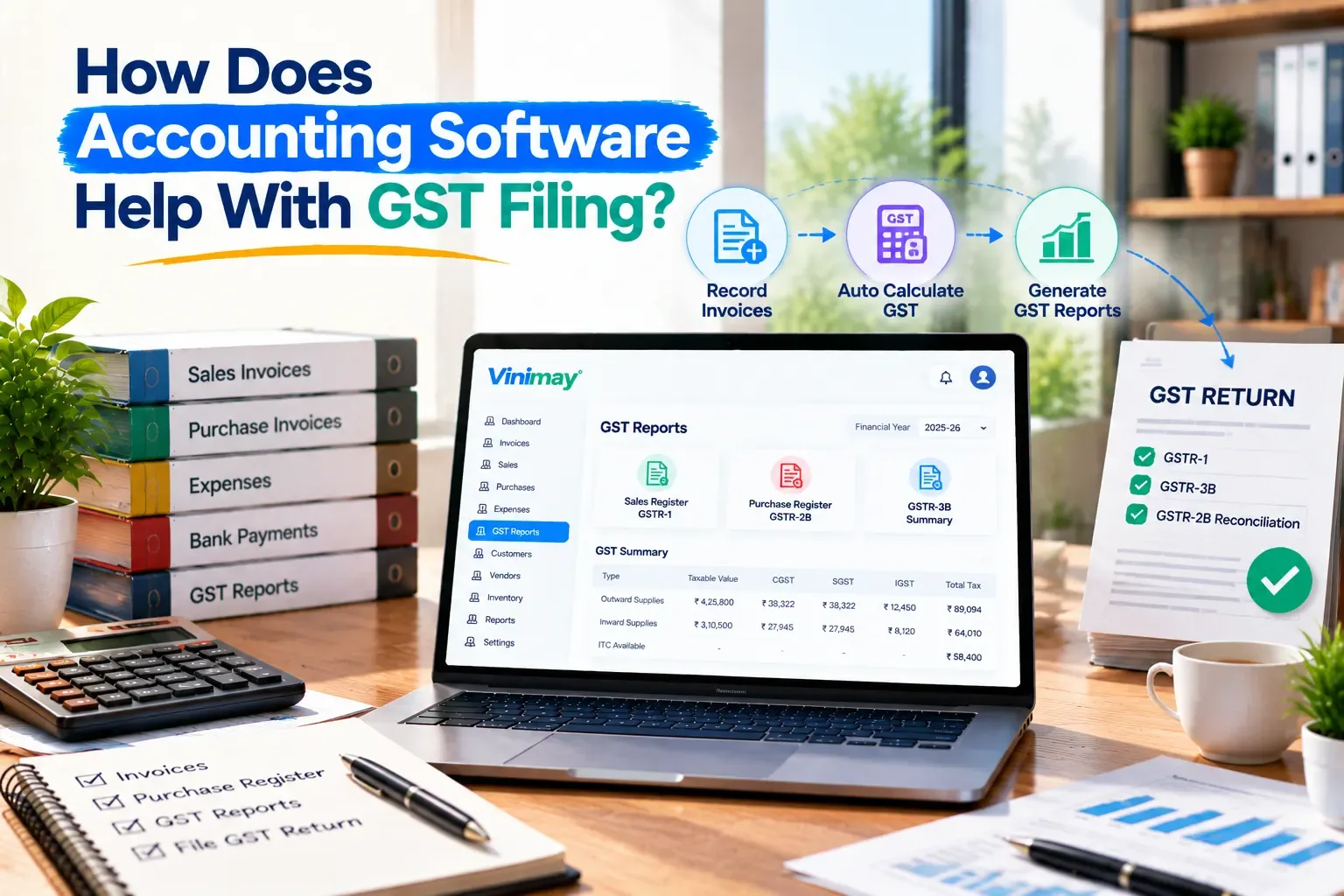
How Does Accounting Software Help With GST Filing?
Many small business owners assume that once they have accounting software, GST filing becomes automatic. That's only partly true. Software prepares the data filing needs—it doesn't always submit the return itself. Vinimay helps businesses manage GST invoicing, sales and purchase records, and payment tracking in one place.
This guide explains exactly what part of GST filing accounting softwarehandles, what it doesn't, and what "GST-ready records" actually look like.
Does Accounting Software File GST Returns for You?
Not by default — most accounting software prepares the sales, purchase and tax data that a GST return needs, but the actual submission to the GST portal is often a separate step, sometimes done by the business, sometimes by a CA, and sometimes through dedicated return-filing software.
This distinction matters because "helps with GST filing" and "files GST returns" are not the same claim, and confusing them leads to businesses assuming a feature exists when it doesn't.
How Accounting Software Actually Helps With GST Filing
Its main contribution is accuracy and organisation — it keeps every invoice, tax rate and party detail consistent throughout the month, so the numbers going into a return match what actually happened.
Specifically, this looks like:
GST fields (CGST, SGST, IGST) applied correctly based on the place of supply, invoice by invoice
HSN or SAC codes attached to items, rather than added later from memory
Sequential invoice numbering, so no bill is missing or duplicated
Customer and vendor GSTIN saved once and reused, reducing typos on B2B invoices
Sales and purchase totals available for a chosen period, instead of added up by hand
None of this is filing itself — it's the preparation that makes filing faster and less error-prone, whether you file yourself or hand records to a CA.
What GST-Ready Records Look Like
GST-ready records mean every invoice already carries what a return will eventually ask for — correct tax type, correct HSN/SAC code, and a valid GSTIN where applicable — before the filing period even begins.
A practical check: pick any invoice from last month and confirm it has the buyer's GSTIN (for B2B), the correct tax split, and an HSN code against each item. If all three are already there, that invoice needs no rework at filing time.
Common GST Filing Problems That Better Records Prevent
Most GST filing delays come from mismatches discovered late — a missing GSTIN, a wrong tax head, or a gap in invoice numbering — all of which are easier to fix at the time of billing than at the time of filing.
Specific problems this prevents:
A B2B invoice without the buyer's GSTIN, which affects their input tax credit
Intra-state and inter-state supply taxed the wrong way, creating a mismatch
Invoice numbers skipped across multiple books or counters, raising questions during reconciliation
Sales figures that don't match between the invoice records and what's finally reported
Fixing these after the month has ended takes far longer than getting them right invoice by invoice.
What Still Needs to Be Done Manually or Through a CA
Even with clean records, someone still has to review the data, apply the correct return format, and submit it to the GST portal—that step generally sits outside standard accounting software.
This includes reconciling input tax credit claims, staying current with changing return formats and due dates, and the actual filing action on the government portal. Accounting software reduces the work leading up to this point — it doesn't replace the final review and submission.
Where Does Vinimay Fit In?
Vinimay's role in GST filing is specifically at the record stage — making sure every invoice carries what filing will eventually need. It applies CGST, SGST and IGST based on the transaction, keeps invoice numbering sequential, stores customer and vendor GSTIN, and maintains sales and purchase records you can pull up for any period.
Vinimay does not file GST returns on the GST portal — its role is to keep your billing and transaction data accurate and organised, so that whoever handles your actual filing, whether that's you or your CA, starts from clean records instead of reconstructing them.
To see this at the invoice level, Vinimay's free tool lets you generate up to 5 GST invoices free, with GST fields applied correctly, and download them as PDF.
Frequently Asked Questions
1. Does accounting software file GST returns automatically?
Not by default. Most accounting software prepares accurate sales and tax data; actual submission to the GST portal is usually a separate step.
2. What does "GST-ready records" mean?
Invoices that already have the correct tax type, HSN/SAC codes and GSTIN details, so nothing needs to be reworked before filing.
3. Can accounting software reduce GST filing errors?
Yes, mainly by applying tax rules consistently and preventing missing GSTINs or skipped invoice numbers at the billing stage.
4. Does Vinimay file GST returns?
No. Vinimay maintains GST invoicingand sales and purchase records with correct tax details, but does not submit returns to the GST portal.
5. Do I still need a CA if I use accounting software?
Often yes, particularly for return review, input tax credit reconciliation, and staying current with filing rules.
6. What's the most common GST filing mistake software helps prevent?
Missing or incorrect GSTIN on B2B invoices, which directly affects the buyer's input tax credit.
7. Is GST calculation automatic in accounting software?
In most tools, yes — the correct tax head (CGST/SGST or IGST) is applied based on the place of supply once set up correctly.
8. Can I use accounting software if I'm not GST-registered?
Yes, it still helps organise sales, purchases and customer records even without GST-specific fields being used.
9. How many free GST invoices can I create on Vinimay?
Vinimay's free invoice tool allows up to 5 GST invoices free, downloadable as PDF.
10. What should I check before assuming software "handles" GST filing?
Confirm specifically whether it means invoice-level tax accuracy, or actual return preparation and submission — the two are very different claims.
Published by Team Vinimay
Our editorial and compliance specialists create practical guides, tax calculation rules, and operational strategies to empower Indian small business owners and accountants.