Accounting Software8 min readPublished 1 October 2026Updated 1 October 2026
Can You Send a Payables Report Directly to Your Accountant?
Can you send a payables report directly to your accountant? Learn what to include, the best formats, and how Vinimay simplifies sharing.
A
admin
Financial Insights & Compliance Desk
Share:
Every month or quarter, business owners need to share financial information with their accountant, and the payables report is one of the most important records for this process. It shows how much the business owes to suppliers, which invoices are still unpaid, what payments have already been made, and which vendor balances require attention. But many business owners wonder whether they can simply send this report to their accountant or whether they first need to manually compile and explain the data.
The challenge becomes greater when payable information is scattered across different sources. Some purchase invoices may be recorded in accounting software, some payments may be maintained in spreadsheets, and other details may be available through emails or WhatsApp conversations. When information is maintained in multiple places, preparing an accurate report for the accountant can take significant time and may increase the possibility of missing or outdated information.
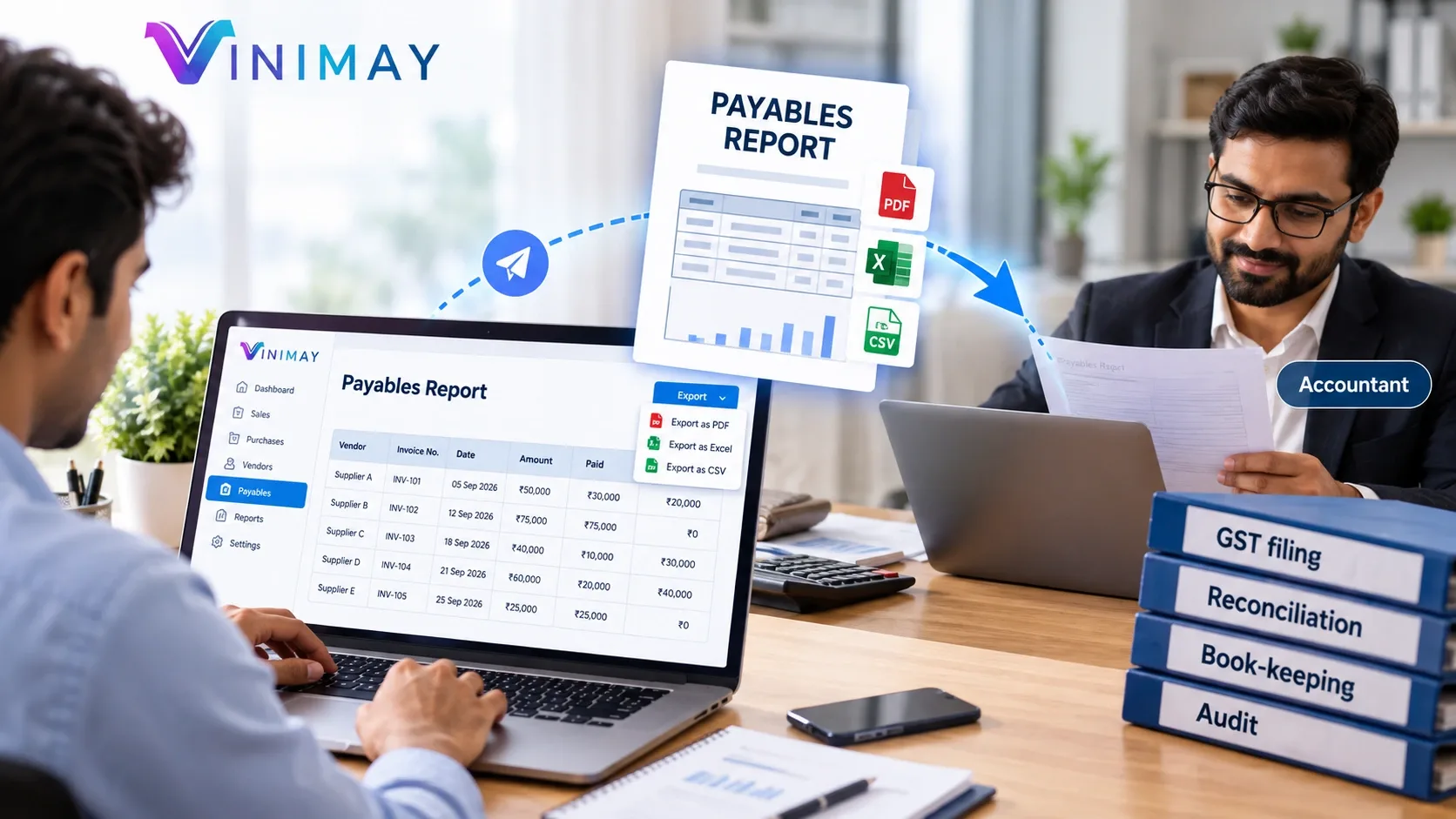
Yes, a payables report can be sent directly to an accountant when it is properly organized and up to date. A useful report should ideally contain vendor-wise outstanding balances, invoice references, payment details, and relevant transaction information. Depending on the accounting system, the report may be exported or shared in formats such as PDF or Excel so that the accountant can review, reconcile, or further analyze the information.
Maintaining an organized payables process can save time for both the business owner and accountant. It also makes it easier to identify unpaid invoices, verify supplier balances, and prepare accounting records for GST compliance, reconciliation, and financial review.
Why Is It Useful to Send a Payables Report to Your Accountant?
A properly prepared payables report can make accounting work more efficient.
Some key benefits include:
The accountant does not have to collect information manually from multiple sources.
Vendor reconciliation becomes easier.
Outstanding supplier balances can be reviewed more quickly.
Missing or duplicate invoices can be identified.
Payment records can be checked against outstanding invoices.
Supporting purchase records can be provided when required.
Month-end and year-end accounting becomes more organized.
Instead of sending scattered invoices and payment messages, a structured report gives the accountant a clearer view of the business's outstanding supplier obligations.
What Should You Check Before Sending a Payables Report?
1. Make Sure the Data Is Complete and Updated
Before sharing the report, verify that all recent purchase invoices and supplier payments have been recorded.
For example, if a supplier invoice was paid yesterday but the payment has not been recorded, the report may show an incorrect outstanding balance.
Check that:
Recent purchase invoices are recorded.
Payments are updated.
Credit notes or purchase returns are accounted for.
Outstanding balances are current.
2. Include a Vendor-Wise Breakup
A single total payable figure is usually less useful than a vendor-wise report.
For example:
Vendor
Invoice No.
Invoice Amount
Paid
Outstanding
Supplier A
INV-101
₹50,000
₹30,000
₹20,000
Supplier B
INV-102
₹75,000
₹75,000
₹0
Supplier C
INV-103
₹40,000
₹10,000
₹30,000
This structure allows the accountant to identify exactly which suppliers have outstanding amounts.
3. Include Invoice Reference Details
Each payable transaction should ideally have enough information for the accountant to trace it back to the original purchase transaction.
These details make reconciliation easier because the accountant can compare the report with the underlying purchase records.
4. Use a Practical Sharing Format
The format should depend on what the accountant needs to do with the information.
A PDF can be useful when the accountant simply needs to review a finalized report, while Excel or CSV can be more useful when the data needs further analysis or processing.
Which Format Should You Send to Your Accountant?
Format
Best Used For
PDF
Final review and easy reading
Excel/CSV
Further analysis, filtering, or data processing
Direct System Access
Reviewing current data when the accounting system supports appropriate access
For many businesses, PDF and Excel are practical options because they are easy to share and review.
However, the best format depends on the accountant's workflow and whether the data needs to be analyzed further.
Practical Example of a Payables Report
Suppose a business has three suppliers:
Supplier A: ₹20,000 outstanding
Supplier B: No outstanding balance
Supplier C: ₹30,000 outstanding
Instead of simply telling the accountant that the total payable amount is ₹50,000, the business can provide a vendor-wise report showing the individual invoices and payments.
This gives the accountant a clearer picture of:
Which invoices remain unpaid
Which suppliers have been fully paid
How much has already been paid
Which balances need reconciliation
The report can then be supported by the relevant purchase invoices and payment records if required.
Common Mistakes Businesses Make
Sending Only the Total Payable Amount
A total figure does not show which vendors or invoices make up the balance.
Sharing Outdated Data
If recent invoices or payments are missing, the accountant may work with incorrect outstanding figures.
Not Recording Partial Payments
A supplier invoice may be partially paid. If the payment is not recorded, the outstanding amount will be overstated.
Sending Screenshots Instead of Structured Reports
Screenshots may be difficult to filter, analyze, or reconcile. A structured PDF or spreadsheet is generally more useful.
Combining Data From Multiple Sources Without Reconciliation
Mixing data from spreadsheets, accounting software, payment records, and messages without checking for duplicates can create discrepancies.
How Vinimay Helps With Payables Management
Vinimay helps businesses maintain organized vendor and purchase information so that payable data can be managed in a structured way.
Vendor Management
Businesses can maintain individual supplier records and review relevant purchase and payment information.
Purchase Management
Purchase transactions can be recorded digitally, making the underlying information easier to organize and review.
Payment Tracking
Recording payments against supplier transactions helps maintain visibility into outstanding balances.
Payables Reports
Businesses can review vendor-wise payable information and use the available report data when communicating with their accountant.
Digital Invoice Records
Purchase invoices remain digitally organized, making it easier to refer back to transaction details when the accountant needs supporting information.
This type of structured workflow reduces the need to manually compile payable information from different sources.
FAQs
Can I send my payables report directly to my accountant?
Answer: Yes. If the report is accurate, updated, and contains sufficient vendor and invoice details, it can be shared directly with your accountant.
How Vinimay Helps: Vinimay helps businesses maintain organized vendor, purchase, payment, and payable information for easier sharing and review.
What information should a payables report contain?
Answer: A useful payables report can include the vendor name, invoice number, invoice date, invoice amount, payments made, and outstanding balance.
Should I send a vendor-wise payables report to my accountant?
Answer: Yes. A vendor-wise report is generally more useful than sending only a total payable figure because the accountant can review individual supplier balances and transactions.
Is Excel a good format for sharing payables data with an accountant?
Answer: Yes. Excel can be useful when the accountant needs to filter, analyze, reconcile, or process the data further. PDF may be more suitable when the report is primarily for review.
Can a payables report help with GST accounting?
Answer: Accurate purchase and payable records can help the accountant review purchase transactions and related GST information. However, the payables report itself should not be treated as a substitute for the complete records required for GST compliance.
Should partial payments be shown in the payables report?
Answer: Yes. Showing partial payments helps the accountant determine the actual outstanding amount against each supplier invoice.
Example: If a ₹50,000 invoice has a ₹30,000 payment recorded, the report should show ₹20,000 as outstanding.
Is it enough to send only the total amount payable?
Answer: Usually, a vendor-wise breakup is more useful. The accountant may need individual invoice and payment details to reconcile the balance.
How often should I send a payables report to my accountant?
Answer: The frequency depends on the business and the accountant's workflow. Some businesses may share reports monthly, while others may need more frequent updates when transactions are high in volume.
What if the payables report does not match the supplier's statement?
Answer: The difference should be investigated by comparing purchase invoices, payments, credit notes, purchase returns, and other relevant transactions. The report should be corrected after the discrepancy is identified.
Can an accountant use a payables report for reconciliation?
Answer: Yes. A detailed report can help the accountant compare supplier balances against purchase invoices, payment records, and supplier statements.
Can I share payables data digitally with my accountant?
Answer: Yes. Depending on the available system, businesses can share reports digitally through formats such as PDF or Excel, or provide appropriate system access where supported.
How can I avoid errors in my payables report?
Answer: Keep purchase invoices and payments updated, record partial payments correctly, reconcile vendor balances periodically, and generate reports from a structured accounting system.
Does Vinimay help track vendor outstanding balances?
Answer: Vinimay provides vendor and purchase management features that help businesses maintain organized supplier transaction information and track payable-related records.
Conclusion
A payables report can be sent directly to an accountant when it is accurate, updated, and properly organized. Instead of sending only a total outstanding amount, businesses should provide a vendor-wise breakdown with invoice references, payment information, and outstanding balances.
Maintaining purchase, vendor, and payment information in one organized system makes this process easier. Vinimay helps businesses maintain structured vendor and purchase records, payment information, digital invoices, and payable reports, making it easier to review and share accounting information with an accountant.
Our editorial and compliance specialists create practical guides, tax calculation rules, and operational strategies to empower Indian small business owners and accountants.