When creating a GST invoice, businesses need to include important information such as the product or service description, quantity, taxable value, GST rate, and tax amount. One of the key classification details is the HSN code for goods and SAC code for services. If you are wondering why do I need HSN/SAC codes on every GST bill, the main reason is that these codes provide a standardized way to classify the goods or services being supplied and support accurate GST invoicing and reporting.
HSN stands for Harmonized System of Nomenclature and is used to classify goods, while SAC stands for Services Accounting Code and is used to classify services. Businesses use these classifications to organize their invoices and identify the nature of the goods or services supplied.
This becomes particularly important for businesses that sell multiple products or provide different types of services. Maintaining the correct HSN or SAC information helps create consistent invoice records and can reduce errors caused by repeatedly entering product or service classification details manually.
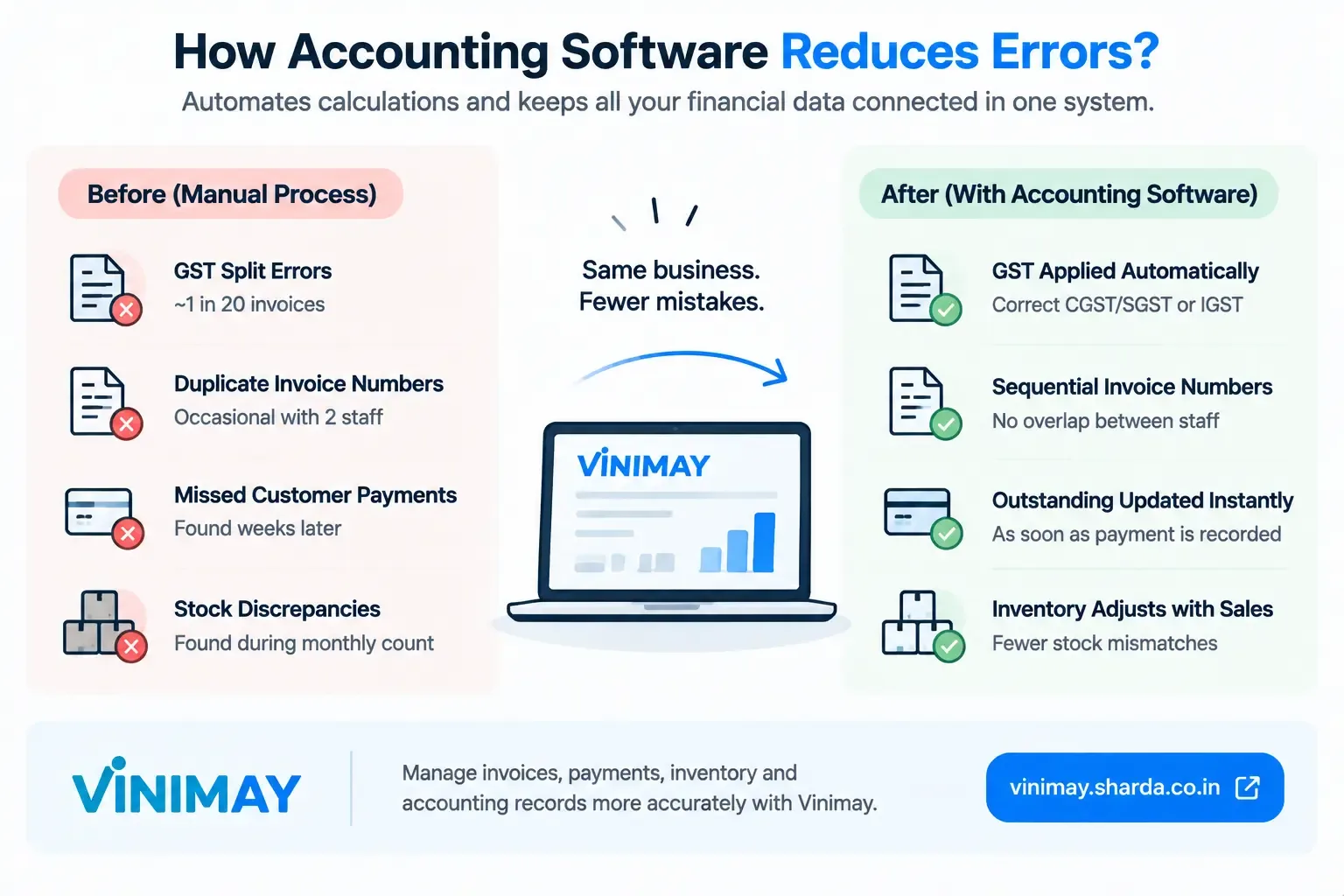
GST billing software can make this process easier by allowing businesses to maintain product and service information along with relevant HSN/SAC and GST details. Vinimay Accounting Software helps businesses organize product, service, invoice, customer, inventory, payment, and accounting information through one digital billing workflow.
What Are HSN and SAC Codes in GST?
HSN Code
HSN (Harmonized System of Nomenclature) codes are used for the classification of goods.
Businesses dealing with products may need HSN information for items such as:
- Mobile phones
- Food products
- Machinery
- Clothing
- Raw materials
- Electrical products
- Hardware products
The applicable HSN classification depends on the nature of the goods.
For example, a business selling electronic products needs to identify the appropriate classification for those products while preparing its GST invoices.
SAC Code
SAC (Services Accounting Code) is used for the classification of services.
Examples include:
- Consultancy services
- Accounting services
- Repair services
- Professional services
- Software services
- Maintenance services
Businesses providing services need to use the applicable service classification when preparing invoices, subject to the requirements applicable to their transactions.
Why Do GST Bills Use HSN/SAC Codes?
Understanding why do I need HSN/SAC codes on every GST bill becomes easier when you look at their practical purpose.
1. They Help Classify Goods and Services
The primary purpose of HSN and SAC codes is to provide a standardized classification system.
Product names can vary between businesses.
For example, one business may describe a product as:
Cooking Oil
Another business may describe it as:
Edible Oil
A standardized classification helps identify the relevant category more consistently than relying only on product names.
2. They Support Correct GST Classification
Different goods and services can have different GST treatments.
Maintaining the correct classification helps businesses apply the relevant GST information to their products or services.
For example, a business may sell products subject to different GSTrates, such as:
- 5%
- 12%
- 18%
The applicable rate should be determined based on the relevant classification and current GST provisions rather than simply selecting a percentage during billing.
3. They Help Maintain GST Records
GST invoices form an important part of a business's accounting and tax records.
Maintaining correct HSN/SAC information helps businesses keep their sales and service records organized and makes it easier to review transactions later.
Incorrect classification can create inconsistencies between invoice records and other GST-related records.
4. They Improve Invoice Transparency
Including applicable HSN/SAC information gives the invoice a standardized classification reference.
This can be particularly useful for:
- B2B transactions
- Wholesale transactions
- Bulk purchases
- Vendor management
- Accounting review
A clearly structured invoice is easier for the business and its customer to review.
5. They Reduce Repeated Billing Errors
Manual GST billing can involve repeatedly entering:
- Product names
- HSN codes
- SAC codes
- GST rates
- Taxable values
Repeated manual entry increases the possibility of selecting an incorrect classification or tax detail.
Maintaining HSN/SAC information within product and service records can reduce this repetitive work.
Are HSN/SAC Codes Mandatory on Every GST Invoice?
The applicable HSN/SAC requirements depend on the GST rules and the circumstances of the transaction.
The number of HSN digits required can depend on factors such as:
- Applicable GST rules
- Business turnover
- Nature of the supply
- Type of transaction
- Other conditions prescribed under GST
Therefore, businesses should not assume that the same HSN/SAC requirement applies to every taxpayer or every invoice.
Businesses should verify the current GST requirements applicable to their business before finalizing their invoice format.
What Is the Difference Between HSN and SAC?
| HSN | SAC |
|---|---|
| Used for goods | Used for services |
| Classifies products | Classifies services |
| Relevant to product invoices | Relevant to service invoices |
| Helps identify goods under GST classification | Helps identify services under GST classification |
For example:
Product: Electronic equipment → HSN classification
Service: Accounting consultancy → SAC classification
Common HSN/SAC Mistakes Businesses Make
1. Using the Wrong HSN or SAC Code
A business may select an incorrect classification for a product or service.
This can affect the accuracy of invoice information and potentially the applicable tax treatment.
How to avoid it
Verify the appropriate classification before adding it to the product or service record.
2. Not Updating Product Information
Businesses frequently add new products but forget to maintain the relevant classification information.
This can result in incomplete or inconsistent invoices.
How to avoid it
Maintain a centralized product database with the relevant billing information.
3. Manually Entering HSN/SAC on Every Invoice
Entering the same classification repeatedly increases the possibility of typing or selection errors.
How to avoid it
Save HSN/SAC information with the relevant product or service record wherever the software supports this functionality.
4. Confusing HSN With SAC
HSN is associated with goods, while SAC is associated with services.
Businesses should select the appropriate classification according to what they are supplying.
5. Using Outdated or Unverified Classification Information
GST classifications and applicable requirements can change.
Businesses should periodically verify their product and service classification rather than relying indefinitely on old records.
How Can Businesses Manage HSN/SAC Codes Easily?
Instead of manually entering classification details every time an invoice is created, businesses can maintain product and service records with predefined information.
A GST billing system can help businesses:
- Save product information
- Save service information
- Maintain HSN codes
- Maintain SAC codes
- Store applicable GST information
- Create invoices faster
- Reduce repetitive data entry
- Maintain consistent billing records
This approach is particularly useful for businesses that create multiple GST invoices every day.
How Vinimay Helps Businesses Manage HSN/SAC Codes
Vinimay Accounting Software helps businesses organize their GST billing information by connecting products, services, invoices, customers, and accounting records.
1. Product-Based HSN Management
Businesses can maintain product information along with relevant GST-related details, reducing repeated manual entry during billing.
2. Service-Based Information
Service businesses can organize their service records and relevant billing information to make invoice creation more systematic.
3. Faster Invoice Creation
Once product or service information has been maintained, businesses can use those records while creating invoices instead of repeatedly entering the same information.
4. More Consistent GST Billing
Structured product and service records can help reduce mistakes involving classification and GST-related information.
5. Organized Business Records
Vinimay connects billing and accounting information, helping businesses maintain invoices, products, customers, payments, inventory, and transaction records within an organized workflow.
HSN/SAC Code Example on a GST Invoice
Product Invoice
| Product | HSN Code | GST Rate |
|---|---|---|
| Product A | Applicable HSN | 18% |
| Product B | Applicable HSN | 12% |
Service Invoice
| Service | SAC Code | GST Rate |
|---|---|---|
| Consultancy Service | Applicable SAC | 18% |
The actual HSN/SAC code and GST rate should be verified according to the specific goods or services and the applicable GST provisions.
Why Maintaining HSN/SAC Data in Software Is Useful
For a business with only a few invoices, manually entering classification details may seem manageable. However, the process becomes more difficult when the business has:
- Hundreds of products
- Multiple service categories
- Multiple GST rates
- Several customers
- Multiple invoices every day
- Frequent product additions
- Multiple staff members creating invoices
A centralized product and service database can reduce repeated data entry and make invoice preparation more consistent.
Frequently Asked Questions
1. Why do I need HSN/SAC codes on every GST bill?
Answer: HSN and SAC codes provide standardized classification for goods and services under GST. They help businesses organize invoice information and support appropriate GST classification and reporting requirements.
How Vinimay Helps: Vinimay helps businesses maintain product and service information along with relevant GST-related details, making invoice creation more organized.
2. What is the difference between HSN and SAC codes?
Answer: HSN codes are used for the classification of goods, while SAC codes are used for the classification of services.
How Vinimay Helps: Vinimay supports both product-based and service-based billing workflows.
3. Is HSN code mandatory on every GST invoice?
Answer: HSN requirements depend on the applicable GST rules and circumstances, including factors such as turnover and transaction requirements. Businesses should verify the current requirements applicable to them.
How Vinimay Helps: Vinimay allows businesses to maintain product information so relevant HSN details can be organized within the billing workflow.
4. Is SAC code required for service invoices?
Answer: SAC is used to classify services, and the applicable invoice requirements depend on the GST rules and circumstances relevant to the transaction.
How Vinimay Helps: Vinimay helps service businesses organize service information for structured invoice creation.
5. Can I create a GST bill without HSN or SAC?
Answer: If HSN/SAC information is required for the particular invoice under the applicable GST rules, it should be included. Businesses should verify the requirements applicable to their turnover and transactions.
How Vinimay Helps: Vinimay provides structured invoice creation where product and service information can be maintained systematically.
6. How can I avoid mistakes in HSN/SAC codes?
Answer: Maintain an organized product and service database, verify classifications before using them, and periodically review the information for changes or corrections.
How Vinimay Helps: Vinimay allows businesses to maintain product and service information digitally, reducing repeated manual entry.
7. Can GST software automatically add HSN codes to invoices?
Answer: Many GST billing systems can use HSN information stored against products while generating invoices. The exact functionality depends on the software and its configuration.
How Vinimay Helps: Vinimay helps businesses maintain product information and use organized product records during invoice creation.
8. Can one GST invoice contain different HSN codes?
Answer: Yes. An invoice containing different products can contain different applicable HSN classifications for those products, subject to the applicable GST requirements.
How Vinimay Helps: Vinimay helps businesses maintain individual product information within their billing workflow.
9. Can a service business use HSN codes?
Answer: HSN is used for goods, while SAC is used for services. A service business generally uses the applicable SAC classification for its services.
How Vinimay Helps: Vinimay supports service-based billing and helps businesses maintain organized service information.
10. Why should HSN/SAC details be maintained in accounting software?
Answer: Maintaining classification details in software reduces repeated manual entry, improves consistency, and makes invoice preparation easier when the same products or services are billed regularly.
How Vinimay Helps: Vinimay connects product and service information with the billing workflow, helping businesses create invoices more efficiently.
Conclusion
HSN and SAC codes are important components of GST invoicing because they provide a standardized way to classify goods and services. They can support appropriate GST classification, organized invoice records, and GST reporting.
The exact HSN/SAC requirements can vary depending on the applicable GST rules and the circumstances of the taxpayer and transaction. Businesses should therefore verify the current requirements that apply to them rather than assuming that one rule applies to every invoice.
For businesses creating multiple GST invoices, manually entering HSN/SAC information can become repetitive and increase the possibility of errors. Maintaining product and service records in GST billing software can make this process more organized.
Related Topics
Published by admin
Our editorial and compliance specialists create practical guides, tax calculation rules, and operational strategies to empower Indian small business owners and accountants.