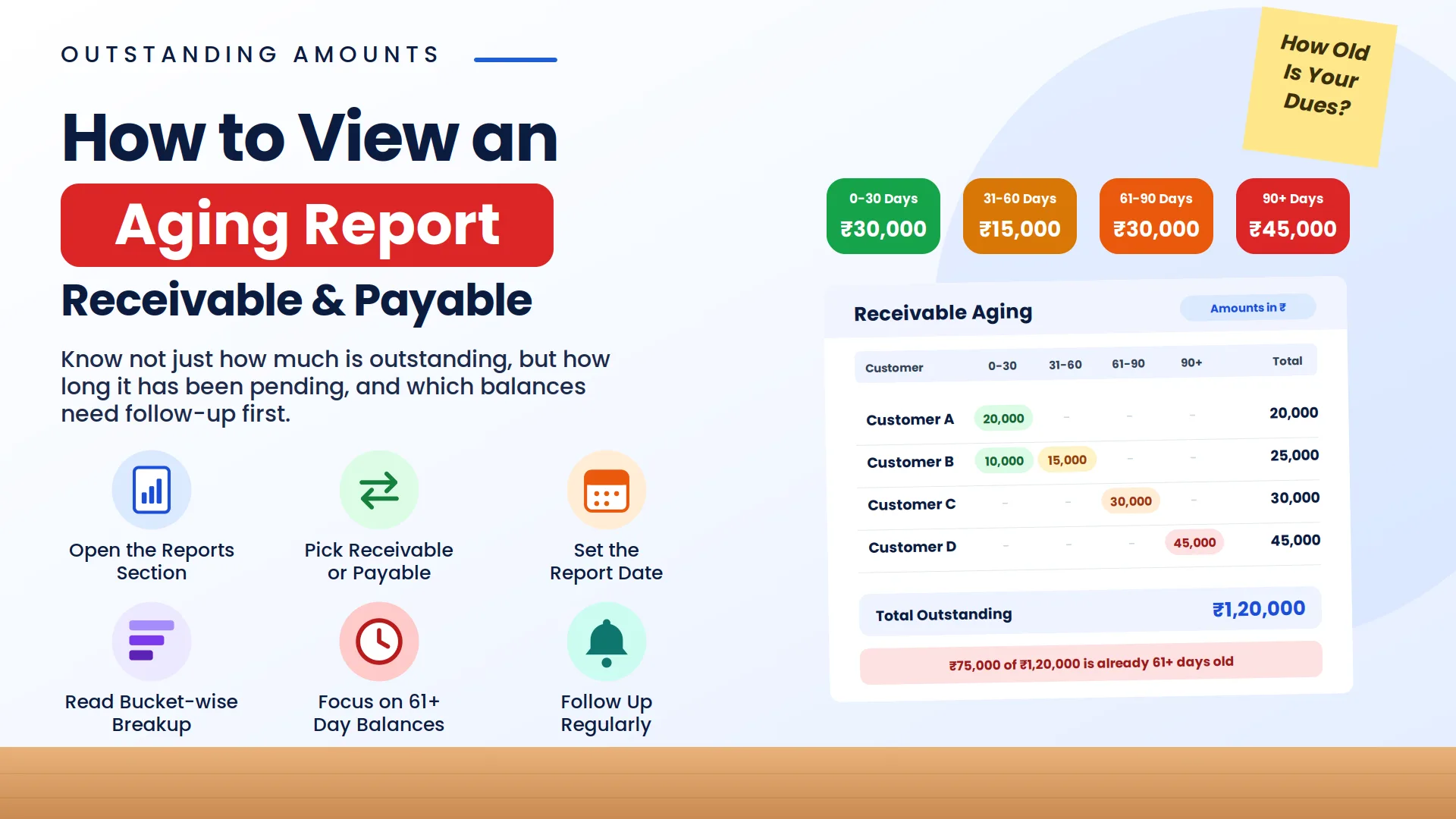
Learning how to check customer outstanding dues in Vinimay Accounting Software helps you review customer balances, track receipts, and identify unpaid amounts. With its Customer Ledger and receivables features, Vinimay makes it easier to access customer payment information without manually searching through registers or spreadsheets.
What Are Outstanding Dues?
Outstanding dues are the amounts customers still owe your business for goods or services purchased. In accounting, these amounts are known as accounts receivable or receivables.
Tracking customer outstanding dues helps you:
Improve business cash flow.
Follow up on pending customer payments.
Reduce the risk of overdue balances.
Maintain accurate accounting records.
Review customer transactions for reconciliation.
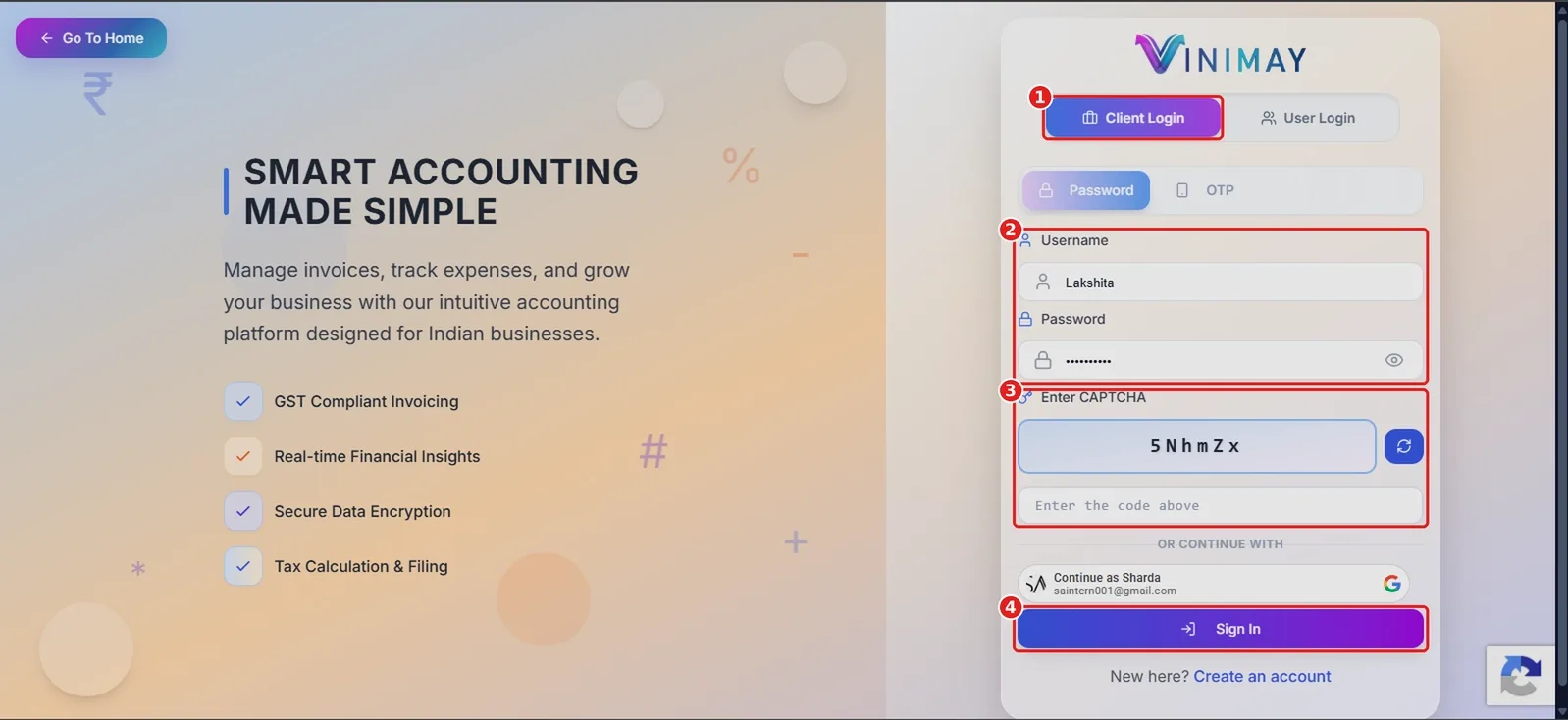
Step 1: Log In to Your Vinimay Account
Open the Vinimay Client Login page at https://vinimay.sharda.co.in/client-login in your browser.
Step 2: Open Ledger → Receivables in Vinimay
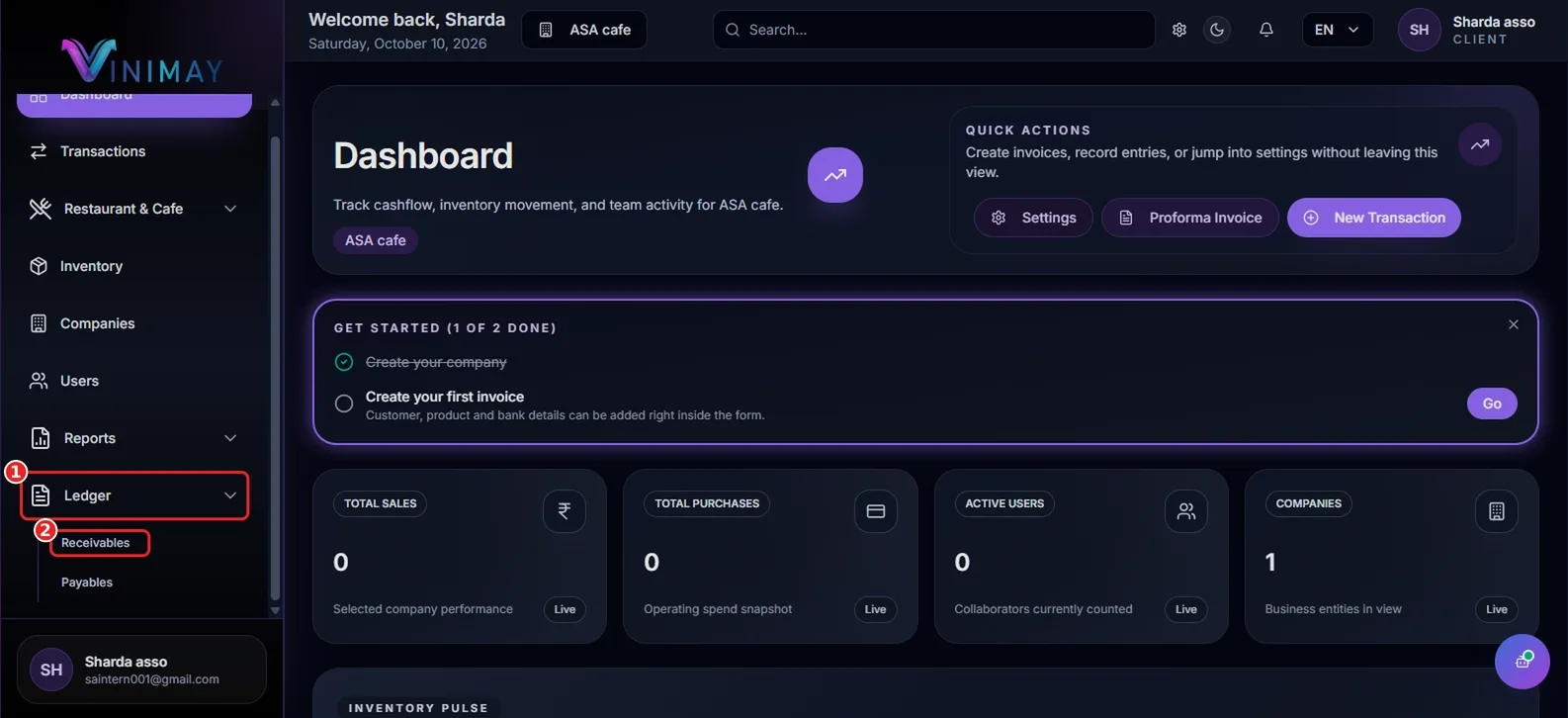
After logging in to Vinimay Accounting Software, you will land on the Dashboard. It provides an overview of business activities, including total sales, purchases, active users, companies, and stock information.
To check customer outstanding dues, follow these steps:
Locate Ledger in the left sidebar and click it to expand the menu.
Select Receivables to open the Customer Ledger overview.
Step 3: Review the Customer Ledger Summary
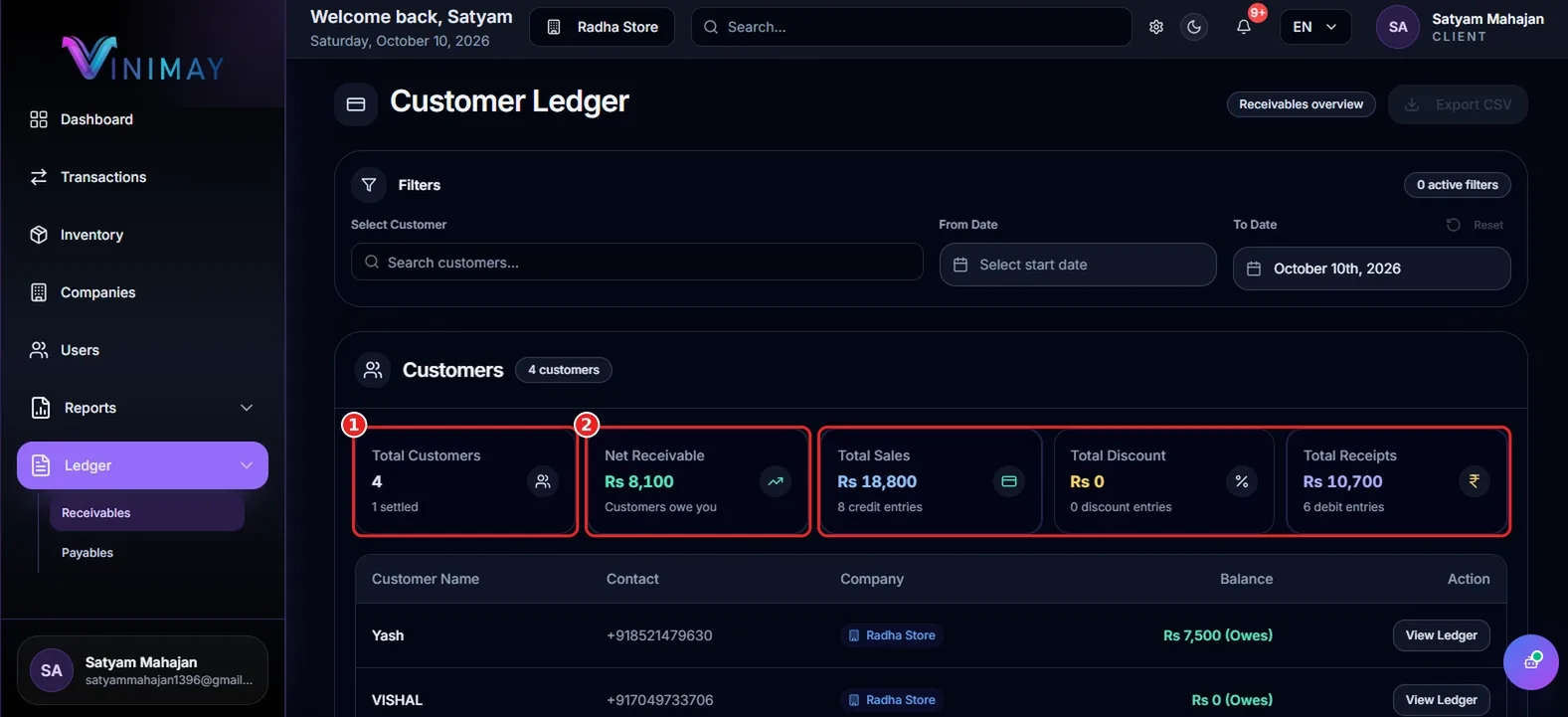
The Customer Ledger page displays five summary cards that provide an overview of your customer receivables.
| Summary Card | What It Means |
|---|---|
| Total Customers | Number of customers in the selected company |
| Net Receivable | Total outstanding amount owed by customers |
| Total Sales | Total recorded sales for the selected period |
| Total Discount | Discounts recorded against customer transactions |
| Total Receipts | Payments received and recorded in the software |
Example: Suppose Total Sales are ₹3,550 and Total Receipts are ₹2,950, with no discounts. The Net Receivable is ₹600.
Calculation: ₹3,550 − ₹2,950 = ₹600 outstanding.
Reviewing these summary cards helps you understand your overall receivables position and identify pending customer payments.
Step 4: Find a Specific Customer's Outstanding Balance
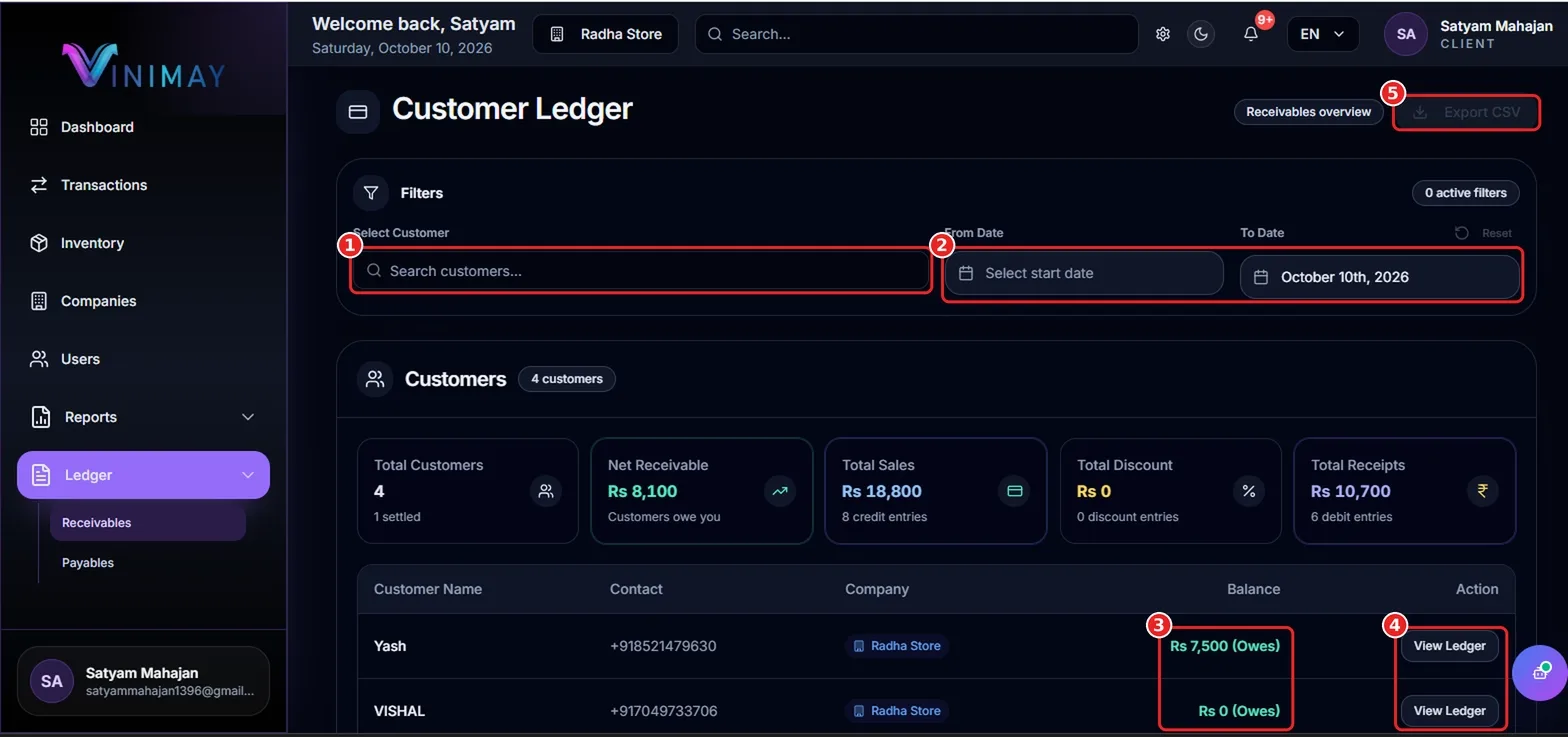
The customer table displays information such as customer name, contact details, company, and outstanding balance. For example, a balance displayed as ₹300 (Owes) indicates that the customer has ₹300 outstanding according to the recorded ledger.
To find a particular customer's balance, use the Filters panel:
Select Customer: Search for the customer by name.
From Date and To Date: Select a date range to review transactions for a specific period. Click Reset to clear the filters when needed.
Balance: Check the amount displayed beside the customer's name to identify the outstanding dues.
View Ledger: Click this button in the Action column to open the customer's detailed account and review individual transactions.
Step 5: Export Customer Ledger Data
Vinimay allows you to export available customer ledger information for reporting and reconciliation.
To export the data, click Export CSV at the top-right corner of the Customer Ledger page. Open the downloaded CSV file in Microsoft Excel or Google Sheets to review customer balances, organize payment follow-ups, or share the information with your accountant.
For accurate reconciliation, compare recorded receipts with relevant bank statements or payment provider records.
Quick Recap: How to Check Customer Outstanding Dues
Follow these simple steps to check customer outstanding dues in Vinimay:
Log in to your Vinimay Client Account.
Navigate to Ledger → Receivables.
Review the Net Receivable summary card.
Search for a customer or apply date filters.
Check the customer's balance and click View Ledger for transaction details.
Click Export CSV if you need a copy of the available ledger data.
Frequently Asked Questions
1. How do I check how much a customer owes me in Vinimay?
Open Ledger → Receivables, find the customer, and check the Balance column. Click View Ledger to review the customer's detailed transactions.
2. What is the difference between receivables and payables?
Receivables are amounts customers owe your business, while payables are amounts your business owes suppliers or other creditors.
3. Can I check customer dues for a specific date range?
Yes. Use the From Date and To Date filters on the Customer Ledger page to review the selected period.
4. Can I download the customer ledger?
Yes. Click Export CSV on the Customer Ledger page to export the available information for review and reconciliation.
5. Is Vinimay suitable for Indian businesses?
Vinimay is designed to support business accounting workflows, including invoicing and ledger management. Check the platform's available features for the specific GST and tax functions your business requires.
Conclusion
Tracking customer outstanding dues does not have to be complicated. Vinimay's Customer Ledger helps you review total receivables, individual customer balances, and recorded transaction details in one place. Simply open Ledger → Receivables, check the Net Receivable amount, and use View Ledger to investigate individual balances. Regular reviews help you follow up on pending payments and manage business cash flow more effectively.
Related Topics
Published by admin
Our editorial and compliance specialists create practical guides, tax calculation rules, and operational strategies to empower Indian small business owners and accountants.