Free Online Invoice Maker (No Signup, PDF Download)
You have a customer waiting and need one proper invoice, now. No account, no software, no trial. That's what an online invoice maker is for.
The catch is that a quick invoice can still be a wrong one. A repeated number or a wrong tax split looks fine on screen, but it comes back as a correction request later.
This guide shows how to make an invoice in under two minutes, what to check before sending it, and what "free" and "no signup" usually mean.
How to Make an Invoice Online in Under Two Minutes
Open the invoice maker in your browser.
Add your business name, address and GSTIN (if registered).
Add the customer's name and details.
Enter items, quantity and rate.
Pick the GST rate. The tool splits it into CGST + SGST or IGST.
Check the total and preview.
Download the PDF and send it.
If it takes longer than this, the tool is working against you.
What Should You Check Before Sending the Invoice?
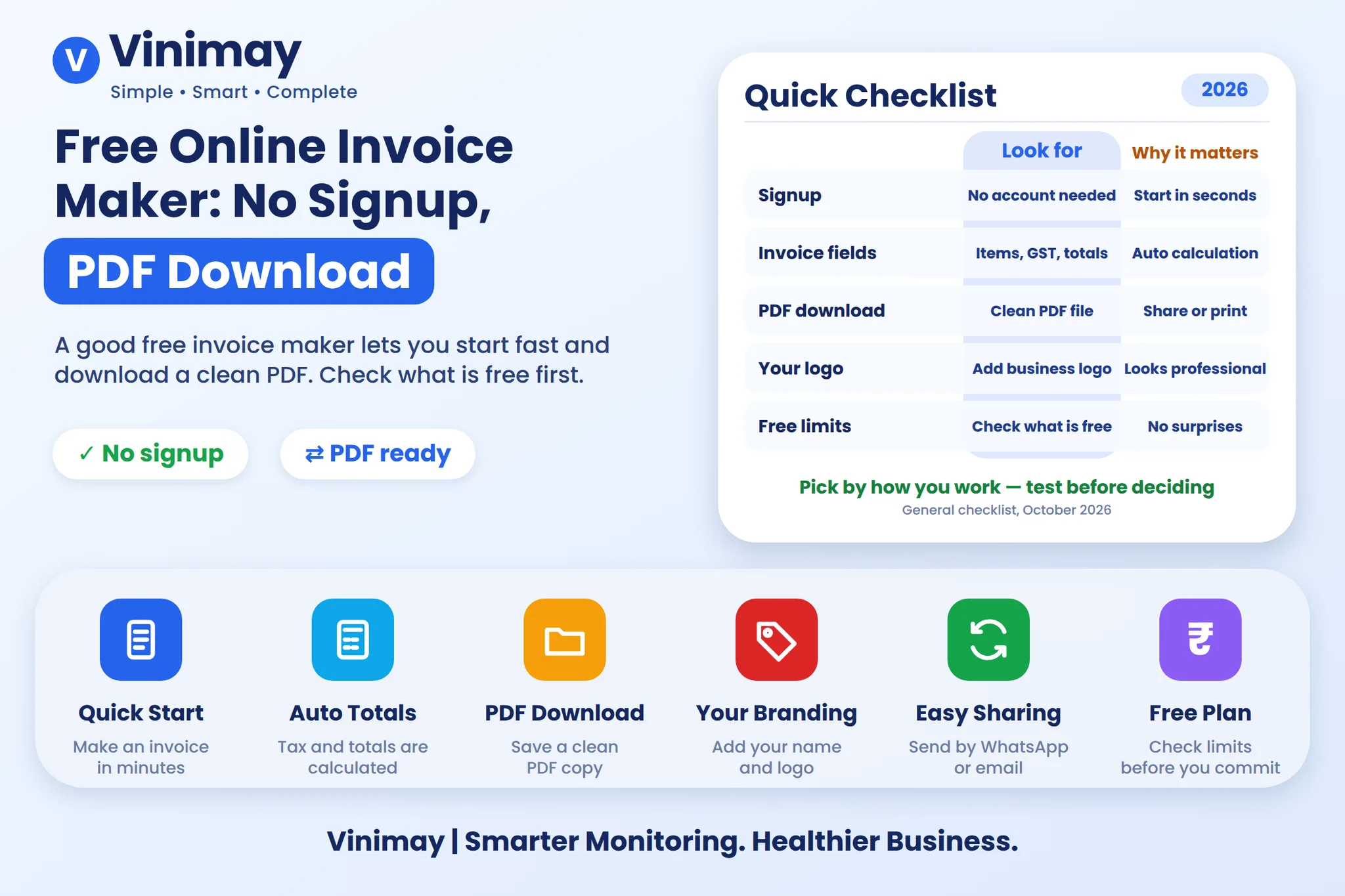
A good-looking invoice can still be wrong. Look at these five things:
Invoice number: unique, not repeated from before.
GSTIN: yours and, for business customers, theirs.
Tax split: CGST + SGST for same-state, IGST for another state.
Item details: description clear, rate and quantity correct.
Total: matches your calculation, including rounding off.
What Do "Free" and "No Signup" Usually Mean?
Be realistic about the limits. There's often a cap on how many invoices you can make. Nothing may be saved, so you type customer details again next time. It won't track whether the customer paid, and it won't touch your stock. For one-off or occasional invoices, that's fine. For daily billing, it isn't.
What Is Vinimay's Free Invoice Tool?
Vinimay's free tool lets you create up to 5 GST invoices, apply the CGST/SGST/IGST split, preview totals and download a PDF, without signing up. Print formats listed are A4, A5 and thermal.
It's built to let you try before deciding. If you later want saved customers, stock and payment tracking, the full platform handles that. If you're deciding between a free tool and a proper billing system, read about free accounting and billing software.
[Create a Free Invoice →]
Terms can change, so confirm on the live pricing page.
Simple Invoice vs Proforma vs Tax Invoice: Which One Do You Need?
Use the one that matches your situation.
FAQs: Free Online Invoice Maker
1. Is an online invoice maker legally valid?
The invoice is valid if it has all required details, whatever tool made it.
2. Can I make an invoice without GST?
Yes, if you're not registered. Leave out GSTIN and tax.
3. Can I download the invoice as PDF?
Vinimay's free tool lets you download a PDF.
4. How many invoices are free?
Up to 5 on Vinimay's free tool.
5. Do I have to sign up?
Not for the free tool, as listed. Confirm on the live page.
6. Will my customer's details be saved?
Don't assume so. A basic free tool may not retain them.
7. Can I print the invoice on a thermal printer?
Vinimay lists A4, A5 and thermal print formats. Print one test copy first.
8. What is the difference between a proforma and a tax invoice?
A proforma is an estimate sent before supply. A tax invoice is the actual GST document issued on supply.
Related Topics
Published by Team Vinimay
Our editorial and compliance specialists create practical guides, tax calculation rules, and operational strategies to empower Indian small business owners and accountants.