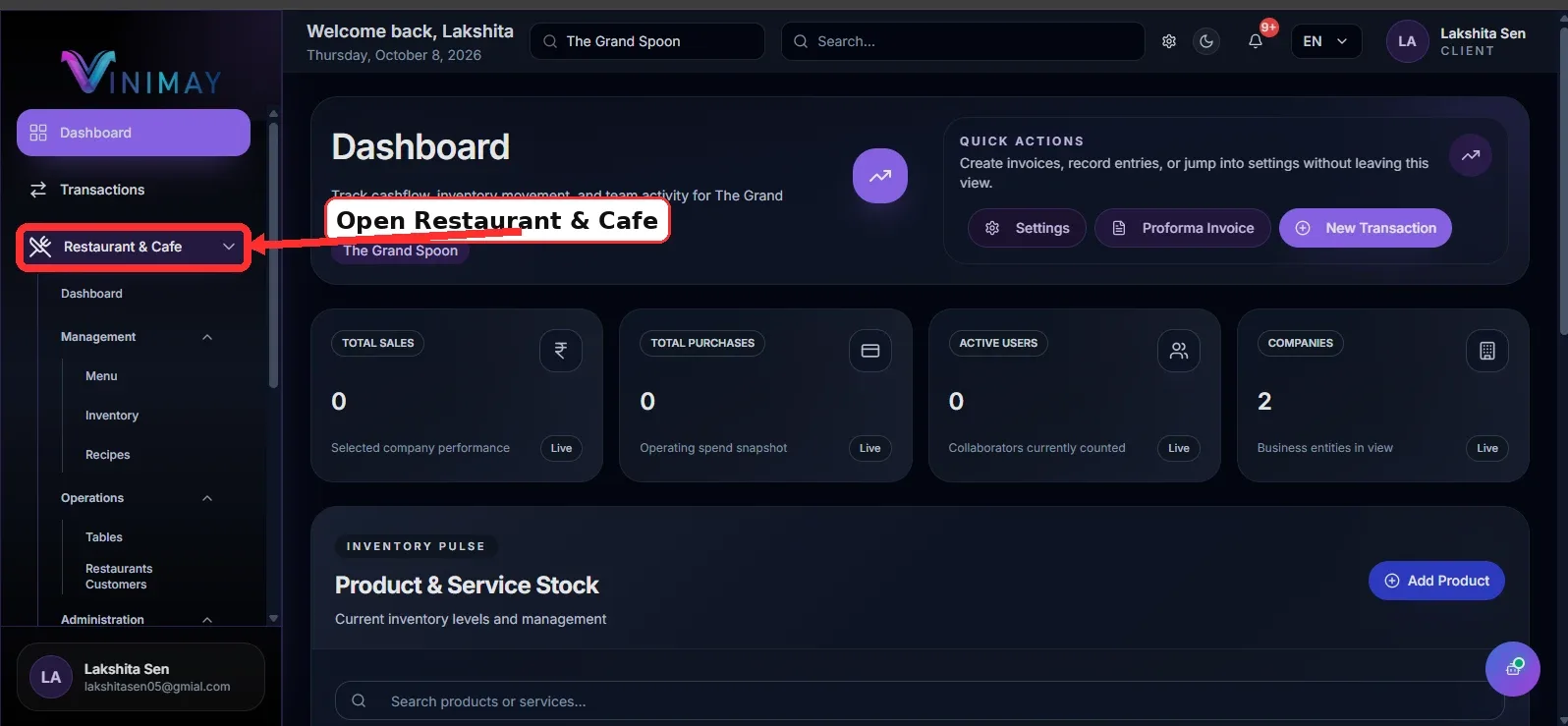
Step 1: Open Restaurant & Cafe
First, log in to Vinimay using your registered account credentials. After logging in, select the restaurant or cafe company where you want to manage recipes.
From the left-side navigation menu, click on 'Restaurant & Cafe' to access the restaurant management features available for your selected company.
Make sure you have selected the correct restaurant before proceeding. This ensures that the recipe and ingredient details are associated with the appropriate business.
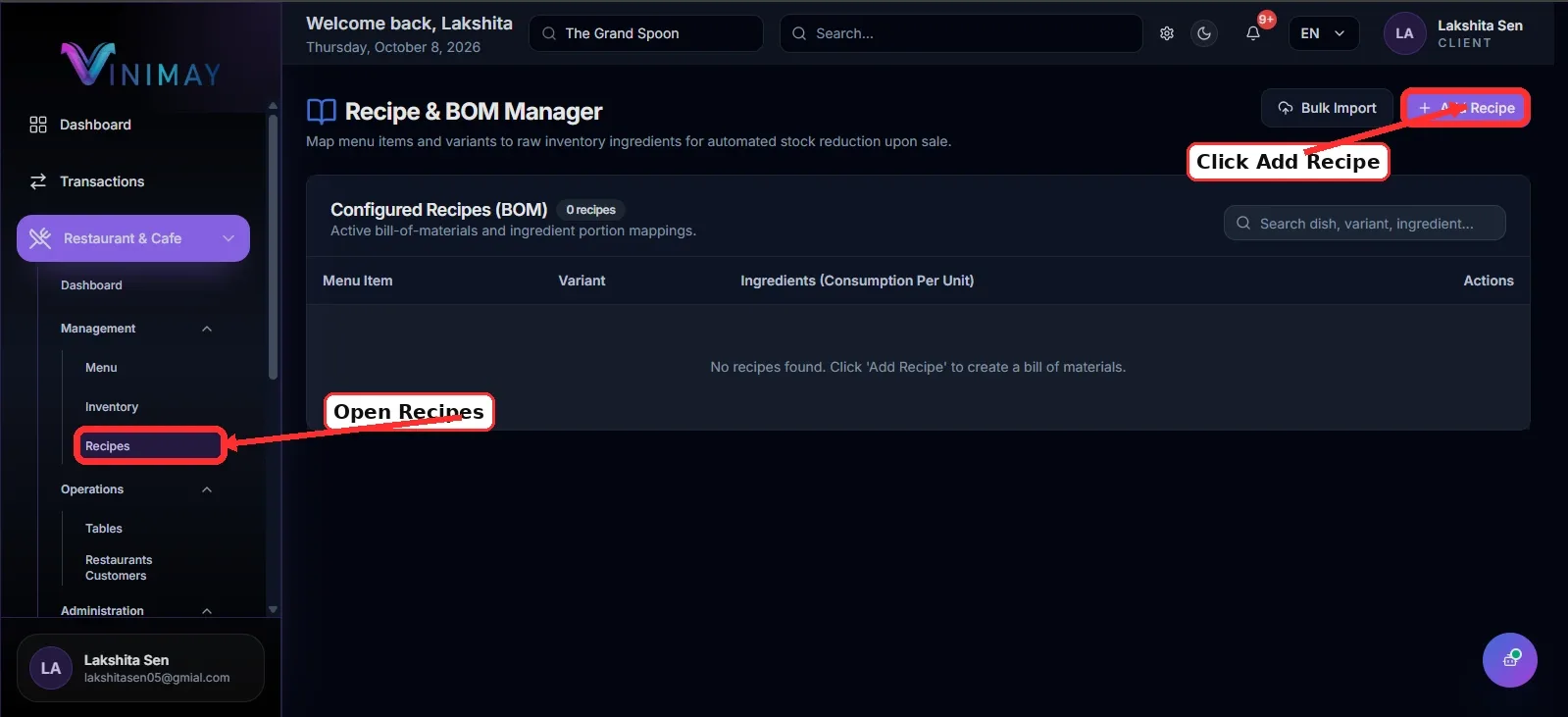
Step 2: Open the Recipe or Menu Setup.
Next, navigate to the section where menu items or recipes are managed. Depending on your Vinimay setup, this functionality may be available within the menu management or inventory configuration options.
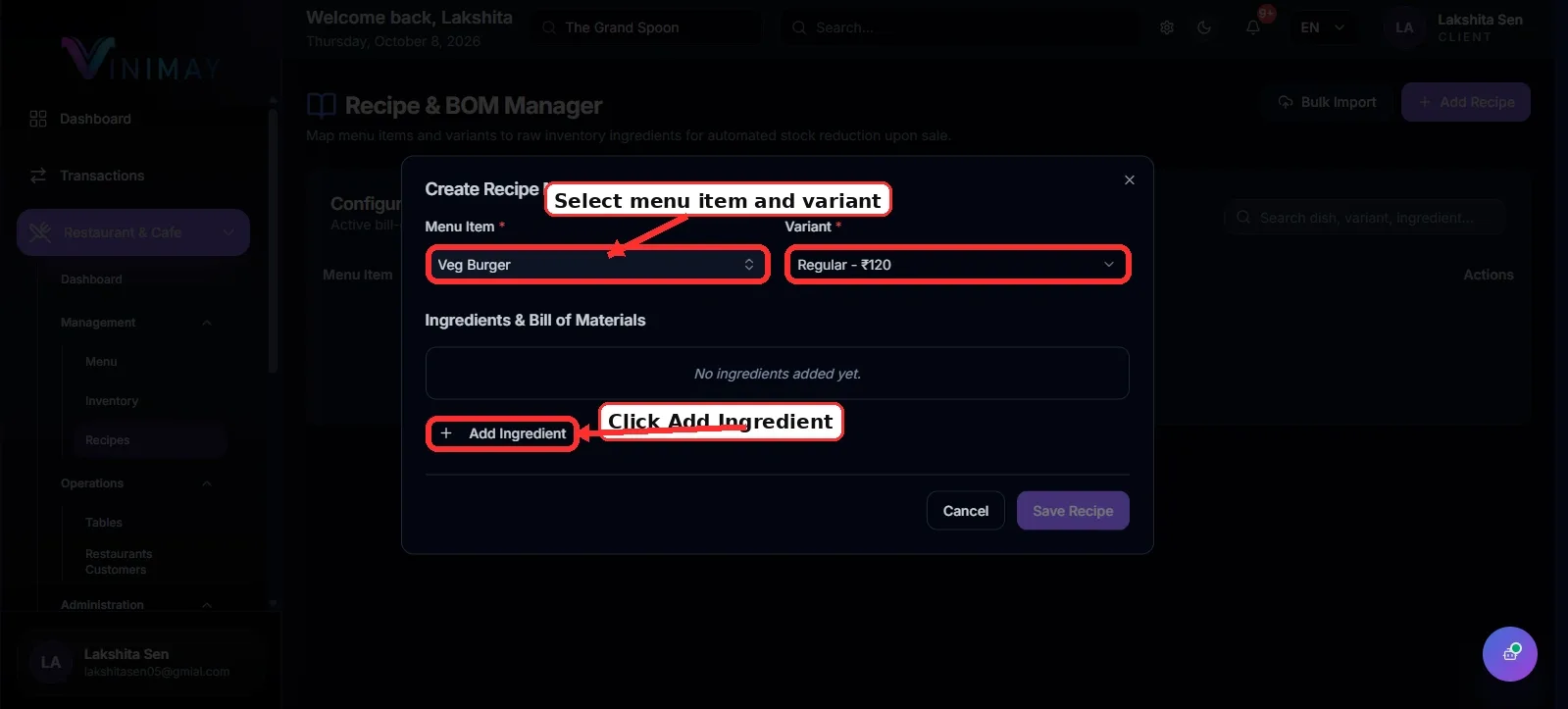
Select the menu item for which you want to create a recipe. For example, you might choose a veg burger, pizza, coffee, or paneer tikka.
Selecting the correct menu item is important because its recipe will determine which ingredients and quantities are considered when estimating preparation costs.
If you cannot find a recipe option, check the features available in your account or contact your administrator for assistance.
Step 3: Add Ingredients to the Recipe
Once you have selected the menu item, add the raw materials required to prepare it. Choose the ingredients from your available inventory or raw-material list, where supported.
For example, a veg burger recipe may include:
Burger bun
Vegetable patty
Cheese
Fresh vegetables
Sauce
Add each ingredient separately and verify that the selected items match the materials your kitchen actually uses.
Maintaining an accurate ingredient list helps you estimate preparation costs and understand which raw materials are required for each dish.
Step 4: Enter Ingredient Quantities and Check Costs
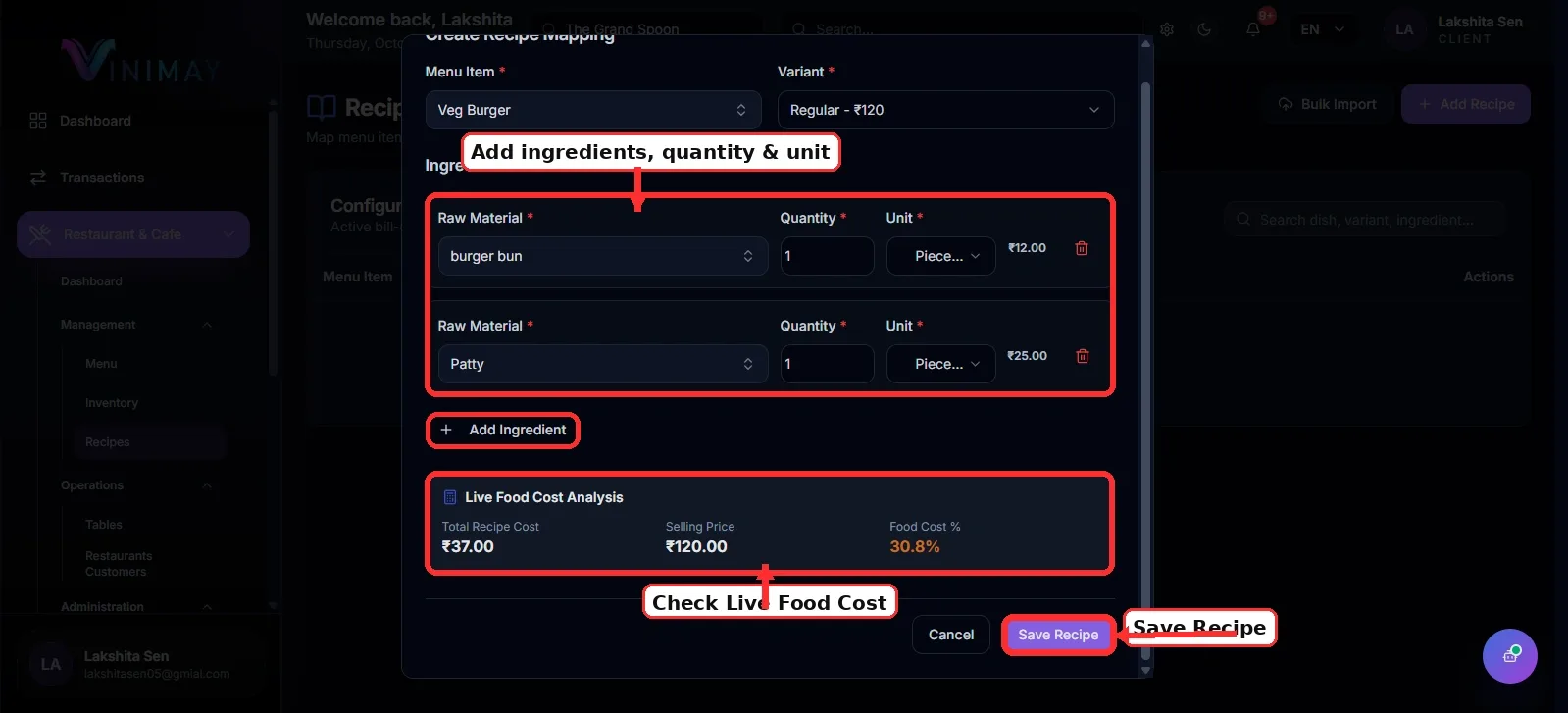
Enter the quantity of each ingredient required to prepare one serving of the selected menu item. Use consistent measurement units, such as pieces, grams, or millilitres, wherever supported.
For example, a veg burger recipe might require:
Burger bun: 1 piece
Patty: 1 piece
Cheese: 20 grams
Sauce: 15 grams
Vegetables: Required quantity
Next, review the available ingredient costs. If Vinimay uses recorded inventory costs for recipe costing, these values can help estimate the total cost of preparing one serving.
For example:
| Ingredient | Estimated cost |
|---|---|
| Bun | ₹12 |
| Patty | ₹25 |
| Cheese | ₹10 |
| Sauce and vegetables | ₹8 |
| Total recipe cost | ₹55 |
If the selling price is ₹120, the difference is ₹65 per burger before accounting for other expenses, such as staff salaries, rent, electricity, packaging, and wastage.
This calculation helps you understand the approximate ingredient margin rather than the final net profit.
Step 5: Save the Recipe
After adding all ingredients and entering their quantities, carefully review the recipe details.
Check that the correct menu item is selected, the ingredient quantities are accurate, and the costs are reasonable. Once everything is correct, click the available Save or Confirmation button to store the recipe.
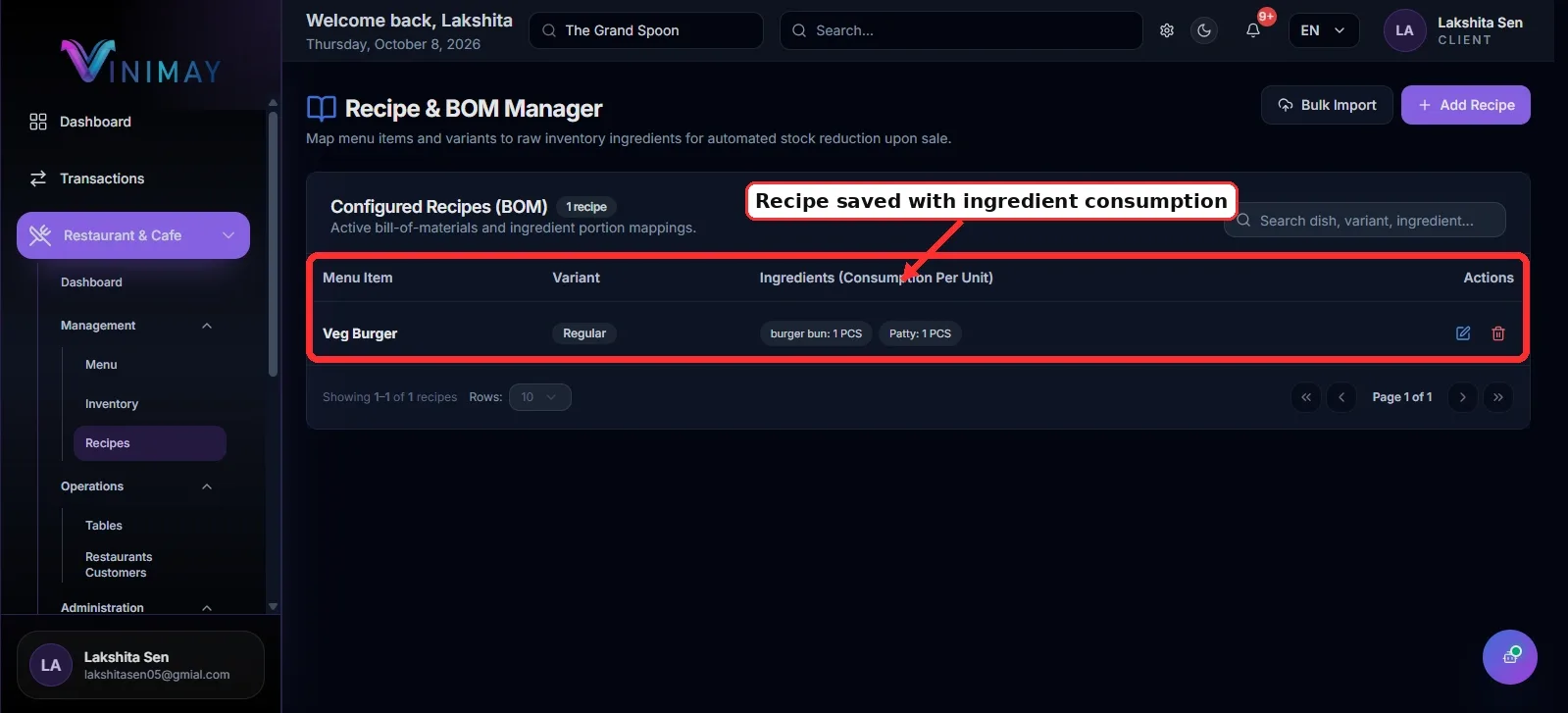
If the recipe is saved successfully, it should be associated with the selected menu item, subject to the recipe-management features enabled in your Vinimay account.
Maintaining accurate recipes helps you keep preparation standards and cost estimates consistent.
Step 6: Monitor Ingredient Costs and Stock Usage
Review your ingredient prices and stock levels regularly. Changes in the prices of cheese, vegetables, cooking oil, and other raw materials can increase the cost of preparing a dish.
For example, if the cost of cheese rises, the cost of preparing your veg burger may also increase. You can use updated cost information to evaluate whether your current selling price remains suitable.
Where recipe-based stock deduction is supported and configured, recorded ingredient quantities can also help you monitor raw material consumption as menu items are sold.
Quick Path
Restaurant & Cafe → Menu/Recipe Setup → Select Menu Item → Add Ingredients → Enter Quantities → Review Costs → Save Recipe
Creating recipes in Vinimay helps restaurant owners estimate food preparation costs, monitor ingredient usage, and make better-informed menu pricing decisions.
Related Topics
Published by Team Vinimay
Our editorial and compliance specialists create practical guides, tax calculation rules, and operational strategies to empower Indian small business owners and accountants.