Yes. Most billing and accounting software can generate a customer-wise transaction report, and it's one of the more genuinely useful reports a small business ends up relying on. But the short "yes" doesn't tell you much on its own—what matters is what the report actually contains, how current it is, and whether it's built automatically from your regular billing or something you'd have to assemble by hand. This guide answers the question properly, not just with a yes. A customer-wise transaction reports shows every invoice, payment, and outstanding balance tied to one specific customer, pulled together in one place rather than scattered across individual bills. It answers questions like, "How much has this customer bought from us this year? Have they paid everything, and is anything overdue?"
What Goes Into a Customer-Wise Report
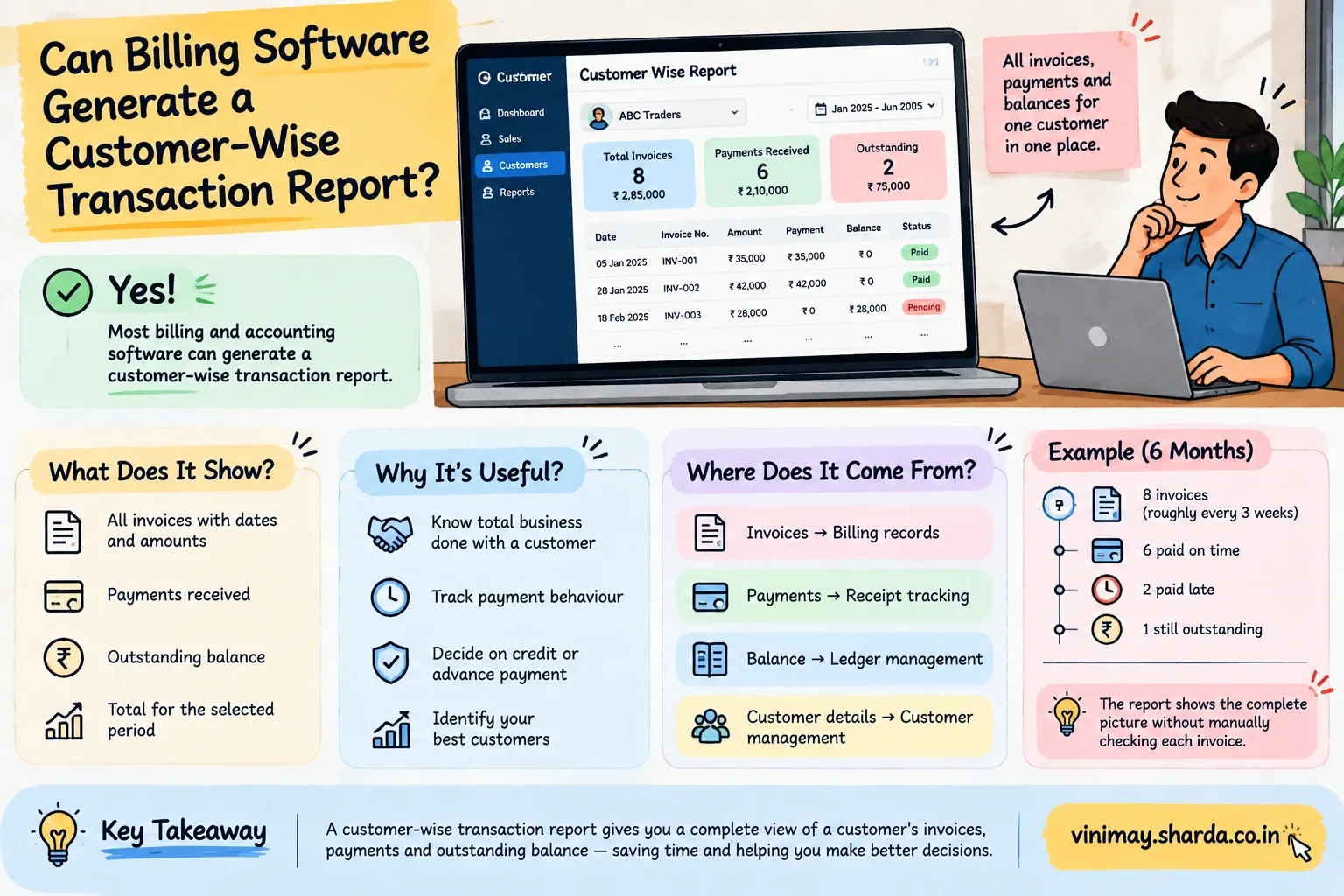
At minimum, a proper customer-wise report should include:
Every invoice issued to that customer, with dates and amounts
Payments received against each invoice
The current outstanding balance, if any
A running total across the selected time period
Some systems go further, showing which products or services the customer buys most or comparing this period's activity to a previous one.
Why This Isn't the Same as Just Looking at Invoices
Scrolling through a customer's individual invoices one by one gives you pieces of the picture, but not the picture itself. You'd still have tomanually add up totals, cross-check which invoices were paid, and calculate what's outstanding—exactly the kind of manual work a proper report is meant to remove. A true customer-wise report does that consolidation for you.
Example: A Customer Ordering Across Six Months
Picture a customer who places an order roughly every three weeks. Over six months, that's around eight separate invoices, some paid immediately, a couple paid late, and one still outstanding. Looking at these eight invoices individually tells you very little about the relationship as a whole. A customer-wise report instead shows the total business done with this customer over six months, how promptly they tend to pay, and exactly what's currently owed—all without you manually tallying eight separate bills.
Where This Report Actually Comes From
A customer-wise report isn't a separate thing you build—it's a view generated from data that's already being recorded as part of normal billing:
This is why the report is only as reliable as the everyday billing feeding it—if invoices or payments are entered inconsistently, the report will reflect that inconsistency.
What You Can Do With It
A customer-wise report is genuinely useful beyond just satisfying curiosity:
Deciding whether to extend credit or request advance payment from a slow-paying customer
Identifying your highest-value customers by total business done
Preparing accurate information before a customer call about their account
Reviewing a customer relationship at renewal or contract-review time
In Vinimay, this view comes directly from customer and vendor management working together with ledger management and reports—since every invoice, payment, and outstanding balance is already tied to the customer record it belongs to, pulling up one customer's full history doesn't require rebuilding anything separately.
Frequently Asked Questions
1. Can I see all of one customer's invoices in one place?
Yes—a customer-wise transaction report consolidates all invoices, payments, and balances for a specific customer into one view.
2. Does a customer-wise report show outstanding balances?
Yes—this is typically one of the core things the report shows, alongside total business done.
3. Is this different from just opening each invoice individually?
Yes—individual invoices don't show totals or trends; a proper report consolidatesthem automatically.
4. Can I filter a customer's report by date range?
Most systems that support this kind of report allow filtering by date, so you can review a specific period rather than all-time data.
5. Does this report update automatically as new invoices are created?
Yes—since it's generated from live billing and payment data, it reflects new transactions as they're recorded.
6. Is a customer-wise report the same as a ledger?
They're closely related—a ledger typically shows the same running history, often in a more transaction-by-transaction format.
7. Can this help me decide whether to extend credit to a customer?
Yes—seeing a customer's payment pattern over time is directly useful for that kind of decision.
8. Do I need separate software just for this kind of report?
No—this is a standard feature in most billing and accounting software that tracks invoices and payments per customer.
9. What happens if invoices are entered inconsistently?
The report will reflect those inconsistencies, since it's built from the same underlying billing data.
10. Can I use this report to identify my best customers?
Yes—comparing total business done across customers is one of the more common uses of this kind of report.
Related Topics
Published by admin
Our editorial and compliance specialists create practical guides, tax calculation rules, and operational strategies to empower Indian small business owners and accountants.