If a staff member forgets their password or you want to change it for security reasons, you can reset their login credentials from the Users section in Vinimay.
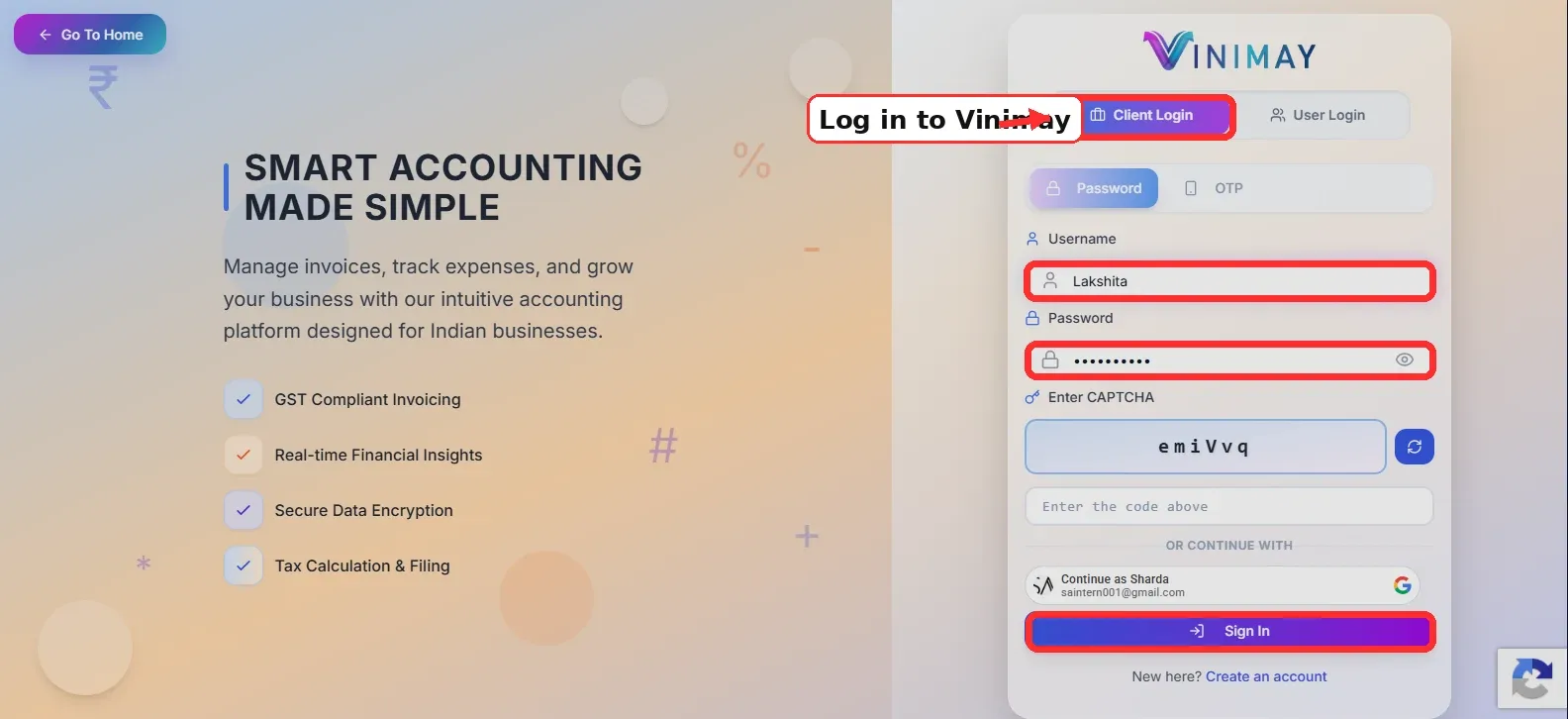
Step 1: Log in to Vinimay.
Open Vinimay and sign in using your client login or an account that has permission to manage users.
After login, you will reach the main dashboard.
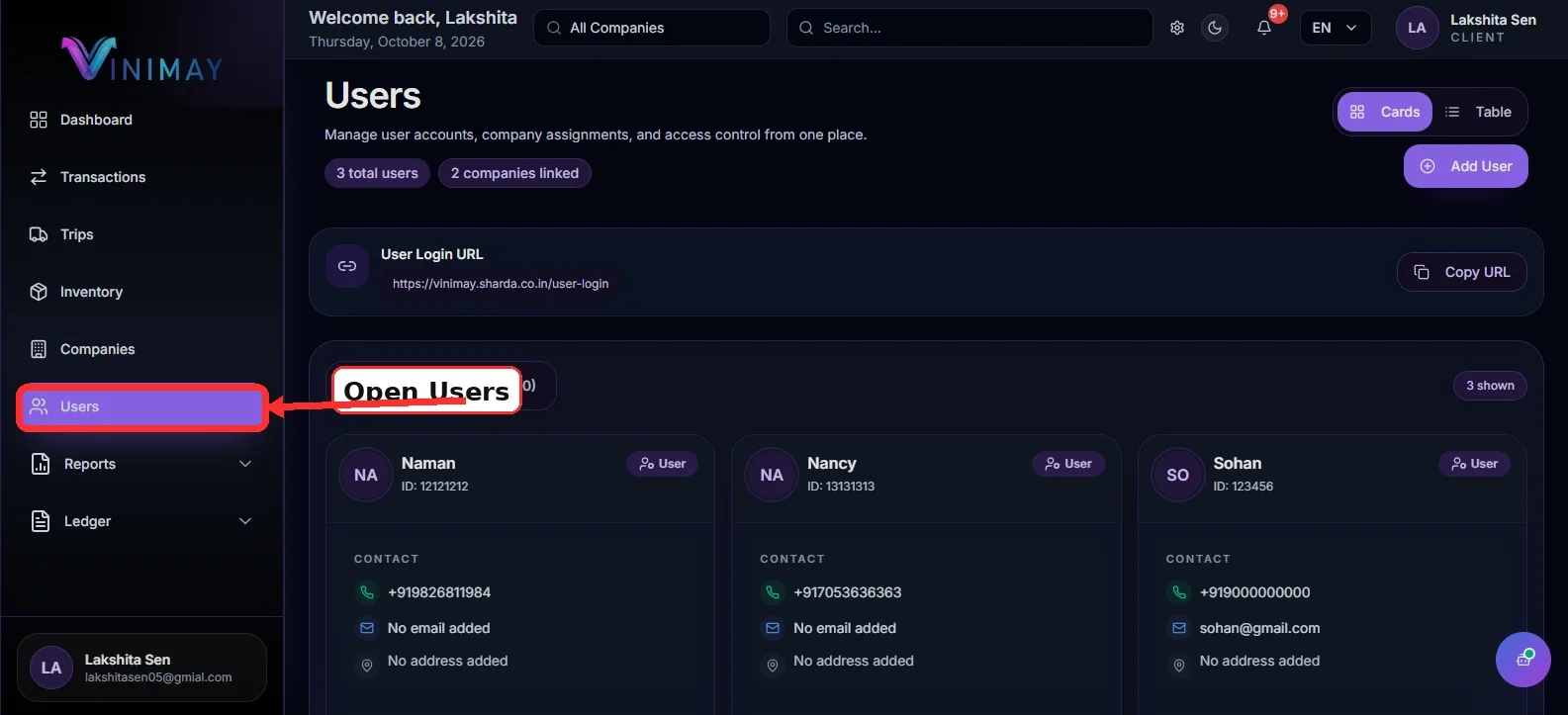
Step 2: Open the Users Section
From the left-side menu, click on Users.
The Users page will show all staff accounts currently added to your Vinimay account.
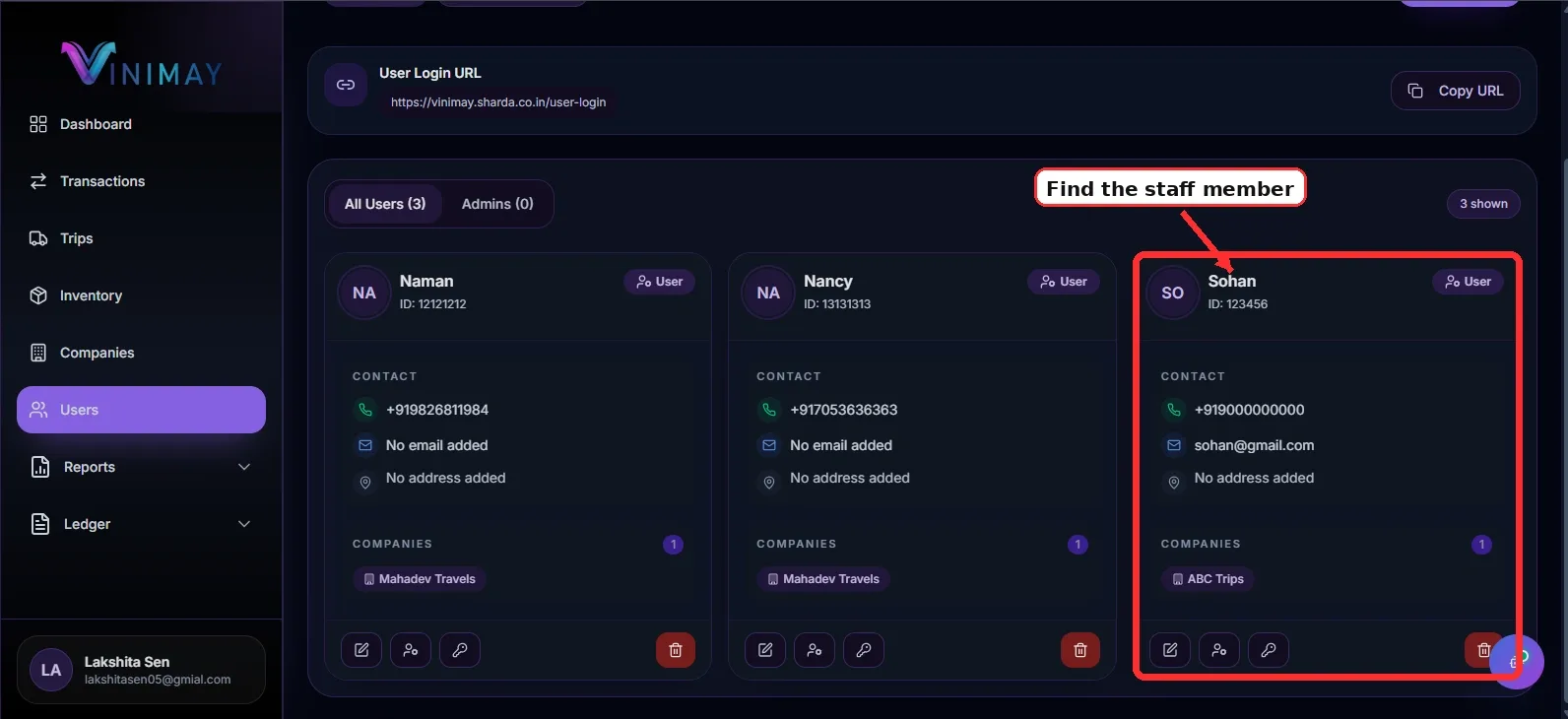
Step 3: Find the Staff Member
Locate the staff member whose password you want to reset.
Check the user name and user ID carefully so you update the correct account.
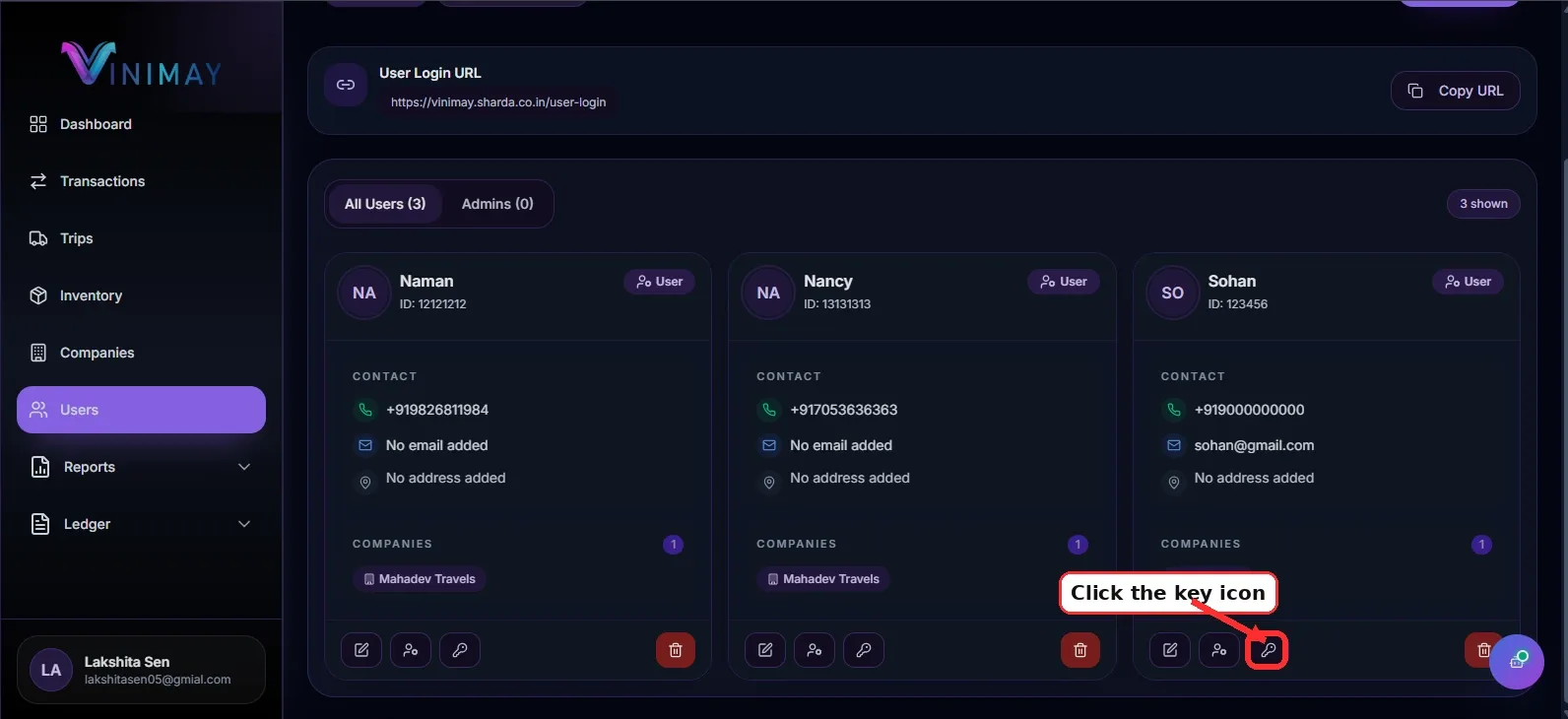
Step 4: Open Edit User
Open the available Edit User option for that staff member.
The user details form will open.
Here you can review or update the staff member’s account information.
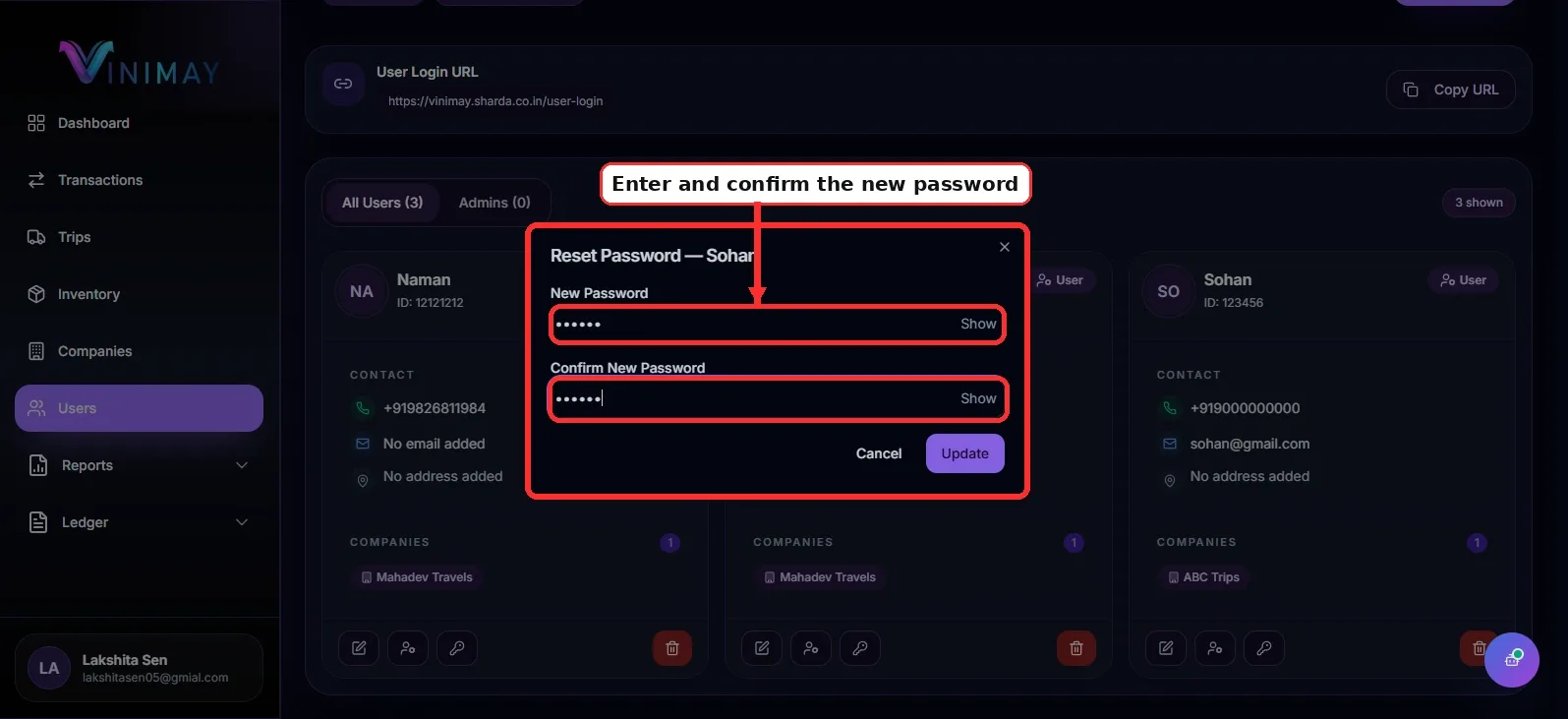
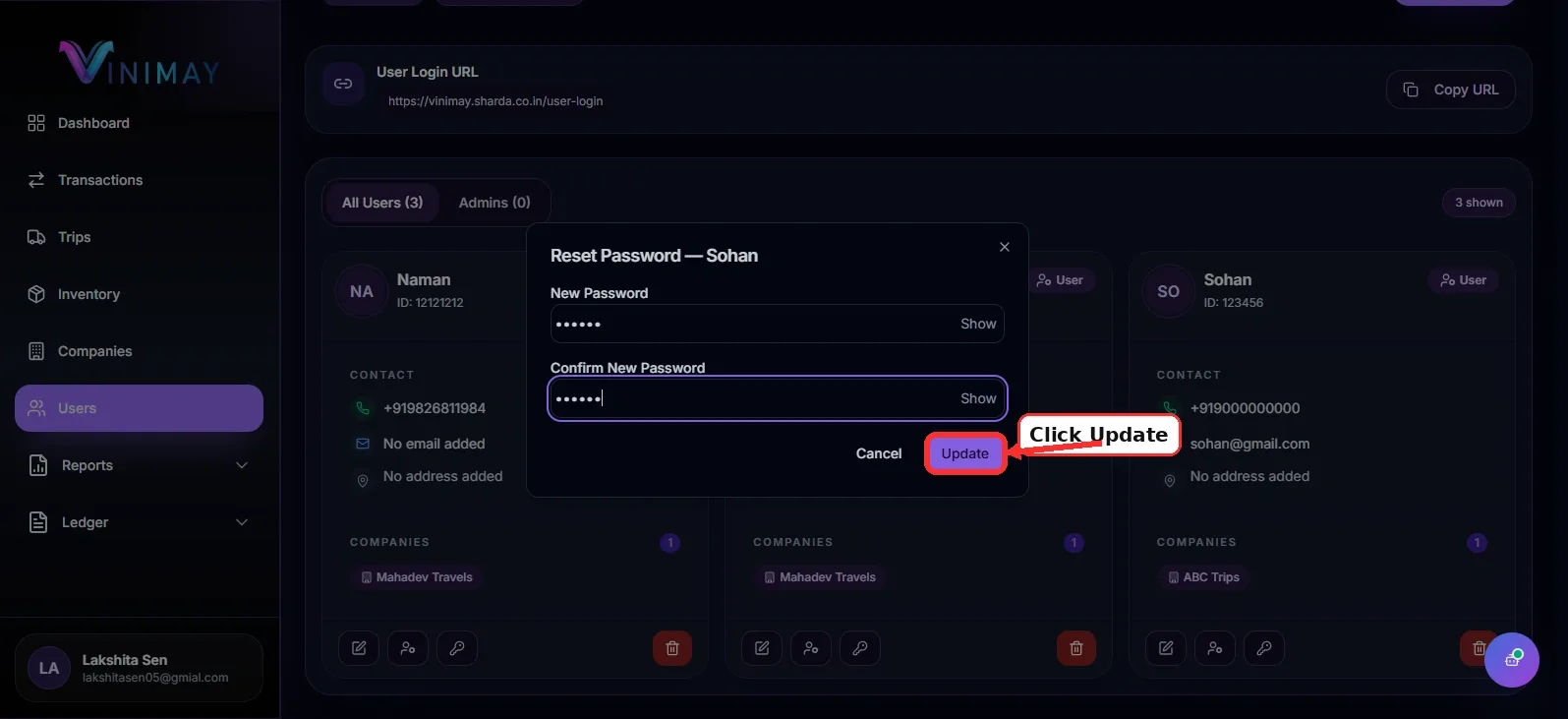
Step 5: Enter a New Password
Find the Password field and enter a new password.
Use a strong password that is difficult to guess.
A good password should contain a mix of:
Uppercase letters
Lowercase letters
Numbers
Special characters
Avoid using simple passwords such as the staff member’s name or phone number.
Step 6: Save the Changes
After entering the new password, click Save, Update User, or the available confirmation button.
The staff member’s login password will now be updated.
Step 7: Share the New Password Securely
Send the new password directly to the staff member through a secure method.
The staff member can then open the User Login page and sign in using:
User ID + New Password
Ask them to keep the password private and not share it with other users.
Quick Path
Login → Users → Select Staff Member → Edit User → Enter New Password → Save → Share New Password
Resetting staff passwords when needed helps keep user accounts secure and prevents unauthorised access to your Vinimay business data.
Related Topics
Published by Team Vinimay
Our editorial and compliance specialists create practical guides, tax calculation rules, and operational strategies to empower Indian small business owners and accountants.