Do I Need Accounting Knowledge to Use Accounting Software?
A shop owner registering for GST, or a freelancer sending their first invoice, often hesitates before opening accounting software—not because the task is hard, but because the word "accounting" sounds like something only a trained professional should touch.
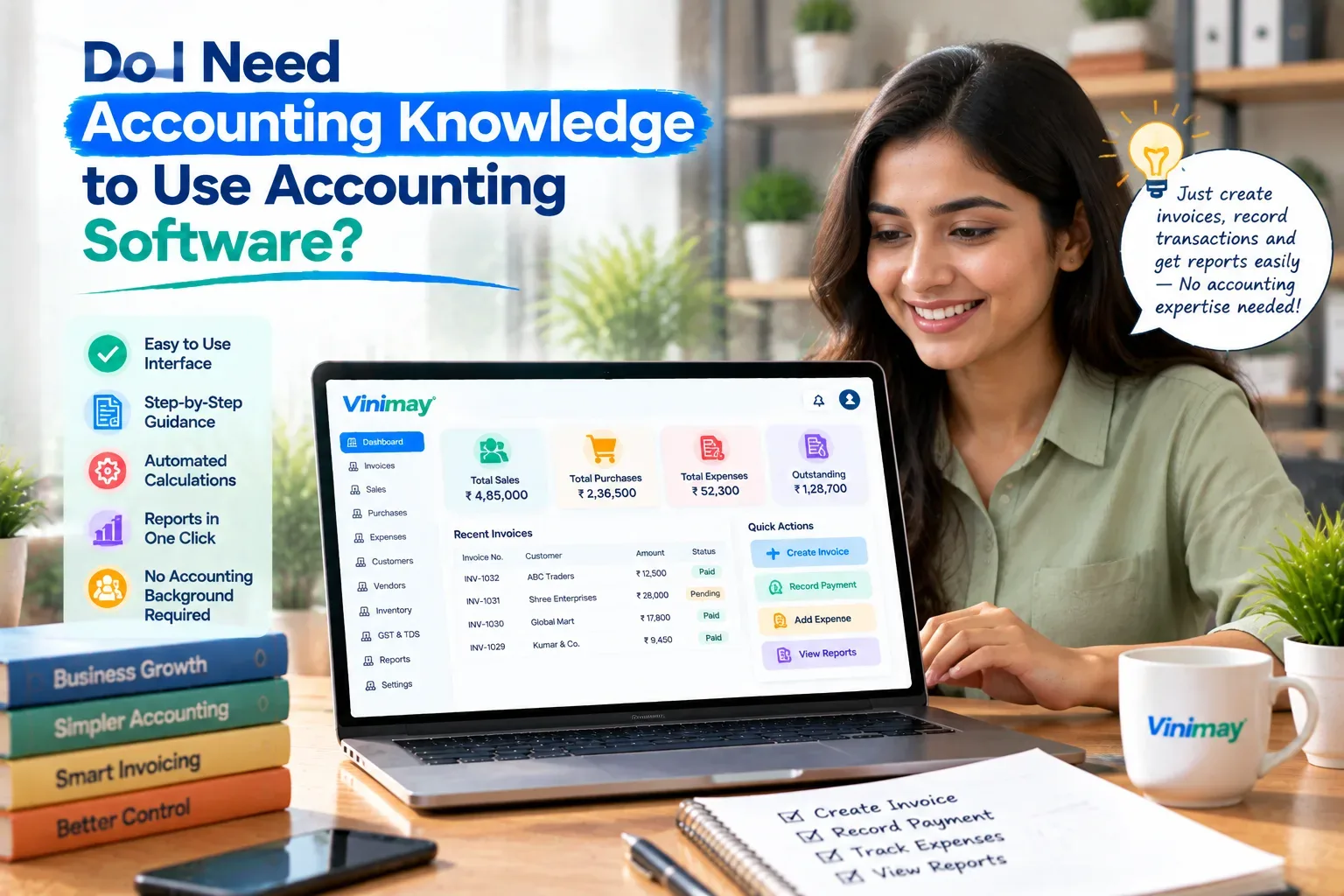
That hesitation is usually misplaced. Most accounting software is built for the person running the business, not the person who studied it. The software applies the accounting rules in the background — tax calculations, invoice numbering, category totals — so the user's job is mostly to enter what actually happened: a sale, a payment, an expense.
Vinimay helps businesses manage GST invoicing,sales and purchase records, and payment tracking without requiring the user to understand accounting principles behind the scenes. This guide explains exactly what knowledge you do and don't need, and where non-accountants typically get stuck.
Do You Need Accounting Knowledge to Use Accounting Software?
No—most day-to-day accounting software is designed so the software applies the accounting logic, while the user simply enters transactions as they happen, such as a sale, a purchase, or a payment received.
You don't need to know how double-entry bookkeeping works, what a ledger technically is, or how to calculate tax manually. The software is built to do that calculation once the transaction details are entered correctly.
What the Software Handles Without You Knowing Accounting
Tax calculations (CGST, SGST, IGST) based on rules set up once
Invoice numbering, kept sequential automatically
Totals and summaries pulled from entries you've already made
Formatting a professional-looking invoice or bill
Keeping customer, vendor, and product details organised for reuse
None of these require you to understand the accounting theory behind them—only to enter the transaction details correctly.
What You Do Need to Know
What actually matters is knowing your own business well enough to enter transactions correctly and consistently. That means knowing whether a sale is within your state or outside it (so tax applies correctly), what to call a recurring expense so it's categorized the same way each time, and roughly what an invoice or bill should include—customer name, item, amount. This is business knowledge, not accounting theory, and most people already have it from running their business day to day.
Where Non-Accountants Usually Get Stuck
The friction usually isn't accounting concepts — it's specific, learnable habits. New users often forget to select the right tax type for an inter-state sale, skip saving a customer's GSTIN because it feels optional, or create inconsistent product or expense names that make later reports messy. None of these require deep accounting knowledge to fix — they're solved by a short checklist and a bit of early consistency, not a course.
How to Learn as You Go
The most practical approach is to start with real transactions rather than a tutorial—create one actual invoice for a real sale and see what fields it asks for. If something feels unclear, like which tax type applies, that specific question can be looked up or asked once, rather than trying to learn all of GST or accounting upfront. Most people become comfortable within their first ten to fifteen real entries, simply from repetition.
Vinimay's Approach for Non-Accountants
Vinimay is built around the transactions a business owner already understands—a sale, a purchase, a payment — rather than requiring familiarity with accounting terms or manual calculations. GST tax fields are applied based on the transaction details you enter, invoice numbering happens automatically, and customer or vendor details are saved once for reuse.
Vinimay's free invoice tool is a low-pressure way to see this directly: create up to 5 GST invoices, and the tax calculation and formatting happen without needing to know the rules behind them yourself.
Conclusion
Accounting software is built to carry the accounting logic so you don't have to — your job is mainly to describe what actually happened in your business, accurately and consistently. The learning curve is less about accounting theory and more about a handful of habits, like picking the right tax type or naming things consistently, that become natural within the first few real entries. Vinimay is designed around this exact idea, applying GST rules and calculations in the background so a business owner can focus on running the business, not learning accounting.
Frequently Asked Questions
1. Can a complete beginner use accounting software?
Yes. Most accounting software is designed for business owners, not trained accountants, and handles the calculations in the background.
2. What's the minimum I need to know before starting?
Basic details about your own transactions — what was sold, to whom, and roughly for how much — is usually enough to begin.
3. Will the software calculate GST for me?
Yes, typically, as long as the transaction details (like place of supply) are entered correctly.
4. Do I need to understand ledgers or double-entry bookkeeping?
No, not for day-to-day billing and record-keeping software — those concepts matter more for full accounting systems and CAs.
5. What mistakes do non-accountants commonly make when starting out?
Selecting the wrong tax type for inter-state sales, or using inconsistent names for the same expense or product.
6. How long does it take to get comfortable with accounting software?
Most users feel confident after their first ten to fifteen real entries, simply through repetition.
7. Is Vinimay suitable for someone with no accounting background?
Yes, Vinimay is built around everyday transactions like sales and payments, without requiring accounting theory to use it.
8. Should I still consult a CA if I use accounting software?
For compliance review and filing, yes — the software organises your data, but professional review still adds value.
9. Can I learn by just using the software, without a course?
Yes, most people learn effectively by entering real transactions and looking up specific questions as they come up.
10. What if I select the wrong tax type by mistake?
Most software lets you correct an entry directly, so it's worth checking early invoices carefully until the pattern becomes familiar.
Published by Team Vinimay
Our editorial and compliance specialists create practical guides, tax calculation rules, and operational strategies to empower Indian small business owners and accountants.