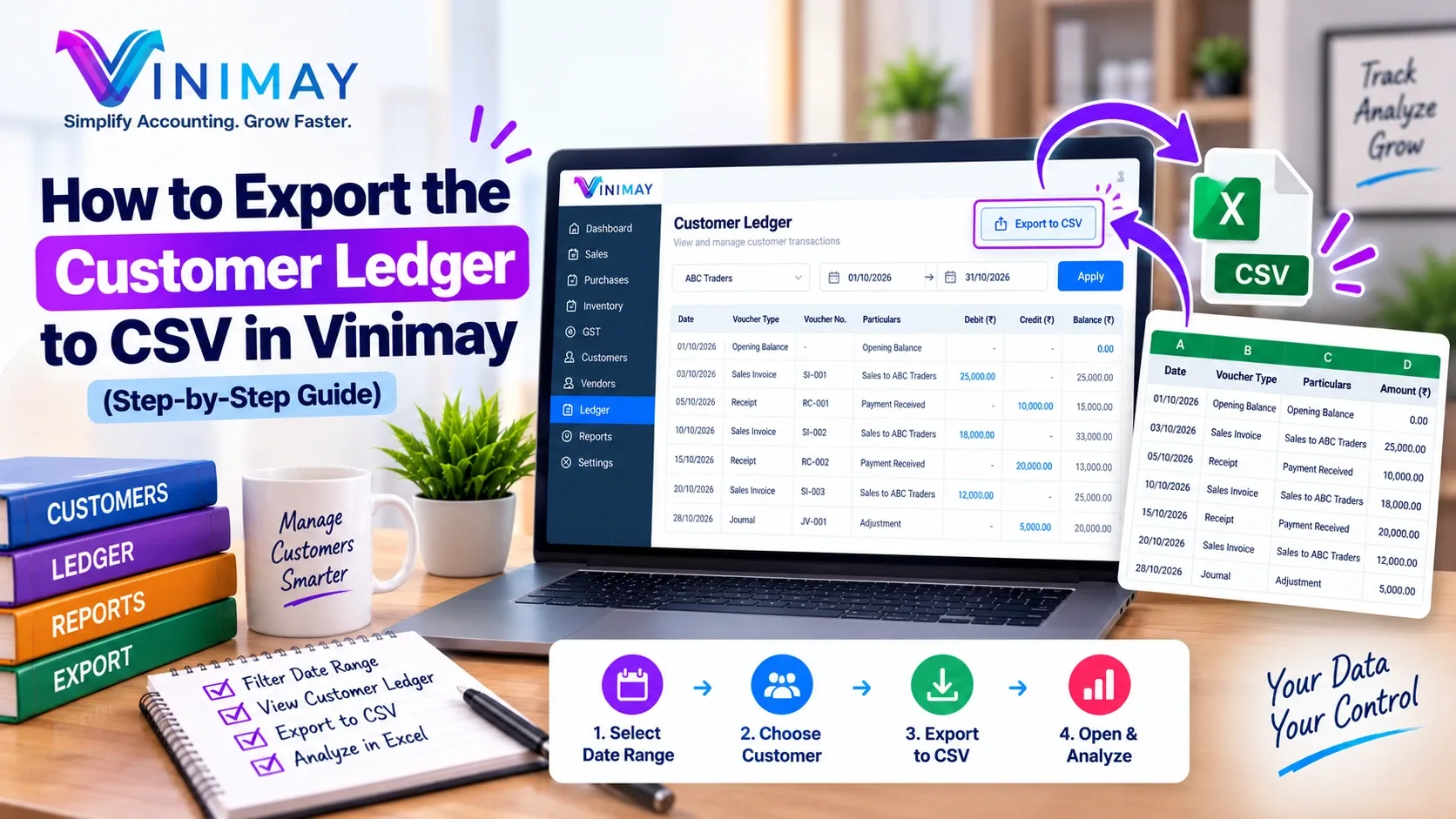
Managing customer payments is very important for every business. When you sell products or services on credit, some customers may pay immediately while others may take a few days or weeks. If you have many customers, checking every invoice separately can become difficult. Vinimay makes this process easier with its Receivables section. 'Receivables' simply means the amount of money that your customers still have to pay you.
Instead of checking invoices one by one, you can open the Receivables section and quickly see which customers have pending payments and how much money is outstanding.
Here is a simple step-by-step guide.
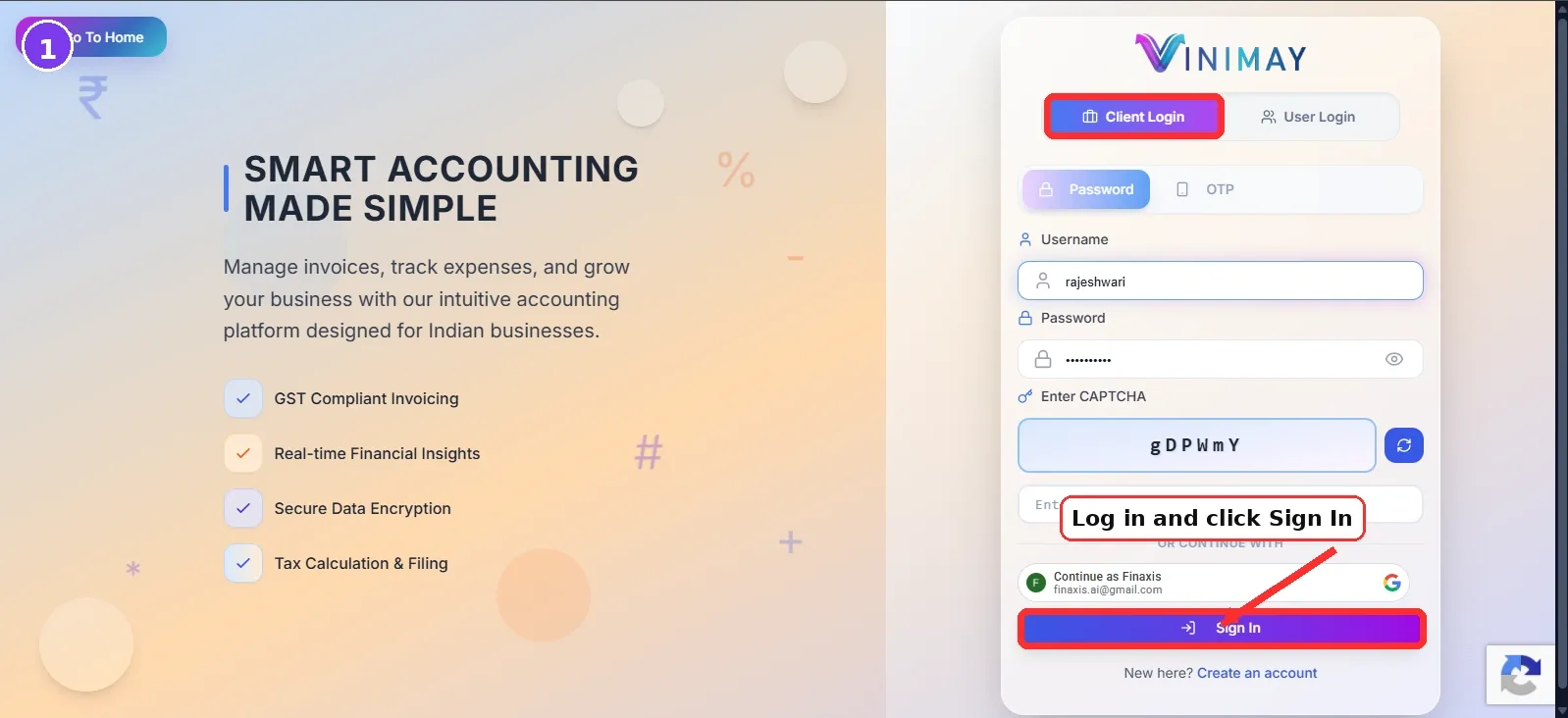
Step 1: Log in to Vinimay.
Open Vinimay and log in using your registered client login or user login details.
After logging in, you will reach the main dashboard where you can access your business transactions, invoices, customers, ledgers, reports and other accounting features.
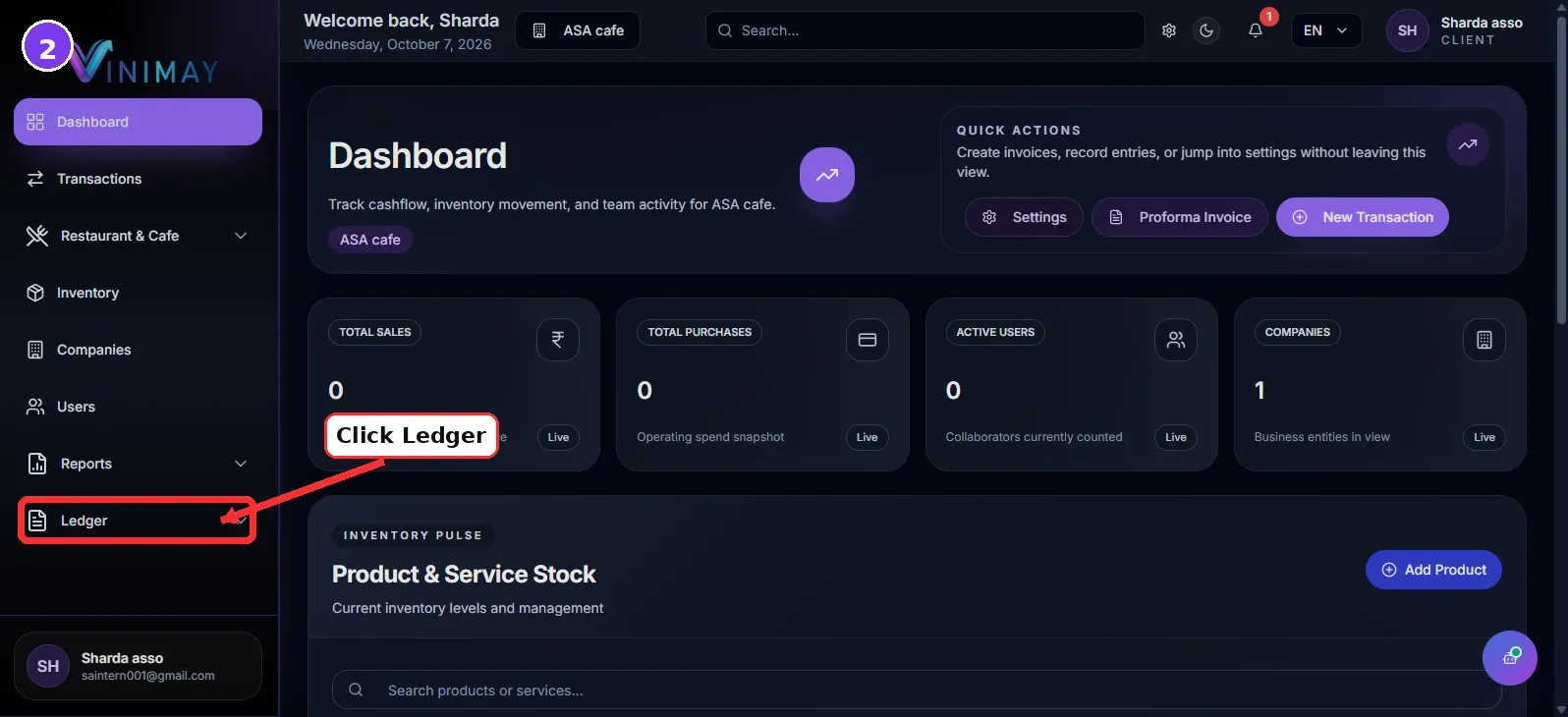
Step 2: Open the Ledger Section
From the main menu, look for the Ledger option.
Click on it to access your customer and account-related information.
The Ledger section helps you understand transactions made with different customers and parties in your business.
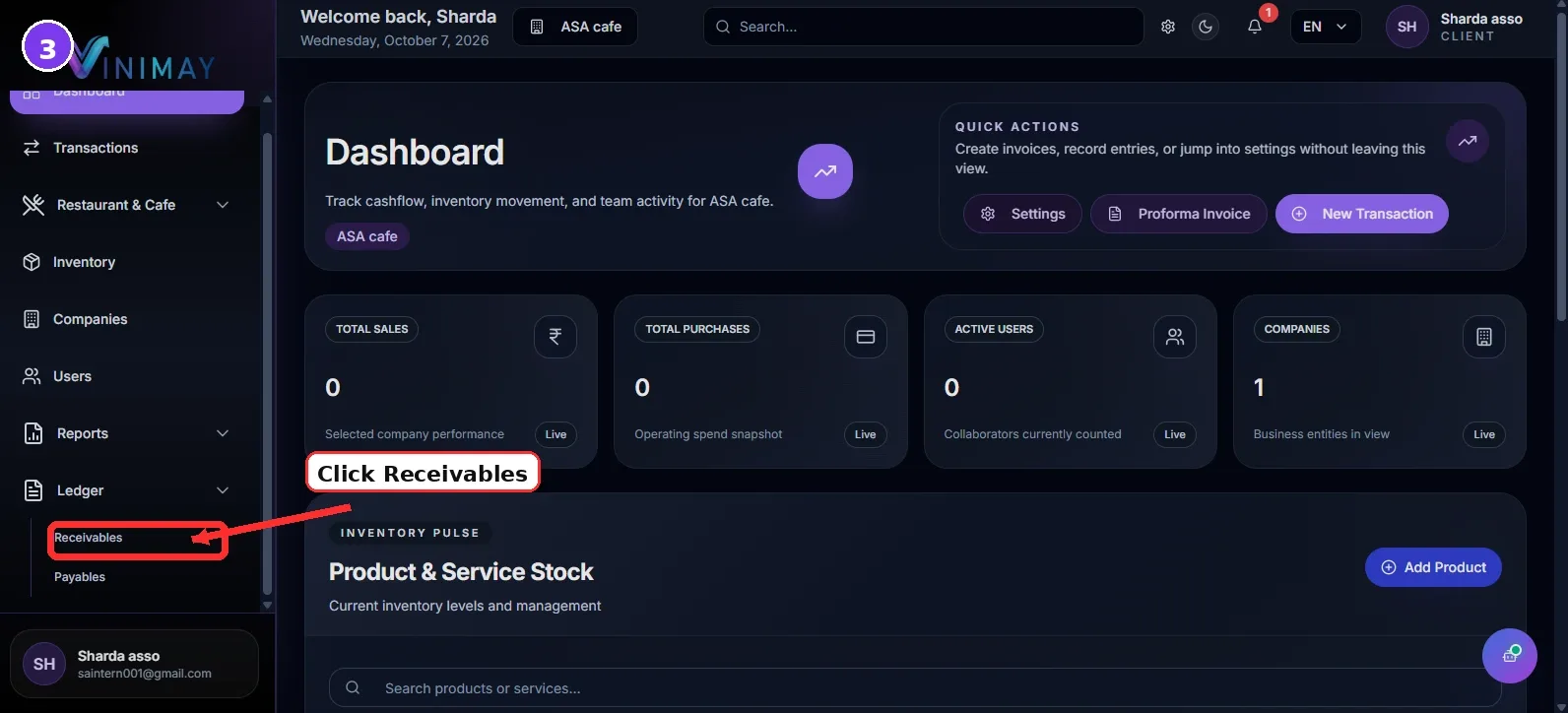
Step 3: Click on Receivables.
Inside the Ledger section, select Receivables.
The Receivables page will show customers who have outstanding balances.
In simple words:
Receivables = Money that your customers still need to pay you.
This page gives you a quick overview of pending customer payments without checking every invoice manually.
Step 4: Check the Customer List
On the Receivables page, you can see the list of customers along with their outstanding balances.
For example:
ABC Traders – ₹15,000 pending
XYZ Enterprises – ₹8,500 pending
Sharma Stores – ₹22,000 pending
This helps you immediately understand who owes your business money and which customer has the highest outstanding amount.
You can use this information to plan payment follow-ups.
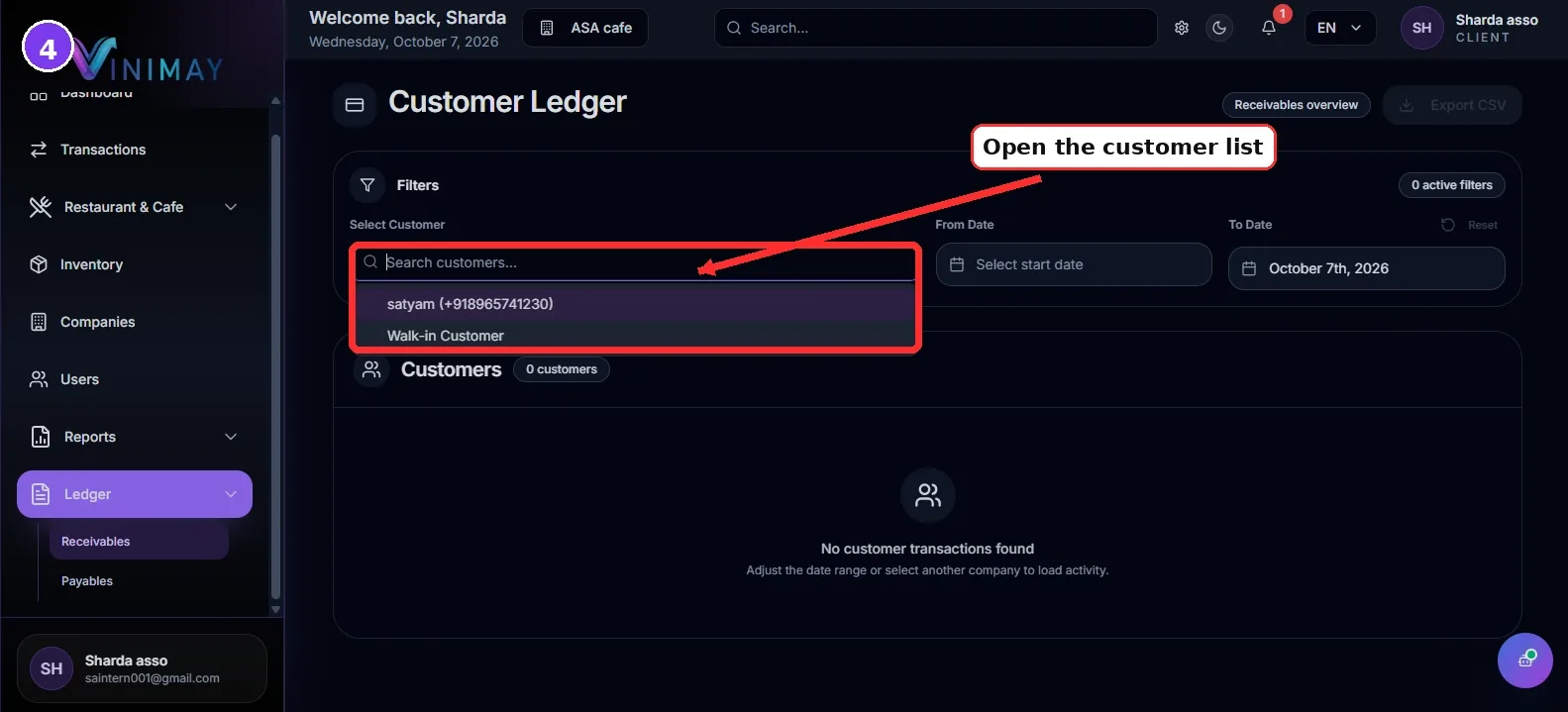
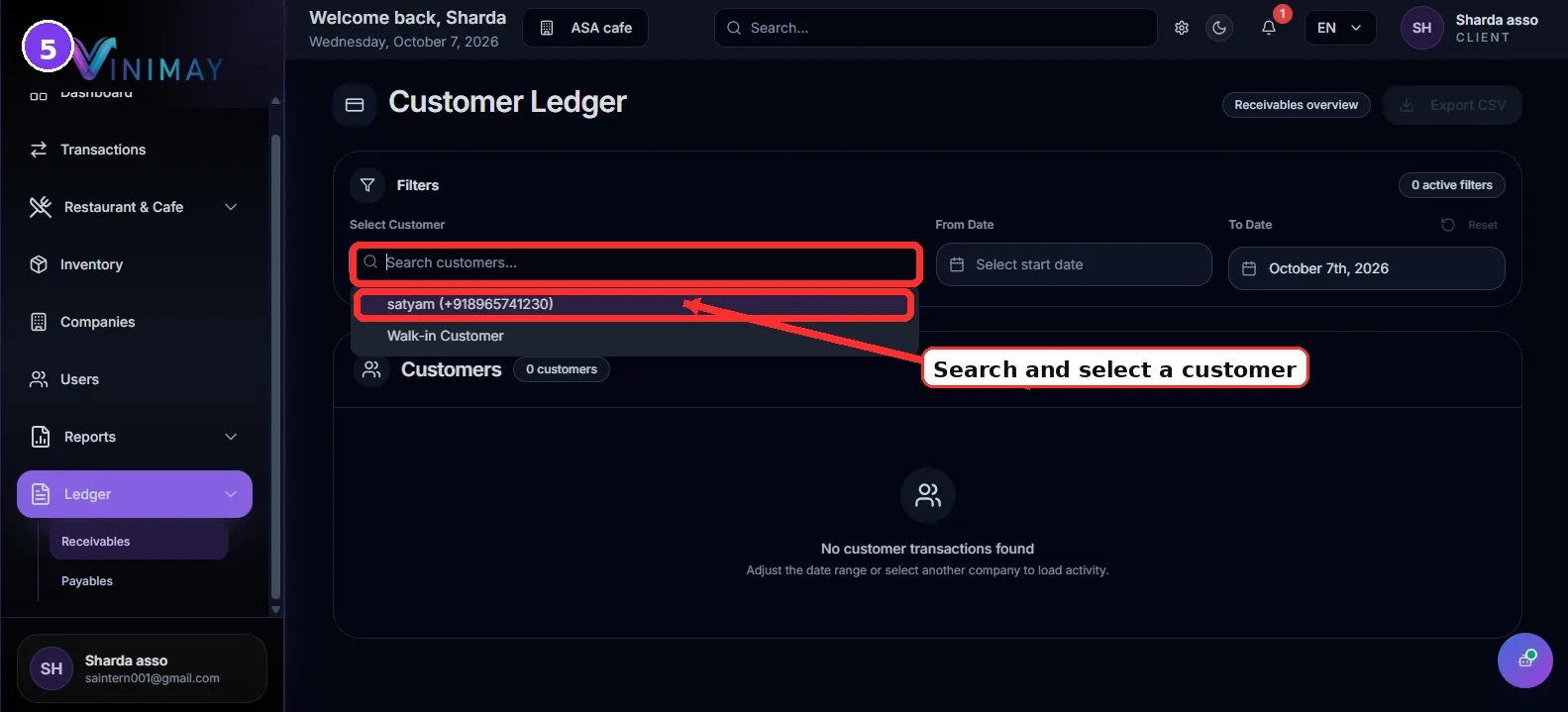
Step 5: Search or Select a Customer
If you want to check the payment details of a particular customer, use the customer selection or search option.
Choose the required customer from the list.
This is useful when you have many customers and want to quickly check the balance of one specific party without scrolling through the complete list.
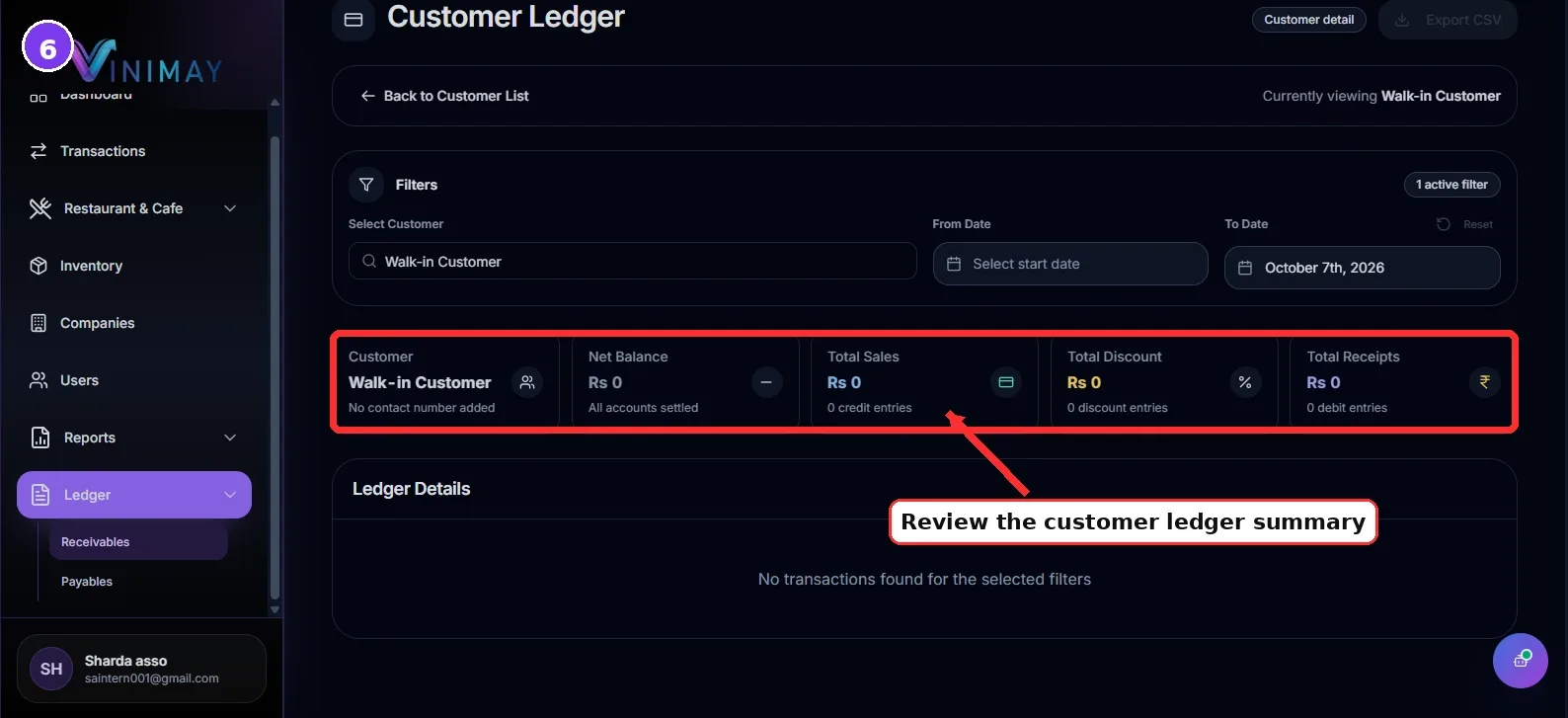
Step 6: Open View Ledger
After finding the customer, click on View Ledger.
The customer ledger will show the transactions recorded for that customer.
You can review sales invoices, receipts and other relevant entries to understand how the outstanding balance was calculated.
For example:
Customer Invoice: ₹50,000
Payment Received: ₹35,000
Outstanding Balance: ₹15,000
This means the customer still has to pay ₹15,000.
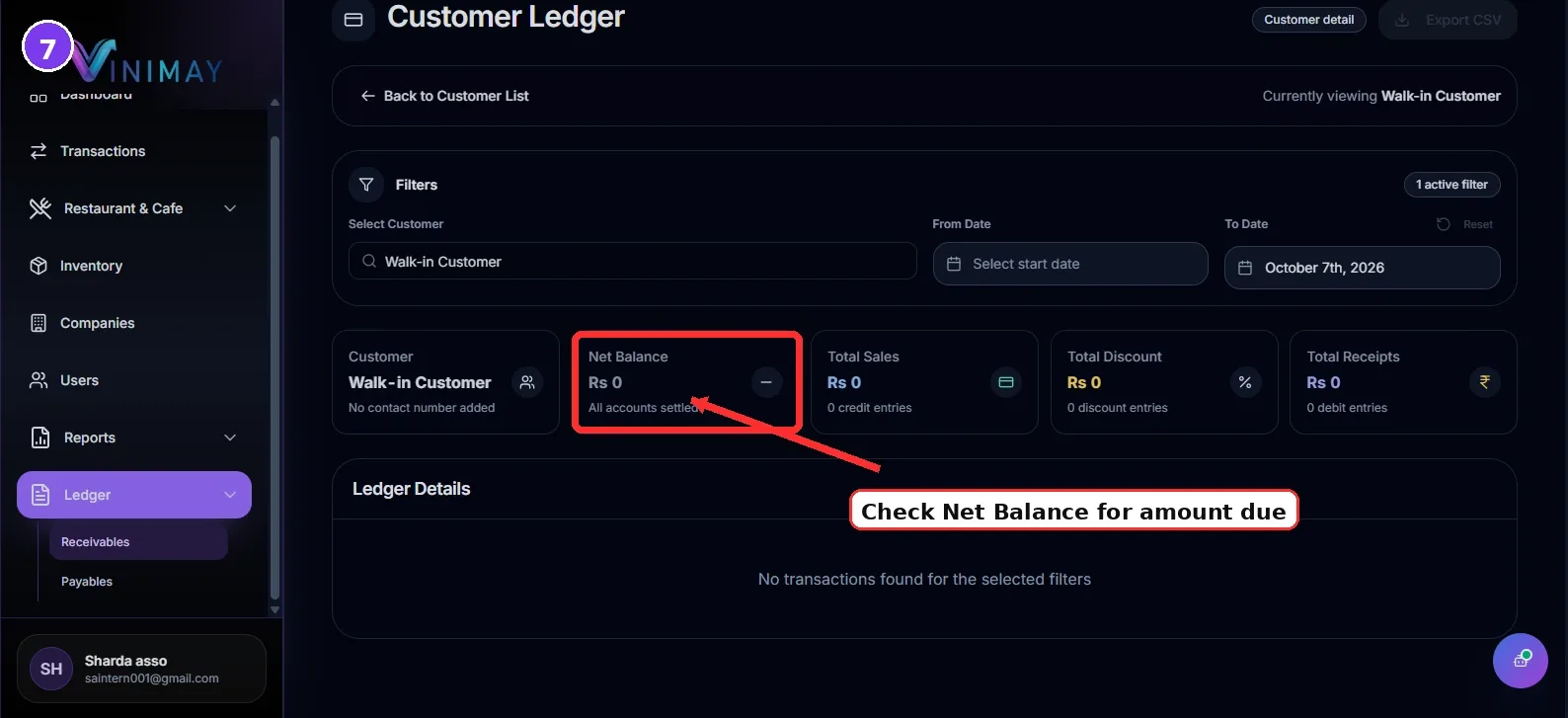
Step 7: Check Pending Amount and Follow Up
Once you know the outstanding amount, you can contact the customer and follow up for payment.
You can also return to the Receivables page and check other customers with pending balances.
Regularly checking receivables can help your business maintain better cash flow and reduce delayed customer payments.
Quick Path
Login → Ledger → Receivables → Find Customer → View Ledger → Check Outstanding Amount
Conclusion
The Receivables section in Vinimay gives you a simple way to know who owes you money and how much is still pending.
Instead of maintaining a separate notebook or spreadsheet for outstanding customer payments, you can check customer balances directly from Vinimay.
By regularly reviewing your Receivables page, you can identify pending payments, check customer ledgers and follow up with customers on time. This helps you manage your business cash flow more efficiently and keeps your customer accounts organised.
Related Topics
Published by Team Vinimay
Our editorial and compliance specialists create practical guides, tax calculation rules, and operational strategies to empower Indian small business owners and accountants.