accounting software8 min readPublished 18 October 2026
How to Make Sure Your GST Bill Has No Calculation Errors
Learn how to check GST bills for calculation errors, including GST rates, discounts, CGST-SGST, IGST, taxable value and rounding.
A
admin
Financial Insights & Compliance Desk
Share:
A single calculation error on a GST bill can cause a slew of problems down the line, including mismatched GST returns, dissatisfied customers, incorrect tax payment, and even a warning from the tax department. Calculation errors are more common than most people realise among small business owners who handle invoicing manually or using simple tools, particularly when dealing with numerous tax rates, discounts, or inter-state transactions.
This becomes a bigger concern for MSMEs, retailers, traders, and service providers who generate several invoices daily. A wrong GST rate, an incorrect CGST-SGST split, or a rounding mistake in one invoice may seem small, but across dozens of invoices in a month, these errors add up and can seriously affect GST compliance.
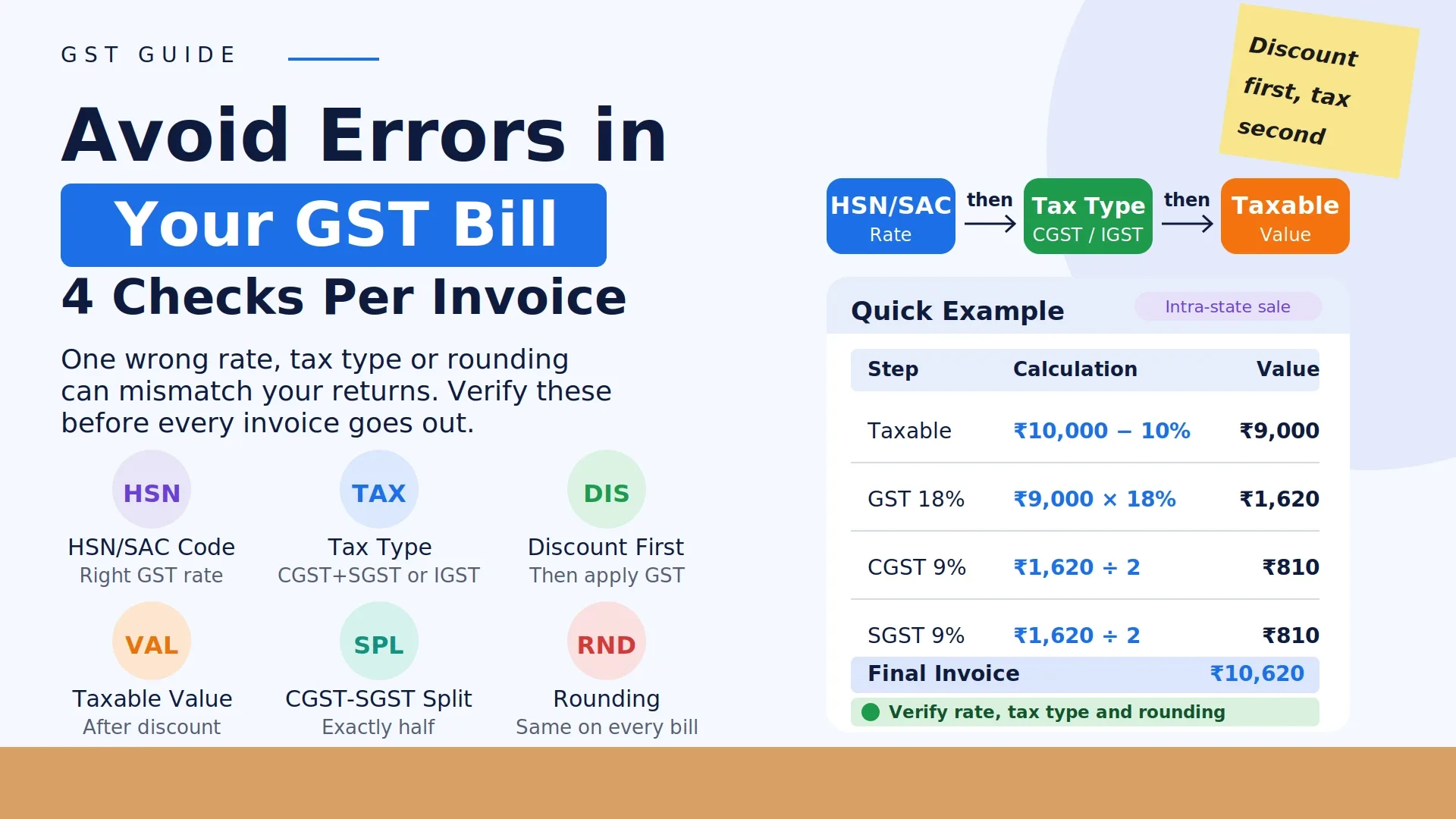
To ensure a GST bill has no calculation errors, a business should verify four key things on every invoice — the correct GST rate based on HSN/SAC code, the correct tax type (CGST+SGST for intra-state, IGST for inter-state), accurate taxable value after discounts, and correct rounding of the final tax amount. The most reliable way to avoid errors consistently is to use a system that calculates these values automatically based on the invoice details entered, rather than relying on manual computation for every bill.
Getting this right matters because GST errors don't just affect one invoice — they carry forward into monthly returns, input tax credit claims, and overall compliance health of the business.
Common Reasons GST Bills Have Calculation Errors
Understanding where errors usually happen makes it easier to prevent them:
Wrong GST rate applied: Using an incorrect rate because the HSN/SAC code wasn't checked properly
Incorrect tax type: Applying CGST+SGST instead of IGST, or vice versa, due to wrong buyer state detection
Discount calculation mistakes: Applying GST on the value before discount instead of after, or vice versa
Rounding errors: Small differences from manually rounding tax amounts inconsistently across invoices
Multiple tax rates in one invoice: Missing that different items in the same bill may have different GST rates
Manual addition errors: Simple arithmetic mistakes when calculating totals across multiple line items
Step-by-Step Way to Check a GST Bill for Errors
1. Verify the HSN/SAC Code and GST Rate
Every product or service has a specific HSN (goods) or SAC (services) code, which determines the applicable GST rate. Before finalizing an invoice, confirm that the code matches the item and that the rate linked to it is correct.
2. Confirm the Correct Tax Type
Check whether the transaction is intra-state or inter-state based on the buyer's and seller's state:
Transaction Type
Tax Applied
Same state (intra-state)
CGST + SGST (split equally)
Different states (inter-state)
IGST (full amount)
3. Apply Discount Before Calculating Tax
If a discount is being given, GST should generally be calculated on the value after the discount, not before. Getting this sequence wrong changes the tax amount incorrectly.
This value is what the GST percentage should be applied to.
5. Check the CGST-SGST Split
For intra-state transactions, the total GST should be divided exactly in half between CGST and SGST. Any mismatch here is a common manual error.
6. Verify Rounding
GST amounts should be rounded consistently — usually to the nearest rupee — and this rounding should be applied the same way across all invoices to avoid mismatches during return filing.
Practical Example
Suppose a product is priced at ₹10,000, with a 10% discount, and a GST rate of 18% (intra-state sale):
Step
Calculation
Value
Price
—
₹10,000
Discount (10%)
₹10,000 × 10%
₹1,000
Taxable Value
₹10,000 − ₹1,000
₹9,000
Total GST (18%)
₹9,000 × 18%
₹1,620
CGST (9%)
₹1,620 ÷ 2
₹810
SGST (9%)
₹1,620 ÷ 2
₹810
Final Invoice Value
₹9,000 + ₹1,620
₹10,620
If the discount is missed or the split is calculated incorrectly, the final invoice amount and tax reported will both be wrong.
Common Mistakes to Watch For
Applying GST on the pre-discount amount instead of the post-discount amount
Forgetting that different items in one invoice may have different HSN codes and rates
Manually splitting CGST/SGST with rounding inconsistencies
Not double-checking buyer state details before applying tax type
Relying on copy-pasted invoice templates without verifying rate accuracy for each item
Why Manual GST Bill Checking Has Limitations
Reviewing every invoice manually works when the business generates only a handful of bills. But as transaction volume grows — multiple products, multiple tax rates, multiple states — manually verifying each calculation becomes time-consuming and increases the risk of oversight, especially during busy periods.
This is why many businesses move toward invoicing systems where the GST rate, tax type, and final amount are calculated automatically based on the details entered, reducing dependency on manual verification for every single bill.
How Vinimay Helps
Reducing GST calculation errors depends on having a consistent, organized invoicing process rather than checking each bill manually every time.
Vinimay, through its GST Invoicing feature, helps businesses maintain this consistency:
GST Invoice Management: Invoices can be created with GST rates linked to items, helping maintain consistency across bills.
Sales Management: Transaction details, including buyer information relevant to tax type, are recorded in an organized manner.
Digital Invoice Records: Every invoice is stored digitally, making it easier to review and cross-check tax details later if needed.
Reports: Vinimay's reports section allows businesses to review sales and tax-related data together, helping identify discrepancies before GST return filing.
With this kind of organized invoicing workflow, businesses reduce their reliance on manual recalculation for every bill, which in turn lowers the chances of errors going unnoticed.
FAQs
1. How do I make sure my GST bill has no calculation errors?
Answer: Verify the correct GST rate based on HSN/SAC code, confirm the correct tax type (CGST+SGST or IGST), apply discounts before calculating tax, and check the final rounding on every invoice.
How Vinimay Helps: Vinimay's GST invoicing feature helps maintain consistent invoice details, reducing the chances of manual calculation mistakes.
2. What is the most common GST calculation mistake businesses make?
Answer: The most common mistake is applying the wrong tax type — using CGST+SGST for an inter-state transaction or IGST for an intra-state one — usually due to incorrect buyer state detection.
How Vinimay Helps: Vinimay records buyer details as part of the invoicing process, supporting more consistent tax type identification.
3. Should GST be calculated before or after applying a discount?
Answer: GST should generally be calculated on the value after the discount has been deducted, not on the original price.
How Vinimay Helps: Vinimay's invoicing workflow helps maintain a clear structure of price, discount, and taxable value on each invoice.
4. Can rounding differences cause issues in GST filing?
Answer: Yes, inconsistent rounding across invoices can create small mismatches that add up and cause discrepancies during GST return filing.
How Vinimay Helps: Vinimay maintains digital invoice records with consistent calculation formatting, which helps during review and reconciliation.
5. How can I check if my CGST-SGST split is correct?
Answer: The total GST amount should be divided exactly in half between CGST and SGST for intra-state transactions; any unequal split indicates an error.
How Vinimay Helps: Vinimay's GST invoice format is structured to reflect the correct tax breakup for each transaction type.
6. What should I do if I find a calculation error after the invoice is issued?
Answer: Depending on the nature of the error, a credit note or invoice correction may be required, and it's advisable to consult a CA for the correct rectification process.
How Vinimay Helps: Vinimay's digital invoice records make it easier to locate and review the specific invoice in question when a correction is needed.
7. Is it necessary to check every invoice manually if I use invoicing software?
Answer: While software reduces calculation errors, periodic review of reports and records is still a good practice to catch any data entry mistakes.
How Vinimay Helps: Vinimay's reports section allows businesses to periodically review sales and tax data, supporting this kind of regular check.
Conclusion
GST calculation errors, even when small, can create bigger compliance issues over time — from mismatched returns to incorrect tax payments. Most of these mistakes come from manual handling of tax rates, discounts, and tax type selection across a growing number of invoices.
Maintaining a consistent, organized invoicing process — as supported by Vinimay's GST invoicingand digital record-keeping workflow — helps businesses reduce the chances of calculation errors and stay more confident about the accuracy of their GST bills.
Our editorial and compliance specialists create practical guides, tax calculation rules, and operational strategies to empower Indian small business owners and accountants.
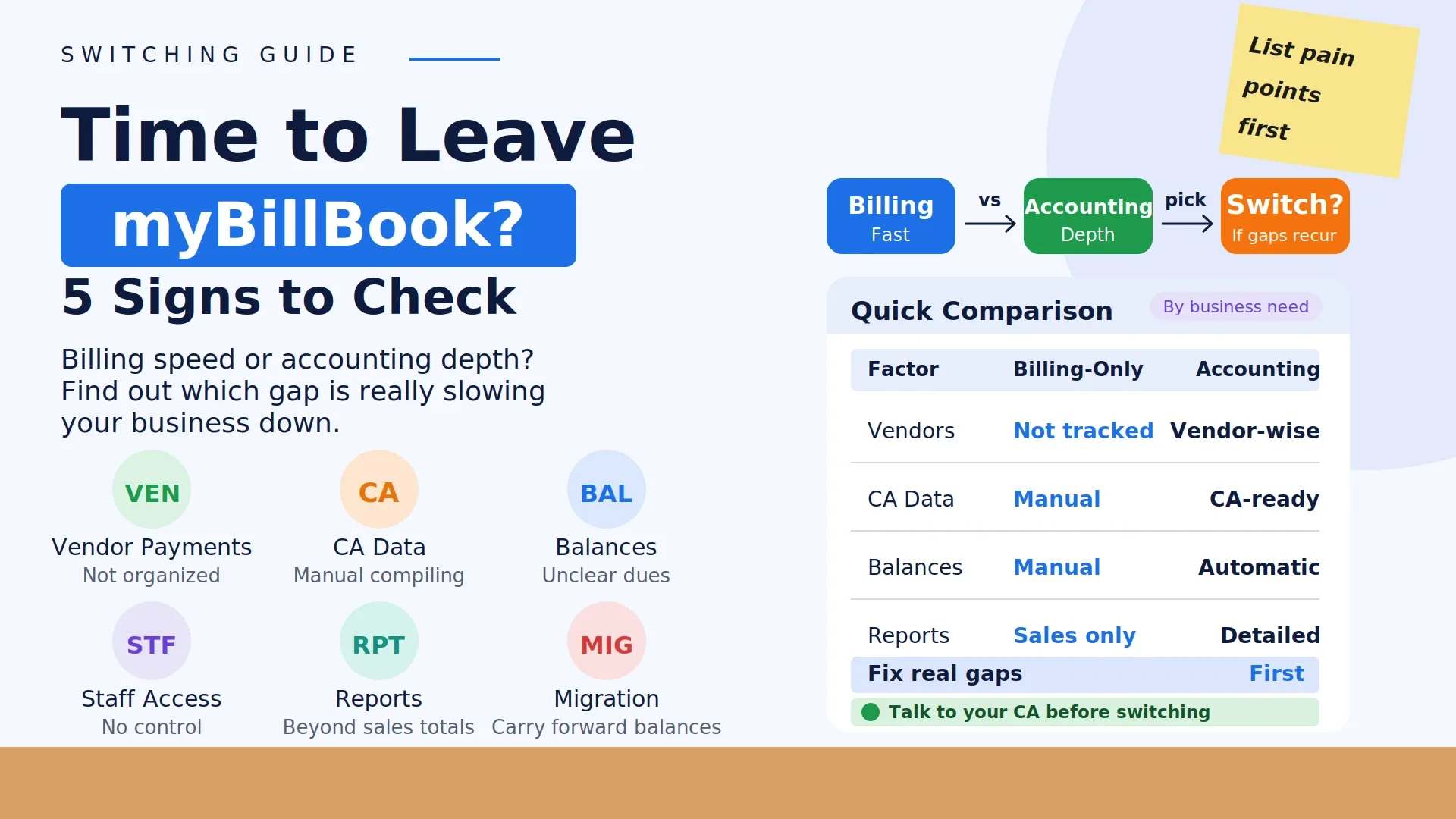
Thinking about switching from myBillBook? Learn when billing is no longer enough and how a complete accounting platform can simplify business management.