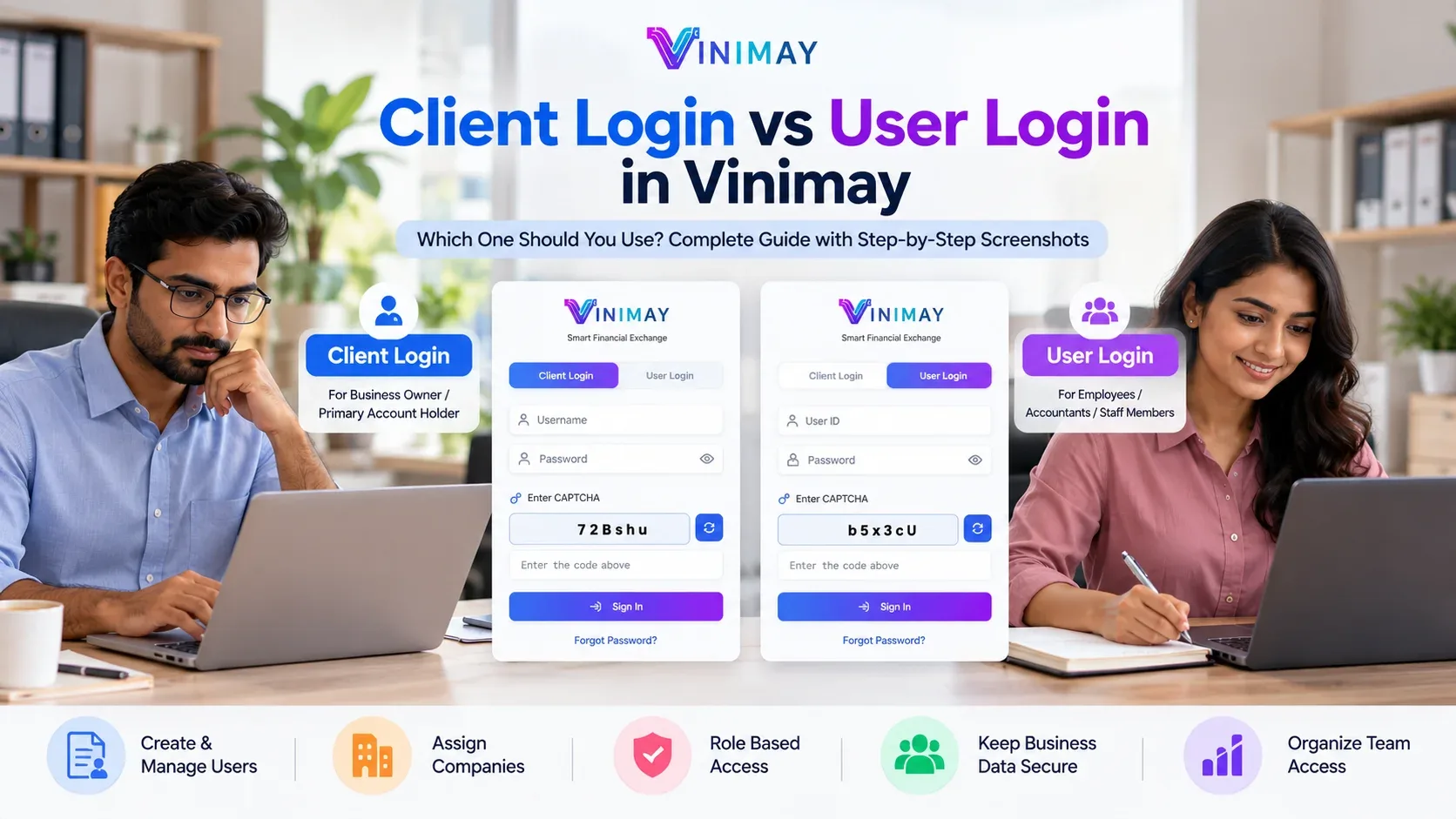
When multiple staff members handle billing, businesses should follow a role-based access system. This means each staff member should receive only the permissions required for their job. For example, billing staff may be allowed to create invoices but should not necessarily have permission to view financial reports, change product prices, or delete customer data. This helps businesses protect their data and reduce the chances of errors or misuse.
As a business grows and multiple employees begin handling billing or accounting tasks, a common risk is giving everyone unrestricted access. Even if an employee is responsible only for billing, they may accidentally or intentionally modify pricing, reports, or sensitive customer information. This can affect data integrity and make it difficult to identify who made a particular change.
The solution is to implement a proper access control system where each staff member has a clearly defined role and access to only the features required for that role.
Why Is Access Control Important?
When multiple staff members use the same system, uncontrolled access can create several risks:
- Accidental Errors: Staff may accidentally change important settings or prices.
- Data Misuse: Sensitive customer or financial information may become accessible to unauthorized employees.
- Lack of Accountability: If everyone uses the same access level, it becomes difficult to determine who made a change.
- Fraud Risk: Without proper controls, unauthorized entries or adjustments may be harder to detect.
Role-based access can help reduce these risks by limiting permissions according to each employee's responsibilities.
Practical Ways to Control Staff Access Rights
1. Define a Role for Each Staff Member
First, determine what each employee is responsible for, such as billing, inventory management, or accounting.
| Role | Typical Access Needed |
|---|---|
| Billing Staff | Create and manage invoices |
| Inventory Manager | Update stock and record purchases |
| Accountant | Access reports, ledgers, and financial data |
| Owner/Admin | Full access, including settings |
The exact permissions should be based on the business's internal requirements.
2. Restrict Sensitive Features
Features such as price editing, deleting records, changing important settings, or accessing financial reports should generally be limited to authorized employees.
3. Give Every Staff Member an Individual Login
Each employee should have their own username and password instead of using one shared account.
Individual accounts make it easier to identify which staff member created an invoice or made a particular change.
4. Review Access Rights Regularly
Access permissions should be reviewed whenever:
- A new employee joins
- An employee changes roles
- An employee leaves the business
- An employee's responsibilities change
Access should be updated or revoked accordingly.
5. Maintain an Activity Log
An activity log can help a business track important actions performed within the system. This can be useful for accountability, troubleshooting, and identifying errors.
Common Access-Control Mistakes Businesses Make
Businesses often make mistakes such as:
- Giving every staff member full access for convenience
- Sharing one username and password among multiple employees
- Failing to revoke access when an employee leaves
- Allowing all employees to change sensitive settings such as prices
- Setting permissions once and never reviewing them again
These practices can make business data harder to control and can increase the risk of unauthorized changes.
Practical Business Scenario
Suppose a retail store has five employees working at its billing counters. All five employees use the same account with unrestricted access.
One day, a staff member accidentally changes the selling price of a product. The incorrect price is then used for several invoices before the owner notices the problem.
A more controlled setup would give every employee an individual login and limit billing staff to the permissions they actually need. For example, they may be allowed to create invoices but not modify product prices.
This makes accountability easier and reduces the possibility of accidental changes to sensitive information.
How Vinimay Helps
Vinimay is a CA-led accounting software designed to help Indian MSMEs, retailers, traders, and service providers organize their accounting and business operations.
For businesses where multiple employees handle billing, features such as the following can support access management:
User Management
Businesses can maintain individual staff users and assign access according to their responsibilities.
Sales Management
Billing staff can work with sales and invoice-related operations while access to other sensitive functions can be controlled according to the assigned permissions.
Digital Invoice Records
Digital invoice records provide an organized transaction history, helping businesses maintain accountability around billing activities.
Reports
Access to detailed financial reports can be limited to authorized users such as owners, managers, or accountants, depending on the business's permission structure.
These controls can help businesses manage multiple staff members more systematically while reducing unnecessary access to sensitive information.
Frequently Asked Questions
1. Should all staff members have the same access?
No. Staff members should generally receive access according to their job responsibilities. This helps protect sensitive data and reduces the possibility of unauthorized changes.
How Vinimay Helps: Vinimay supports managing staff users and their access according to business requirements.
2. Why should every staff member have an individual login?
Individual logins make it easier to identify which employee performed a particular action. This improves accountability and makes error tracking easier.
How Vinimay Helps: Vinimay supports individual staff-user access rather than requiring all employees to use the same account.
3. What should happen when an employee leaves the company?
The employee's access should be revoked or deactivated as soon as their employment ends. This helps prevent further access to business information.
How Vinimay Helps: Staff access can be updated according to the business's changing requirements.
4. Should billing staff be allowed to view financial reports?
This depends on the business's internal policy. However, sensitive financial reports can be restricted to authorized employees such as owners, managers, or accountants.
How Vinimay Helps: Vinimay supports permission-based access to business functions according to assigned roles.
5. How often should staff access rights be reviewed?
Access should be reviewed whenever an employee joins, leaves, changes roles, or receives new responsibilities. Businesses can also conduct periodic permission reviews.
How Vinimay Helps: Staff permissions can be updated when business requirements change.
6. Is maintaining an activity log important?
Yes. Activity records can help businesses understand which staff member performed an action and can be useful for troubleshooting and accountability.
How Vinimay Helps: Vinimay maintains organized transaction records that can provide references for business activities.
7. Is access control necessary for small businesses?
Yes. Even a small business can benefit from access control when multiple employees handle billing, inventory, or accounting.
How Vinimay Helps: Vinimay provides an organized workflow for managing users and business operations.
8. Should every staff member be allowed to edit product prices?
Not necessarily. Price editing is a sensitive function and can be restricted to authorized employees or administrators to reduce the risk of accidental or unauthorized changes.
How Vinimay Helps: Vinimay supports permission-based access so businesses can control access to different functions according to their requirements.
Conclusion
When multiple staff members handle billing, controlling their access rights is important for maintaining data security, accuracy, and accountability. Businesses can achieve this by defining roles, providing individual logins, restricting sensitive functions, and regularly reviewing employee permissions.
An organized accounting system with appropriate access controls can help businesses reduce accidental errors and unauthorized changes while allowing employees to perform their assigned tasks efficiently. Vinimay supports businesses in organizing staff access and accounting operations, making it easier to manage billing when multiple employees are involved.
Published by admin
Our editorial and compliance specialists create practical guides, tax calculation rules, and operational strategies to empower Indian small business owners and accountants.